

Der AI Lesson Assistant generiert Inhalte für einzelne MemberPress-Lektionen. Diese Funktion ermöglicht die Erstellung ganzer Lektionsinhalte oder die Erweiterung bestehender Inhalte. Der AI Lesson Assistant ist Teil des AI-Kurs-Generator die auch die Erstellung von Kursen und Quizze.
Dieses Dokument zeigt, wie man mit dem AI Lesson Assistant Unterrichtsinhalte für MemberPress-Kurse erstellt.
Voraussetzungen
Der KI-Unterrichtsassistent erfordert die AI Course Generator Zusatzmodul installiert und aktiviert werden. Außerdem muss auf dem Konto AI-Guthaben vorhanden sein.
Zugriff auf den AI Lesson Assistant
Der KI-Lektionsassistent kann über den Lektionseditor aufgerufen werden:
- Navigieren Sie zu Dashboard > MP-Kurse > Lektionen.
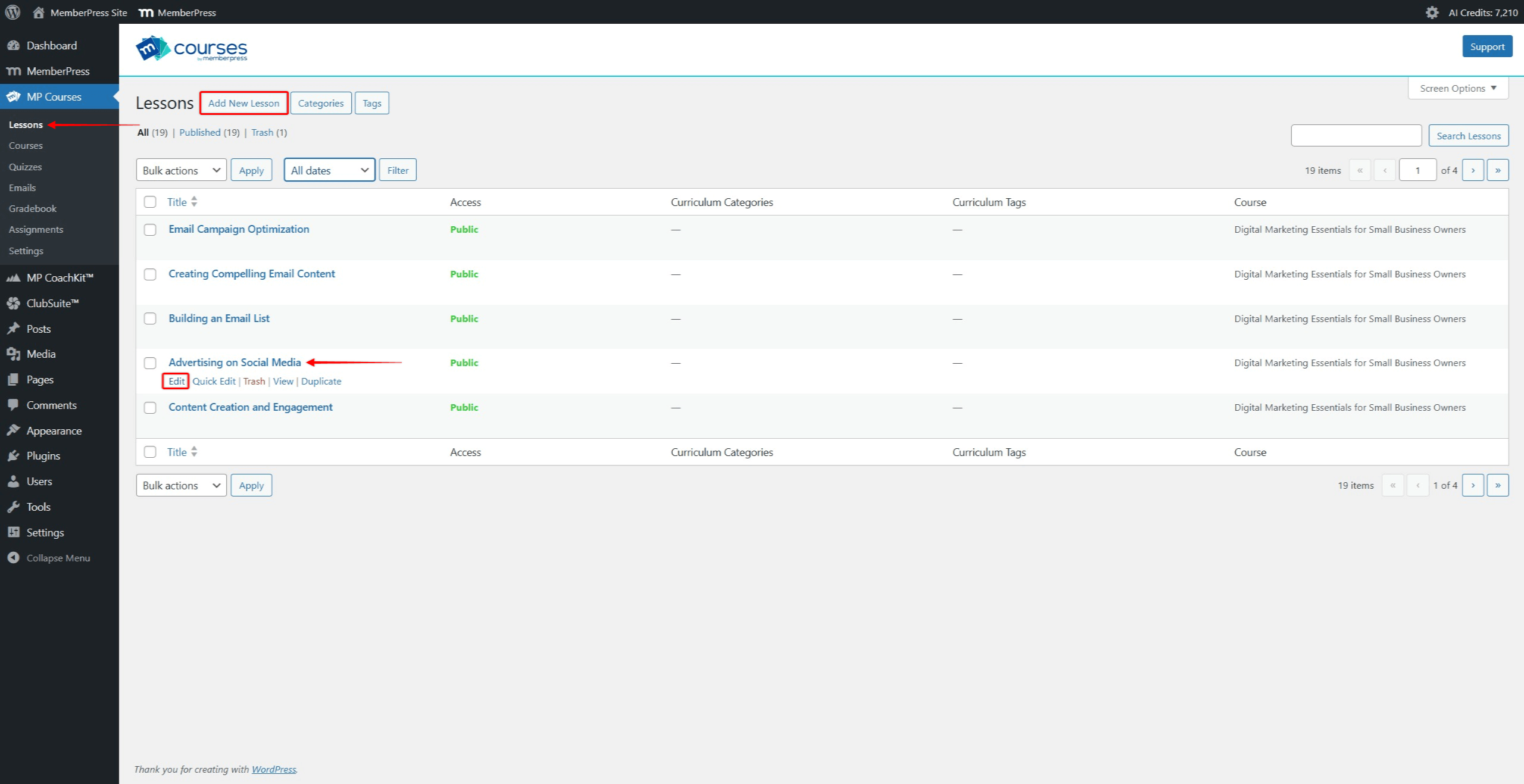
- Klicken Sie auf die Neue Lektion hinzufügen um eine neue Lektion hinzuzufügen. Um Inhalte für eine vorhandene Lektion zu erstellen, suchen Sie diese in der Liste. Bewegen Sie den Mauszeiger über den Namen der Lektion, um weitere Optionen anzuzeigen. Klicken Sie auf die Schaltfläche bearbeiten Link, um den Lektionseditor zu öffnen.
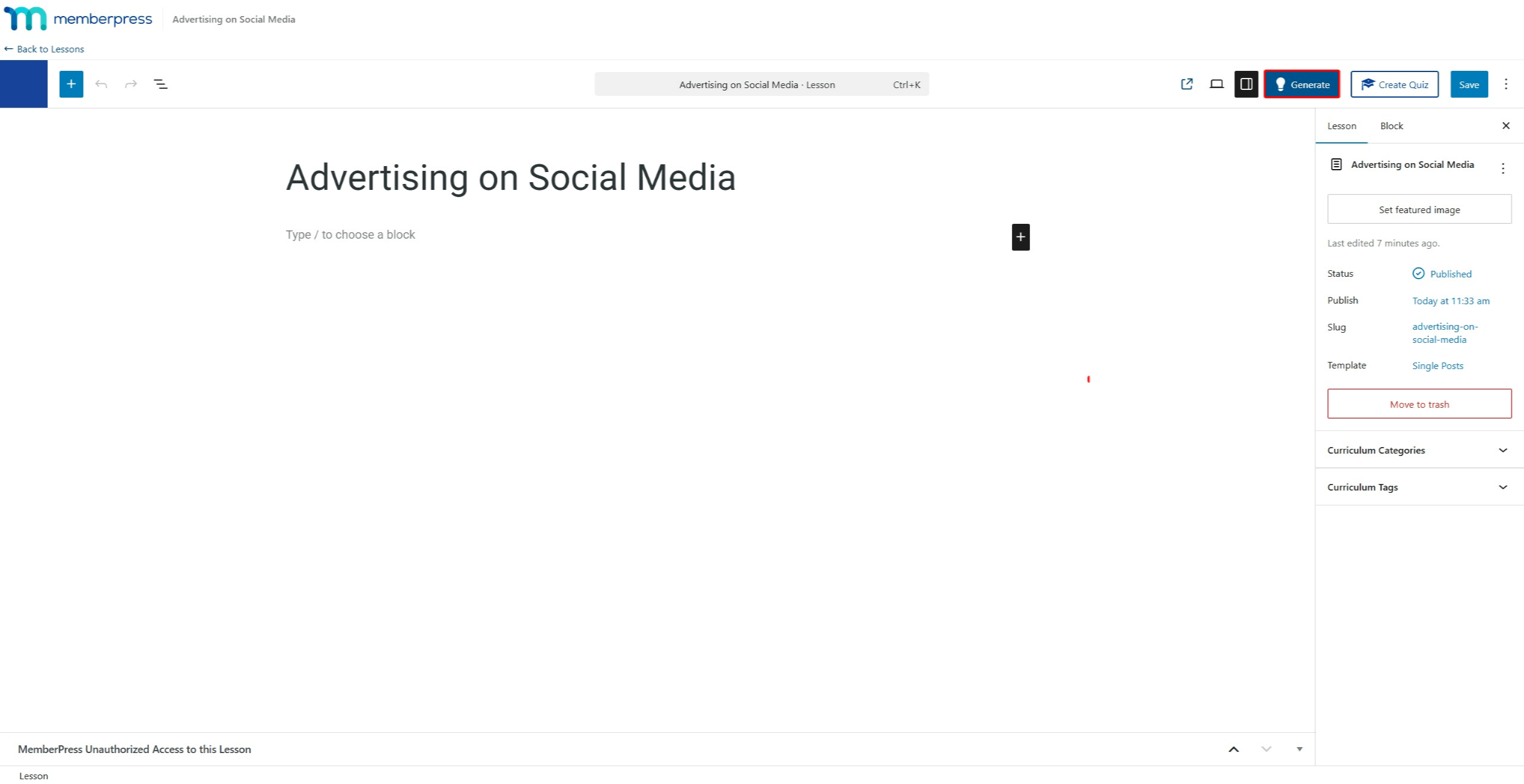
- Klicken Sie im Lektionseditor auf die Schaltfläche Erzeugen Sie auf der oberen rechten Seite. Dadurch wird der KI-Lektionsassistent gestartet.
Lektionsinhalte generieren
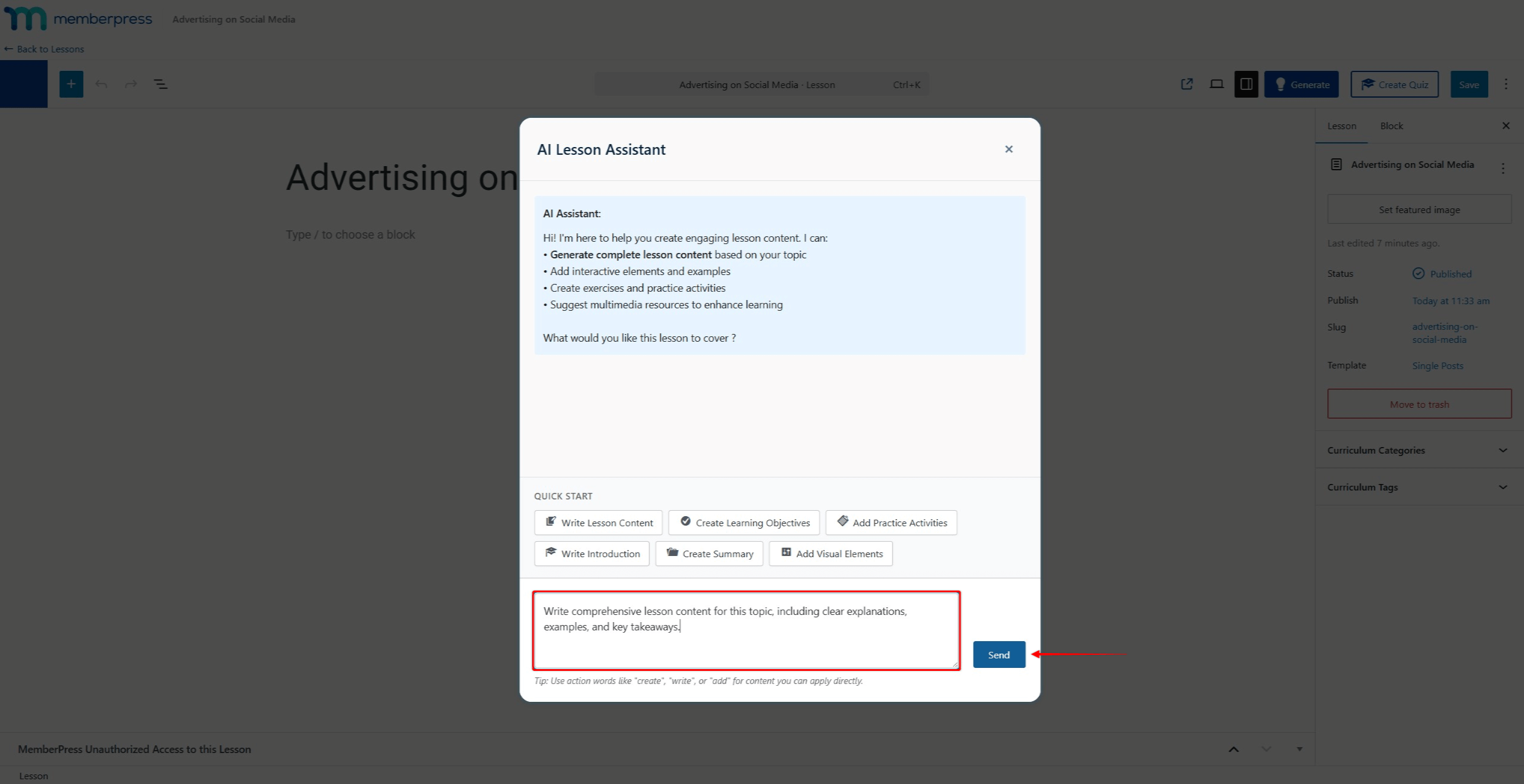
- Verwenden Sie das Chat-Feld, um die Aufforderung für den Unterrichtsinhalt zu schreiben.
- Klicken Sie auf die Senden Sie um die Eingabeaufforderung abzuschicken.
- Überprüfen Sie den generierten Inhalt.
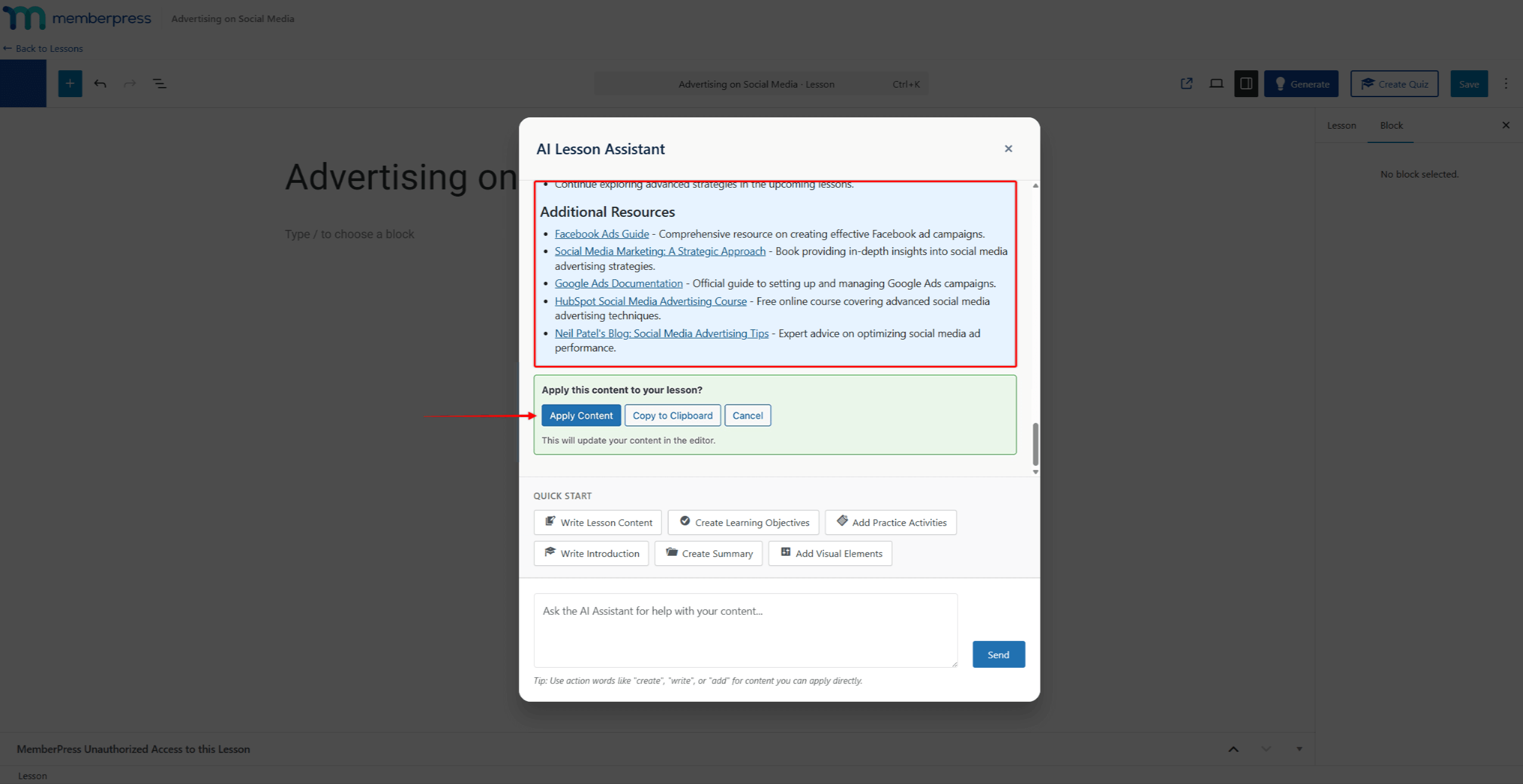
- Klicken Sie auf Inhalt anwenden um den Inhalt zur Lektion hinzuzufügen.
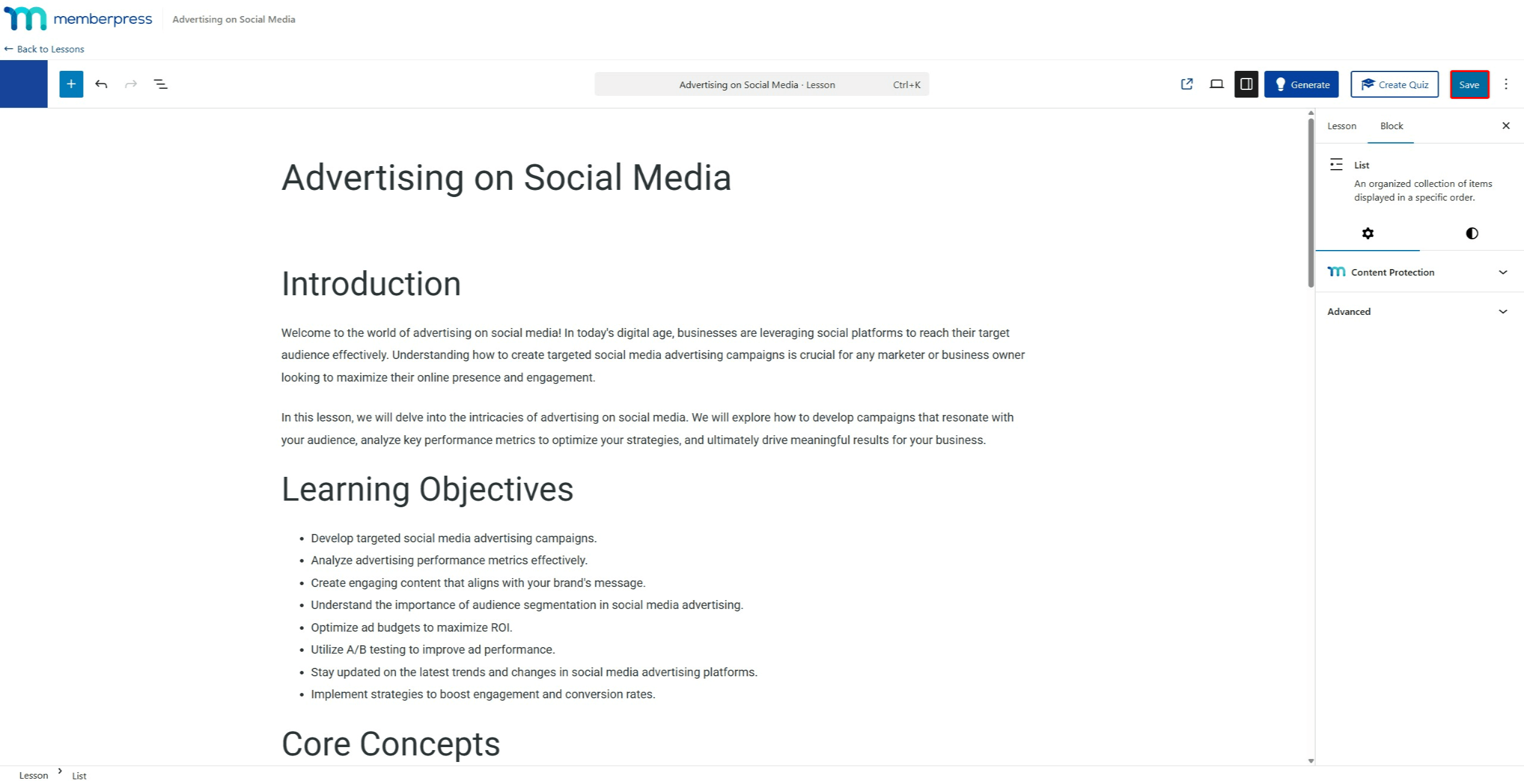
- Ändern Sie den generierten Inhalt im Lektionseditor, falls erforderlich. Klicken Sie auf die Speichern Sie um die Änderungen zu speichern.
Die KI kann die erstellten Inhalte auch ändern, bevor sie sie anwenden. Chatten Sie weiter mit dem KI-Lehrassistenten, um den Inhalt weiter zu verfeinern.
Tipps für eine bessere Erstellung von Unterrichtsinhalten
Die Qualität von KI-generierten Unterrichtsinhalten hängt von mehreren Faktoren ab:
- Titel der Lektion: Die KI verwendet den Titel der Lektion als Kontext. Beschreibende Titel erzeugen relevantere Inhalte;
- Kontext des Elternkurses: Die KI berücksichtigt bei der Erstellung der Inhalte die gesamte Kursstruktur und das Thema;
- Zeitnahe Qualität: Detaillierte Aufforderungen führen zu besseren Ergebnissen. Geben Sie spezifische Themen, Zielgruppen, Lernziele und die bevorzugte Inhaltsstruktur an;
- Benutzer-Know-how: Nutzer mit Fachwissen können spezifischere Anweisungen geben. Dies führt zu präziseren und maßgeschneiderten Inhalten.
Die besten Ergebnisse erzielen Sie, wenn Sie klare und detaillierte Anweisungen geben. Legen Sie fest, wie umfangreich der Stoff sein soll, welche Beispiele Sie einbeziehen und welche besonderen Lehrmethoden Sie anwenden möchten.
Zusammenfassung
Der AI Lesson Assistant rationalisiert die Erstellung von Unterrichtsinhalten. Er generiert Inhalte auf der Grundlage von Unterrichtskontext und Benutzereingaben.
Der KI-Unterrichtsassistent ist Teil des AI-Kurs-Generator und arbeitet mit dem AI Quiz-Ersteller. Alle Funktionen basieren auf MemberPress-Kurse.










 DE
DE  EN
EN  ES
ES  FR
FR  PT
PT 