

Die Vimeo-Integration ermöglicht die sichere Bereitstellung von Videos und die Offline-Ansicht von Mitgliedsinhalten. Vimeo Pro-Konten bieten Datenschutzkontrollen zum Schutz von Premium-Videoinhalten.
Dieses Dokument erklärt, wie man eine Vimeo-Entwickler-App erstellt, ein Zugriffstoken generiert und Vimeo mit der App verbindet.
Die Vorteile der Vimeo-Integration verstehen
Vimeo Pro bietet fortschrittliche Datenschutzkontrollen, die für Videoinhalte von Mitgliedern geeignet sind. Die Integration mit MemberPress AppKit bietet spezifische Vorteile gegenüber alternativen Video-Hosting-Plattformen.
Sichere Bereitstellung von Inhalten beschränkt den Zugriff und verhindert unbefugtes Teilen. Durch die Datenschutzeinstellungen wird sichergestellt, dass nur autorisierte Mitglieder Premium-Videoinhalte ansehen können.
Unterstützung für die Offline-Anzeige ermöglicht es Mitgliedern, Videos herunterzuladen, um sie ohne Internetverbindung anzusehen. Heruntergeladene Videos bleiben auch während Reisen oder bei eingeschränkter Konnektivität zugänglich.
Leistungsoptimierung Speichert Videometadaten für eine schnellere Wiedergabe. Zwischengespeicherte Daten reduzieren die Ladezeit, wenn Mitglieder auf Videoinhalte zugreifen.
Für die Offline-Wiedergabefunktion ist ein Vimeo Pro-Konto oder ein höherwertiges Abonnement erforderlich.
Vimeo-Zugriffstoken generieren
Die Generierung von Zugriffstoken erfolgt über das Vimeo-Entwicklerportal.
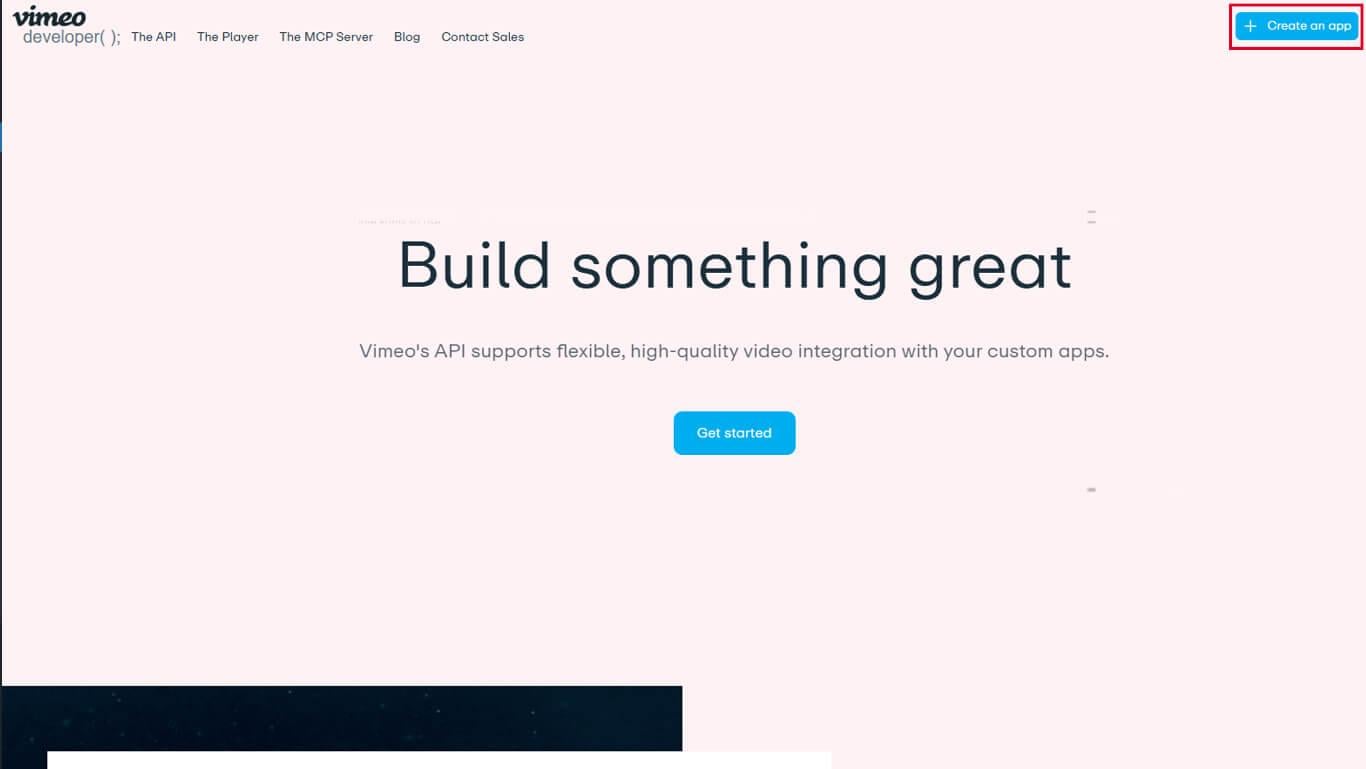
- Navigieren Sie zu entwickler.vimeo.com in einem Webbrowser.
- Melden Sie sich mit Ihren Vimeo-Kontodaten an.
- Klicken Sie auf Neue App erstellen mit der Erstellung der App zu beginnen.
- Geben Sie einen App-Namen in das Feld App-Name Feld.
- Geben Sie eine Beschreibung in das Feld App-Beschreibung Feld.
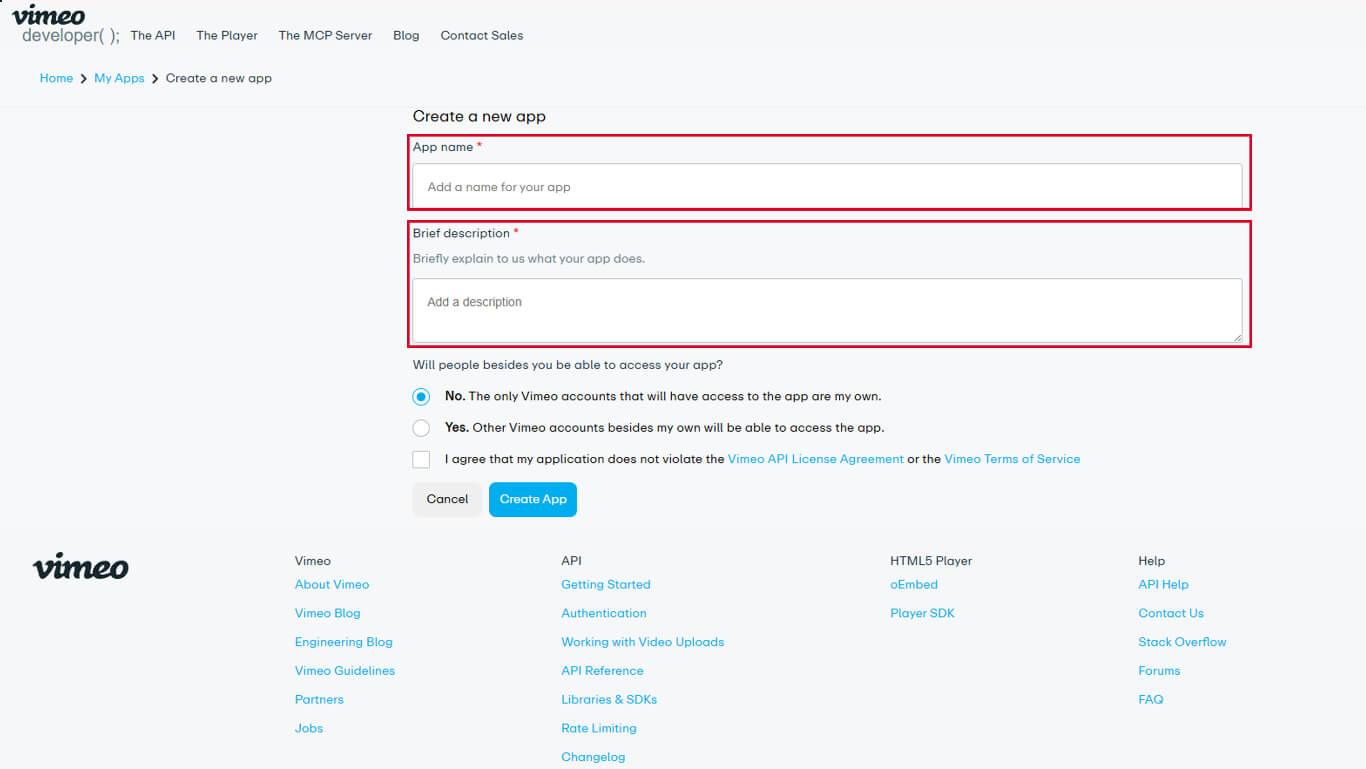
- Wählen Sie die entsprechende Option aus. App-Zugriff Ebene für die Anwendung.
- Klicken Sie auf App erstellen die App-Erstellung abzuschließen.
- Navigieren Sie zum Authentifizierung Registerkarte in den App-Einstellungen.
- Wählen Sie unter “Für wen ist diese App gedacht? Authentifiziert (Sie).
- Suchen Sie den Abschnitt „Scopes“ und aktivieren Sie die folgenden Optionen:
- Privat für den privaten Videozugang;
- Videodateien für die Möglichkeit zum Herunterladen von Videodateien.
- Klicken Sie auf Erzeugen Sie um das Zugriffstoken zu erstellen.
- Kopieren Sie das generierte Zugriffstoken in die Zwischenablage.
Das Zugriffstoken ermöglicht dem MemberPress AppKit die Authentifizierung für den Zugriff auf Vimeo-Videoinhalte.
Vimeo mit dem MemberPress AppKit verbinden
Die Konfiguration des Zugriffstokens schließt die Vimeo-Integration ab.
- Navigieren Sie zu Dashboard > MP AppKit > Integrationen > Vimeo.
- Suchen Sie die Vimeo-Authentifizierungscode Feld.
- Fügen Sie den kopierten Zugriffstoken in das Feld ein.
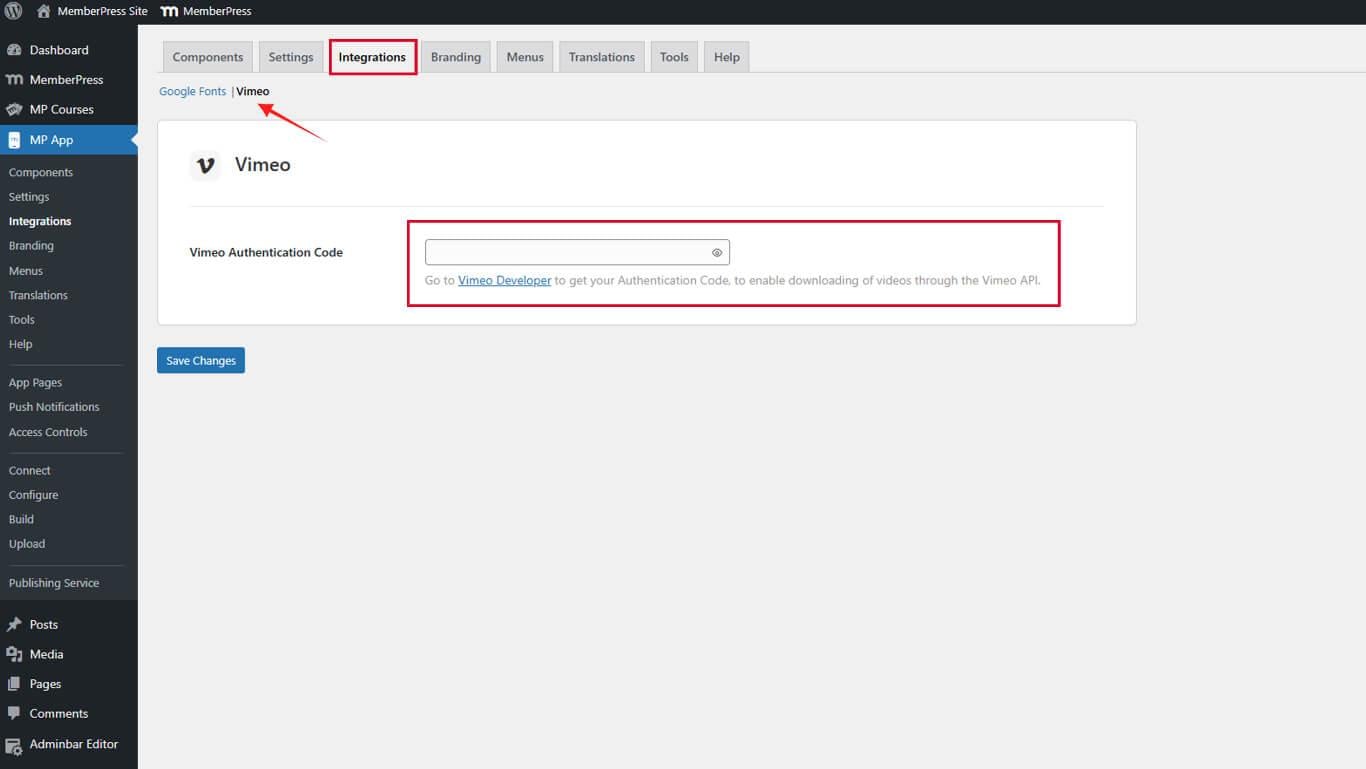
- Klicken Sie auf Änderungen speichern um die Verbindung herzustellen.
Die Vimeo-Integration wird sofort nach dem Speichern der Zugriffstoken-Konfiguration aktiviert.










 DE
DE  EN
EN  ES
ES  FR
FR  PT
PT 