

Google Firebase Cloud Messaging permet d'envoyer des notifications push sur les plateformes Android et iOS. L'intégration de Firebase permet aux membres de recevoir des alertes en temps réel via l'application mobile.
Ce document couvre la création d'un projet Firebase, l'activation de l'API, la génération de clés de service, l'enregistrement d'applications mobiles et le téléchargement de fichiers de configuration.
Comprendre l'intégration Firebase
Firebase Cloud Messaging délivre des notifications push aux appareils des membres sur les plateformes iOS et Android. L'API Firebase V1 fournit l'infrastructure de messagerie actuelle, remplaçant les anciens systèmes de messagerie. La configuration correcte de Firebase nécessite la création d'un projet, l'activation de l'API, la génération d'une clé de compte de service et l'enregistrement de l'application pour les deux plateformes.
Création d'un projet Firebase
La création d'un projet Firebase constitue la base de l'envoi de notifications push.
- Connectez-vous à la console Firebase à l'adresse suivante console.firebase.google.com.
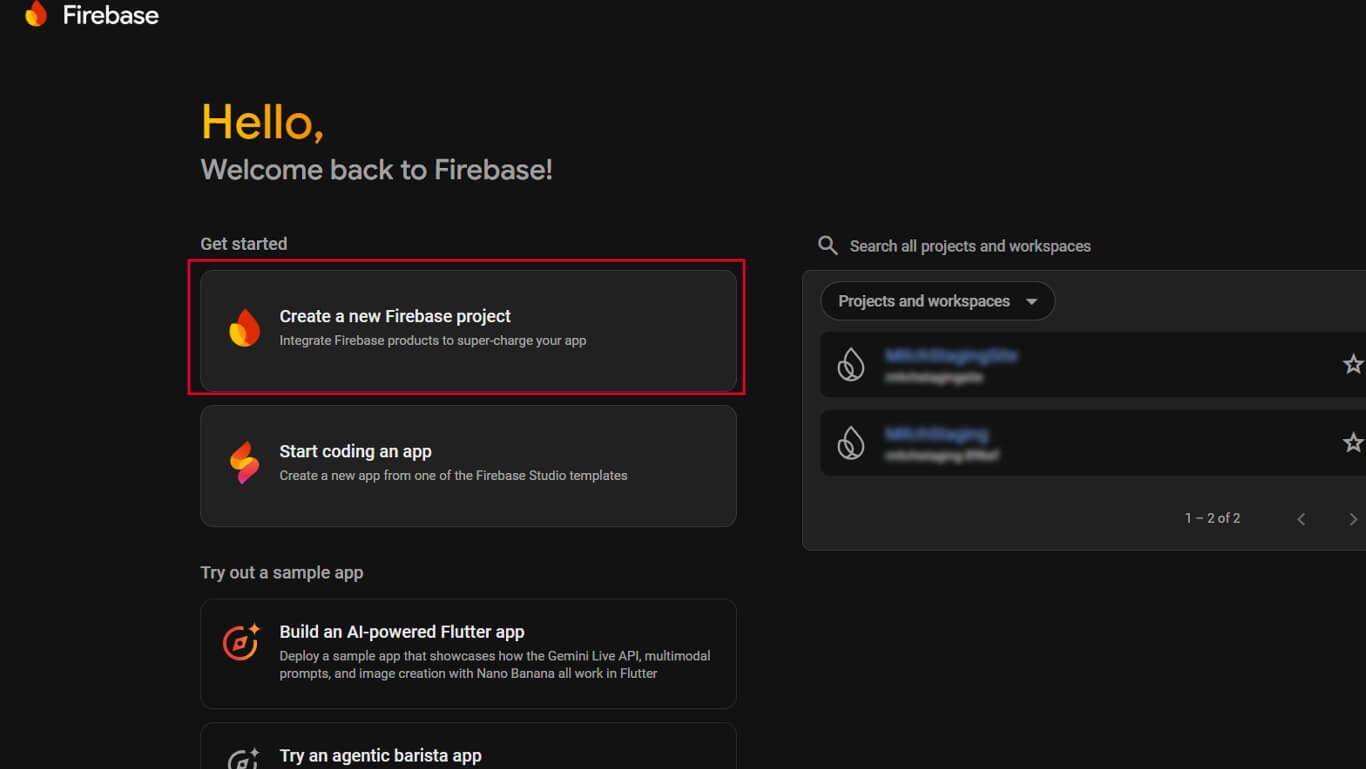
- Cliquez sur Créer un nouveau projet Firebase sur la page des projets.
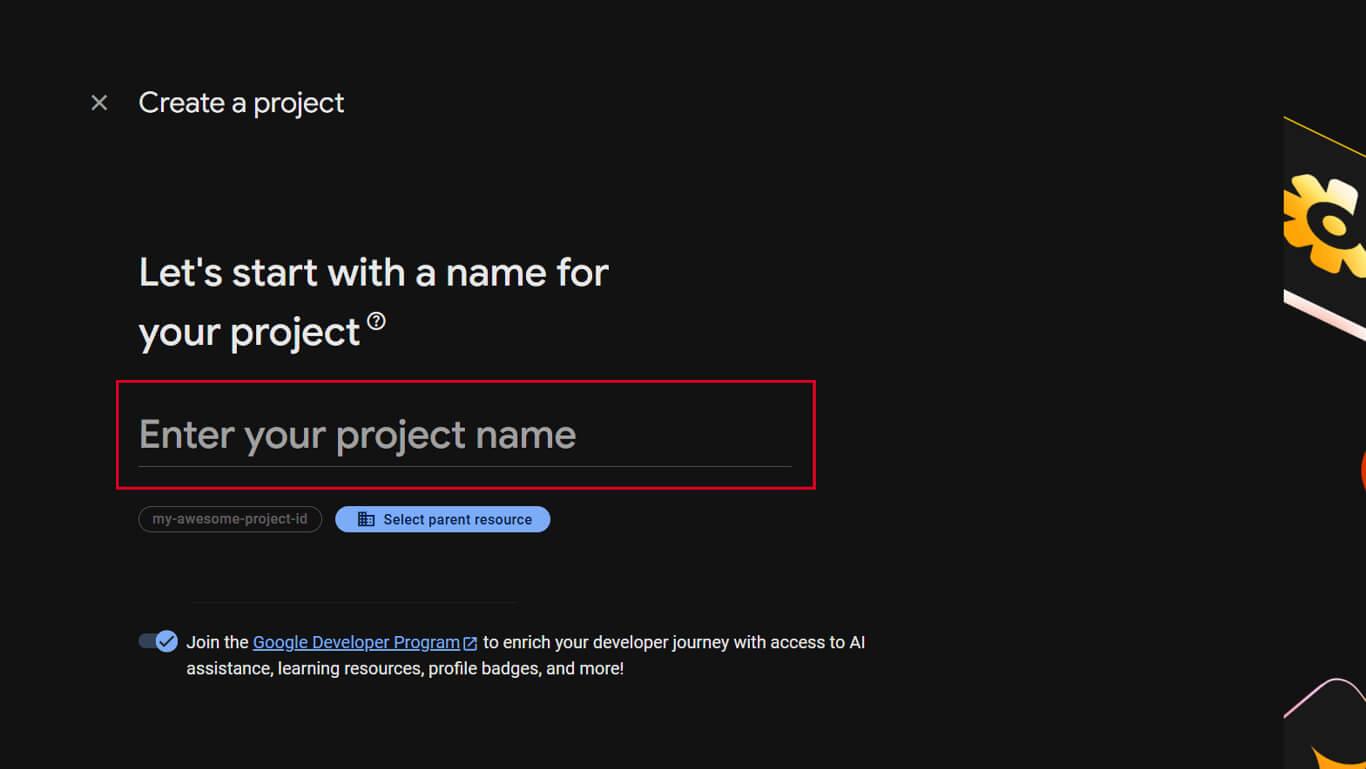
- Entrez un nom de projet dans le champ Nom du projet.
- Cliquez sur Continuer pour passer à l'étape suivante.
- Activation facultative de l'option Google Analytics en basculant l'interrupteur.
- Sélectionner ou accepter la valeur par défaut Analyse s'il est activé.
- Cliquez sur Créer un projet pour finaliser la création du projet.
- Attendez que la configuration du projet soit terminée.
- Cliquez sur Continuer pour ouvrir le tableau de bord du nouveau projet.
Activation de l'API Firebase Cloud Messaging
L'API Firebase Cloud Messaging doit être activée pour que les notifications push fonctionnent.
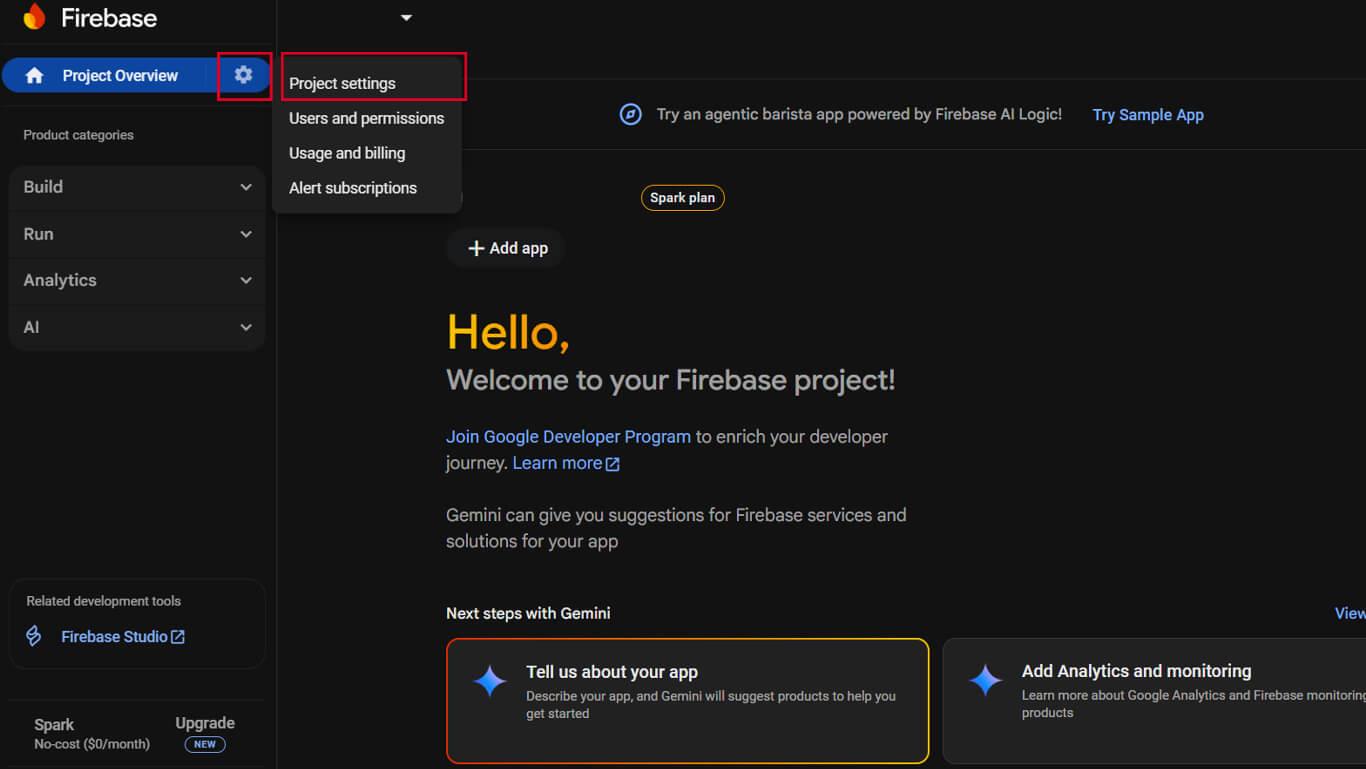
- Cliquez sur le bouton Paramètres dans le projet Firebase.
- Sélectionner Paramètres du projet dans le menu déroulant.
- Cliquez sur le bouton Messagerie cloud tabulation.
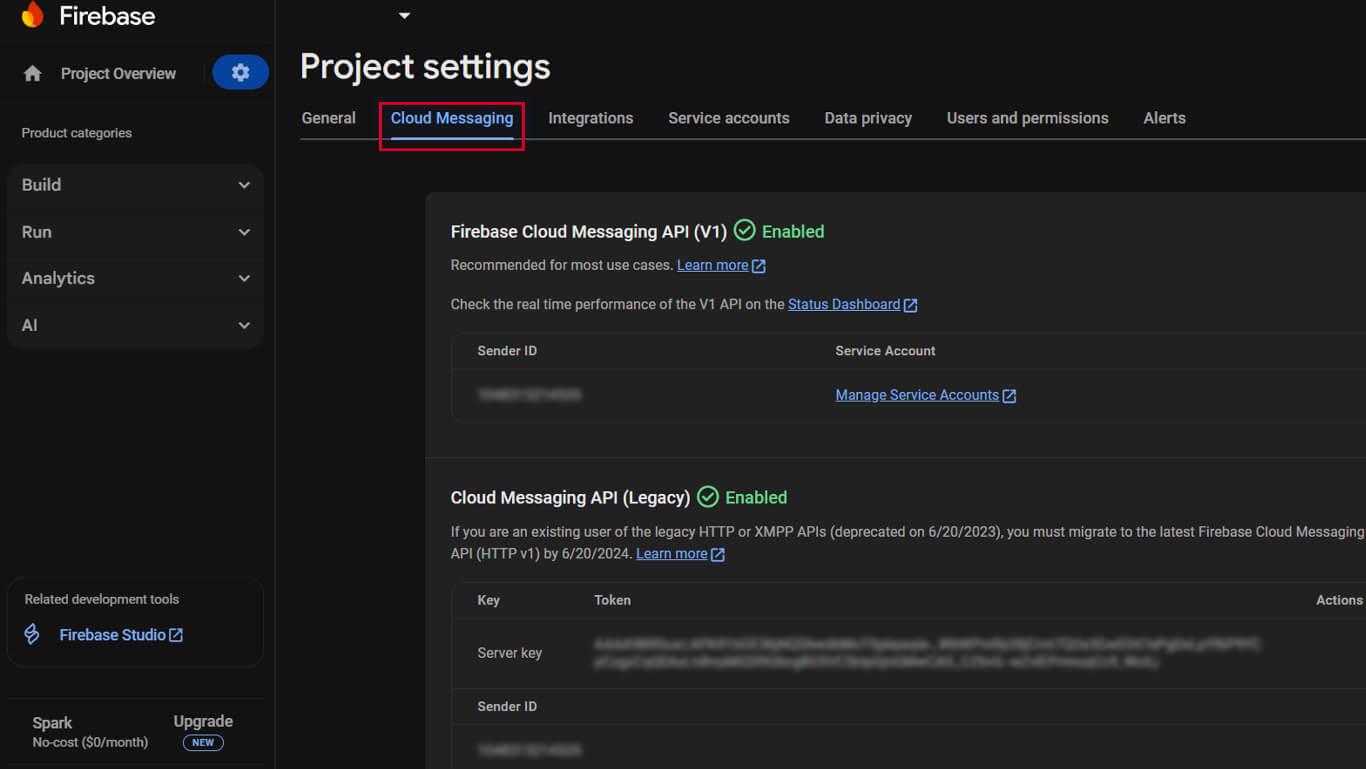
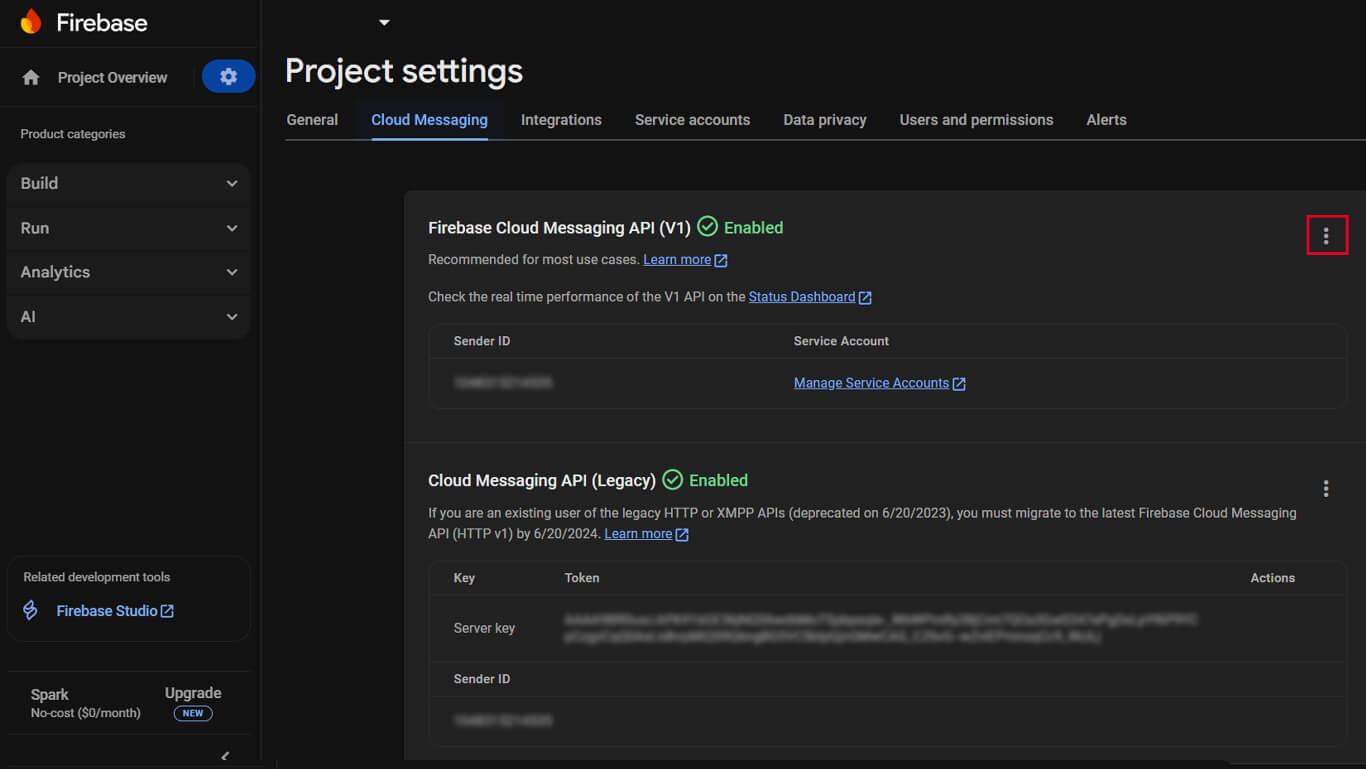
- Vérifiez le Firebase Cloud Messaging API affiche une icône verte “Activé” indicateur.
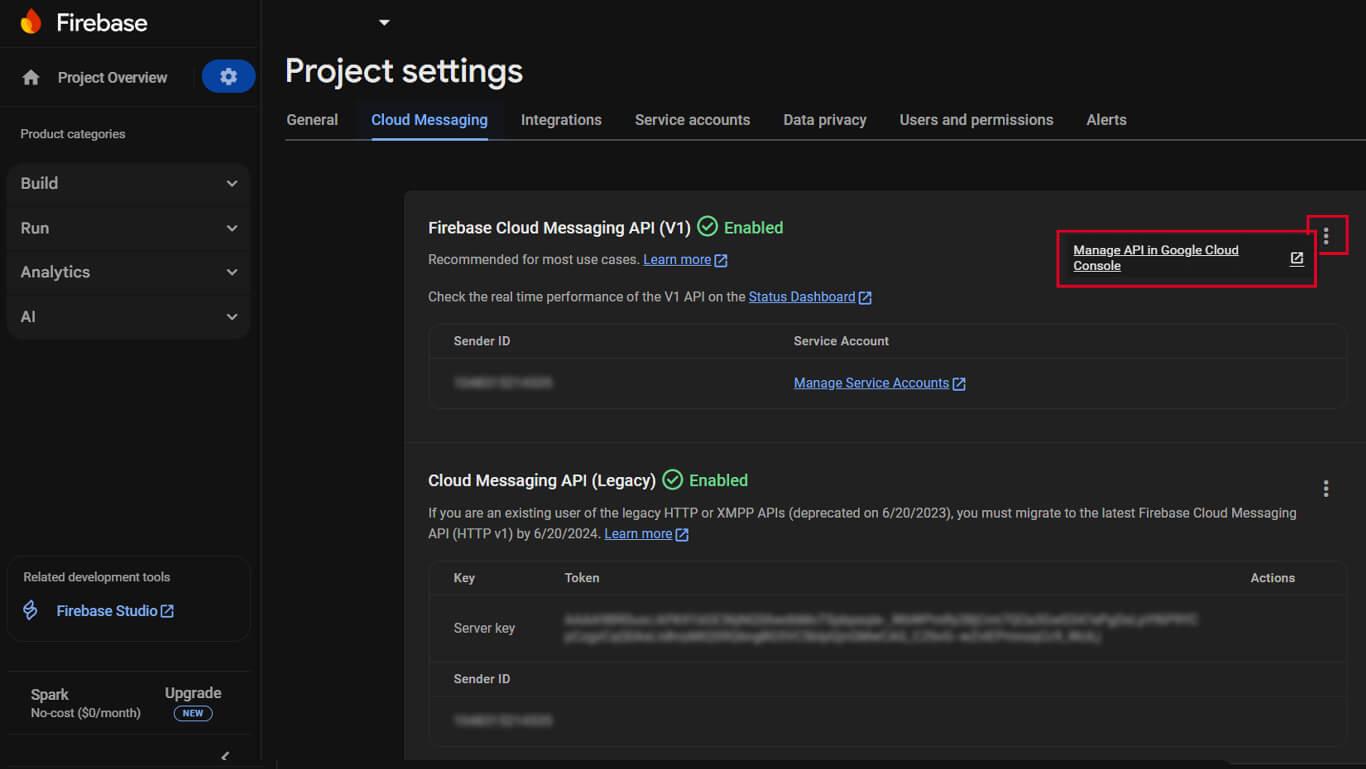
- Si le Firebase Cloud Messaging API (V1) n'est pas activé, cliquez sur le menu ⋮.
- Sélectionner Gérer l'API dans Google Cloud Console dans le menu.
- Cliquez sur Activer sur le API de messagerie en nuage page.
- Confirmez que l'état de l'API s'affiche comme “Activé“.
L'API Firebase Cloud Messaging (V1) remplace l'API Legacy Cloud Messaging pour une fonctionnalité améliorée.
Génération de la clé du compte de service Firebase
La clé du compte de service permet d'authentifier WordPress pour l'envoi de notifications push via Firebase.
- Naviguez jusqu'à Paramètres du projet > Comptes de service dans la console Firebase.
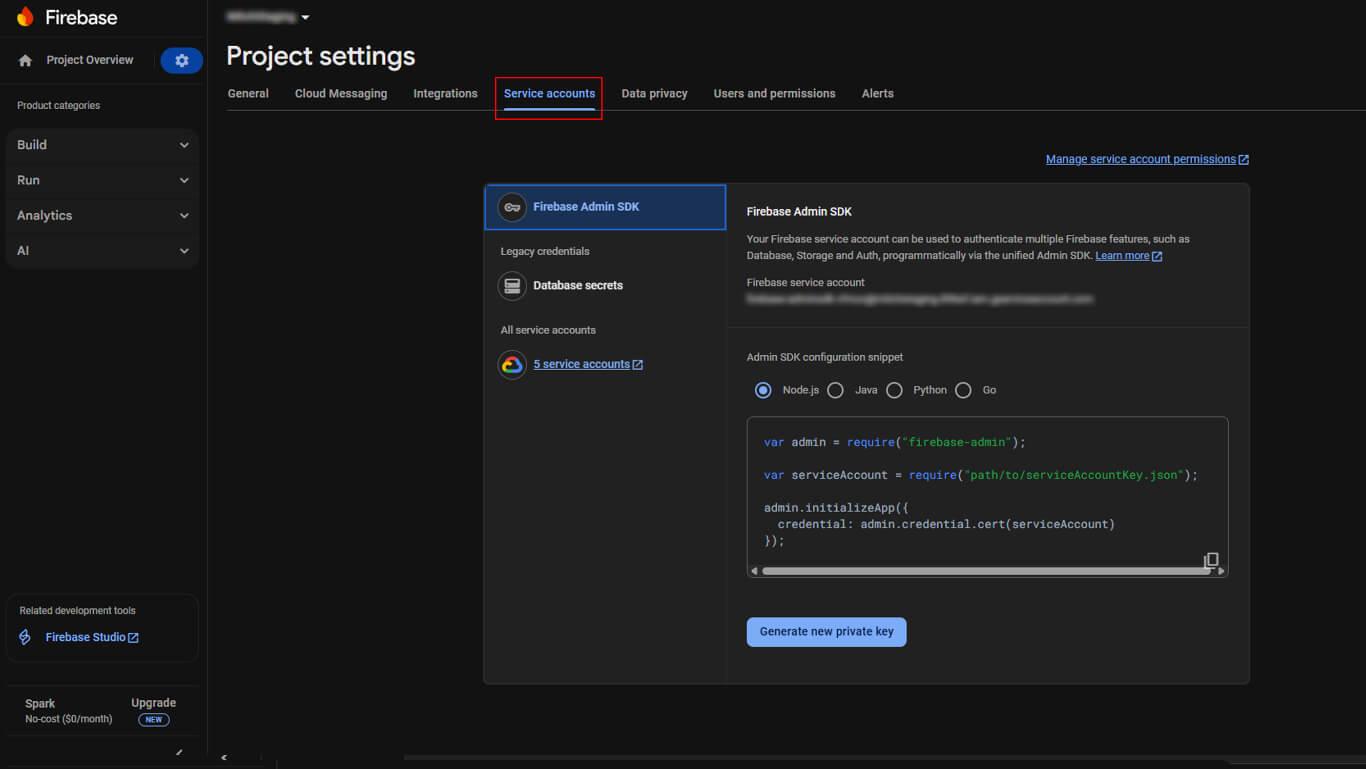
- Faites défiler jusqu'à la Firebase Admin SDK section.
- Cliquez sur le bouton Générer une nouvelle clé privée bouton.
- Cliquez sur Générer une clé dans la fenêtre de confirmation.
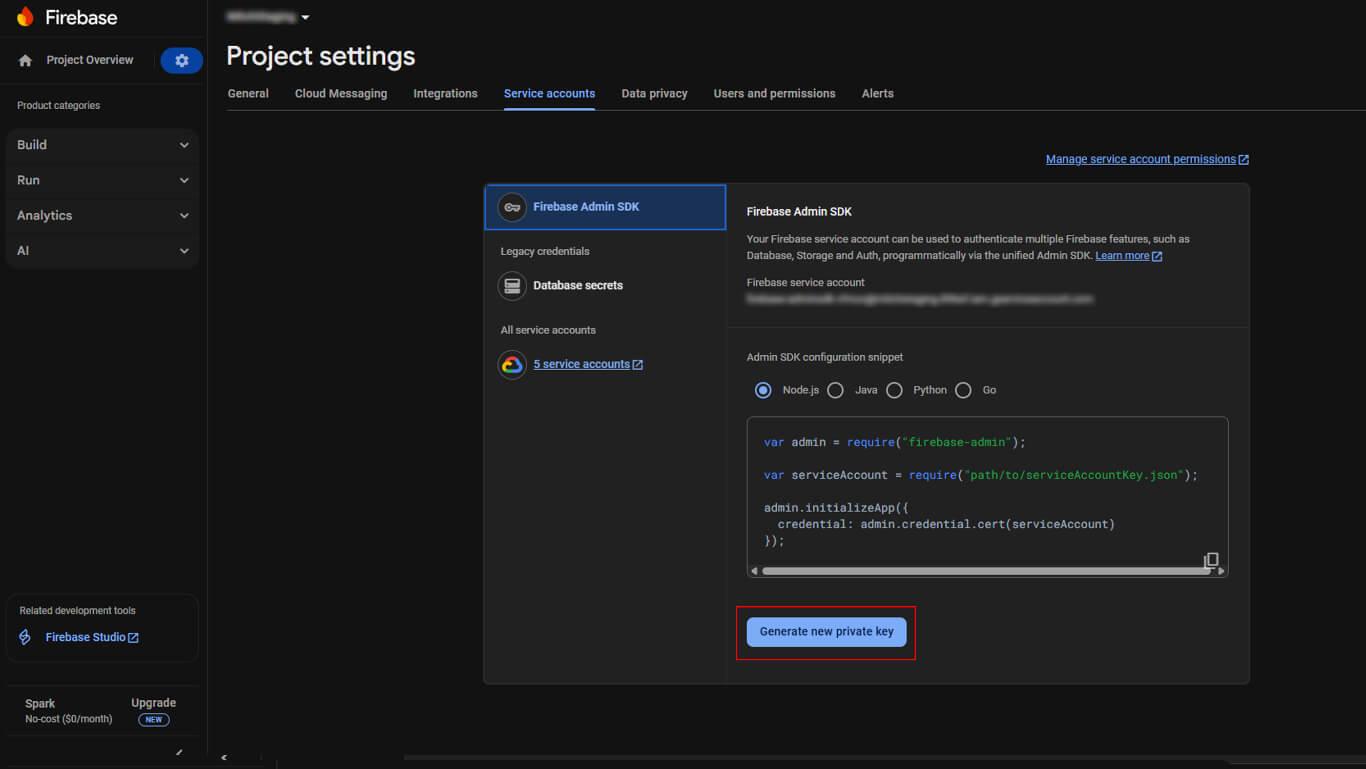
- Enregistrez le fichier JSON téléchargé dans un endroit sûr.
Créer une application Firebase iOS
L'enregistrement d'une application iOS connecte l'AppKit MemberPress à Firebase pour les notifications push iOS.
- Cliquez sur le bouton +. Ajouter une application sur le tableau de bord du projet Firebase.
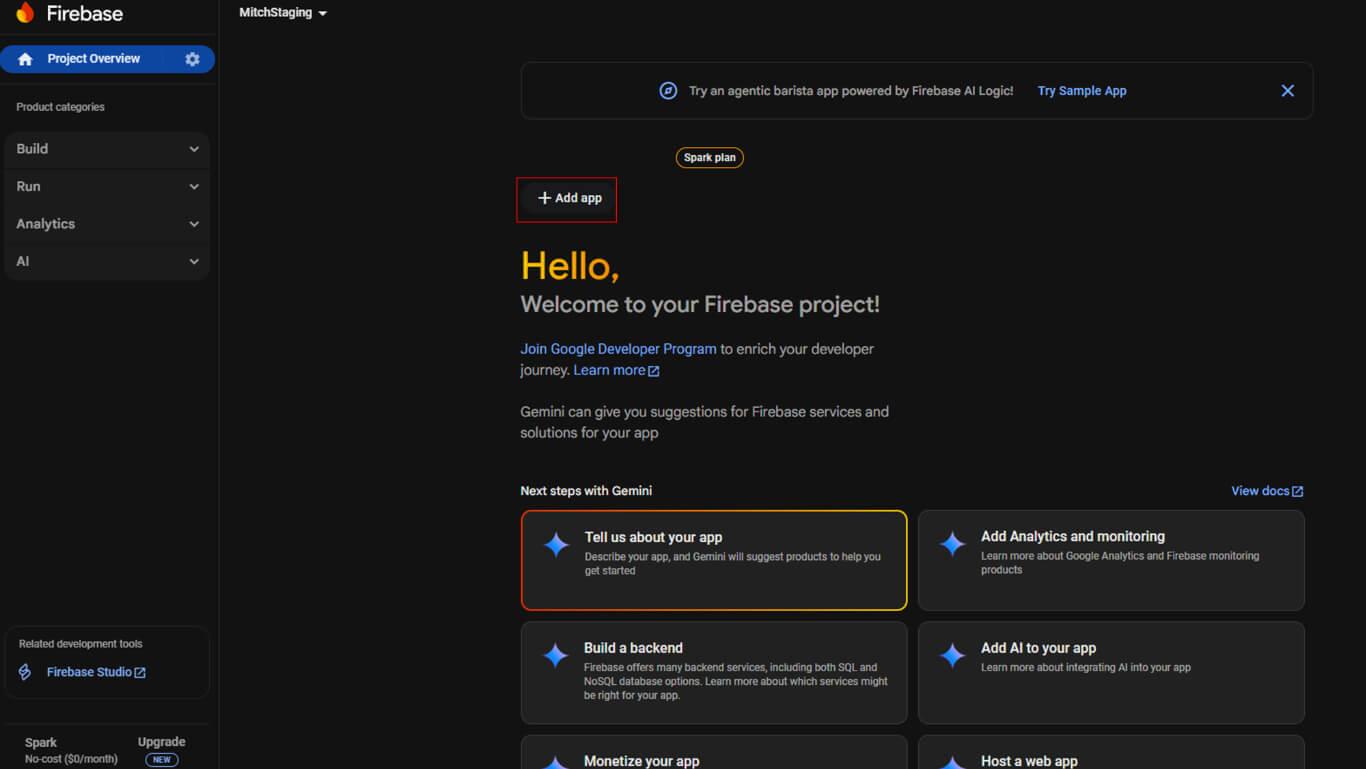
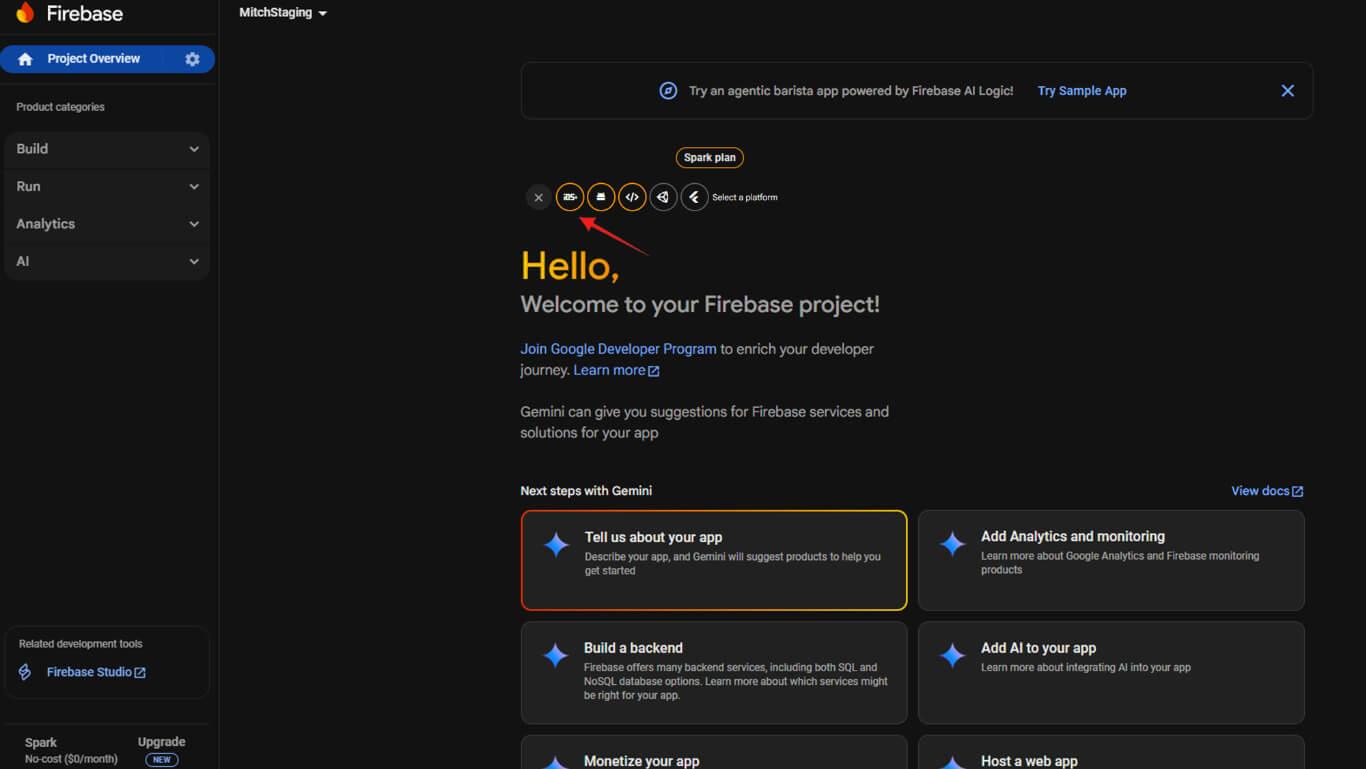
- Cliquez sur le bouton iOS pour commencer l'enregistrement de l'application iOS.
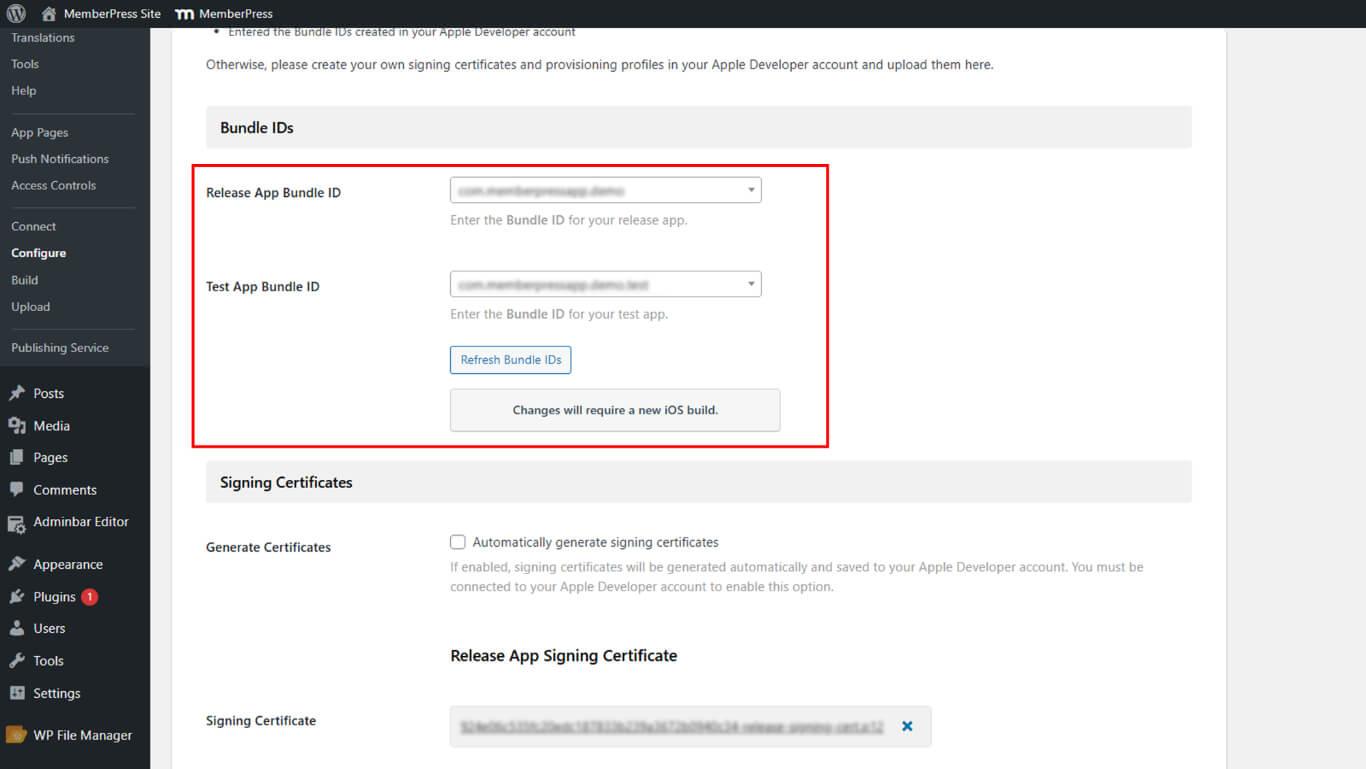
- Naviguez jusqu'à Tableau de bord > MP AppKit > Configurer > Réglages iOS dans WordPress.
- Copier le Identifiant du bundle à partir de la page Réglages iOS.
- Retournez dans la console Firebase et collez l'ID de l'offre groupée.
- (Facultatif) Ajoutez le surnom de votre application et l'identifiant de l'App Store.
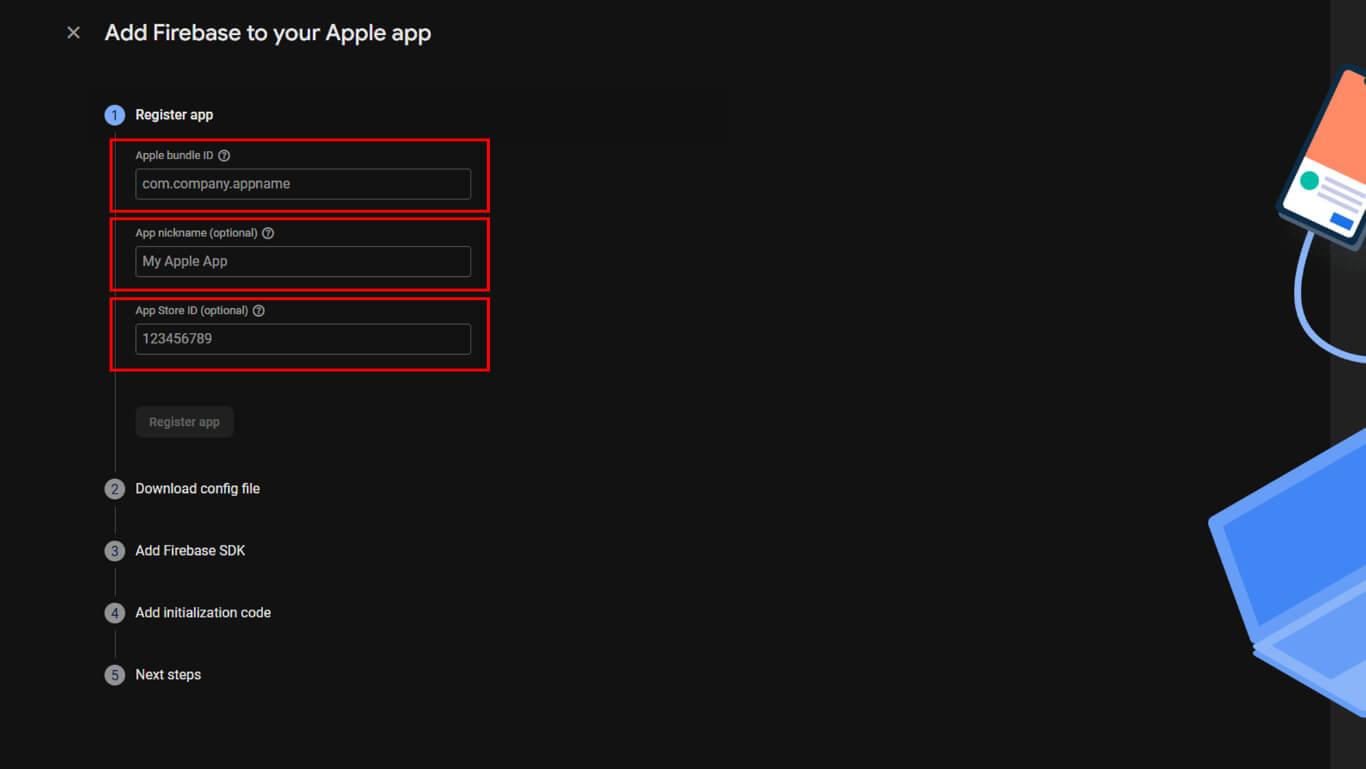
- Cliquez sur Enregistrer l'application pour créer l'application iOS.
- Télécharger le GoogleService-Info.plist fichier.
- Cliquez sur Suivant à travers les étapes de configuration restantes.
- Cliquez sur Continuer à consoler pour terminer l'enregistrement de l'application iOS.
Création d'une application Firebase Android
L'enregistrement des applications Android connecte le MemberPress AppKit à Firebase pour les notifications push Android.
- Cliquez sur + Ajouter une application sur le tableau de bord du projet Firebase s'il n'est pas déjà ouvert.
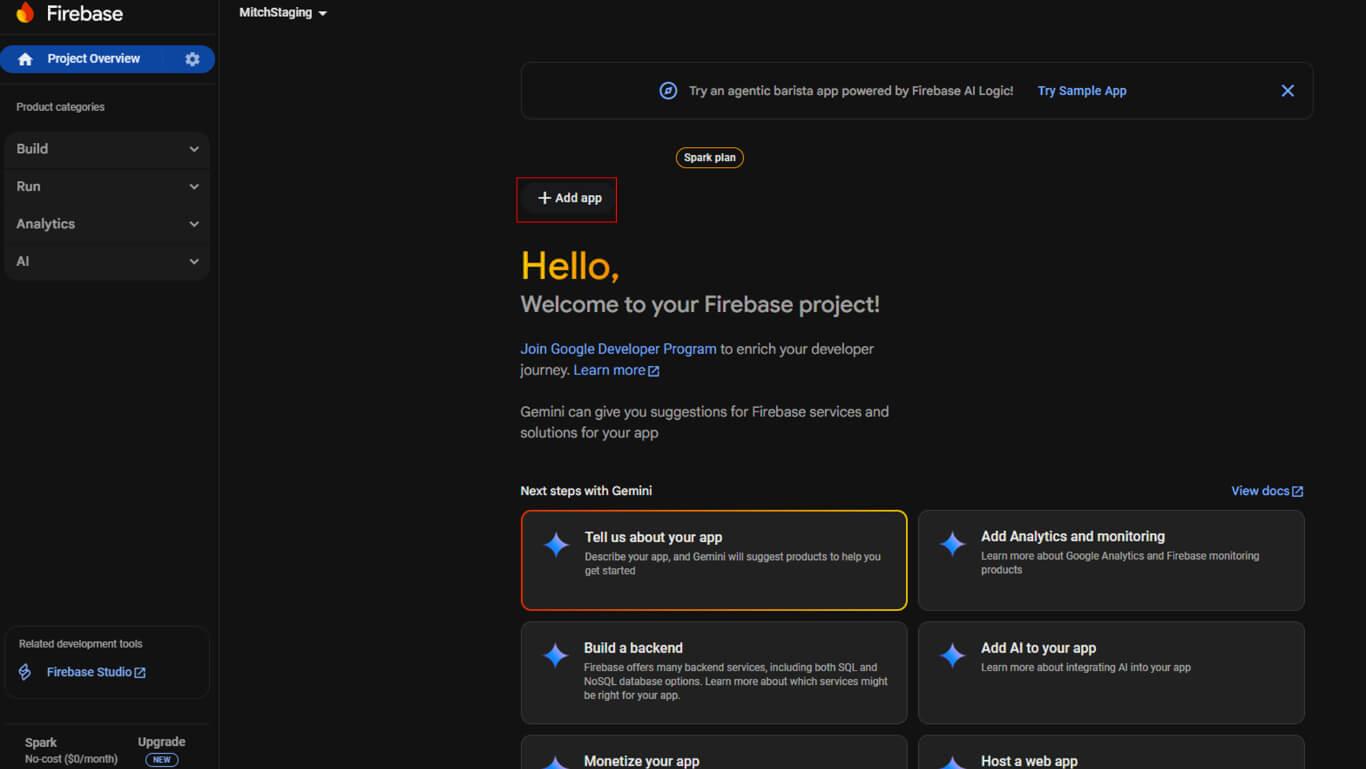
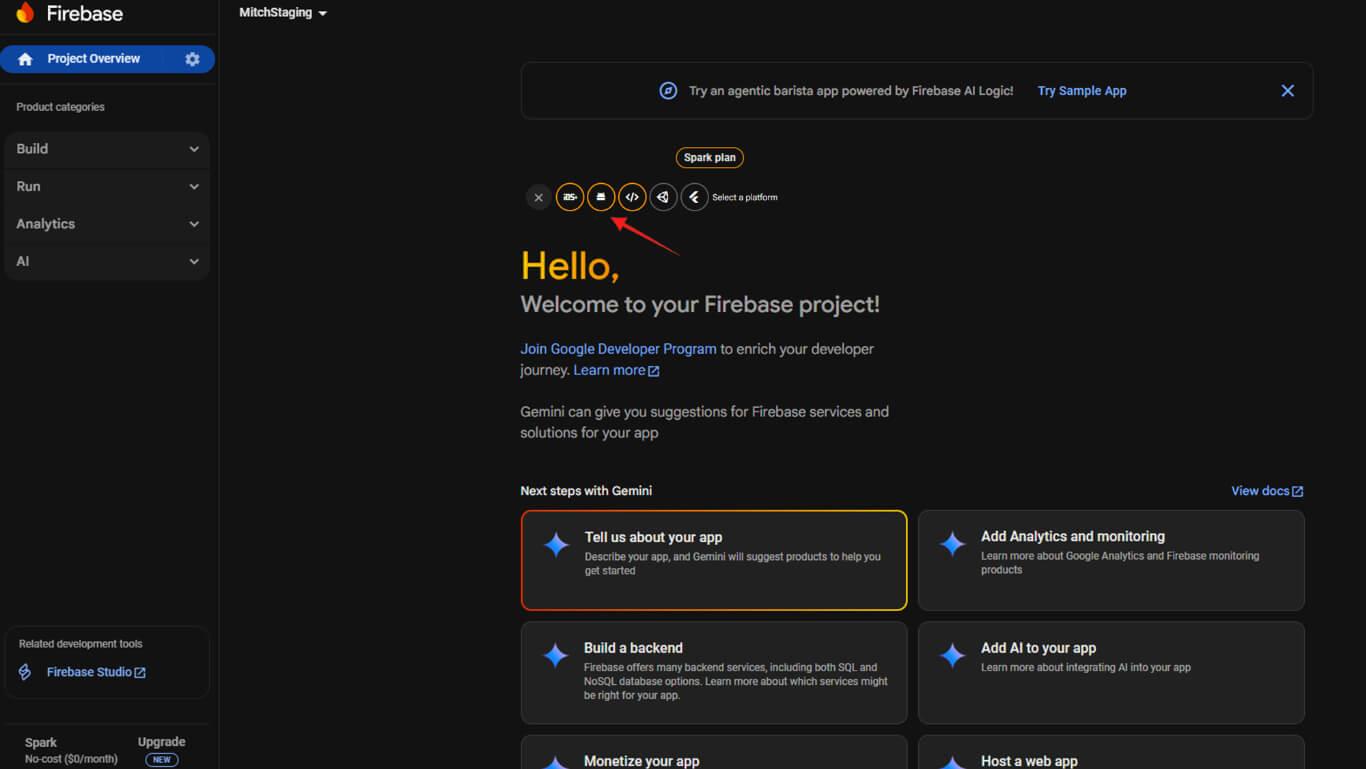
- Cliquez sur le bouton Android pour commencer l'enregistrement de l'application Android.
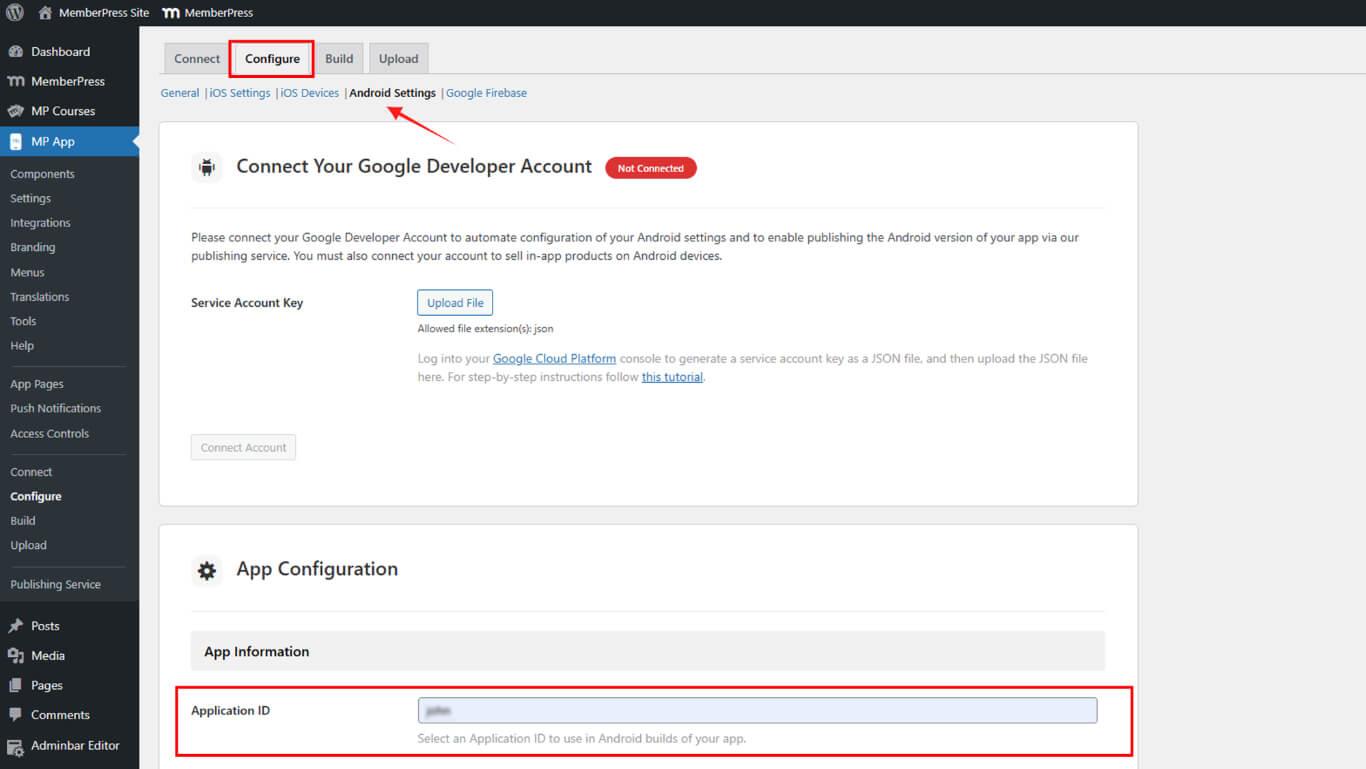
- Naviguez jusqu'à Tableau de bord > MP AppKit > Configurer > Paramètres Android dans WordPress.
- Copier le Identifiant de l'application à partir de la page Paramètres Android.
- Retournez dans la console Firebase et collez l'ID de l'application.
- (Facultatif) Ajoutez le surnom de votre application.
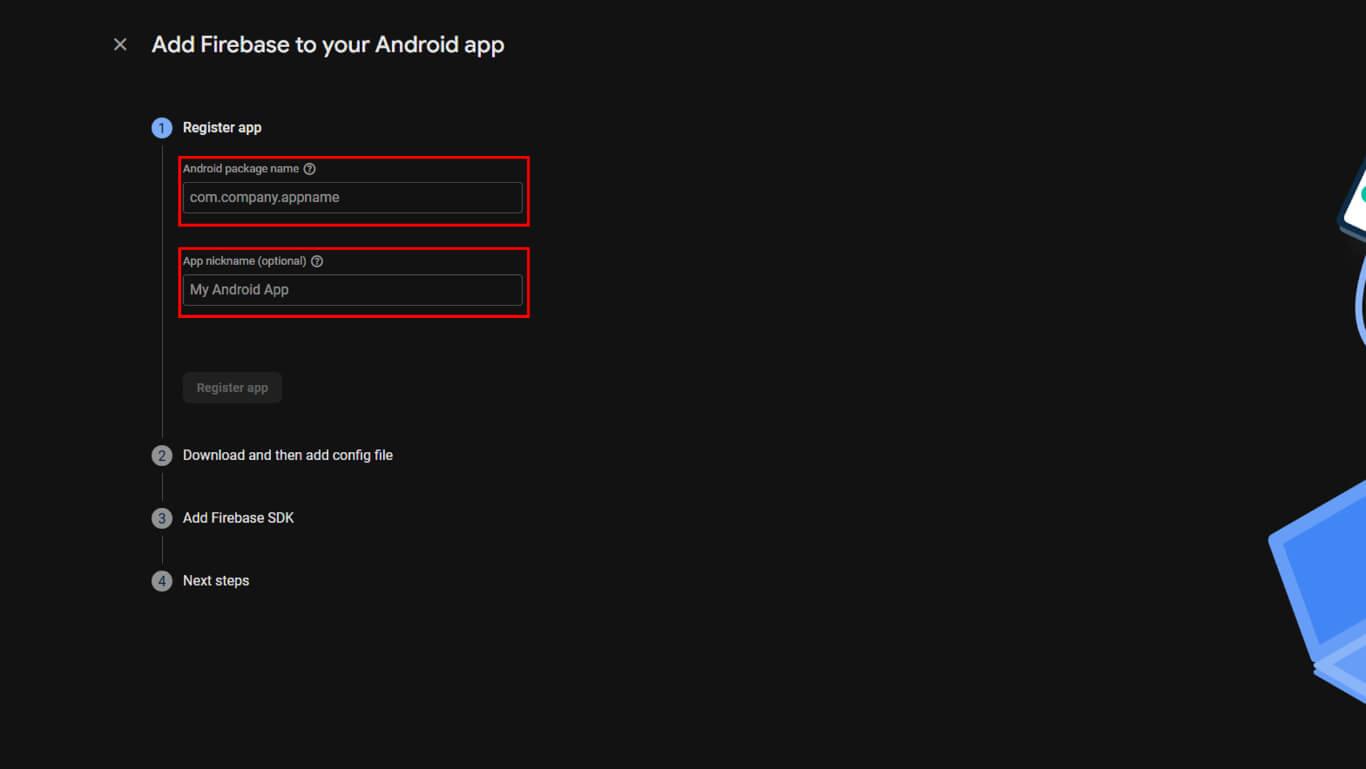
- Cliquez sur Enregistrer l'application pour créer l'application Android.
- Télécharger le google-services.json fichier.
- Cliquez sur Suivant en suivant les étapes 2 à 4 de l'assistant de configuration.
- Cliquez sur Terminé pour terminer l'enregistrement de l'application Android.
Connexion de Firebase à MemberPress AppKit
Les fichiers de configuration de Firebase doivent être téléchargés sur WordPress pour la fonctionnalité de notification push.
- Naviguez jusqu'à Tableau de bord > MP AppKit > Configurer > Google Firebase.
- Localiser le Firebase Cloud Messaging API V1 section.
- Cliquez sur Télécharger à côté du champ de la clé du compte de service.
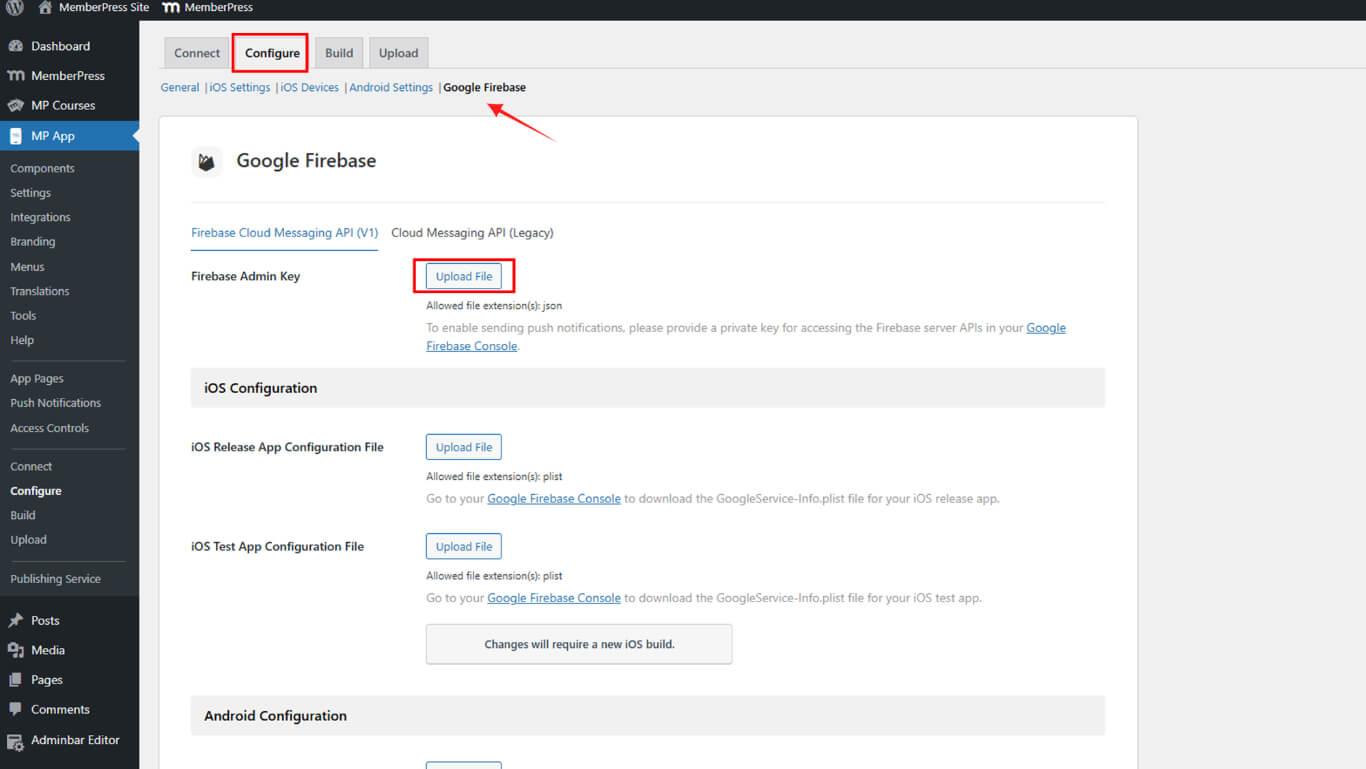
- Sélectionnez le fichier de compte de service JSON téléchargé.
- Cliquez sur Télécharger à côté du champ Fichier de configuration iOS.
- Sélectionnez l'option GoogleService-Info.plist pour iOS.
- Cliquez sur Télécharger à côté du champ Fichier de configuration Android.
- Sélectionnez l'option google-services.json pour Android.
- Il est possible de télécharger les fichiers de configuration de l'application de test dans les sections de test.
- Cliquez sur Sauvegarder les paramètres pour finaliser la configuration de Firebase.
La configuration de l'API Firebase V1 remplace l'ancienne API Cloud Messaging pour améliorer la diffusion des notifications push.
Vérification de la configuration de Firebase
La vérification de la configuration de Firebase permet de s'assurer que la fonctionnalité de notification push est correctement configurée.
- Naviguez jusqu'à Tableau de bord > MP AppKit > Configurer > Google Firebase.
- Vérifiez que le fichier de clé de compte de service a été téléchargé avec succès.
- Confirmez que le fichier de configuration iOS s'affiche dans la section iOS.
- Confirmez que le fichier de configuration Android s'affiche dans la section Android.
- Vérifier que Sauvegarder les paramètres a été cliqué après les téléchargements.
- Accédez à la console Firebase et vérifiez que les applications iOS et Android apparaissent.
- Confirmez que l'API Firebase Cloud Messaging affiche un “Activé” statut.
Une configuration correcte de Firebase permet de tester les notifications push et de les envoyer aux appareils des membres.










 FR
FR  EN
EN  ES
ES  DE
DE  PT
PT 