

L'intégration de Vimeo permet la diffusion sécurisée de vidéos et la visualisation hors ligne du contenu des membres. Les comptes Vimeo Pro offrent des contrôles de confidentialité qui protègent le contenu vidéo premium.
Ce document explique comment créer une application Vimeo Developer, générer un jeton d'accès et connecter Vimeo à l'application.
Comprendre les avantages de l'intégration Vimeo
Vimeo Pro offre des contrôles de confidentialité avancés adaptés au contenu vidéo des membres. L'intégration avec MemberPress AppKit offre des avantages spécifiques par rapport aux autres plateformes d'hébergement vidéo.
Livraison sécurisée de contenu restreint l'accès et empêche le partage non autorisé. Les paramètres de confidentialité garantissent que seuls les membres autorisés peuvent visionner le contenu vidéo premium.
Prise en charge de la consultation hors ligne permet aux membres de télécharger des vidéos pour les visionner sans connexion Internet. Les vidéos téléchargées restent accessibles pendant les voyages ou dans les situations où la connectivité est limitée.
Optimisation des performances met en cache les métadonnées vidéo pour accélérer le lancement de la lecture. Les données mises en cache réduisent le temps de chargement lorsque les membres accèdent au contenu vidéo.
La fonctionnalité de lecture hors ligne nécessite un compte Vimeo Pro ou un abonnement supérieur.
Génération d'un jeton d'accès Vimeo
La génération des jetons d'accès s'effectue via le portail développeurs Vimeo.
- Naviguez jusqu'à developer.vimeo.com dans un navigateur Web.
- Connectez-vous à l'aide de vos identifiants de compte Vimeo.
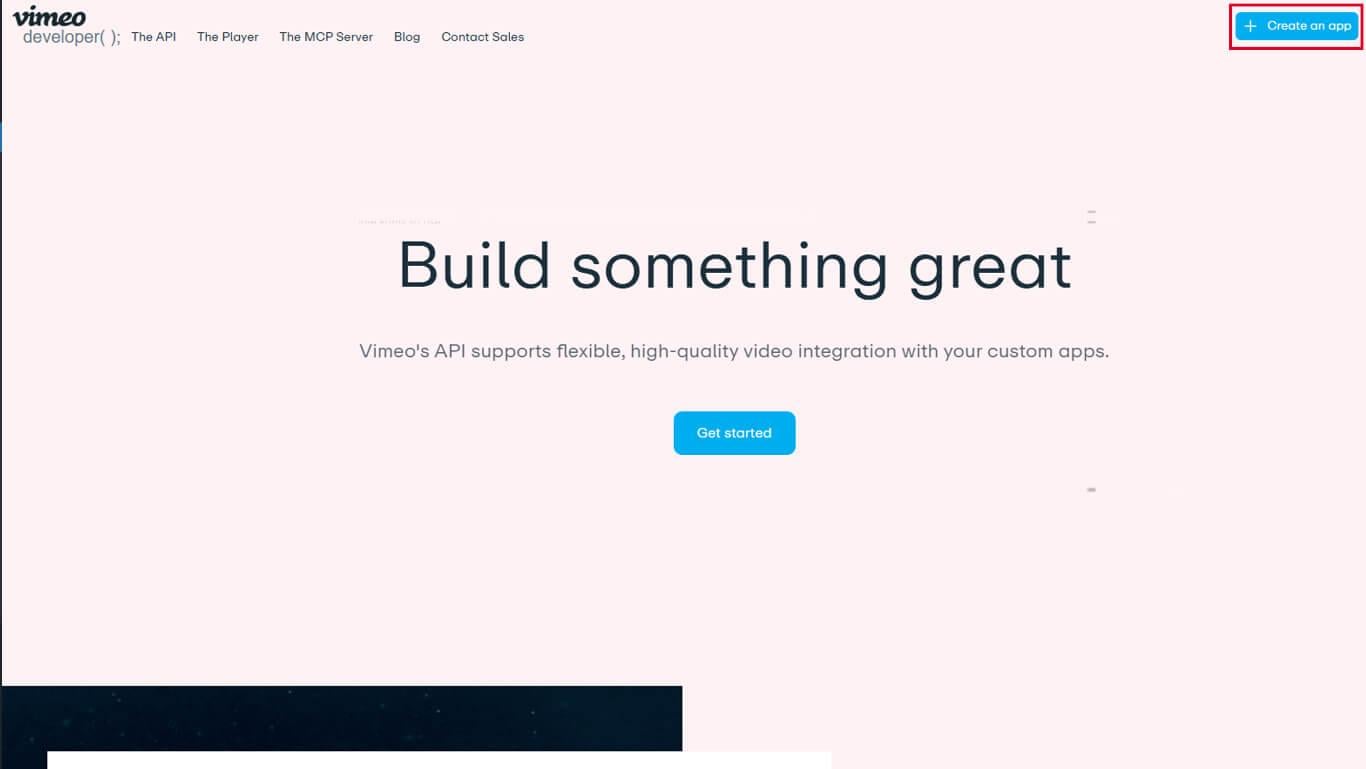
- Cliquez sur Créer une nouvelle application pour commencer la création de l'application.
- Entrez le nom d'une application dans le champ Nom de l'application domaine.
- Entrez une description dans le champ Description de l'application domaine.
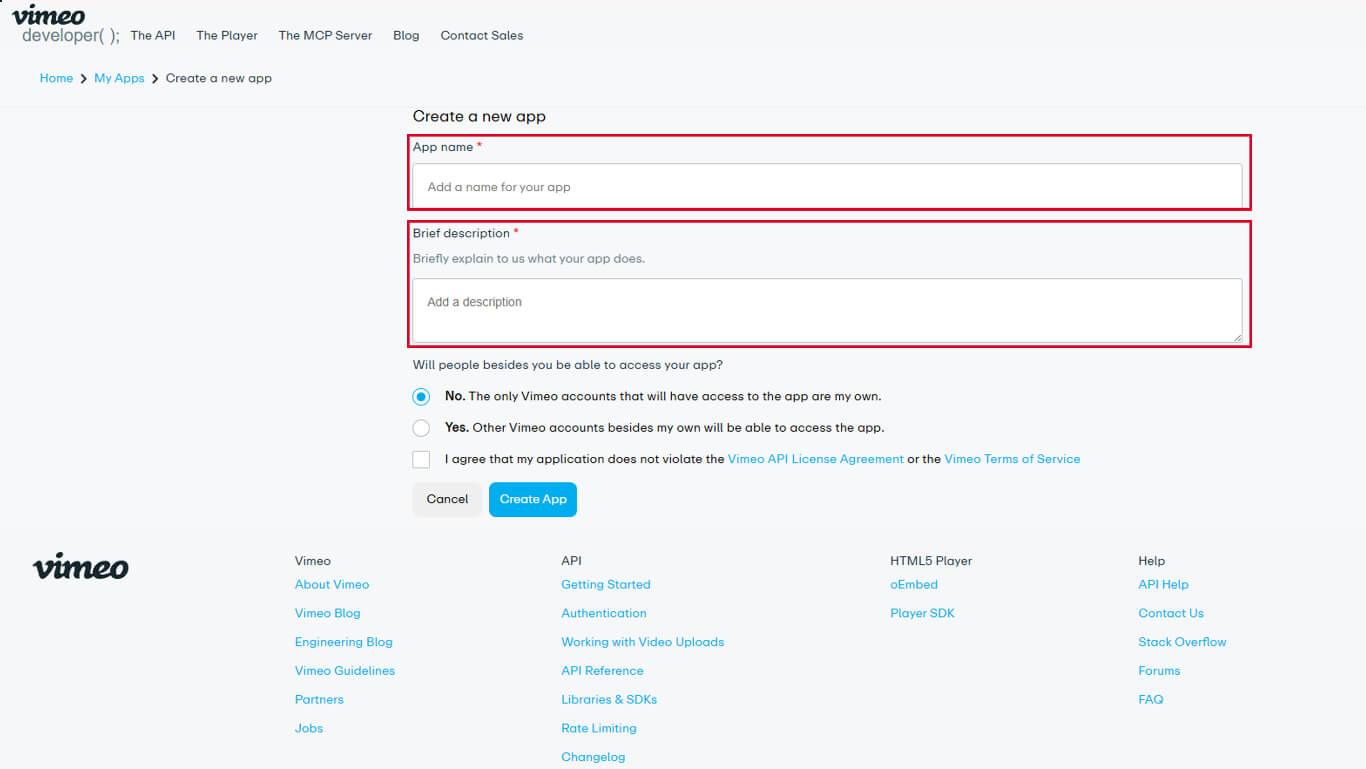
- Sélectionnez l'option appropriée. Accès à l'application niveau pour l'application.
- Cliquez sur Créer une application pour finaliser la création de l'application.
- Naviguez jusqu'à la page Authentification onglet dans les paramètres de l'application.
- Sous “ À qui s'adresse cette application ? ”, sélectionnez Authentifié (vous).
- Recherchez la section « Portées » et activez les options suivantes :
- Privé pour un accès privé aux vidéos ;
- Fichiers vidéo pour la fonctionnalité de téléchargement de fichiers vidéo.
- Cliquez sur Générer pour créer le jeton d'accès.
- Copiez le jeton d'accès généré dans le presse-papiers.
Le jeton d'accès permet d'authentifier l'AppKit MemberPress pour accéder au contenu vidéo de Vimeo.
Connecter Vimeo à MemberPress AppKit
La configuration du jeton d'accès achève l'intégration de Vimeo.
- Naviguez jusqu'à Tableau de bord > MP AppKit > Intégrations > Vimeo.
- Localiser le Code d'authentification Vimeo domaine.
- Collez le jeton d'accès copié dans le champ.
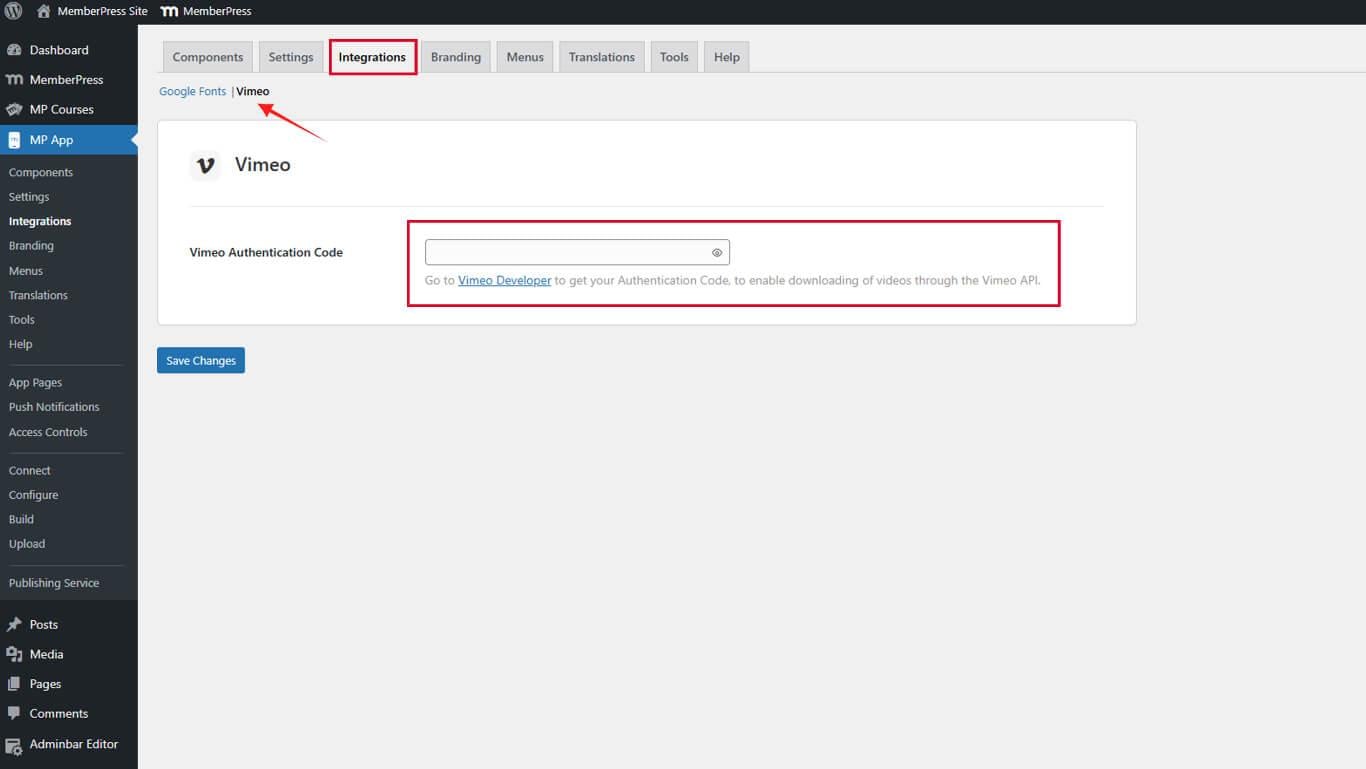
- Cliquez sur Enregistrer les modifications pour finaliser la connexion.
L'intégration Vimeo s'active immédiatement après l'enregistrement de la configuration du jeton d'accès.










 FR
FR  EN
EN  ES
ES  DE
DE  PT
PT 