

Le paramètre Exiger l'achat restreint l'accès à l'ensemble de l'application derrière un seul paywall. Les contrôles d'accès fournissent des restrictions granulaires, basées sur des règles, à l'aide de plans d'adhésion et d'une logique personnalisée.
Ce document explique comment passer de l'achat obligatoire aux contrôles d'accès en utilisant les groupes d'accès et les règles d'accès.
Comprendre le processus de migration
La fonctionnalité d'achat obligatoire applique une restriction d'accès unique à l'ensemble de l'application. Les contrôles d'accès remplacent cette approche par des restrictions flexibles et basées sur des conditions. La migration implique de documenter les paramètres existants de Require Purchase, d'activer les contrôles d'accès, de créer des groupes d'accès équivalents et de configurer des règles d'accès qui reproduisent la fonctionnalité précédente.
Documentation des paramètres actuels de l'achat requis
Exiger que les paramètres d'achat soient documentés avant le début de la migration. La bascule disparaît après l'activation des contrôles d'accès.
- Naviguez jusqu'à Tableau de bord > MP AppKit > Réglages > Achats intégrés.
- Notez le paramètre Require Purchase (achat obligatoire).
- Une fois les contrôles d'accès activés, ce bouton disparaît et sa logique doit être reconstruite manuellement à l'aide des groupes d'accès.
Une documentation précise garantit des restrictions d'accès équivalentes une fois la migration terminée.
Activation du composant de contrôle d'accès
L'activation des contrôles d'accès lance le processus de migration.
- Naviguez jusqu'à Tableau de bord > MP AppKit > Composants.
- Localiser Contrôles d'accès dans la liste des composants.
- Vérifier le Activer les contrôles d'accès case à cocher.
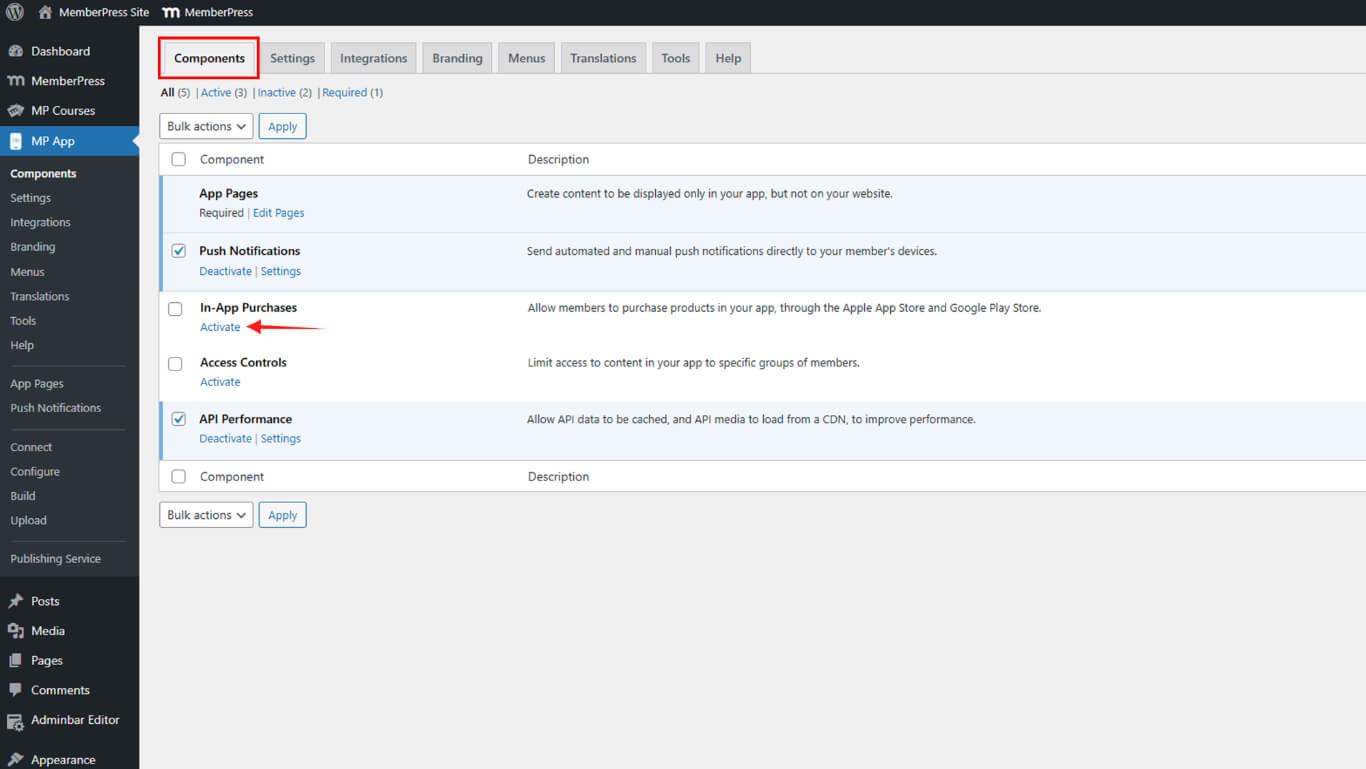
- Cliquez sur Enregistrer les modifications.
Comprendre l'impact des migrations
L'activation des contrôles d'accès supprime l'option d'achat obligatoire des paramètres. La logique précédente du paywall doit être recréée manuellement à l'aide des groupes d'accès et des règles. Ce changement offre plus de flexibilité mais nécessite un effort de configuration.
Création de groupes d'accès équivalents
Les groupes d'accès reproduisent les exigences en matière d'adhésion ou de produit des paramètres d'achat obligatoire.
- Naviguez jusqu'à Tableau de bord > MP AppKit > Contrôles d'accès > Groupes d'accès.
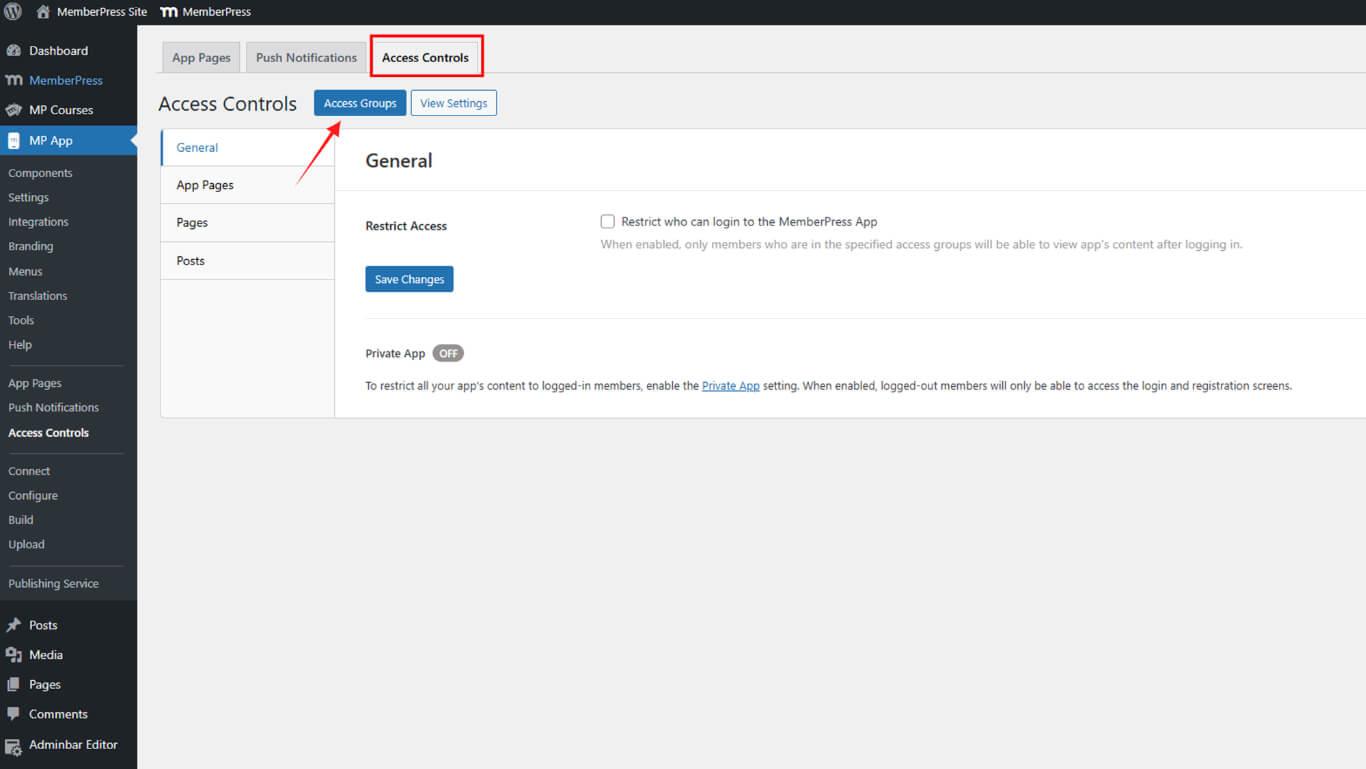
- Cliquez sur Ajouter un groupe.
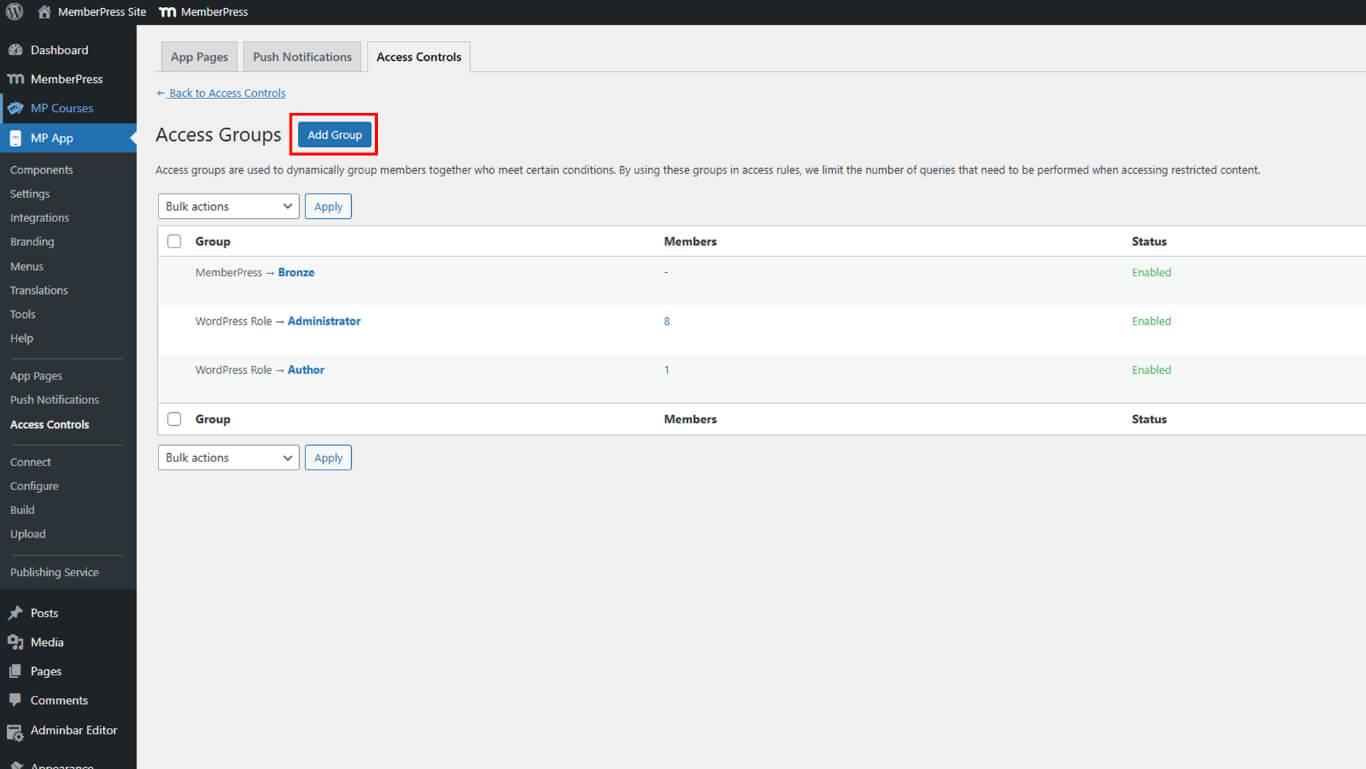
- Saisissez un nom descriptif dans le champ Nom du groupe domaine.
- Sélectionnez l'option Type d'état en conformité avec les exigences précédentes :
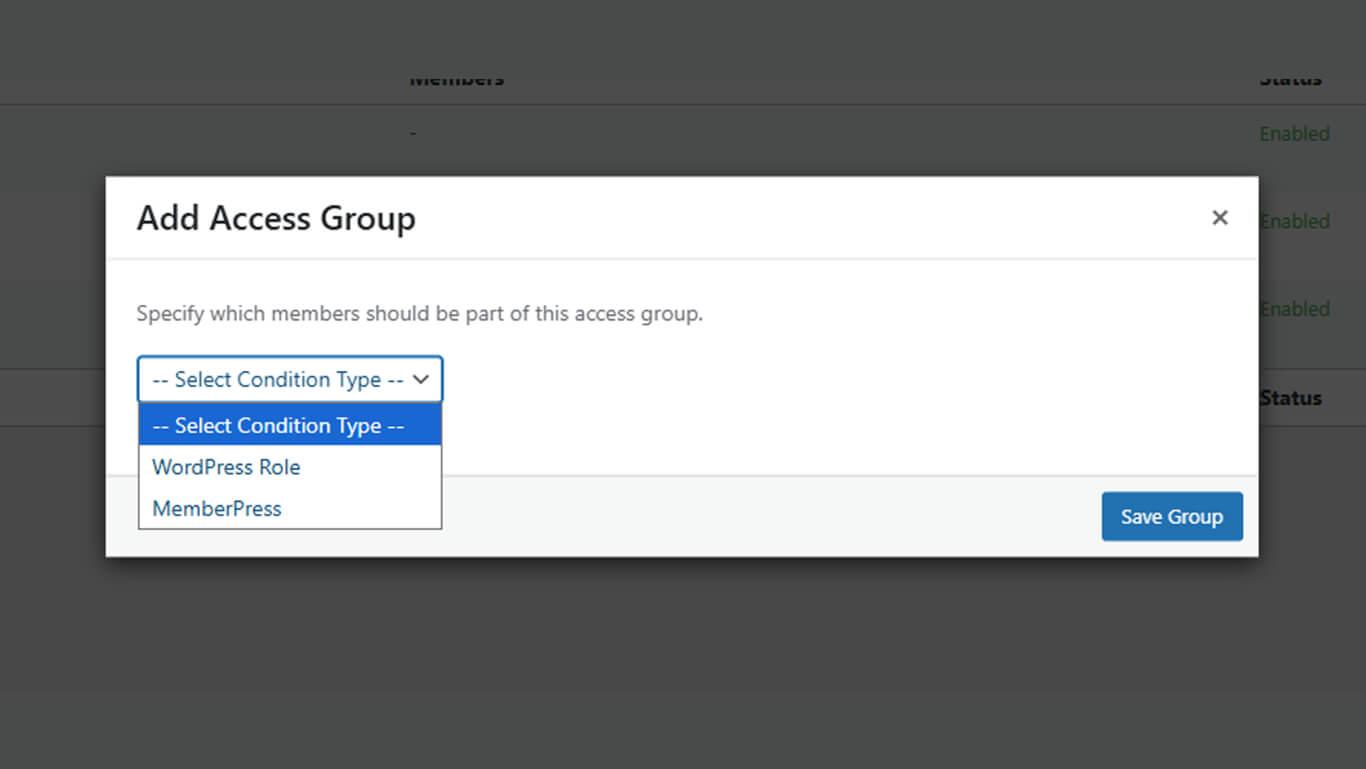
- Plan d'adhésion pour les restrictions basées sur l'adhésion ;
- Rôle de l'utilisateur si un accès basé sur les rôles était requis.
- Sélectionnez le plan d'affiliation ou le rôle spécifique dans le menu déroulant secondaire.
- Cliquez sur Sauvegarder le groupe.
- Répétez les étapes 2 à 6 pour chaque régime d'affiliation ou condition précédemment requis.
Chaque groupe d'accès représente un plan d'adhésion ou une condition de la configuration originale de l'achat obligatoire.
Configuration des restrictions d'accès à l'application générale
Les restrictions d'accès générales reproduisent le paywall de l'application dans les paramètres Exiger l'achat.
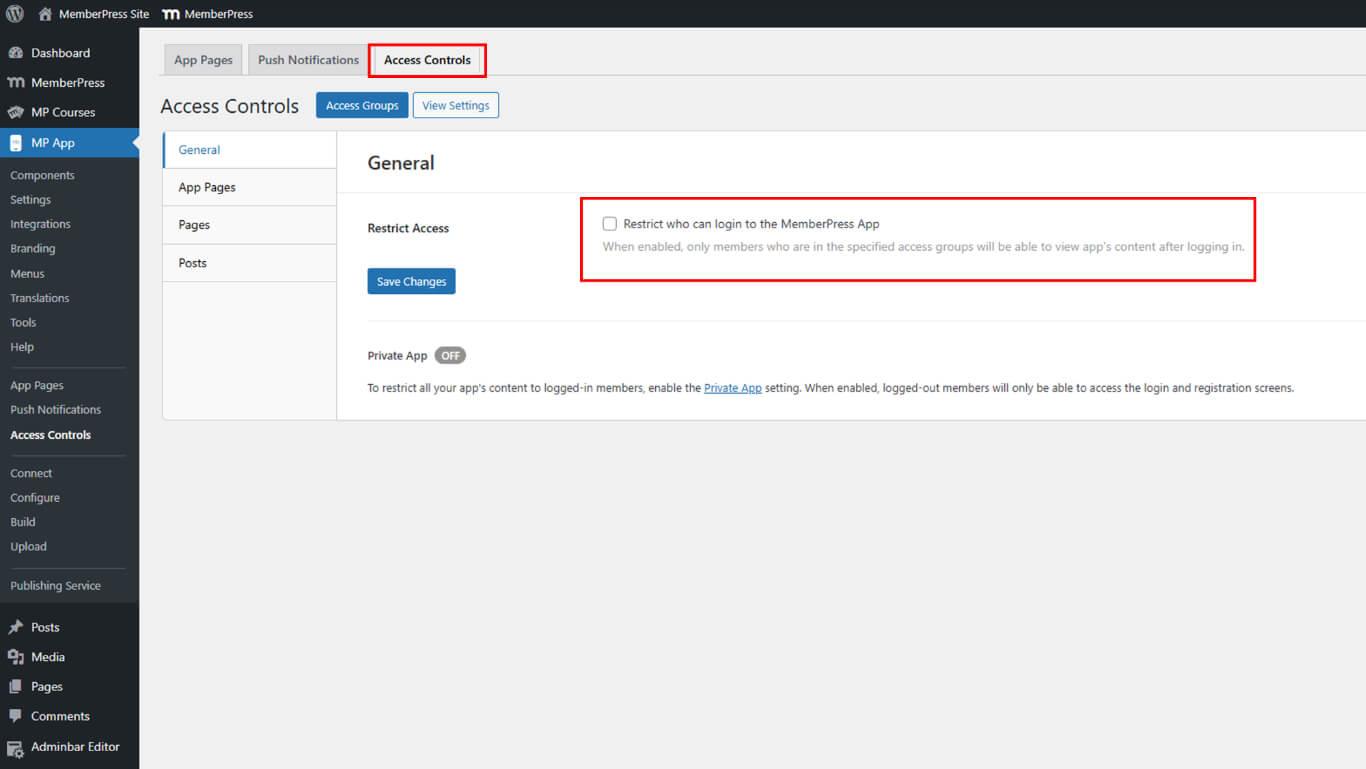
- Naviguez jusqu'à Tableau de bord > MP AppKit > Contrôles d'accès > Général.
- Vérifier le Restreindre l'accès pour exiger l'ouverture d'une session.
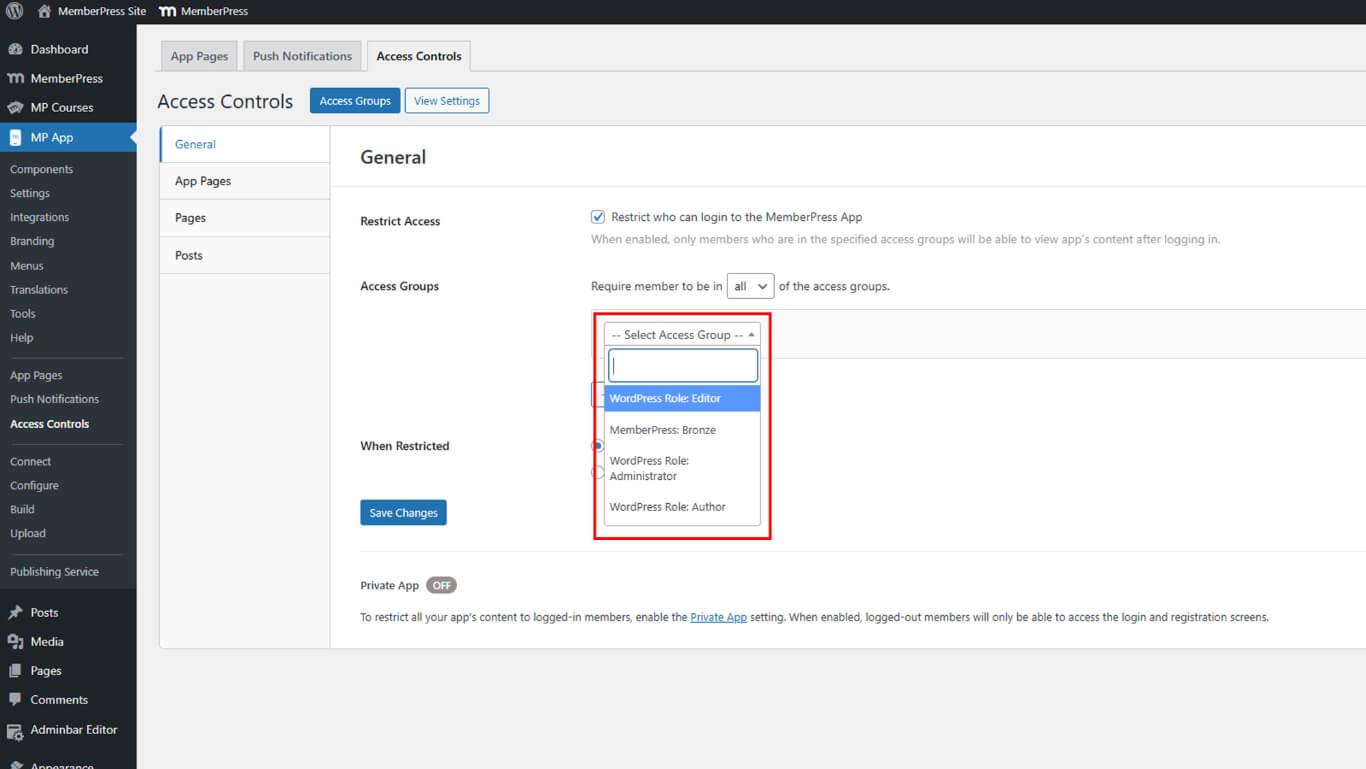
- Sous Groupes d'accès, Sélectionnez tous les groupes créés dans la section précédente.
- Choisir un Action restreinte pour les utilisateurs non autorisés :
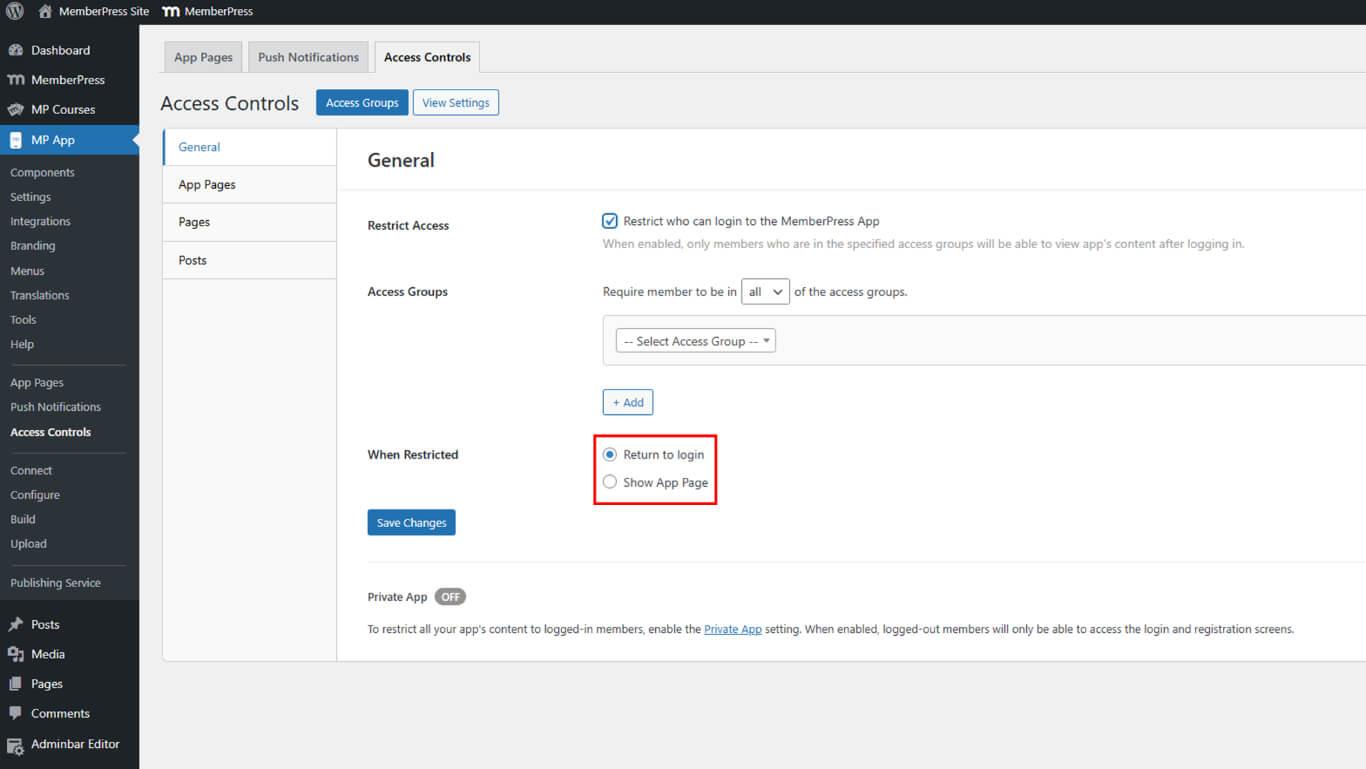
- Retour à la connexion;
- Afficher la page de l'application
- Cliquez sur Enregistrer les modifications.
Ces paramètres reproduisent les restrictions applicables à l'ensemble de l'application dans la configuration originale de la demande d'achat.
Sélection des actions restreintes appropriées
L'action restreinte doit correspondre au comportement original de la demande d'achat.
Afficher l'écran des produits reproduit le comportement d'un paywall en affichant les options d'adhésion. Cette action correspond à la configuration Require Purchase la plus courante, dans laquelle les utilisateurs voient les plans disponibles.
Retour à la connexion redirige les utilisateurs non authentifiés vers des écrans de connexion. Cette action convient aux scénarios dans lesquels un achat est effectué en dehors de l'application et où une connexion est requise après l'achat.
Ouvrir la page de l'application dirige les utilisateurs vers des messages ou des informations personnalisés. Cette action offre une flexibilité maximale pour expliquer les conditions d'accès ou guider les utilisateurs dans les processus d'achat.
Activation du mode application privée
Le mode App privée masque entièrement l'application aux utilisateurs déconnectés, ce qui permet de restreindre au maximum l'accès à l'application.
- Naviguez jusqu'à Tableau de bord > MP AppKit > Réglages > Général > Confidentialité.
- Vérifier le Application privée case à cocher.
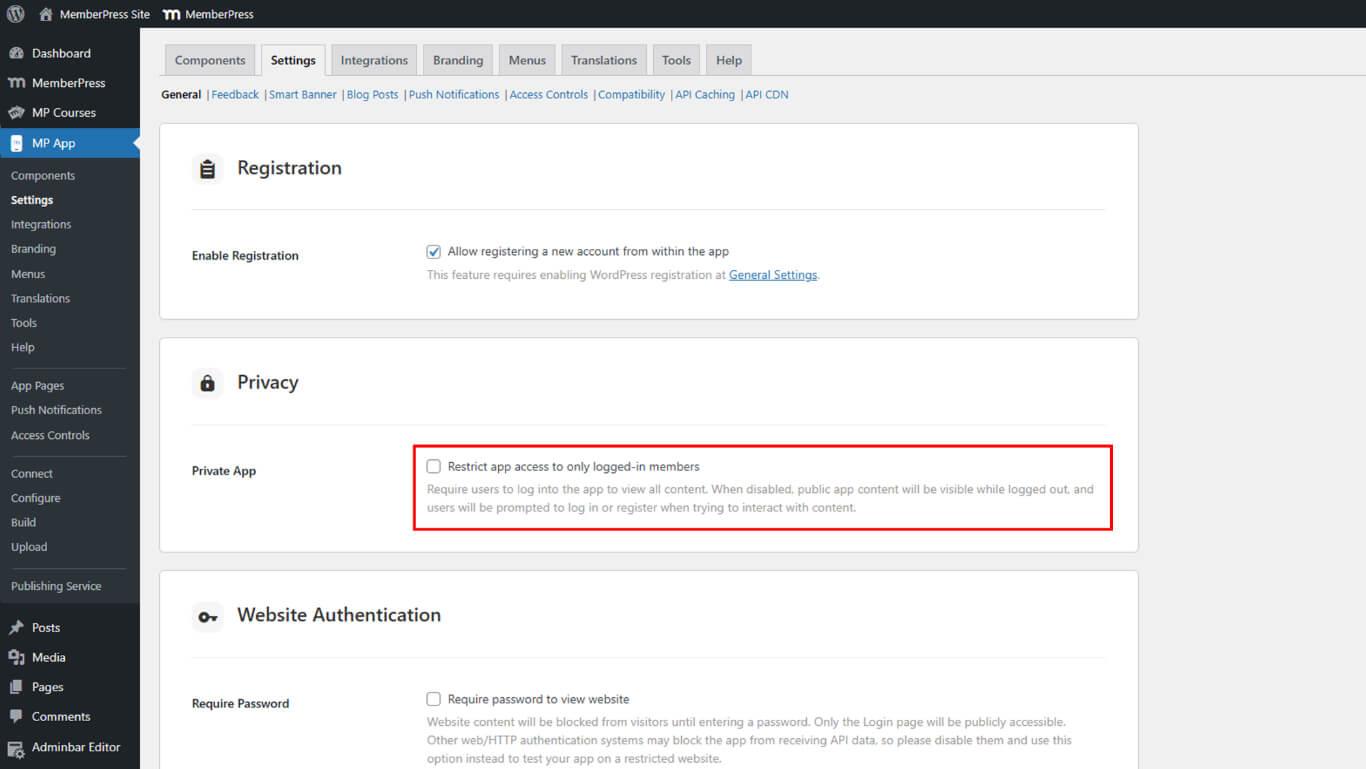
- Cliquez sur Enregistrer les modifications.
Le mode App privée complète les contrôles d'accès en empêchant la découverte d'applications avant l'authentification. Ce paramètre renforce la sécurité des applications réservées aux membres.










 FR
FR  EN
EN  ES
ES  DE
DE  PT
PT 