

Sie können einen MemberPress-Gutschein automatisch auf alle Mitgliedschaftsstufen anwenden. Auf diese Weise müssen Mitglieder die Gutscheine nicht selbst suchen, kopieren und einfügen. Dazu können Sie einen Code-Schnipsel hinzufügen die die Gutscheincodes für sie ausfüllen werden.
In dieser Anleitung wird erklärt, wie Sie den Code-Schnipsel hinzufügen und für die Verwendung mit Ihrem MemberPress Gutscheine.
Hinzufügen des Code-Schnipsels
Sie können den Code-Schnipsel direkt zur Datei functions.php Ihres Child-Themes hinzufügen. Es wird jedoch empfohlen, ihn über ein Code-Schnipsel-Plugin hinzuzufügen, wie z. B. WPCode.
Befolgen Sie die folgenden Schritte, um das WPCode-Plugin zu installieren und den Code-Schnipsel hinzuzufügen:
- Navigieren Sie zum Dashboard > Plugins > Plugin hinzufügen.
- Suche nach WPCode und suchen Sie das Plugin.
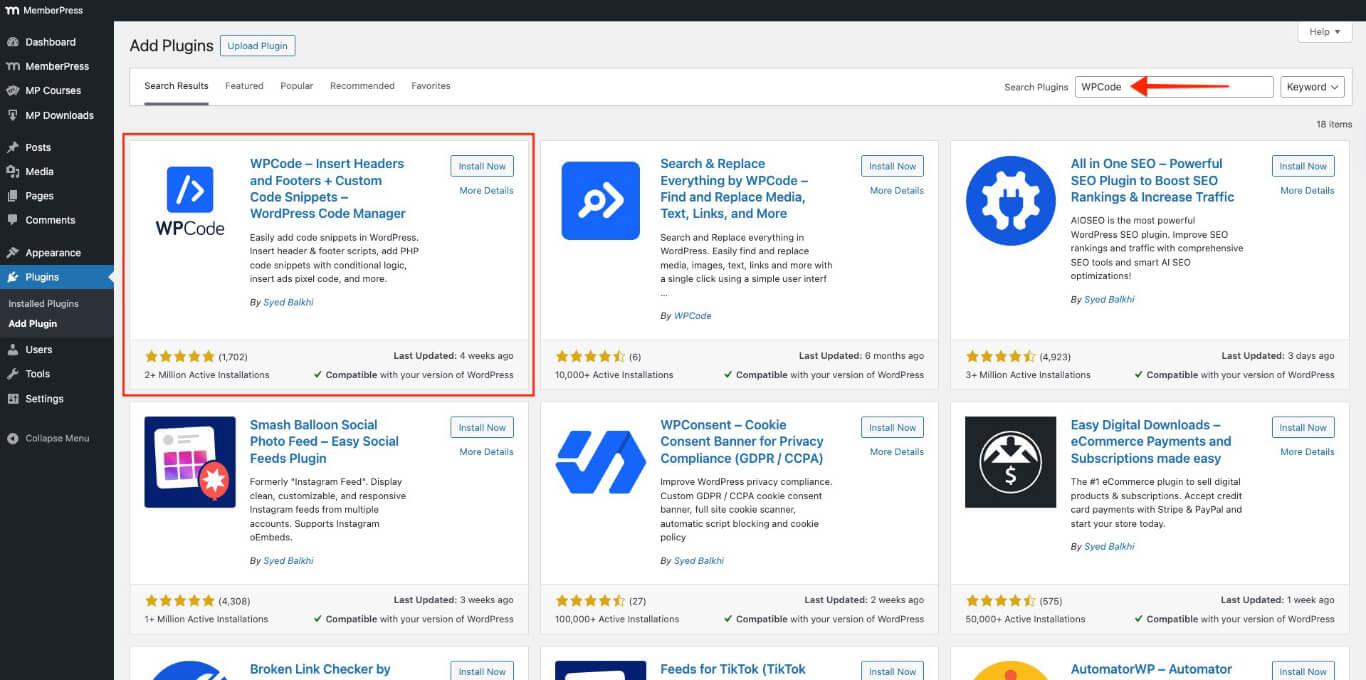
- Klicken Sie auf die Jetzt installieren Taste.
- Klicken Sie auf die Aktivieren Sie Taste.
- Kopf nach Dashboard > Code-Schnipsel > Schnipsel hinzufügen > Fügen Sie Ihren benutzerdefinierten Code hinzu (neues Snippet).
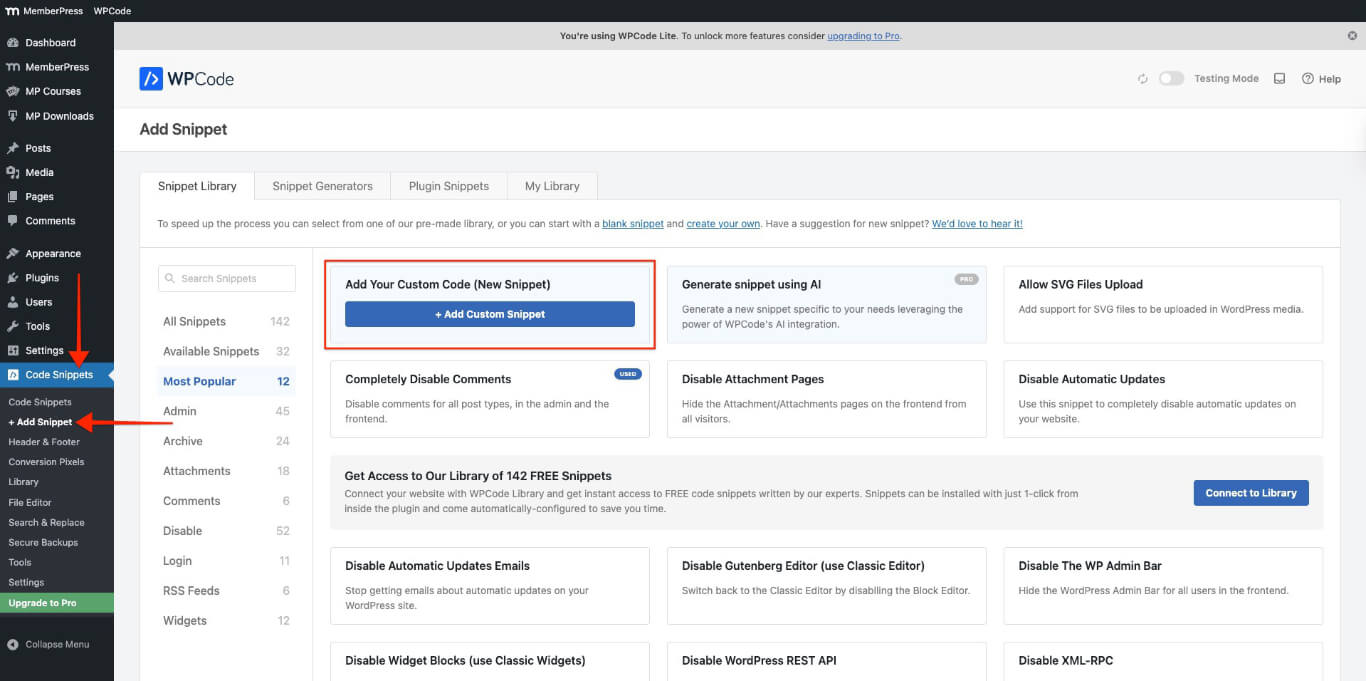
- Klicken Sie auf die + Benutzerdefinierten Ausschnitt hinzufügen Taste.
- Wählen Sie PHP-Schnipsel.
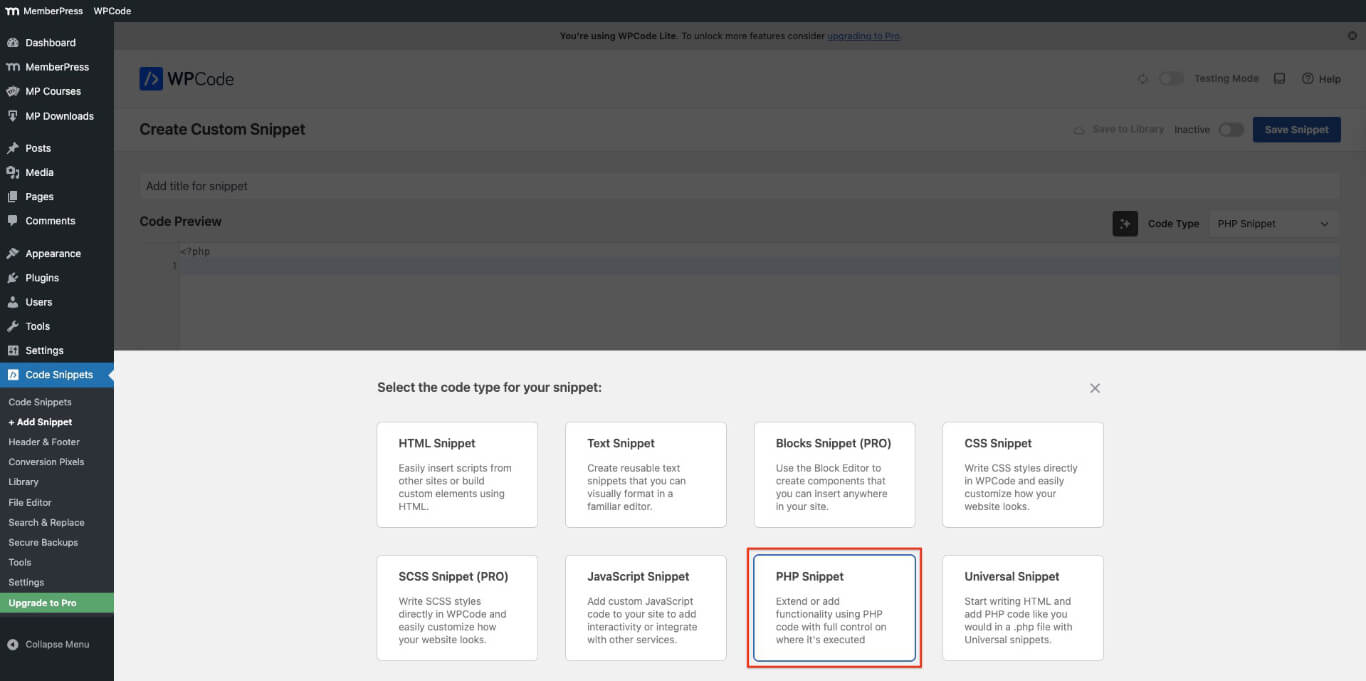
- Fügen Sie einen Titel für den Ausschnitt hinzu und fügen Sie den folgenden Code in die Code-Vorschau Abschnitt.
// Automatisches Ausfüllen der MemberPress-Registrierungs-Gutscheincodes
function mepr_auto_populate_coupon() {
?>
<script>
document.addEventListener('DOMContentLoaded', function() {

  // Warten, bis die MemberPress-Skripte initialisiert sind
  setTimeout(function() {

    var c = document.querySelector('.mepr_coupon input.mepr-coupon-code');
    if (c) {

      // Fügen Sie den folgenden Gutscheincode ein, um 'IHR GUTSCHEIN'
      c.value = 'IHR GUTSCHEIN';

      // Alle relevanten Ereignisse für MemberPress auslösen
      ['input', 'keyup', 'change', 'blur'].forEach(function(evtName) {
        var evt = new Event(evtName, { bubbles: true });
        c.dispatchEvent(evt);
      });
    }

  }, 300);
});
</script>
<?php
}
add_action( 'wp_head', 'mepr_auto_populate_coupon' );
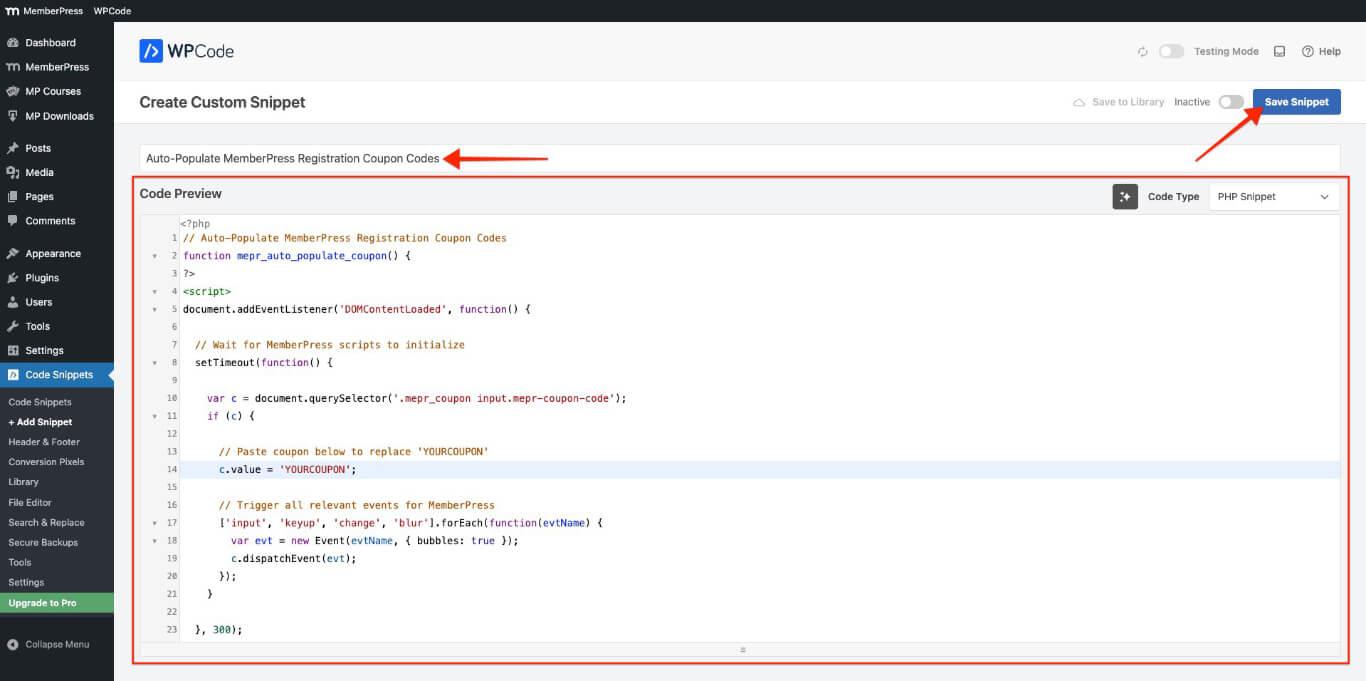
- Klicken Sie auf die Schnipsel speichern Taste.
Anpassen und Aktivieren des Code-Schnipsels
Befolgen Sie diese Schritte, um den Code-Schnipsel anzupassen und zu aktivieren, damit der Gutscheincode automatisch geladen wird.
- Navigieren Sie zu Dashboard > MemberPress > Gutscheine.
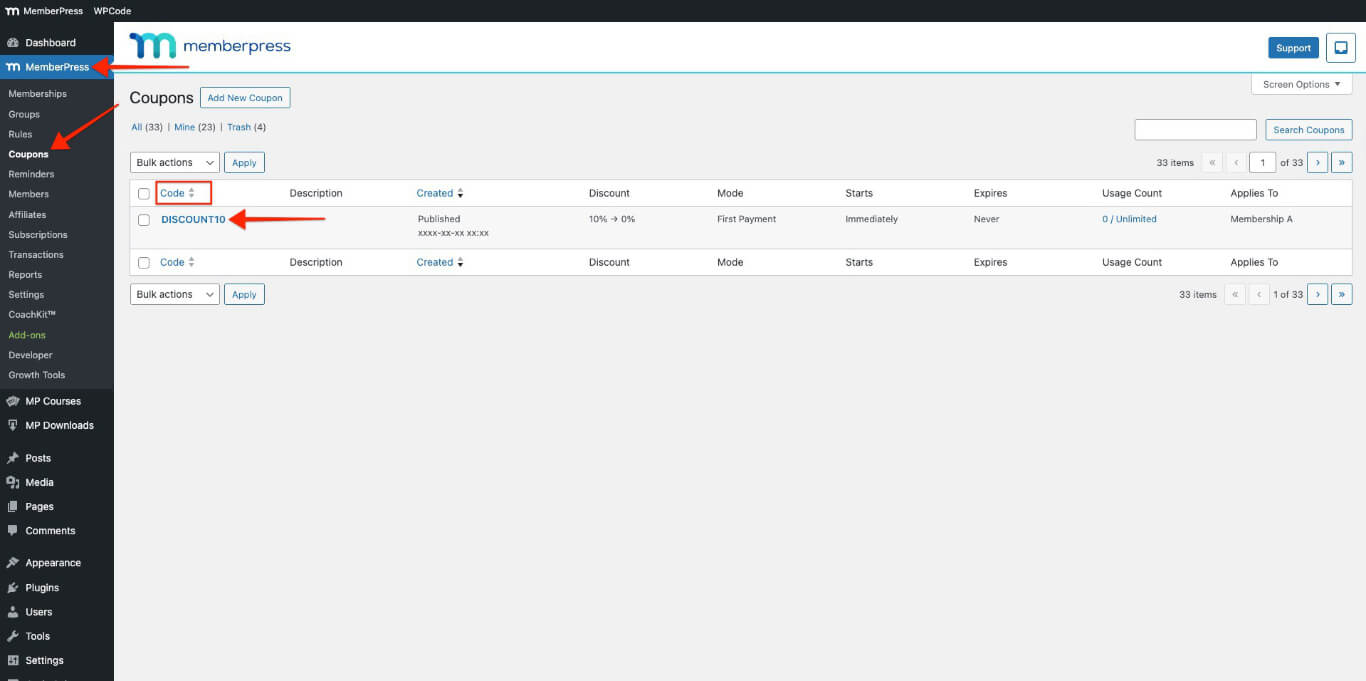
- Kopieren Sie den Gutscheincode aus dem Code Spalte. Wenn Sie keinen Gutschein haben, einen neuen erstellen.
- Navigieren Sie zu Dashboard > Code-Schnipsel.
- Klicken Sie auf den Codeausschnitt, der in der vorheriger Abschnitt.
- Ersetzen Sie IHR GUTSCHEIN im Code-Schnipsel mit dem Code, den Sie verwenden möchten, in der folgenden Code-Zeile. Hier ist ein Beispiel dafür, wie Sie “IHR GUTSCHEIN” mit “DISCOUNT10.”
// Fügen Sie den folgenden Gutscheincode ein, um 'IHR GUTSCHEIN'
      c.value = 'DISCOUNT10';
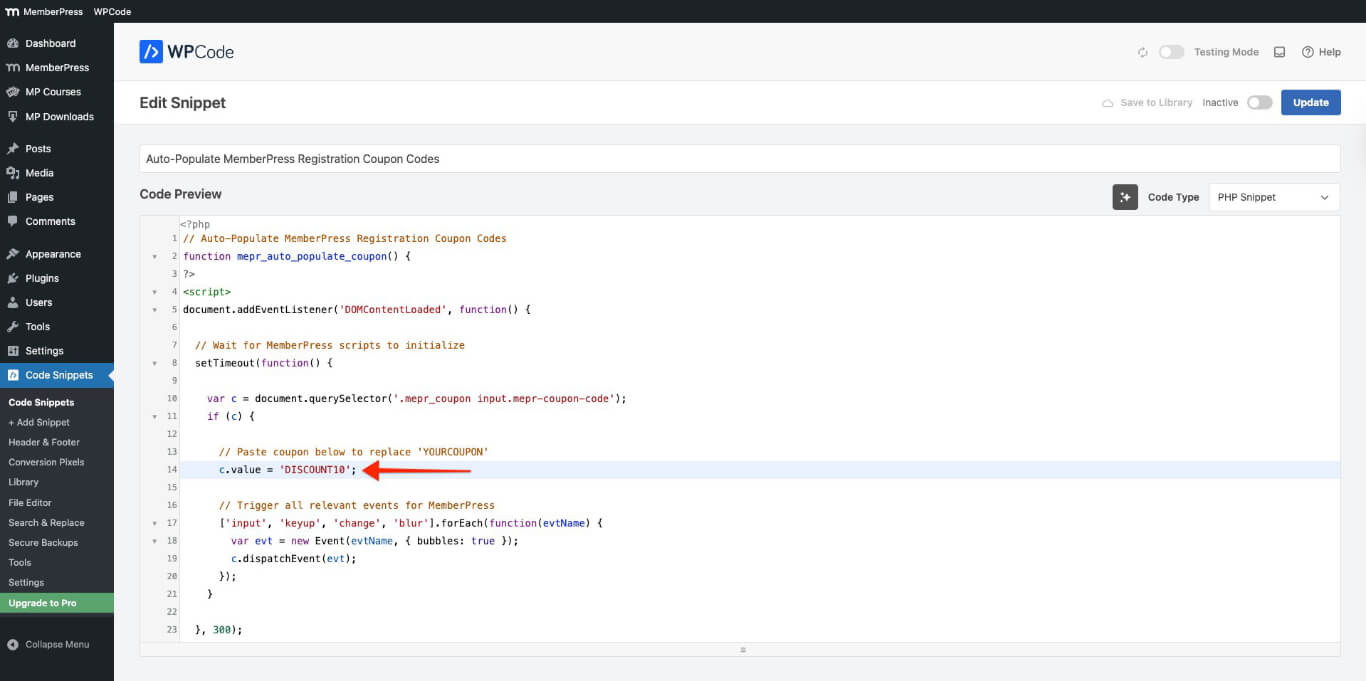
- Aktivieren Sie den Snippet.
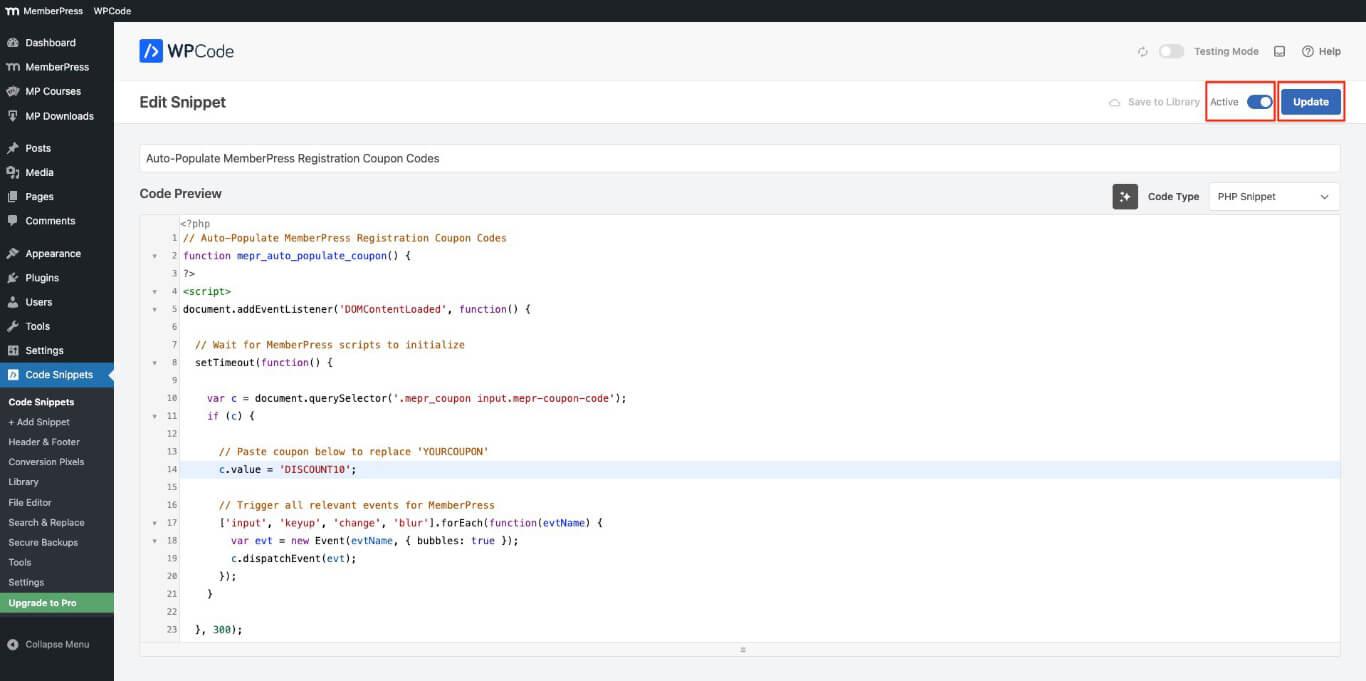
- Klicken Sie auf die Update Taste.
Testen der Gutscheincodes während der Registrierung
Der im Code-Schnipsel hinzugefügte Gutscheincode sollte automatisch in die Registrierungsformulare übernommen werden. Um dies zu testen, führen Sie die folgenden Schritte aus.
- Öffnen Sie eine beliebige Mitgliedschaft von Dashboard > MemberPress > Mitgliedschaften in einem Inkognito-Fenster (privates Fenster) in Ihrem Browser.
- Überprüfen Sie den Rechnungsbetrag und den Gesamtbetrag, um sicherzustellen, dass der Gutschein automatisch angewendet wird.
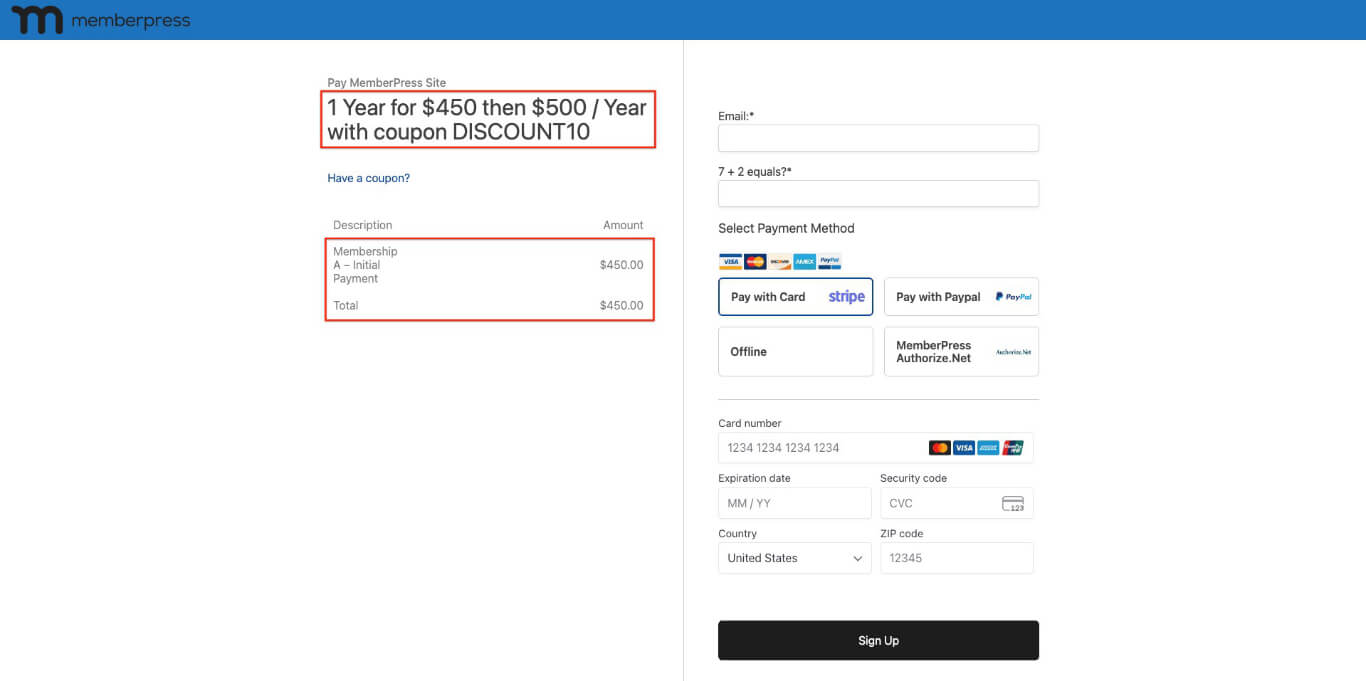
Automatische Anwendung von Gutscheincodes bei der Registrierung
Der Code-Schnipsel wendet automatisch einen einzigen Gutscheincode auf alle Mitgliedschaftsstufen der Website an. Dies vereinfacht die Anmeldung, da die Benutzer den Code nicht mehr manuell eingeben müssen.
Standardmäßig ist das Couponfeld in MemberPress-Anmeldeformularen ausgeblendet. Benutzer sehen ein “Haben Sie einen Rabattcode?”Link; wenn Sie darauf klicken, wird ein Eingabefeld für den Gutscheincode angezeigt. Sie können einen Code-Schnipsel hinzufügen zu Das Feld für den Gutschein automatisch erweitern auf allen MemberPress-Registrierungsformularen. Dadurch wird sichergestellt, dass Benutzer das Feld sehen, ohne auf einen Link klicken zu müssen.
Für bestimmte Kampagnen oder Mitgliedschaftsstufen können Website-Administratoren Verschiedene Gutscheine mithilfe eines URL-Parameters anwenden. Das bedeutet, dass für Nutzer je nach dem Link, über den sie sich registrieren, automatisch unterschiedliche Gutscheine angewendet werden können.
Zusätzlich, WPCode ermöglicht bedingte Logik um zu steuern, wann und für wen der Gutscheincode angewendet wird. Sie können Bedingungen festlegen, um sicherzustellen, dass der Gutschein nur für angemeldete Benutzer oder für Benutzer mit einer bestimmten Mitgliedschaft gilt.










 DE
DE  EN
EN  ES
ES  FR
FR  PT
PT 