

In den Einstellungen für die Kontolöschung können Sie festlegen, wohin die Anfragen zur Kontolöschung gesendet werden, und die Betreffzeile für diese Anfragen anpassen.
In dieser Anleitung erfahren Sie, wie Sie die Felder E-Mail und E-Mail-Betreff für die Löschanforderung einstellen.
Verstehen der Funktion "Konto löschen
Die Anforderungen für die Funktion "Konto löschen" definieren die Konfigurationen für die Bearbeitung von Löschanträgen von Mitgliedern und die Zustellung von Administratorbenachrichtigungen.
Konfiguration der E-Mail-Anfrage löschen: leitet Löschungsanträge von Mitgliedern zur Überprüfung und Bearbeitung an den vorgesehenen Empfänger weiter. Eine ordnungsgemäße E-Mail-Einrichtung stellt sicher, dass die Anträge die für die Kontoverwaltung zuständigen Administratoren erreichen.
Anpassung der Betreffzeile: ermöglicht die Organisation und Filterung von E-Mail-Anfragen im Posteingang des Empfängers. Benutzerdefinierte Betreffe verbessern die Verwaltung von Löschanträgen und die Priorisierung von Workflows.
Standard-E-Mail-Fallback: verwendet die WordPress-Administrations-E-Mail, wenn das E-Mail-Feld für die Löschanfrage leer bleibt. Fallback stellt sicher, dass Löschanfragen immer den Administrator erreichen, ohne dass eine explizite Konfiguration erforderlich ist.
Einhaltung des Datenschutzes der Mitglieder: ermöglicht die Kontolöschung per Selbstbedienung und erfüllt damit die Datenschutzbestimmungen und die Anforderungen an den Schutz der Privatsphäre. Die Löschfunktion erfüllt die Rechte der Mitglieder auf Datenlöschung und Kontokündigung.
Benachrichtigung anfordern: System benachrichtigt die Administratoren über Löschungsabsichten von Mitgliedern und ermöglicht so eine ordnungsgemäße Datenverarbeitung. Die Benachrichtigung gewährleistet eine angemessene Überprüfung und Bearbeitung von Löschanträgen.
Kontoeinstellungen löschen
Der Zugriff auf den Bereich Konto löschen ermöglicht die Konfiguration der E-Mail-Zustellung für Löschungsanträge und die Anpassung des Betreffs.
- Gehe zu Dashboard > MP AppKit > Einstellungen.
- Klicken Sie auf die Rückmeldung tab.
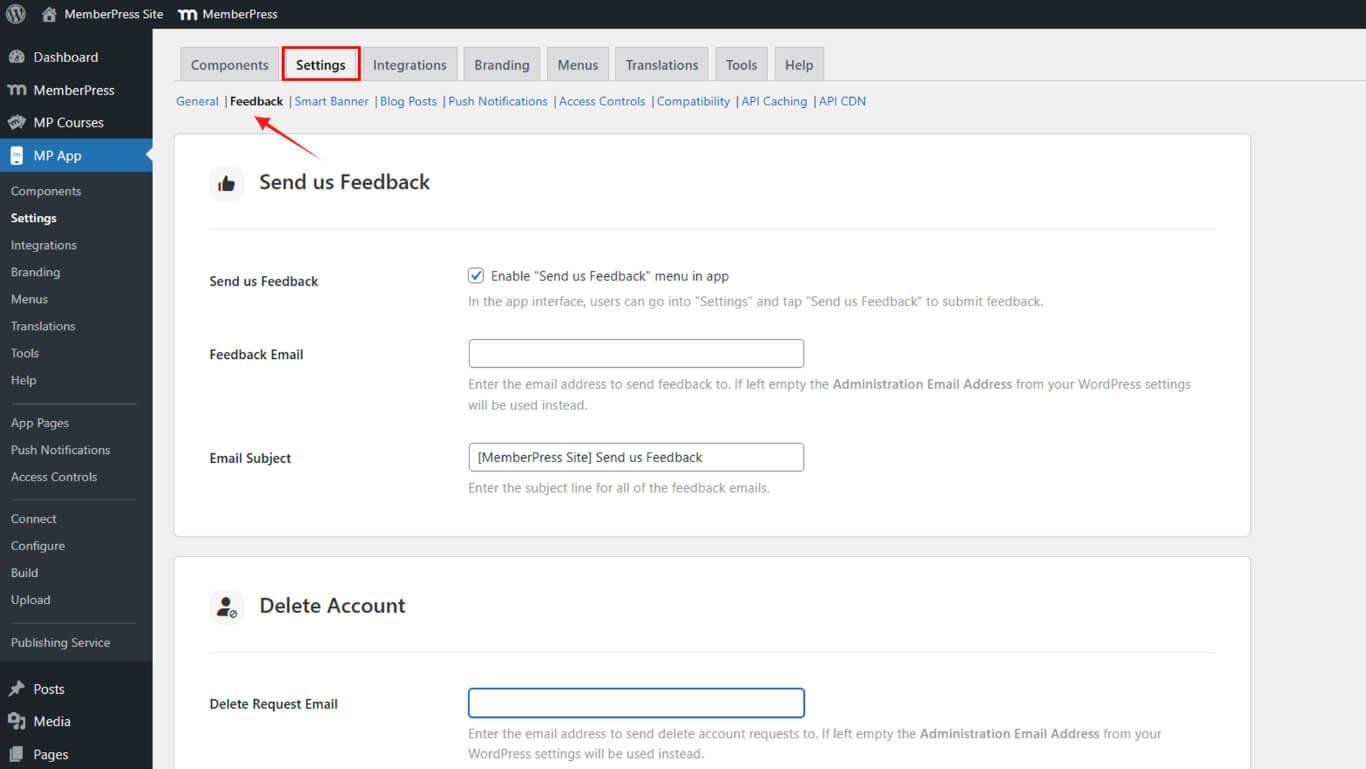
- Blättern Sie nach unten zum Konto löschen Abschnitt.
Einstellung der Löschanfrage per E-Mail
Die E-Mail-Konfiguration für Löschanfragen legt die Empfängeradresse für von Mitgliedern veranlasste Anfragen zur Kontolöschung fest.
- In der E-Mail-Anfrage löschen geben Sie die E-Mail-Adresse ein, an die Anträge auf Kontolöschung gesendet werden sollen.
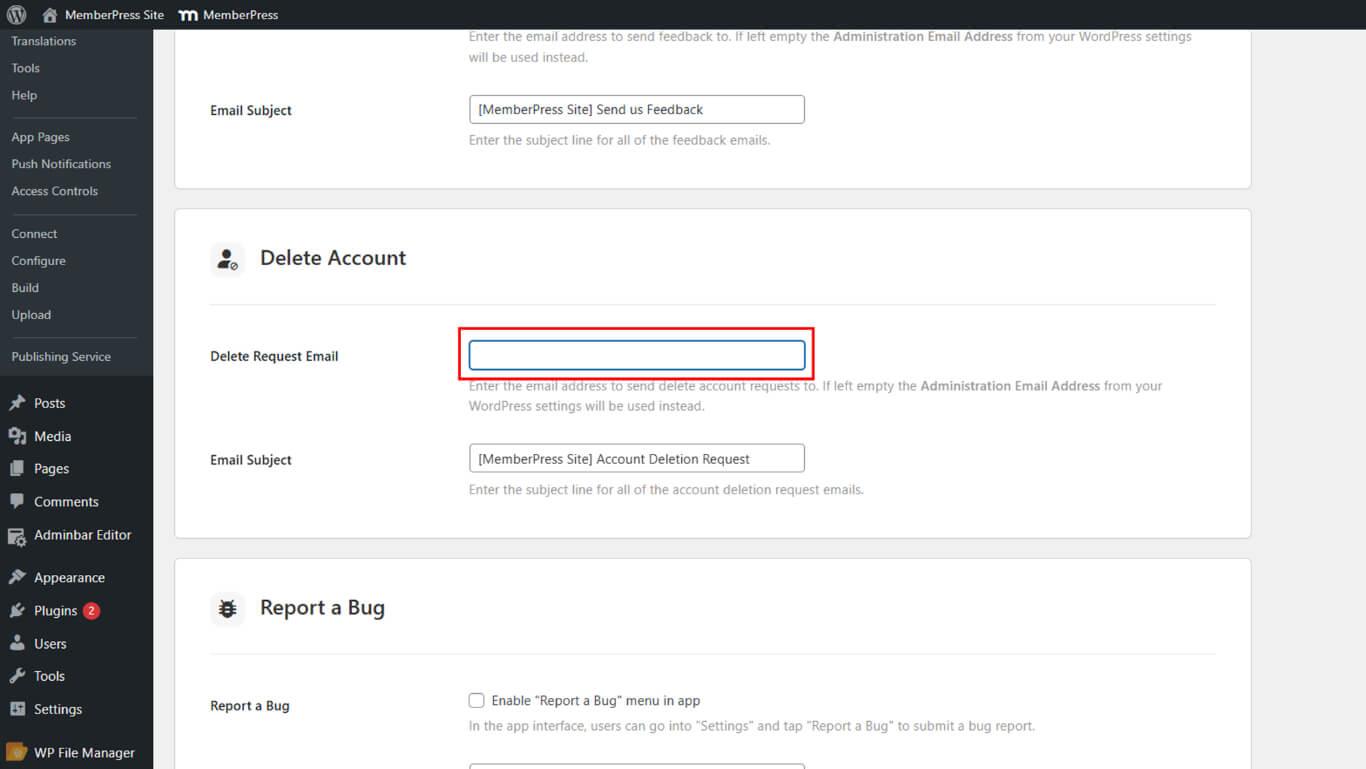
E-Mail-Betreff einstellen
Mit der Konfiguration des E-Mail-Betreffs können Sie die Betreffzeile für Benachrichtigungen über Kontolöschungsanfragen anpassen.
- In der E-Mail-Betreff geben Sie die Betreffzeile ein, die für alle E-Mails mit der Bitte um Kontolöschung angezeigt werden soll.
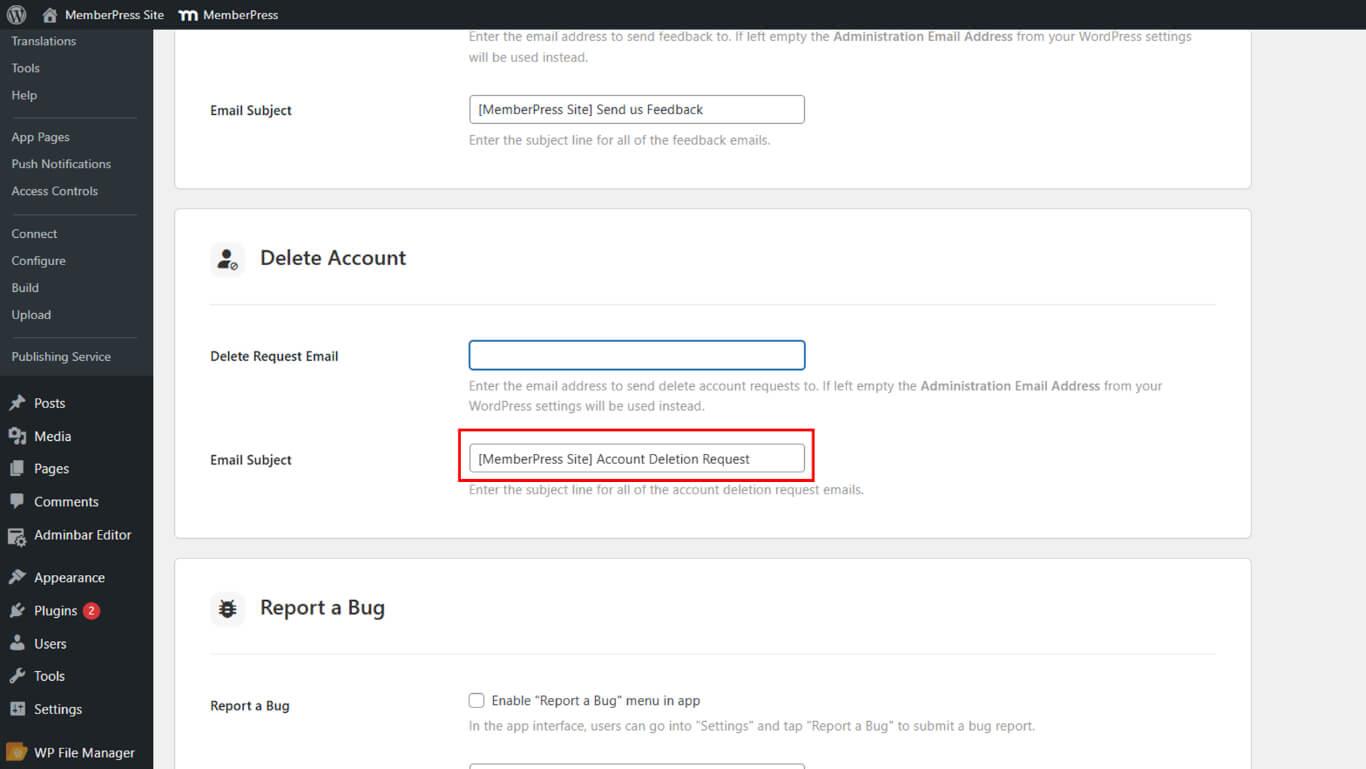
- Beispiel: [MemberPress Site] Antrag auf Kontolöschung.










 DE
DE  EN
EN  ES
ES  FR
FR  PT
PT 