

Um Ihre Android-App in das Google-Ökosystem aufzunehmen, müssen Sie sie zunächst in der Google Play Console einrichten.
Dieser Leitfaden führt Sie durch die Erstellung eines neuen App-Eintrags, die Benennung Ihrer App, die Auswahl der Standardsprache, die Festlegung des App-Typs und der Preise sowie die Zustimmung zu den Google-Richtlinien, damit Sie in den nächsten Schritten für die Veröffentlichung und das Testen bereit sind.
Anforderungen für das App-Listing verstehen
Die Anforderungen für die App-Auflistung definieren die notwendigen Konfigurationen für die Präsenz im Google Play Store und die Berechtigung zur Verteilung.
Auswahl des App-Namens sorgt für Markenidentität und Auffindbarkeit im Google Play Store. Der Name der App erscheint nach der Installation in den Store-Listen und auf den Geräten der Nutzer.
Standardsprachkonfiguration bestimmt die primäre Sprache für den Inhalt und die Kommunikation in den Geschäften. Die Auswahl der Sprache beeinflusst die anfängliche Marktausrichtung und die Lokalisierungsstrategie.
Spezifikation des App-Typs kategorisiert die Anwendung als App oder Spiel für die richtige Organisation im Store. Die Auswahl des Typs beeinflusst die Suchfilterung und die Platzierung der Kategorie im Store.
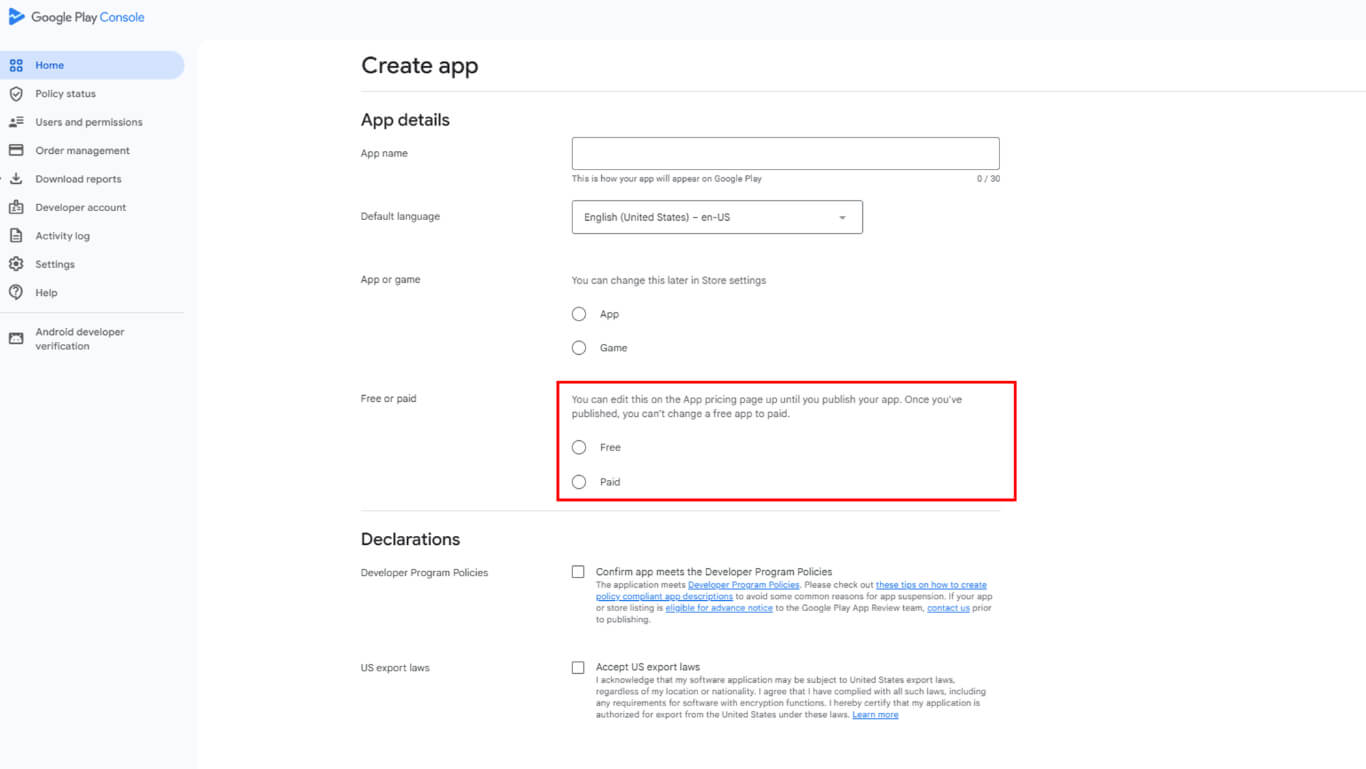
Festlegung der Preisgestaltung legt die anfängliche Monetarisierungsstrategie als kostenlose oder kostenpflichtige Verteilung fest. Die Preisgestaltung kann vor der Veröffentlichung geändert werden, erfordert aber eine sorgfältige Prüfung des Einnahmemodells.
Bestätigung der Einhaltung von Richtlinien bestätigt das Verständnis der Google Play-Vertriebsanforderungen und der Exportbestimmungen. Die Annahme der Vereinbarung ist zwingend erforderlich, um die App veröffentlichen zu können.
Zur Konsole navigieren
Über die Konsolennavigation wird auf das Dashboard des Google Play Developer-Kontos für die App-Verwaltung zugegriffen.
- Gehe zu play.google.com/konsole/entwickler.
- Melden Sie sich mit dem Google-Konto an, das Sie für die Registrierung als Google Play-Entwickler verwendet haben.
Neue App starten
Bei der Erstellung einer neuen App wird der Konfigurationsprozess für die Auflistung in der Google Play Console eingeleitet.
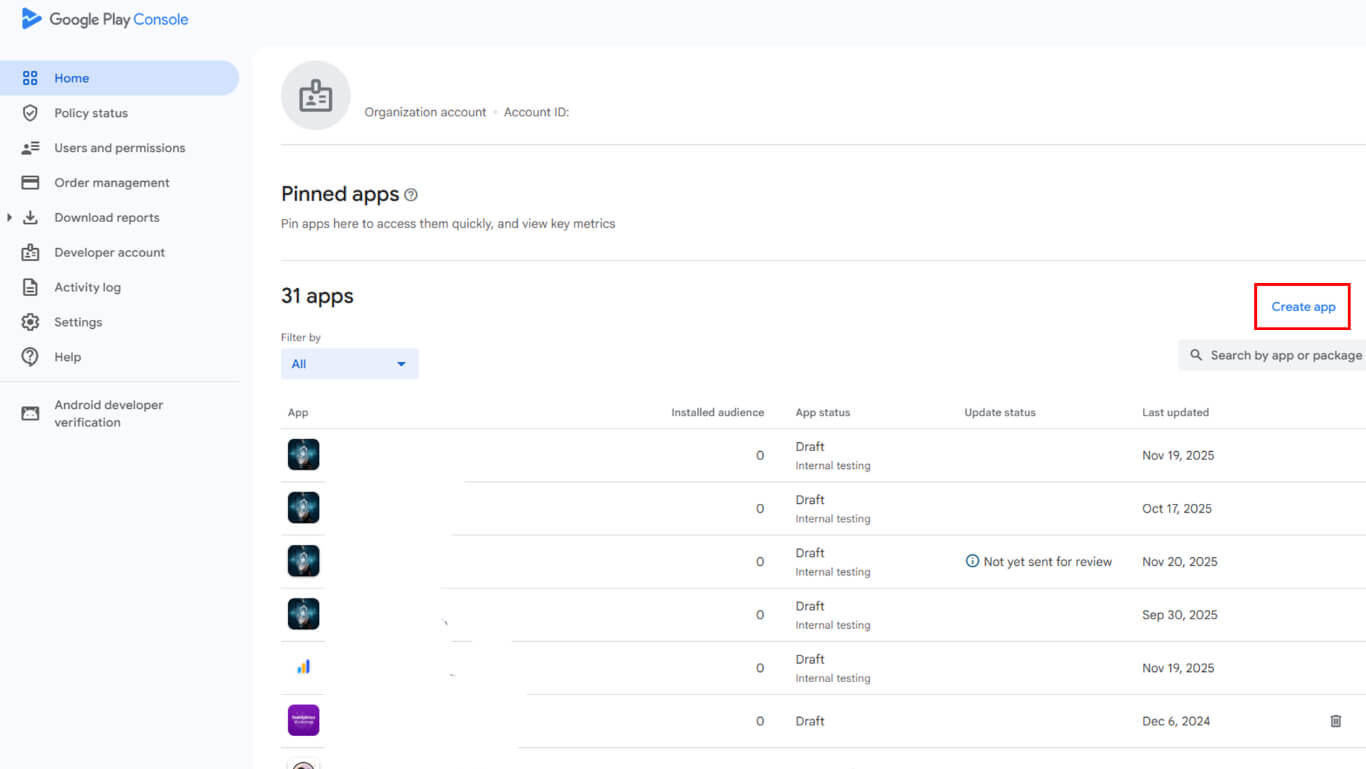
- Klicken Sie in Ihrem Dashboard auf App erstellen in der rechten oberen Ecke.
Benennung Ihrer App
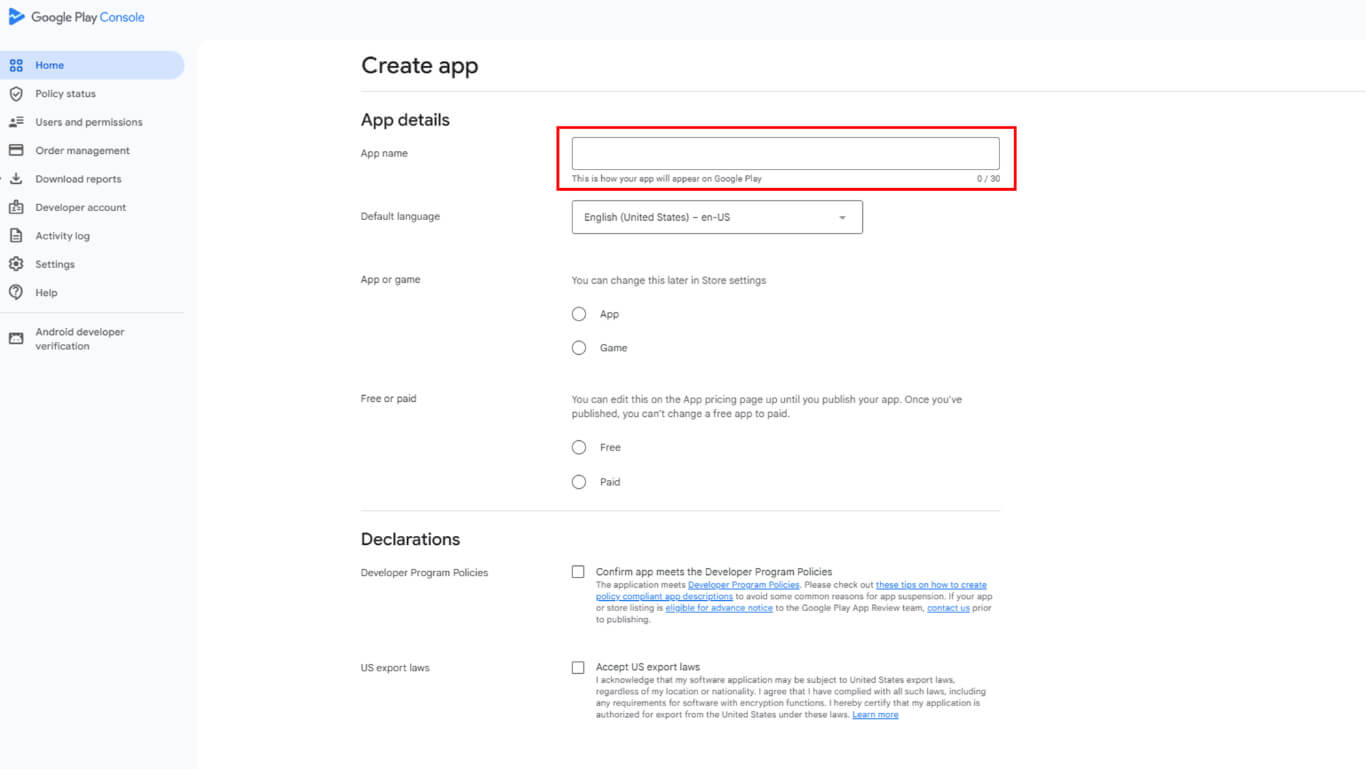
Die App-Benennung legt den Anwendungsbezeichner und den Anzeigenamen für die Auflistung im Google Play Store fest.
- Geben Sie Ihre App-Name.
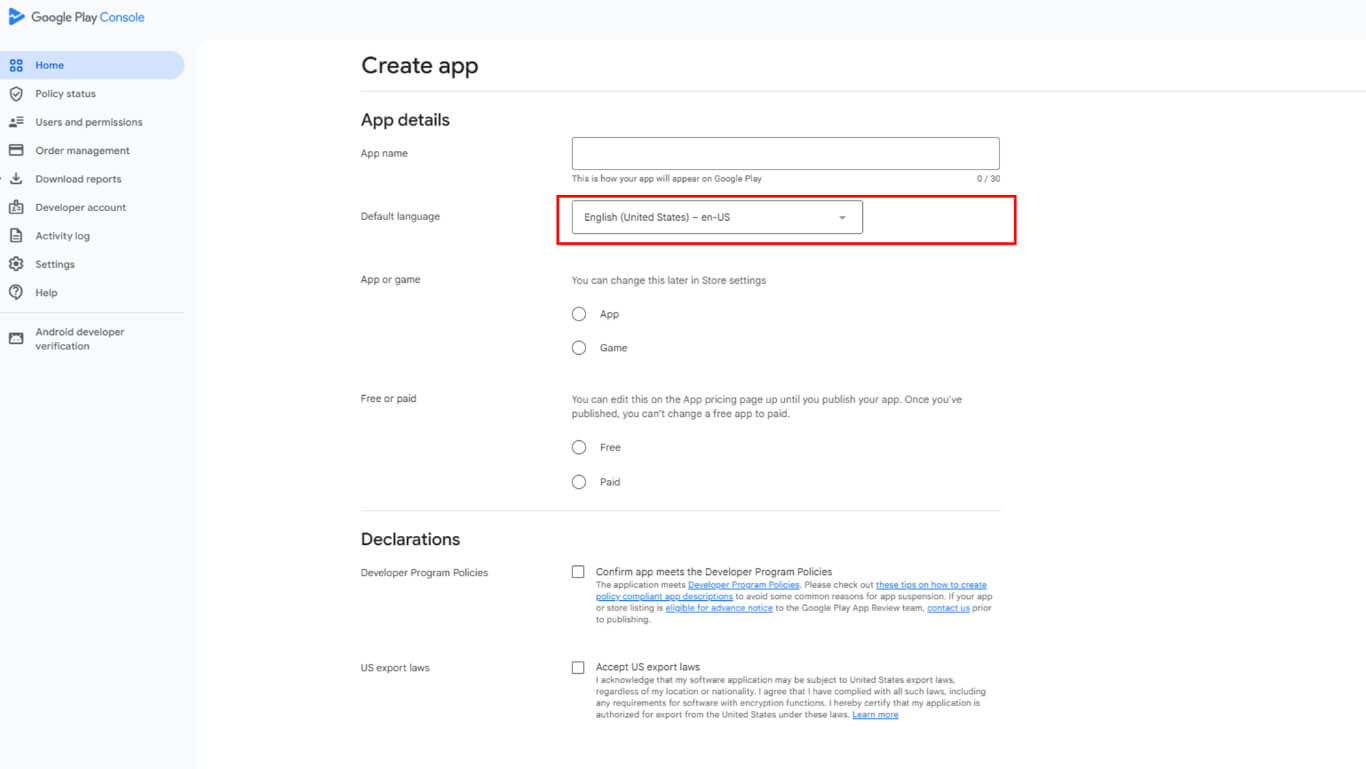
- Wählen Sie Ihre App Standardsprache (z. B. Englisch (Vereinigte Staaten)).
App-Typ und Preisgestaltung festlegen
App-Typ und Preisangabe definieren die Anwendungskategorie und den Monetarisierungsansatz für den Vertrieb.
- Unter Was für eine Art von Anwendung ist das?auswählen App (nicht Spiel).
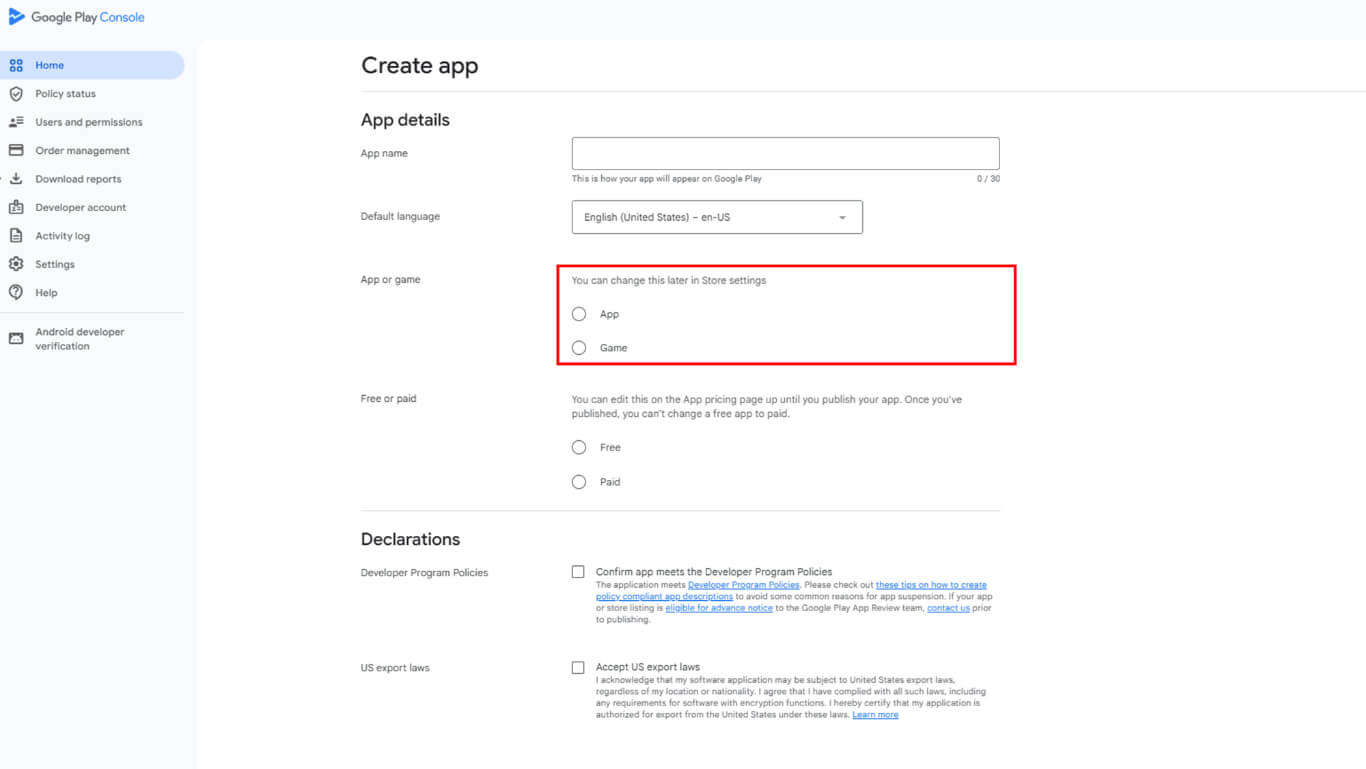
- Unter Preisgestaltungwählen Kostenlos oder Bezahlt.
Einverständnis mit den Google-Richtlinien
Die Richtlinienvereinbarung bestätigt die Einhaltung der Vertriebsanforderungen von Google Play und der rechtlichen Verpflichtungen.
- Siehe Richtlinien für das Entwicklerprogramm.
- Siehe US-Exportgesetze.
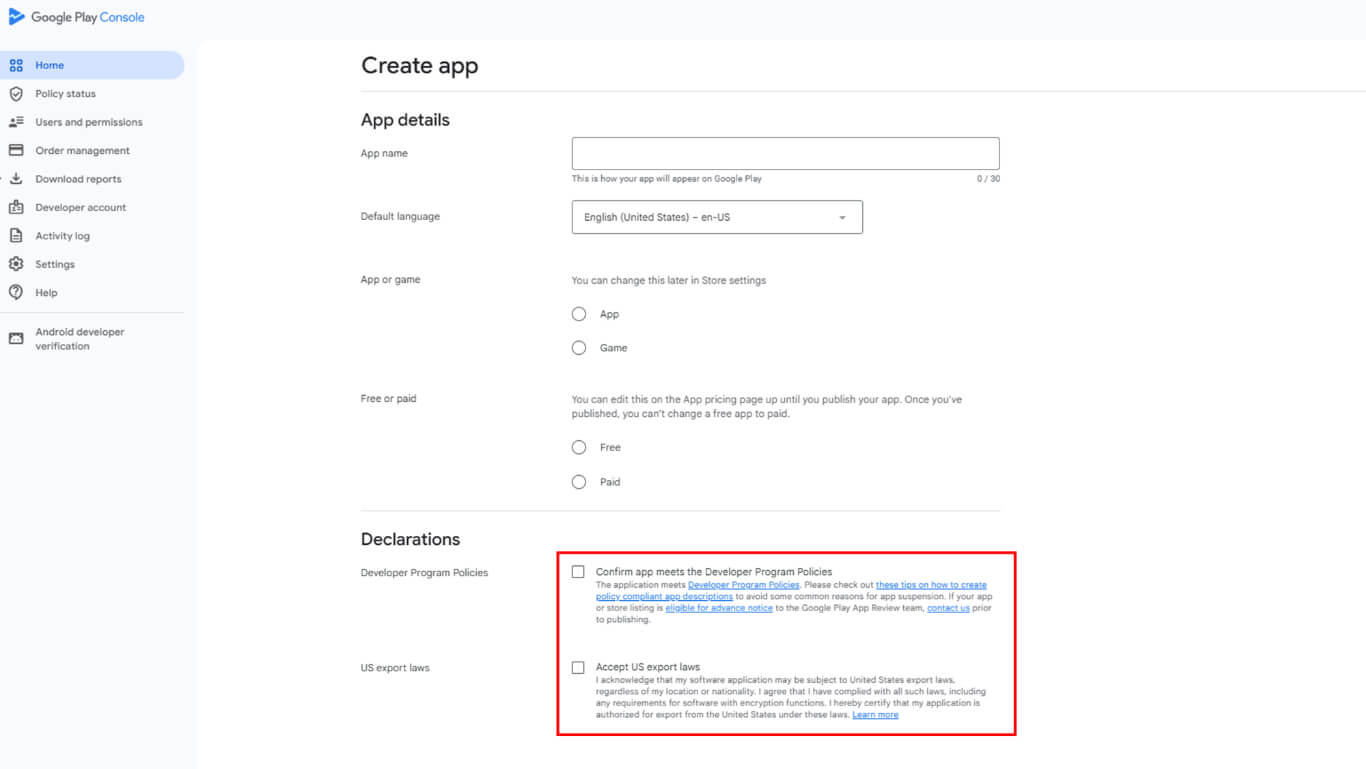
- Klicken Sie auf App erstellen.










 DE
DE  EN
EN  ES
ES  FR
FR  PT
PT 