

La función Compartir enlace a la aplicación anima a los usuarios a promocionar tu aplicación móvil en sus redes, impulsando las instalaciones, la participación y el crecimiento orgánico.
Esta guía explica cómo se puede configurar la función Compartir App Link en MemberPress AppKit, y personalizar el contenido de la vista previa. Además, muestra cómo los miembros pueden compartir el enlace de su aplicación directamente desde su aplicación MemberPress iOS/Android.
Comprender la función Compartir enlace de aplicación
Los requisitos de la función Share App Link definen las configuraciones para habilitar las funciones de promoción y distribución de aplicaciones dirigidas a los miembros.
Habilitación para compartir aplicaciones: activa el botón de compartir de la aplicación, proporcionando a los usuarios acceso a herramientas de distribución. La función de compartir convierte a los usuarios en defensores de la aplicación, promocionándola en sus redes personales.
Personalización del contenido de la vista previa: controla cómo aparecen los enlaces compartidos en las plataformas sociales y las aplicaciones de mensajería. Un contenido de previsualización atractivo mejora el porcentaje de clics y la conversión de los enlaces compartidos.
Configuración específica de la plataforma: permite compartir para iOS y Android por separado en función de la estrategia de distribución. Los interruptores de plataforma proporcionan flexibilidad para despliegues escalonados o campañas específicas de plataforma.
Provisión de enlace de emergencia: garantiza que los usuarios de ordenadores de sobremesa y dispositivos no compatibles lleguen al destino adecuado. Las URL alternativas mantienen la experiencia del usuario cuando los enlaces de la aplicación nativa no se pueden abrir.
Generación de enlaces compartibles: crea URL únicas optimizadas para compartir en redes sociales y distribuir a los miembros. Los enlaces generados rastrean la participación y facilitan el descubrimiento de la aplicación a través de la compartición orgánica.
Activar App Sharing
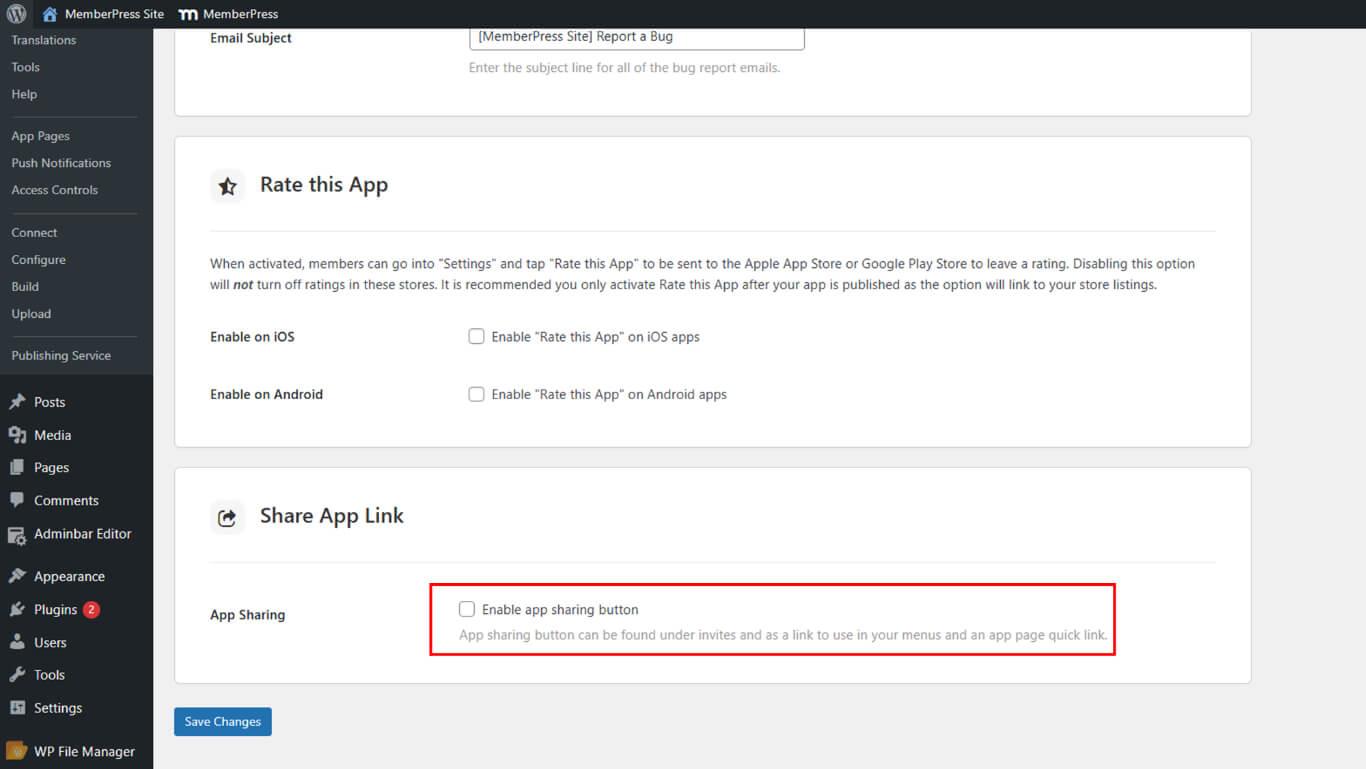
La habilitación para compartir aplicaciones activa la funcionalidad de compartir en la interfaz de configuración de la aplicación móvil.
- En WordPress, vaya a Panel de control > MP AppKit > Configuración > Comentarios.
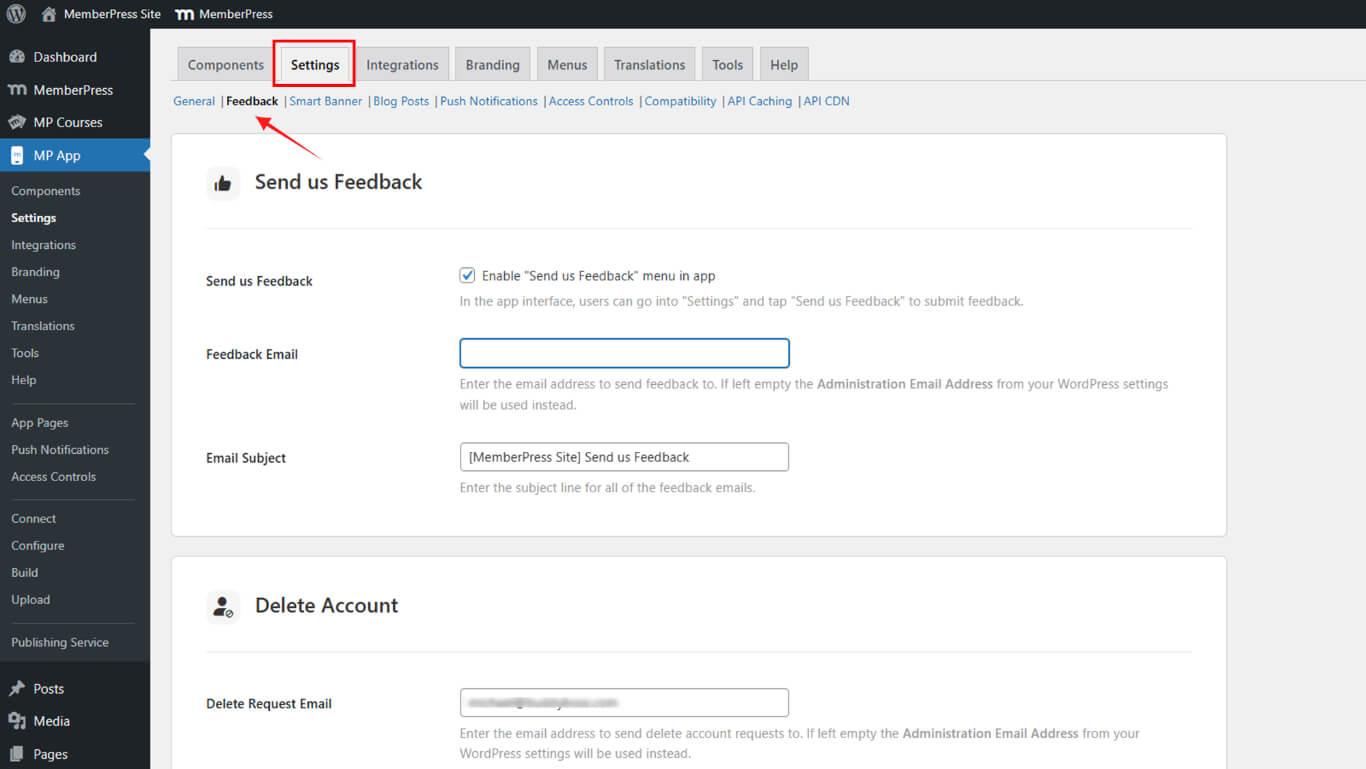
- Desplácese hasta Compartir enlace de la aplicación.
- Consulte Compartir aplicaciones para activar el botón de compartir en la aplicación.
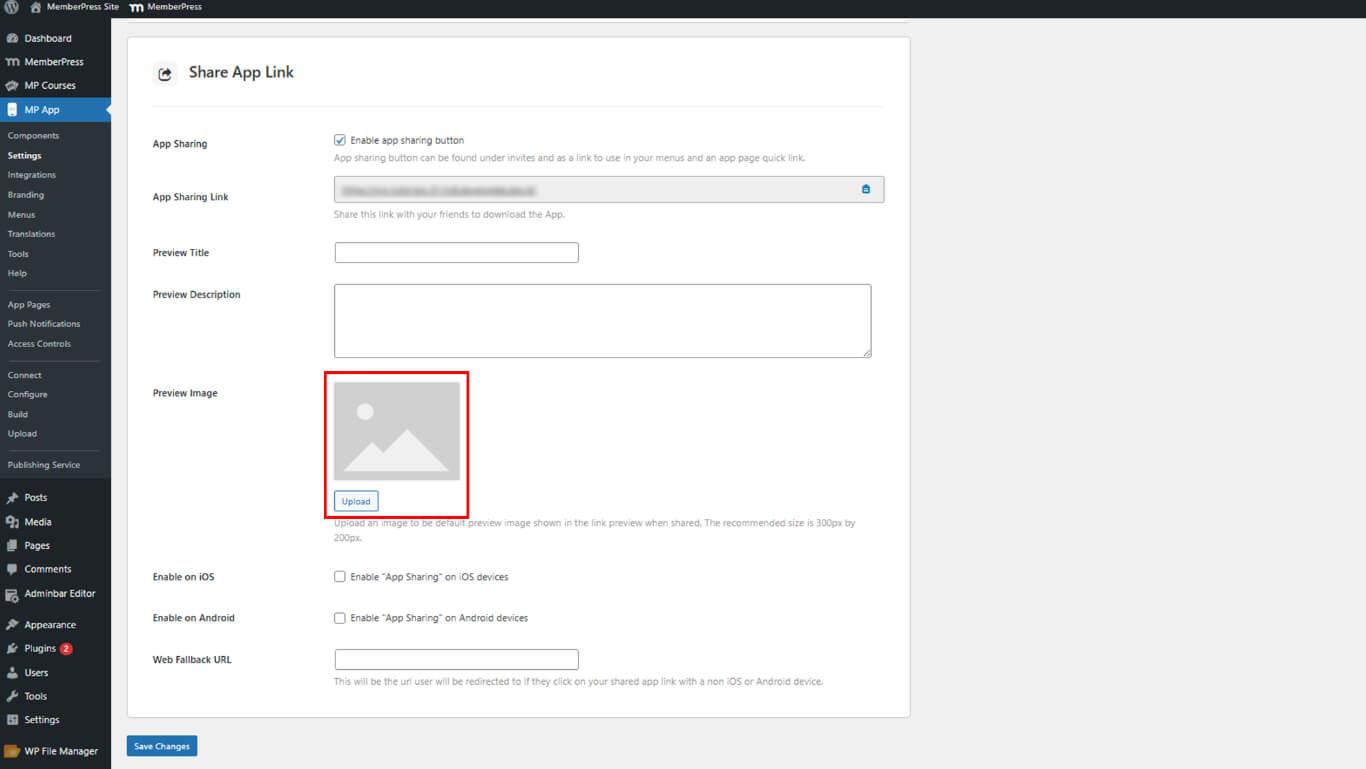
Personalizar el contenido de la vista previa
La personalización del contenido de la vista previa controla el aspecto visual y textual de los enlaces de aplicaciones compartidas en todas las plataformas.
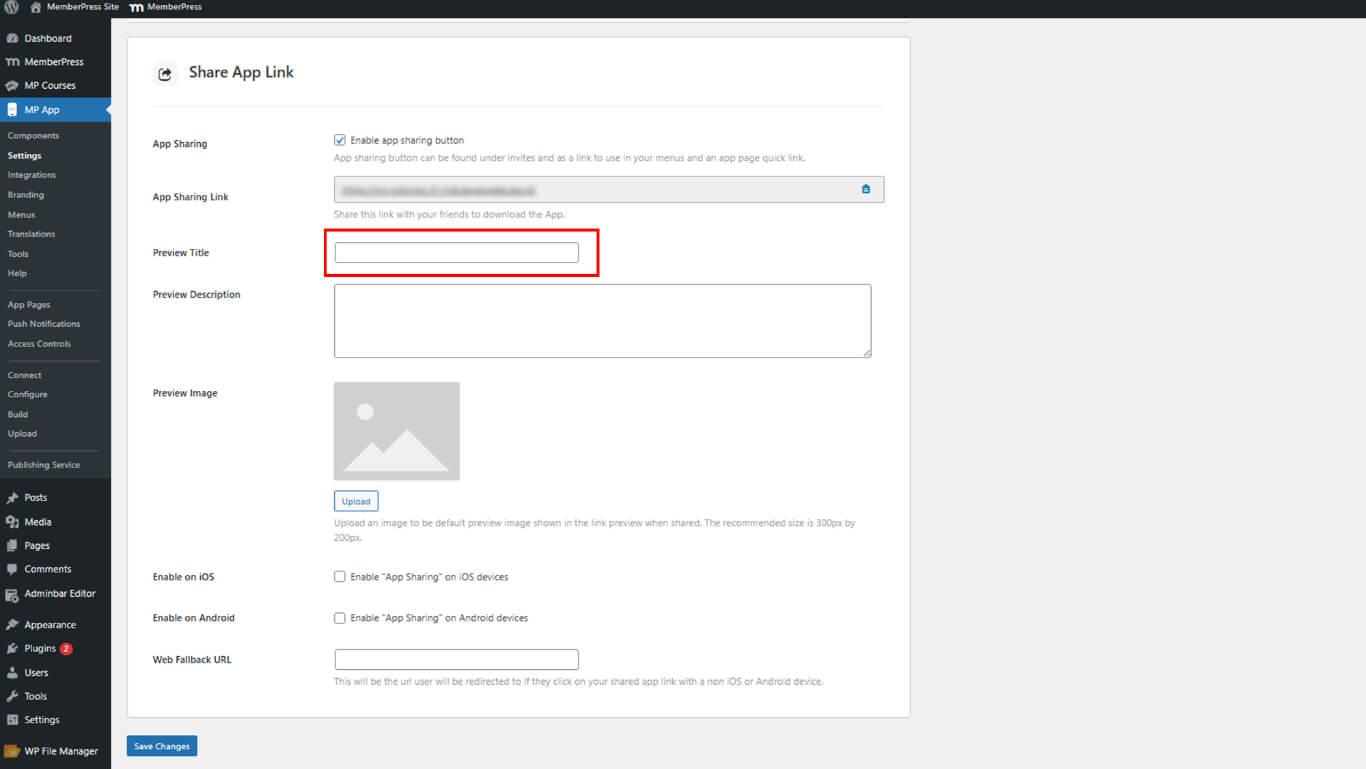
- Introduzca un Vista previa Título en el campo del título.
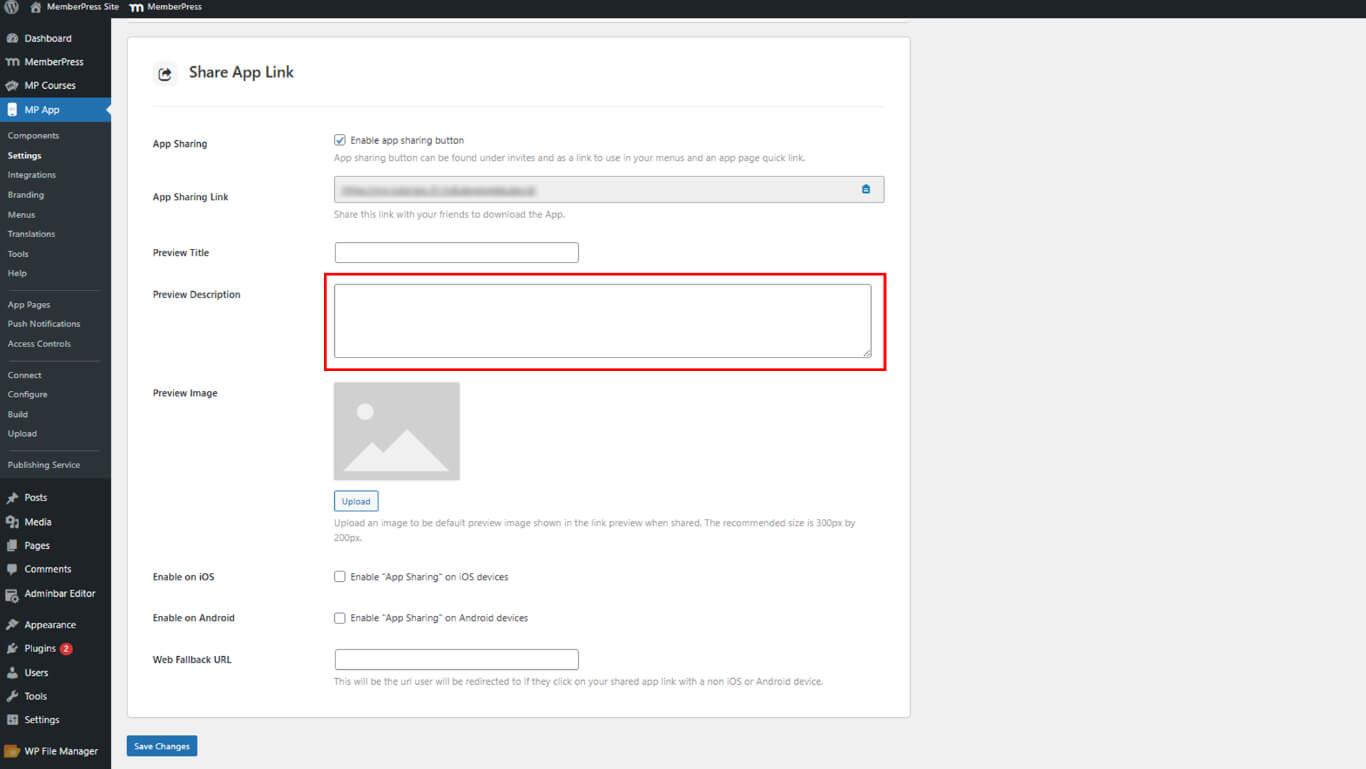
- Añade un atractivo Vista previa Descripción en el campo de descripción.
- Haga clic en Cargar junto a Vista previa de la imagen y selecciona una imagen.
Habilitación de plataformas y adición de Fallback
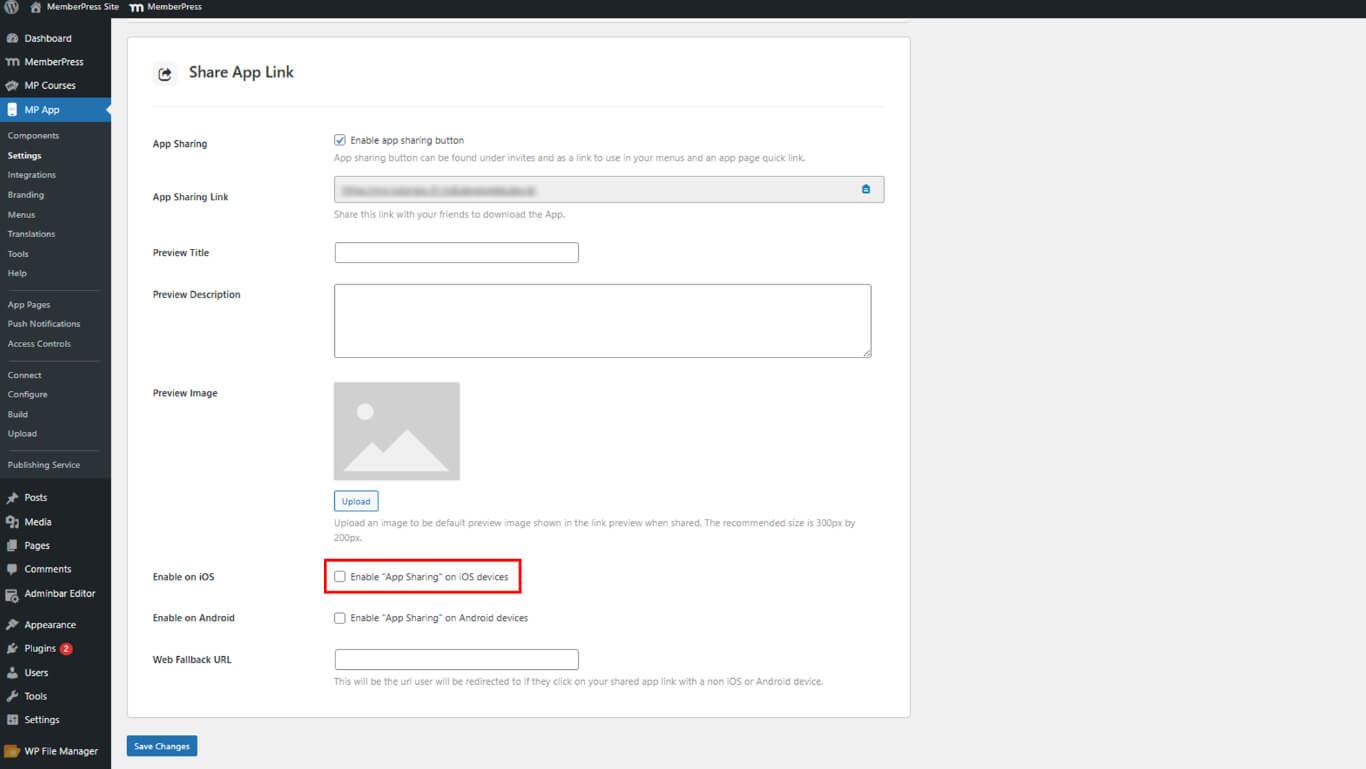
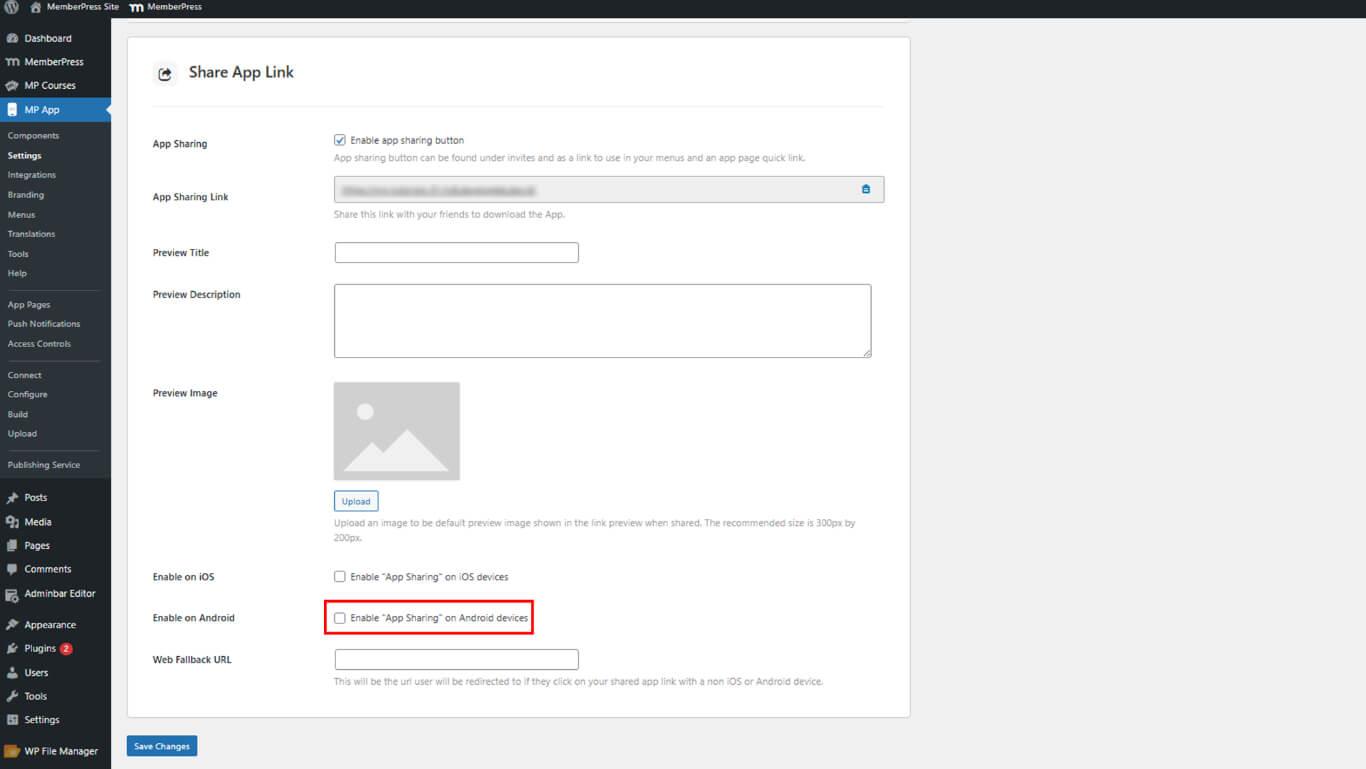
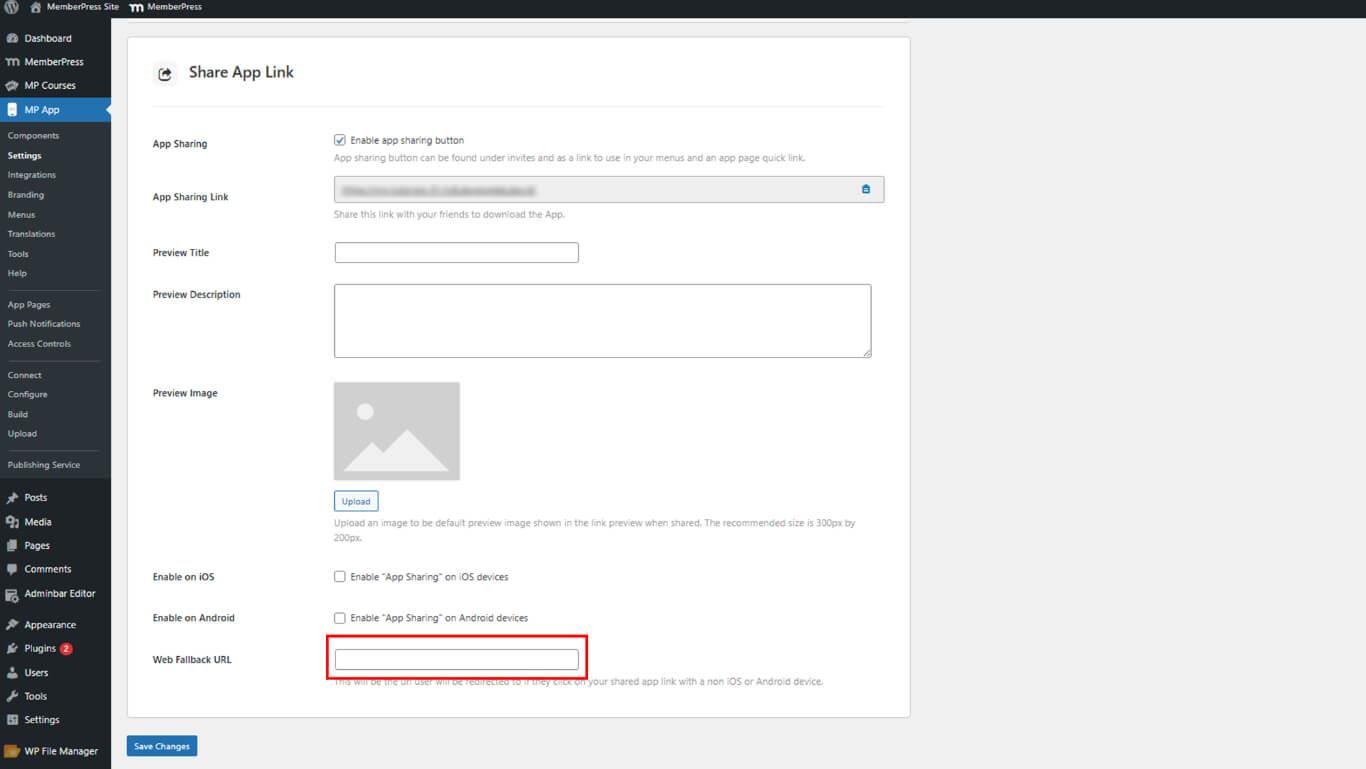
La habilitación de plataformas y la configuración de fallback garantizan una gestión adecuada de los enlaces en todos los dispositivos y sistemas operativos.
- Consulte Habilitar en iOS para que Apple pueda compartir.
- Consulte Habilitar en Android para compartir en Google Play.
- En Enlace de emergencia, pegue una URL de copia de seguridad para ordenadores de sobremesa o dispositivos no compatibles.
Recuperación de la URL de App Share
La recuperación de URL de aplicaciones compartidas proporciona un enlace compartible para la integración en sitios web y campañas de marketing.
- En la parte superior de la configuración de Share App Link, localice el botón Enlace para compartir aplicaciones.
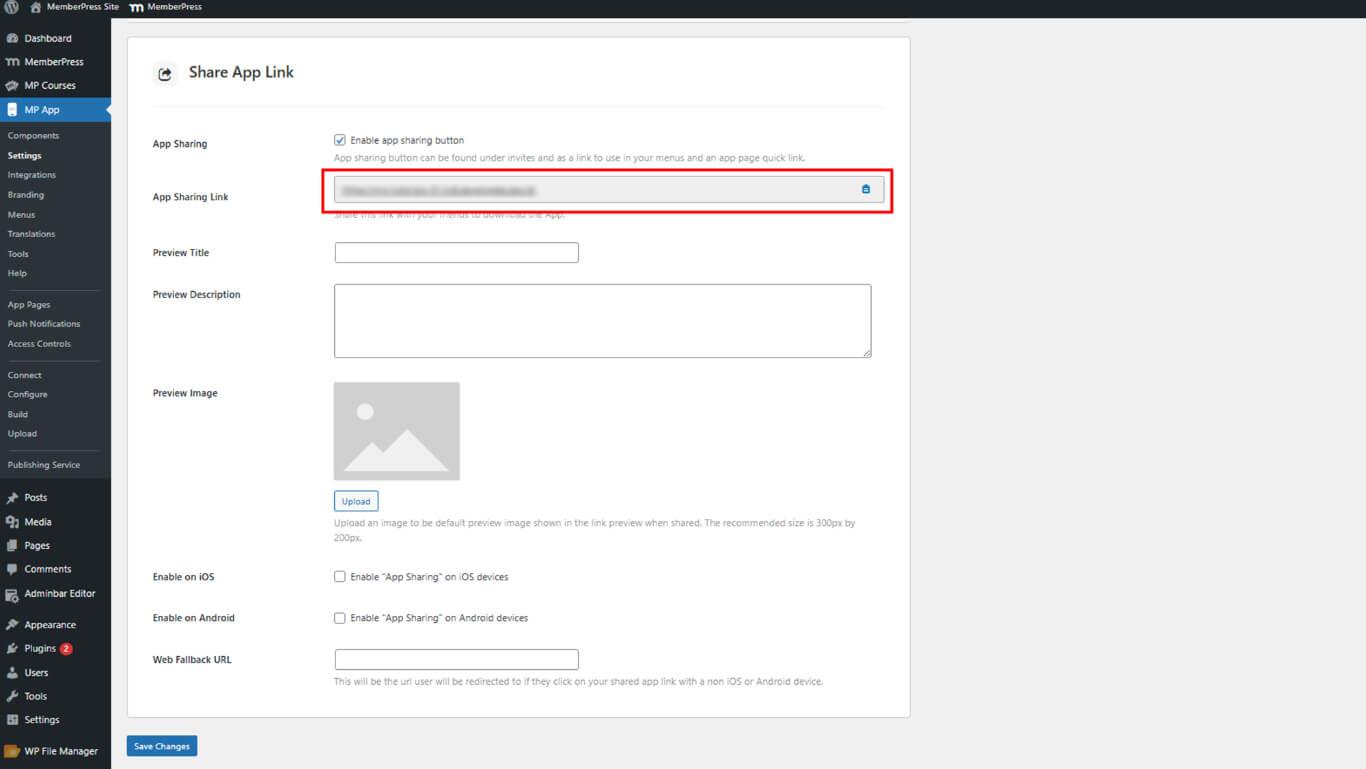
- Copie la URL mostrada.
- Utilice la URL en los botones del sitio web, enlaces rápidos o menús de navegación.
Compartir App desde aplicación móvil
El intercambio iniciado por los miembros se produce a través de la configuración de la aplicación móvil, lo que permite la distribución directa.
- Abra la aplicación MemberPress (iOS/Android) en un dispositivo móvil.
- Ir a Más > Ajustes > Compartir esta aplicación.
- Toca la opción de compartir para abrir el modal de compartir.
- Selecciona un canal para enviar el enlace de la aplicación (por ejemplo, Contactos, Facebook, LinkedIn).










 ES
ES  EN
EN  FR
FR  DE
DE  PT
PT 