

La integración con Vimeo permite la entrega segura de vídeos y la visualización sin conexión de los contenidos de los miembros. Las cuentas Vimeo Pro ofrecen controles de privacidad que protegen los contenidos de vídeo premium.
Este documento explica cómo crear una aplicación Vimeo Developer, generar un token de acceso y conectar Vimeo a la aplicación.
Comprender las ventajas de la integración con Vimeo
Vimeo Pro ofrece controles de privacidad avanzados adecuados para contenidos de vídeo de miembros. La integración con MemberPress AppKit ofrece ventajas específicas sobre otras plataformas de alojamiento de vídeos.
Entrega segura de contenidos Restringe el acceso y evita el intercambio no autorizado. La configuración de privacidad garantiza que solo los miembros autorizados puedan ver el contenido de vídeo premium.
Compatibilidad con visualización sin conexión permite a los miembros descargar vídeos para verlos sin conexión a Internet. Los vídeos descargados siguen estando accesibles durante los viajes o en situaciones de conectividad limitada.
Optimización del rendimiento Almacena en caché los metadatos de vídeo para iniciar la reproducción más rápidamente. Los datos almacenados en caché reducen el tiempo de carga cuando los miembros acceden al contenido de vídeo.
La función de reproducción sin conexión requiere una cuenta Vimeo Pro o un nivel de suscripción superior.
Generación del token de acceso de Vimeo
La generación del token de acceso se realiza a través del portal para desarrolladores de Vimeo.
- Vaya a desarrollador.vimeo.com en un navegador web.
- Inicie sesión con las credenciales de su cuenta de Vimeo.
- Haga clic en Crear nueva aplicación para comenzar la creación de la aplicación.
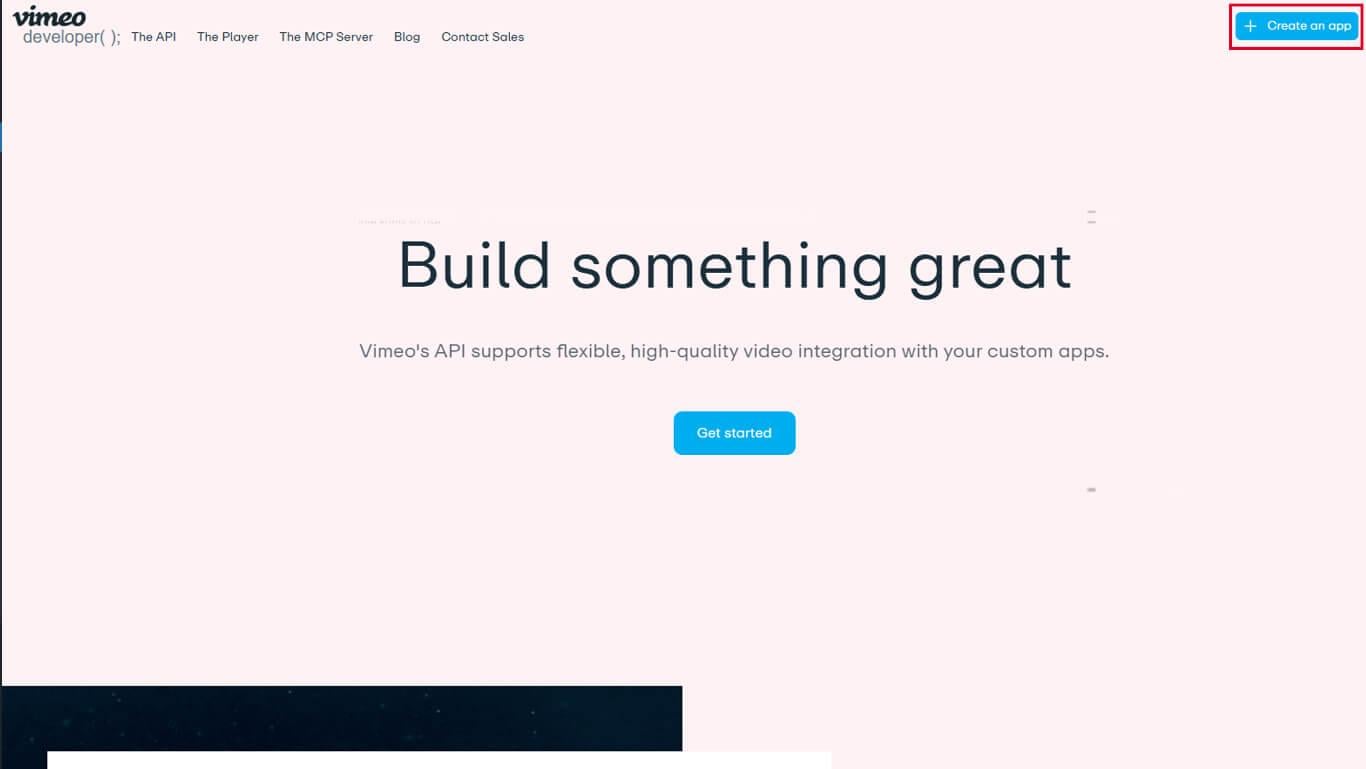
- Introduzca el nombre de la aplicación en el Nombre de la aplicación campo.
- Introduzca una descripción en el Descripción de la aplicación campo.
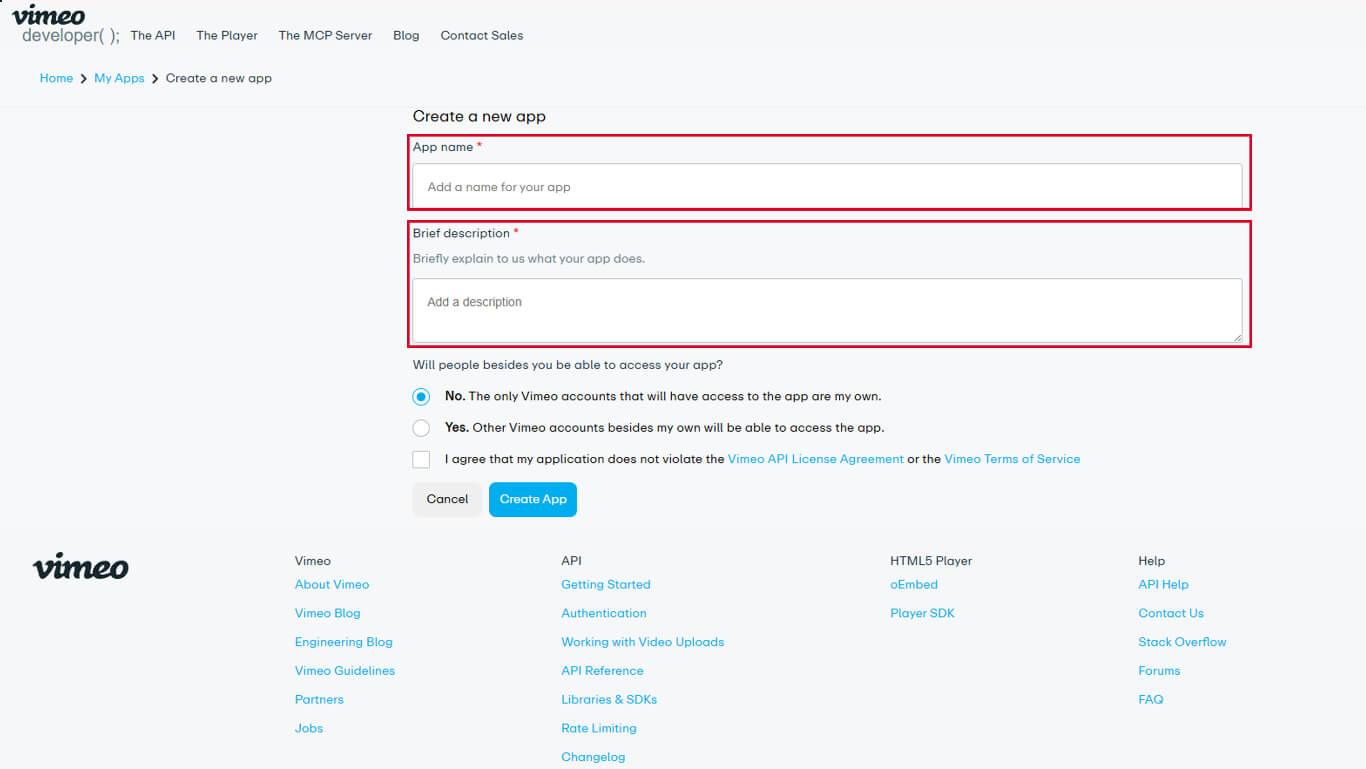
- Seleccione el adecuado. Acceso a la aplicación nivel para la aplicación.
- Haga clic en Crear aplicación para finalizar la creación de la aplicación.
- Navegue hasta el Autenticación pestaña en la configuración de la aplicación.
- En “¿Para quién es esta aplicación?”, seleccione Autenticado (usted).
- Busque la sección «Scopes» y active las siguientes opciones:
- Privado para acceso privado a vídeos;
- Archivos de vídeo para la capacidad de descarga de archivos de vídeo.
- Haga clic en Genere para crear el token de acceso.
- Copie el token de acceso generado al portapapeles.
El token de acceso proporciona autenticación para que MemberPress AppKit acceda al contenido de vídeo de Vimeo.
Conexión de Vimeo a MemberPress AppKit
La configuración del token de acceso completa la integración con Vimeo.
- Vaya a Panel de control > MP AppKit > Integraciones > Vimeo.
- Localice el Código de autenticación de Vimeo campo.
- Pega el token de acceso copiado en el campo.
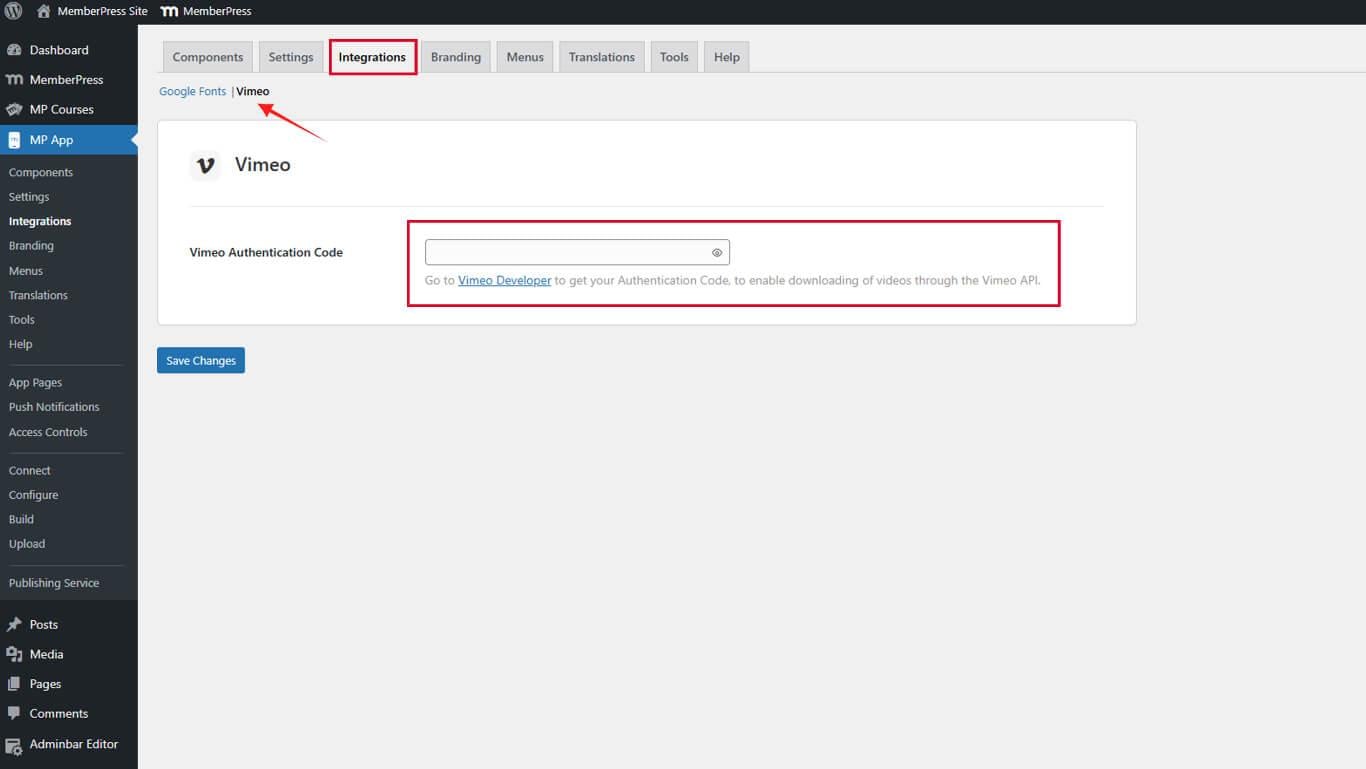
- Haga clic en Guardar cambios para finalizar la conexión.
La integración con Vimeo se activa inmediatamente después de guardar la configuración del token de acceso.










 ES
ES  EN
EN  FR
FR  DE
DE  PT
PT 