

Encourager les membres à évaluer votre application améliore sa visibilité et sa crédibilité dans l'App Store d'Apple et le Google Play Store.
Ce guide vous explique comment activer la fonction “Notez cette application”Les utilisateurs peuvent ainsi laisser un avis directement à partir de l'application une fois qu'elle est en ligne.
Comprendre la fonctionnalité Évaluer cette application
Les exigences relatives à la fonctionnalité "Notez cette application" définissent les configurations permettant de soumettre une évaluation de la boutique d'applications d'un membre à partir de l'application mobile.
Faciliter l'examen de la boutique d'applications active une option de menu qui dirige les membres vers la liste de magasins appropriée pour la soumission d'évaluations. La fonction d'évaluation transforme les membres satisfaits en défenseurs, ce qui améliore le classement du magasin.
Préalable à l'édition nécessite une présence sur l'app store avant l'activation de la fonctionnalité. Les liens du menu renvoient aux listes publiées et ne correspondent pas aux versions non publiées ou aux versions de test.
Configuration de l'ID du magasin connecte les liens d'évaluation aux listes d'applications correctes dans les magasins Apple et Google. La configuration correcte de l'identifiant garantit que les membres atteignent les pages d'évaluation prévues.
Activation spécifique à la plate-forme permet une activation séparée pour iOS et Android en fonction de l'état de la publication. La configuration indépendante de la plateforme permet de tenir compte des différents délais d'approbation.
Accès direct à la révision simplifie le processus d'évaluation, en réduisant les frictions dans le flux de travail de soumission des évaluations. L'accès pratique augmente les taux de soumission d'évaluations et le volume d'évaluations des magasins.
Conditions préalables à l'édition
La vérification des conditions préalables à la publication permet de s'assurer que les listes de la boutique d'applications existent avant d'activer la fonction d'évaluation.
Avant d'activer cette fonctionnalité, assurez-vous que votre application est approuvée et publiée dans les deux magasins d'applications. Le menu renvoie aux listes des boutiques en ligne et ne fonctionne pas sur les versions non publiées ou les versions de test.
Récupération des identifiants App Store
L'extraction de l'identifiant du magasin d'applications fournit les identifiants nécessaires à la configuration de Rate This App et à l'établissement de liens avec le magasin.
Obtenir un identifiant Apple App ID
La récupération de l'identifiant Apple App extrait l'identifiant numérique de l'URL de la fiche App Store.
- Ouvrez votre liste d'applications publiques dans l'Apple App Store.
- Copiez l'ID numérique après l'id dans l'URL (par exemple, XXXXXXXXX).
Obtention de l'ID de l'application Android
L'extraction de l'identifiant de l'application Android permet d'extraire l'identifiant du paquet à partir de l'URL de la liste du Play Store.
- Ouvrez la fiche de votre application dans le Google Play Store.
- Copiez l'ID de l'application après l'id= dans l'URL (par exemple, com.example.app).
Saisir les identifiants des magasins dans le plugin de l'application MemberPress
La configuration de l'identifiant de magasin établit un lien approprié entre le menu Évaluer cette application et les listes de magasins d'applications.
Configuration de l'Apple App ID
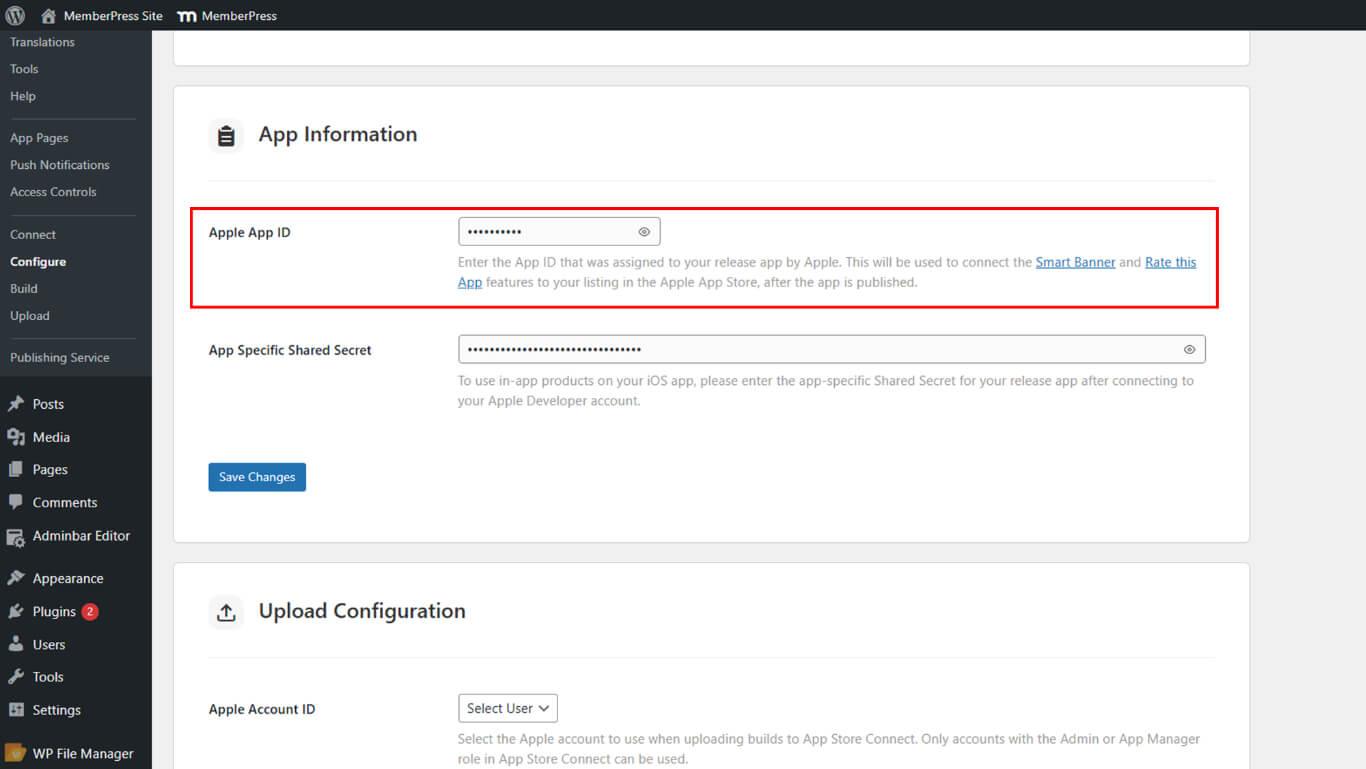
La configuration de l'Apple App ID relie le menu de révision iOS à la page de listing de l'App Store.
- Aller à Tableau de bord > MP AppKit > Configurer > Réglages iOS.
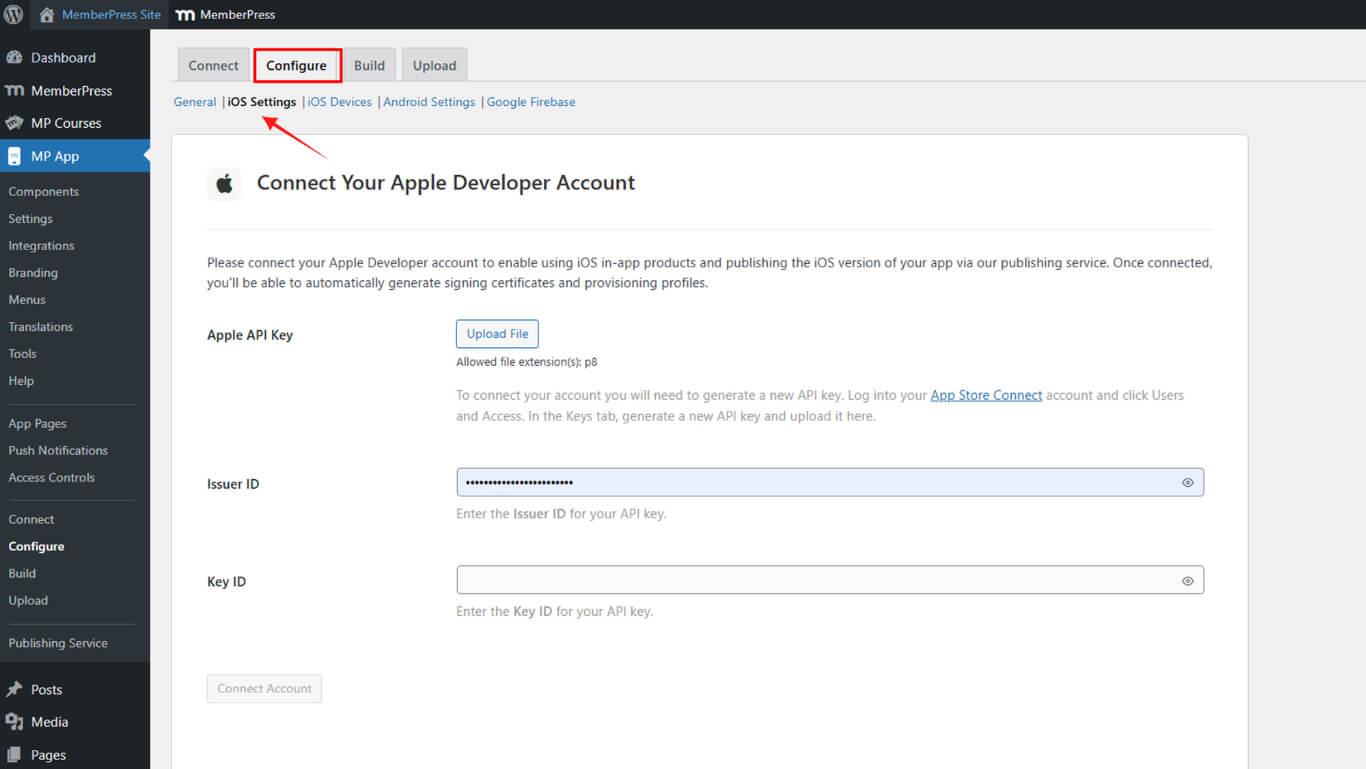
- Faites défiler jusqu'à Informations sur l'application > Apple App ID.
- Collez l'ID et cliquez sur Enregistrer les modifications.
Configuration de l'ID de l'application Android
La configuration de l'ID de l'application Android relie le menu de révision Android à la page de listing du Play Store.
- Aller à Tableau de bord > MP AppKit > Configurer > Paramètres Android.
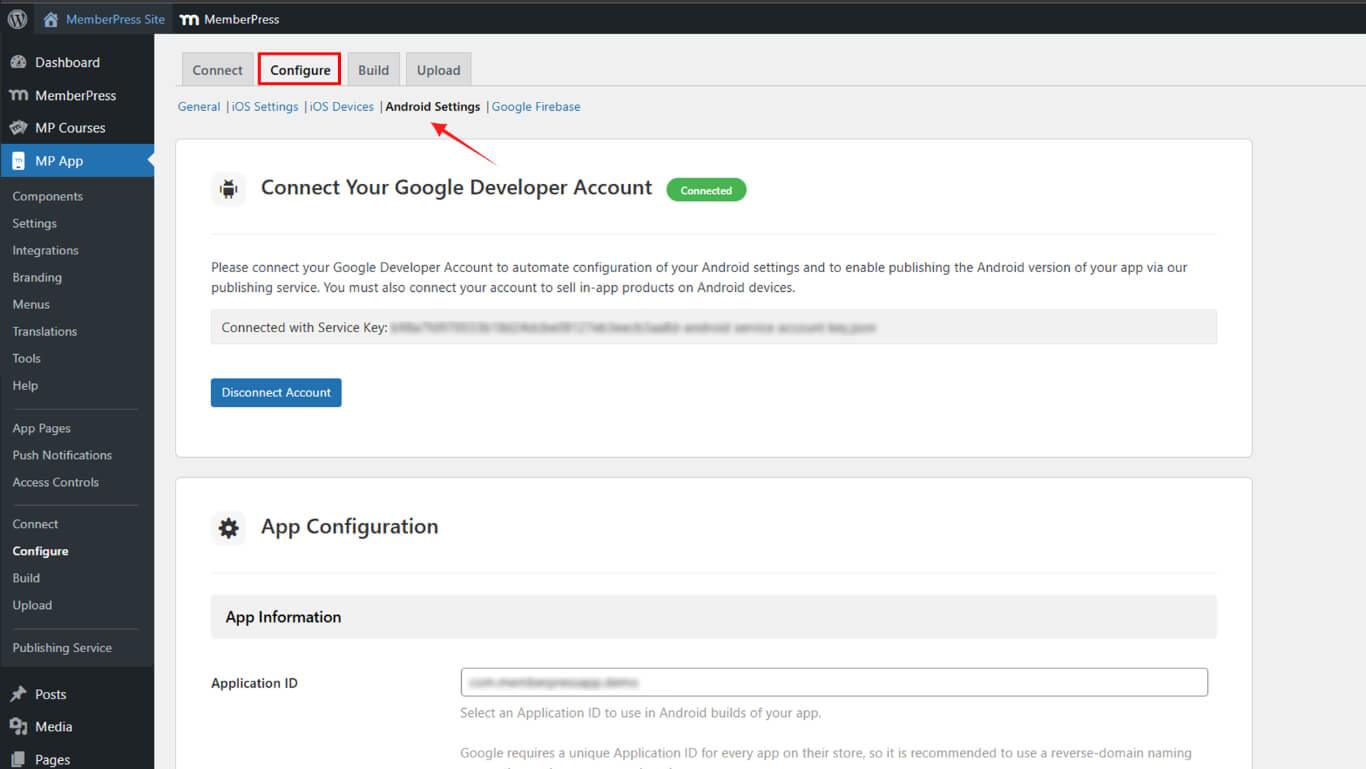
- Faites défiler jusqu'à Informations sur l'application > ID de l'application.
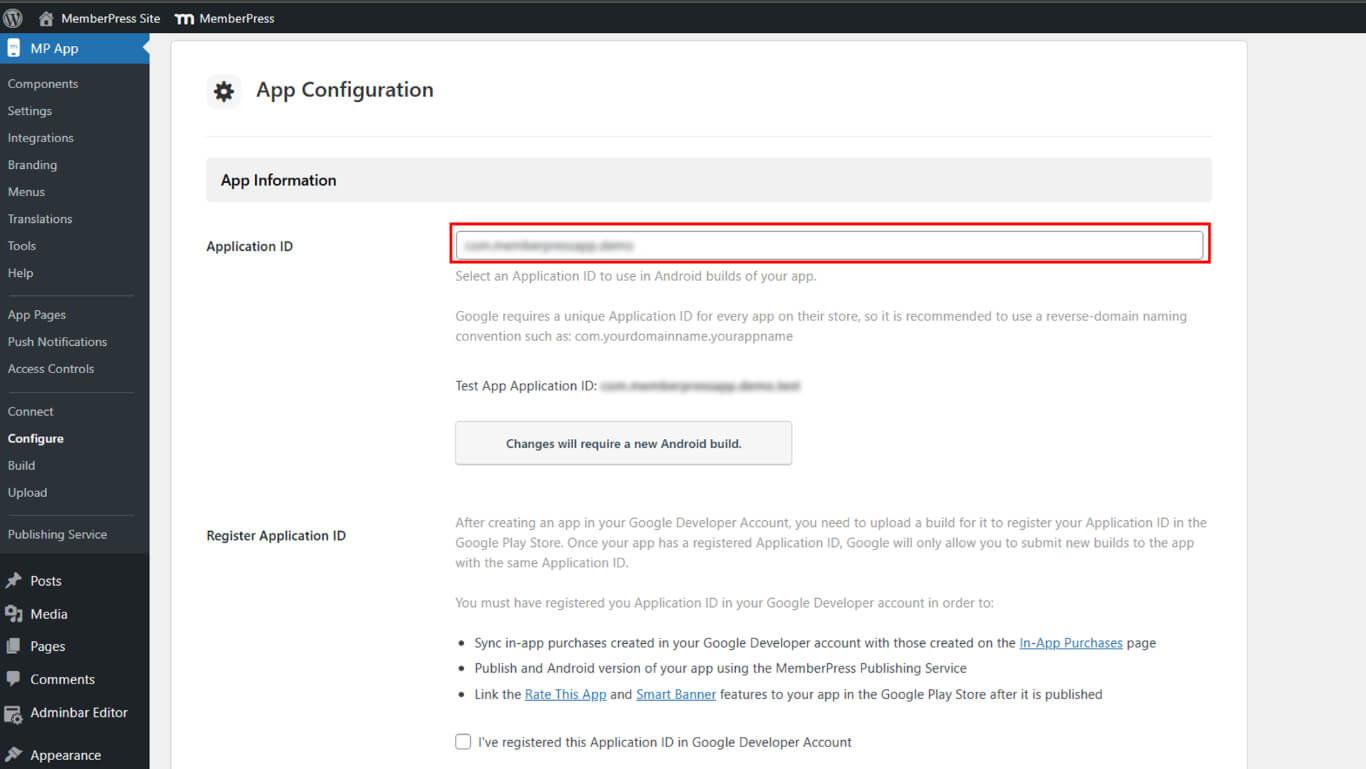
- Collez l'ID et cliquez sur Enregistrer les modifications.
Activation du menu Rate This App
L'activation du menu Évaluer cette application permet d'activer l'option de soumission de commentaires dans les paramètres de l'application mobile.
- Naviguez jusqu'à Tableau de bord > MP AppKit > Réglages > Feedback.
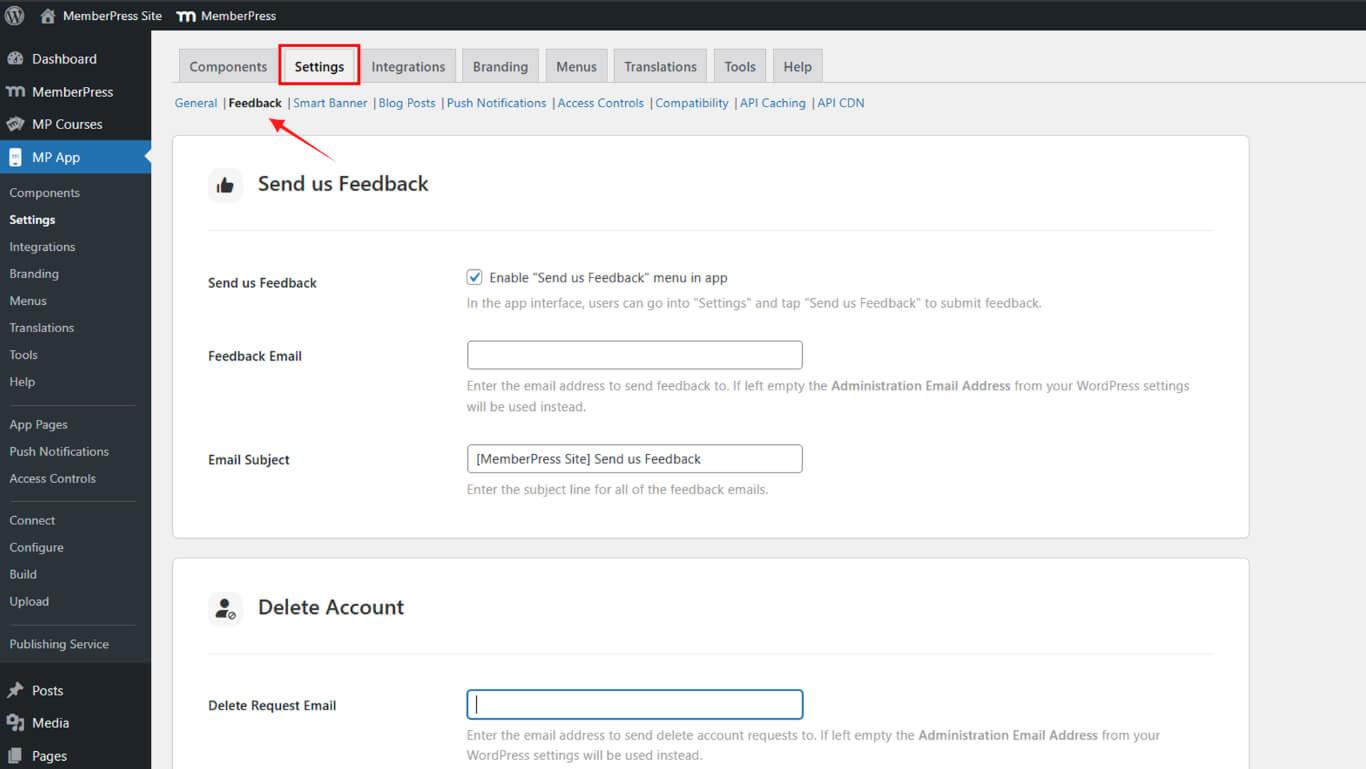
- Faites défiler jusqu'à Notez cette application.
- Vérifier Activer l'évaluation de cette application pour iOS et/ou Android.
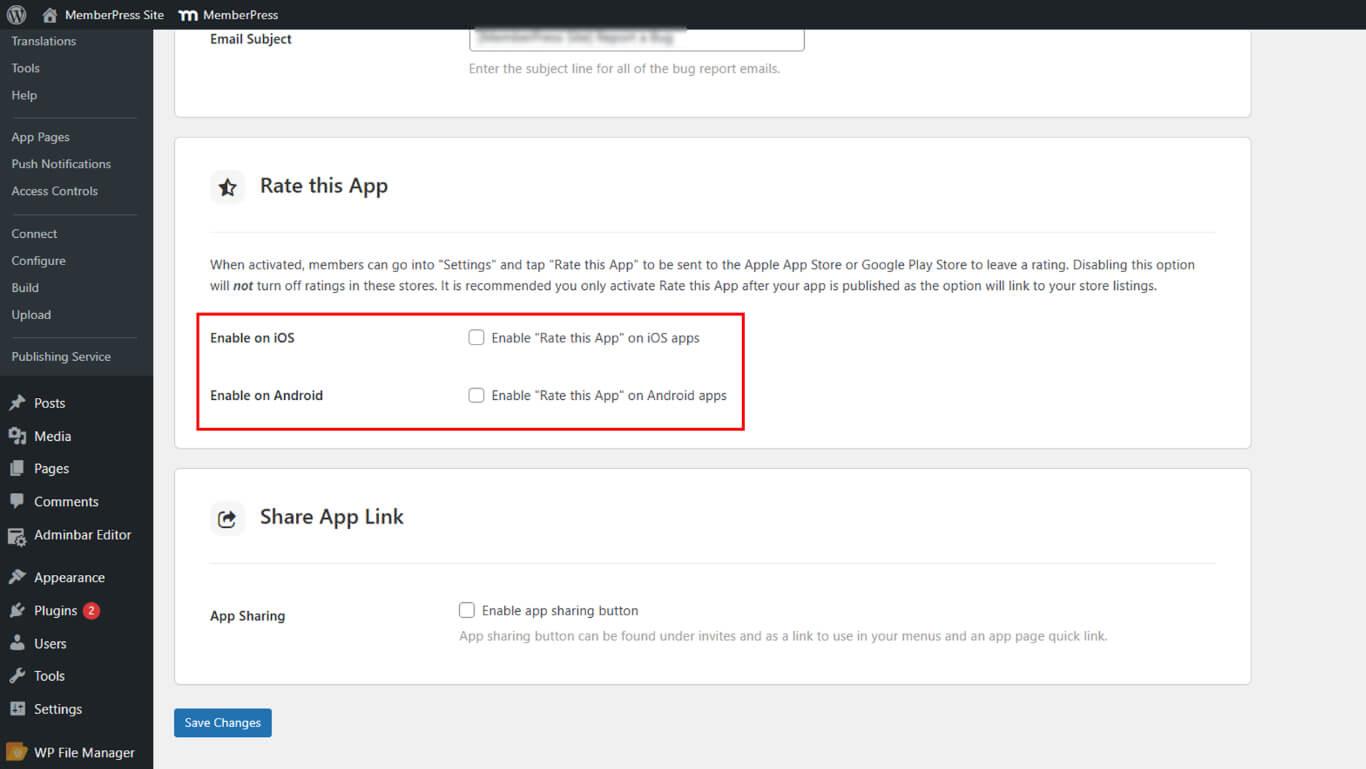
- Cliquez sur Enregistrer les modifications.
Test de l'évaluation de cette application Menu
Le test Rate This App permet de vérifier que la navigation dans les listes de magasins s'effectue correctement à partir des paramètres de l'application mobile.
- Quittez de force et relancez votre application mobile.
- Aller à Plus > Paramètres > Évaluer cette application.
- Appuyez sur l'option et vérifiez qu'elle ouvre la liste de votre application dans la boutique.










 FR
FR  EN
EN  ES
ES  DE
DE  PT
PT 