

Wenn Sie dem Team Owner Zugriff auf Ihr Firebase-Projekt gewähren, können sie Push-Benachrichtigungen, Analysen und andere Backend-Dienste für Ihr MemberPress AppKit ohne Einschränkungen konfigurieren.
In diesem Leitfaden erfahren Sie, wie Sie das MemberPress-Team in der Firebase-Konsole als Owner Collaborator einladen.
Anforderungen für den Teamzugang verstehen
Das MemberPress-Team benötigt spezielle Firebase-Projektberechtigungen für die umfassende Unterstützung und Verwaltung von Backend-Diensten.
Zugangsstufe des Eigentümers bietet vollständige Kontrolle über die Firebase-Projektkonfiguration und -Dienste. Eigentümerberechtigungen ermöglichen es Teammitgliedern, alle Aspekte der Backend-Einrichtung und -Wartung zu verwalten.
Verwaltung von Push-Benachrichtigungen erfordert Eigentümerzugriff für die Konfiguration von Firebase Cloud Messaging. Das Team konfiguriert die Zustellung von Benachrichtigungen und Messaging-Dienste.
Konfiguration der Analytik ermöglicht die Verfolgung von Ereignissen und die Überwachung des Nutzerverhaltens. Der Zugriff des Eigentümers ermöglicht eine umfassende Anpassung der Analytik.
Kontrolle der Backend-Dienste bietet die Verwaltung von Authentifizierungs-, Datenbank- und Speicherfunktionen. Das Team sorgt für die ordnungsgemäße Backend-Funktionalität für den Betrieb der App.
Kontinuierliches Management sorgt für den laufenden Betrieb und die Aktualisierung der Firebase-Dienste. Der Teamzugang ermöglicht proaktiven Support und Konfigurationsanpassungen.
Hinzufügen des MemberPress AppKit-Teams als Eigentümer
Die Einladung des Eigentümers gewährt dem MemberPress-Team die erforderlichen Berechtigungen für die Konfiguration und Verwaltung des Firebase-Projekts.
- Gehe zu konsole.firebase.google.de und melden Sie sich an.
- Klicken Sie auf das Projekt, das Sie verbinden möchten.
- Klicken Sie auf die Einstellungen Zahnradsymbol neben der Projektübersicht.
- Wählen Sie Benutzer und Berechtigungen aus dem Menü.
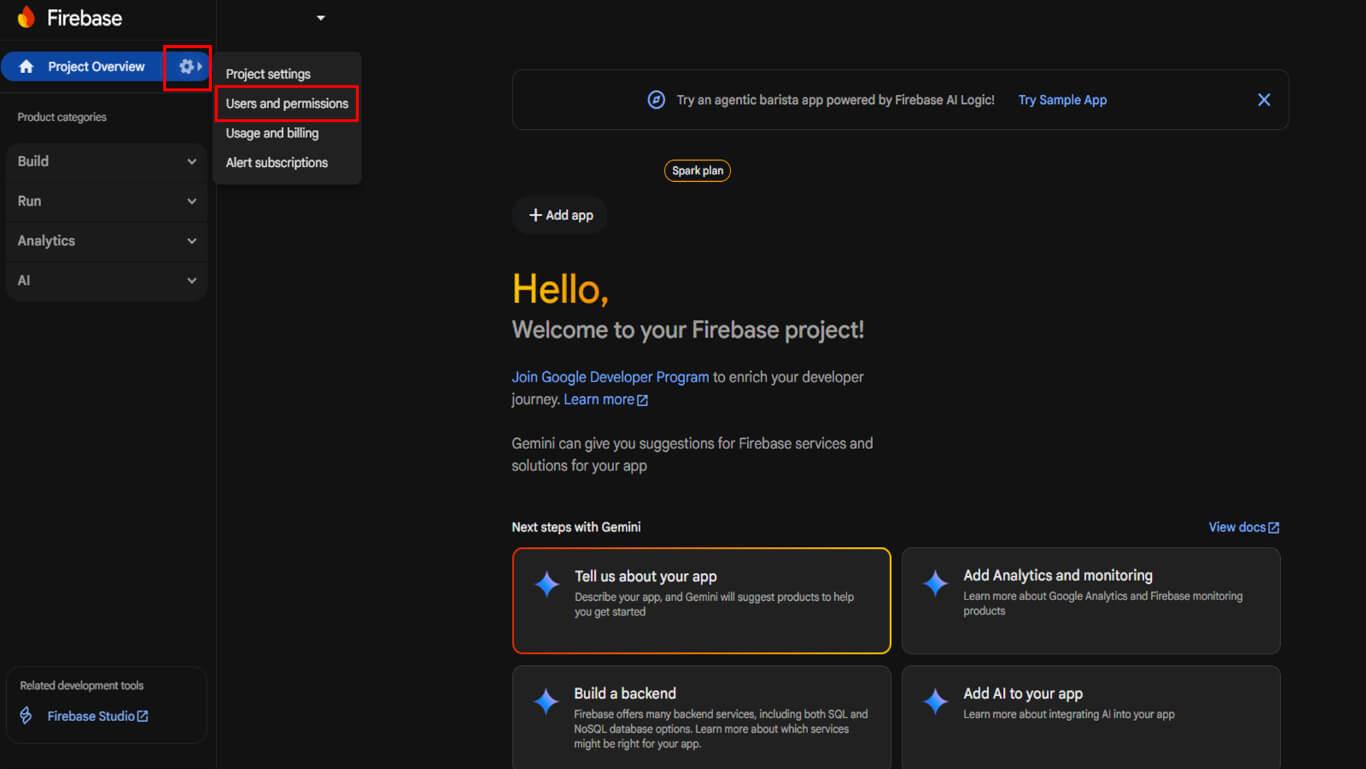
- Klicken Sie auf Mitglied hinzufügen.
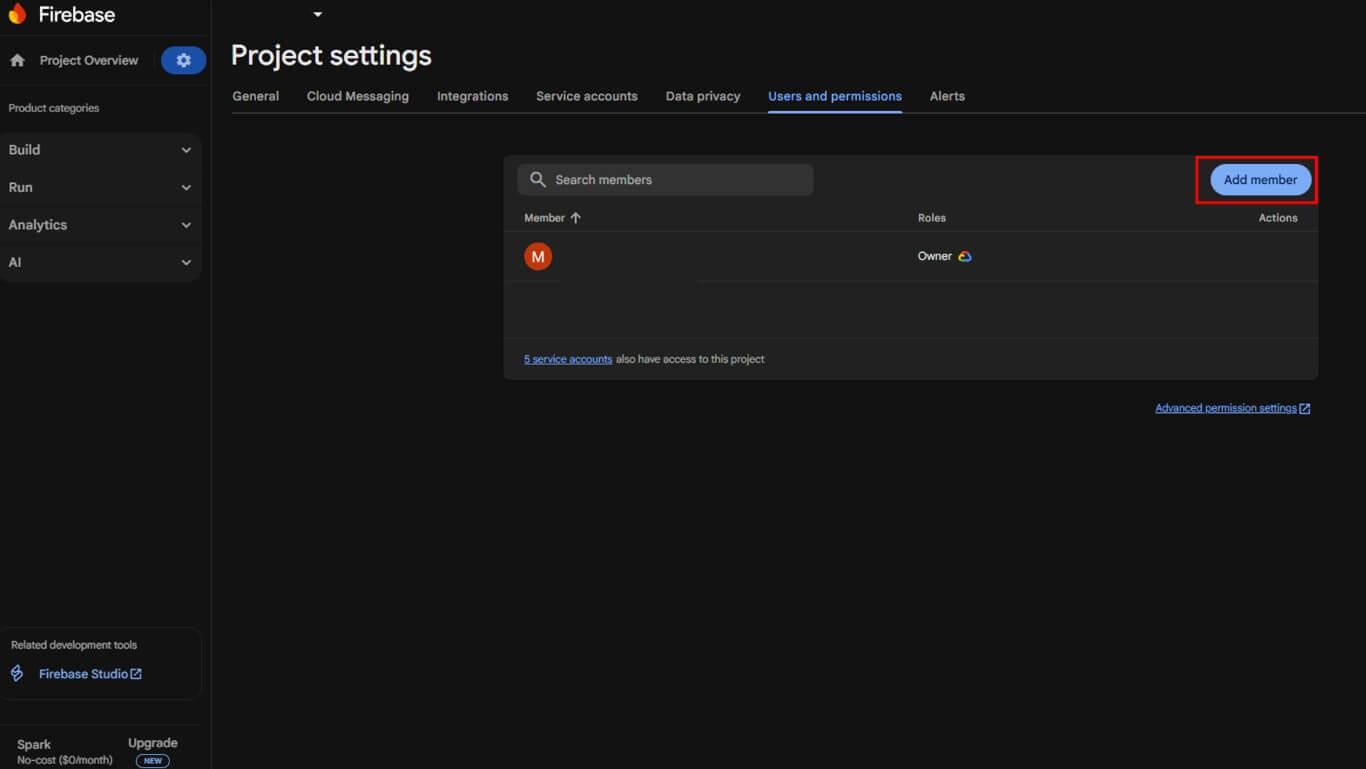
- Für E-Mail, eingeben appsup@memberpress.com.
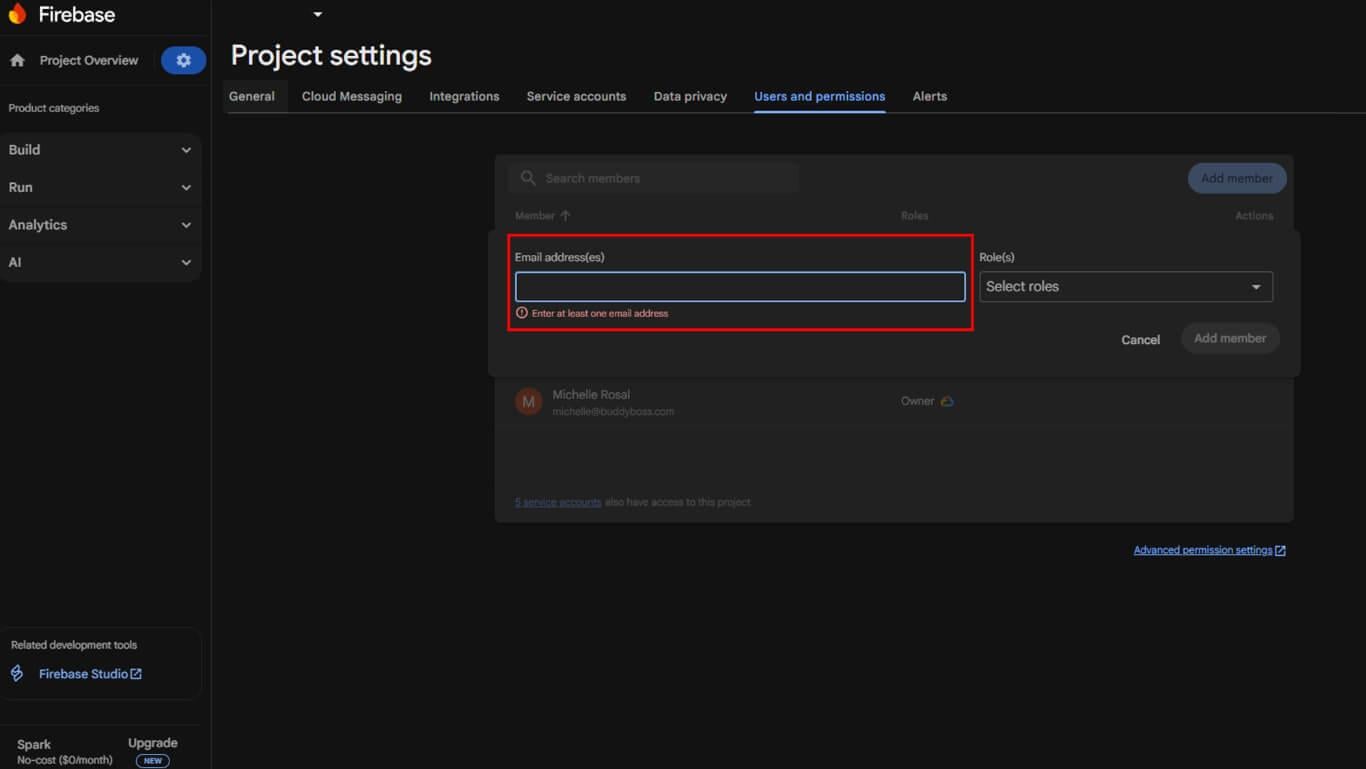
- Unter Rolleauswählen Eigentümer.
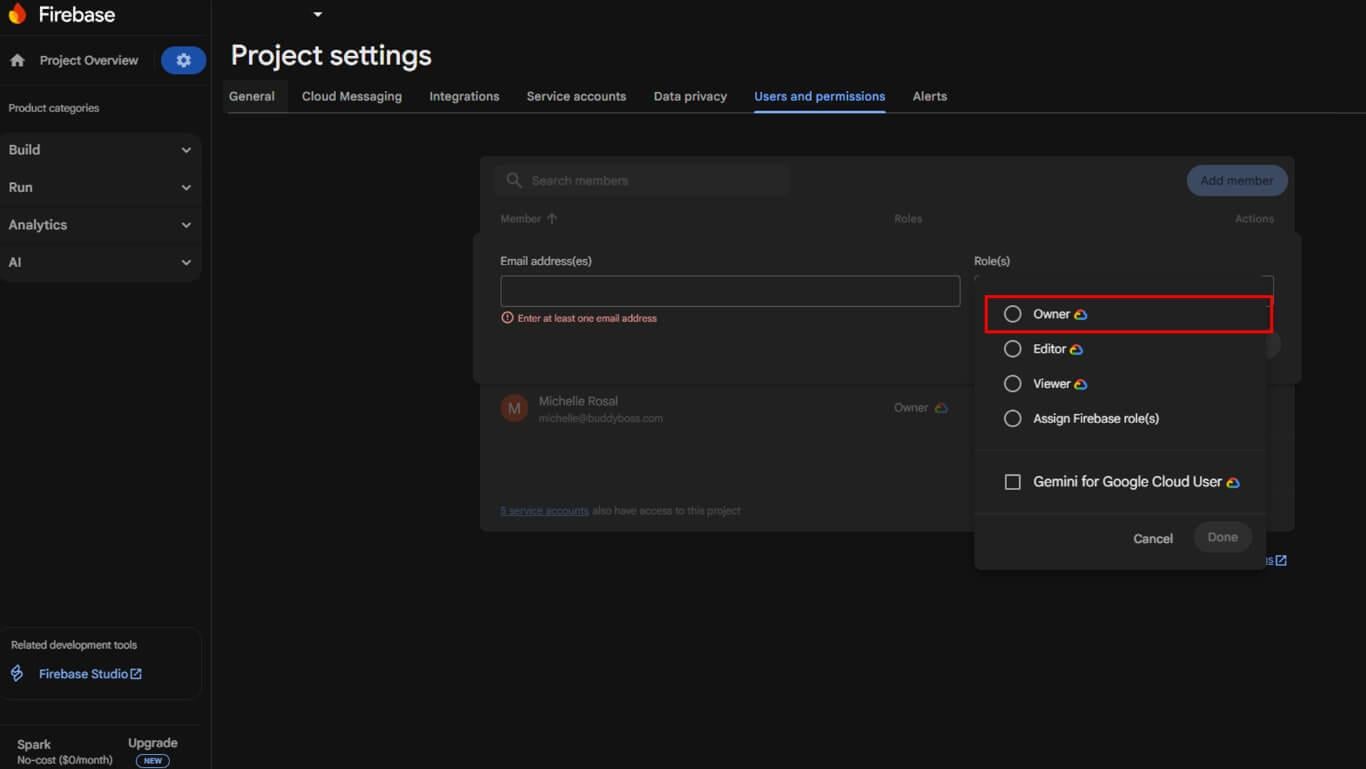
- Klicken Sie auf Mitglied hinzufügen.
Das MemberPress-Team erhält die Einladung und nimmt sie an, womit die Einrichtung abgeschlossen ist.










 DE
DE  EN
EN  ES
ES  FR
FR  PT
PT 