

L'assistant de leçons AI génère le contenu de leçons individuelles du cours MemberPress. Cette fonction permet de générer le contenu complet d'une leçon ou d'étendre le contenu existant. L'assistant de leçons d'IA fait partie du programme Générateur de cours d'IA qui permet également de générer des cours et des quiz.
Ce document explique comment générer du contenu de leçon pour les cours MemberPress à l'aide de l'assistant de leçon AI.
Conditions préalables
L'assistant de cours d'IA nécessite Module complémentaire AI Course Generator doit être installé et activé. Des crédits AI doivent également être disponibles sur le compte.
Accéder à l'assistant de cours d'IA
L'assistant de leçon AI est accessible à partir de l'éditeur de leçon :
- Naviguez jusqu'à Tableau de bord > Cours MP > Leçons.
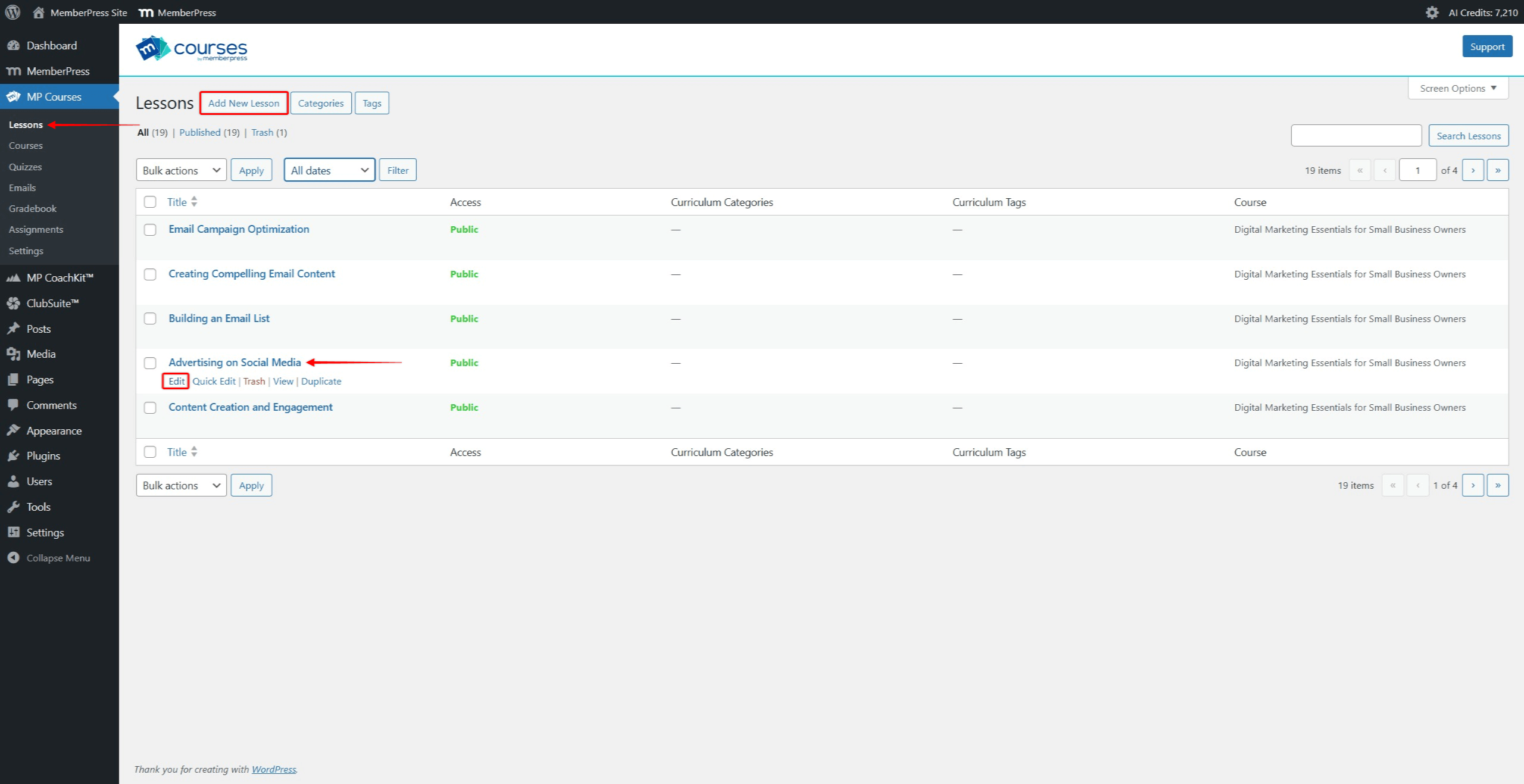
- Cliquez sur le bouton Ajouter une nouvelle leçon pour ajouter une nouvelle leçon. Pour générer du contenu pour une leçon existante, recherchez-la dans la liste. Survolez le nom de la leçon pour faire apparaître des options supplémentaires. Cliquez sur le bouton Editer pour ouvrir l'éditeur de leçons.
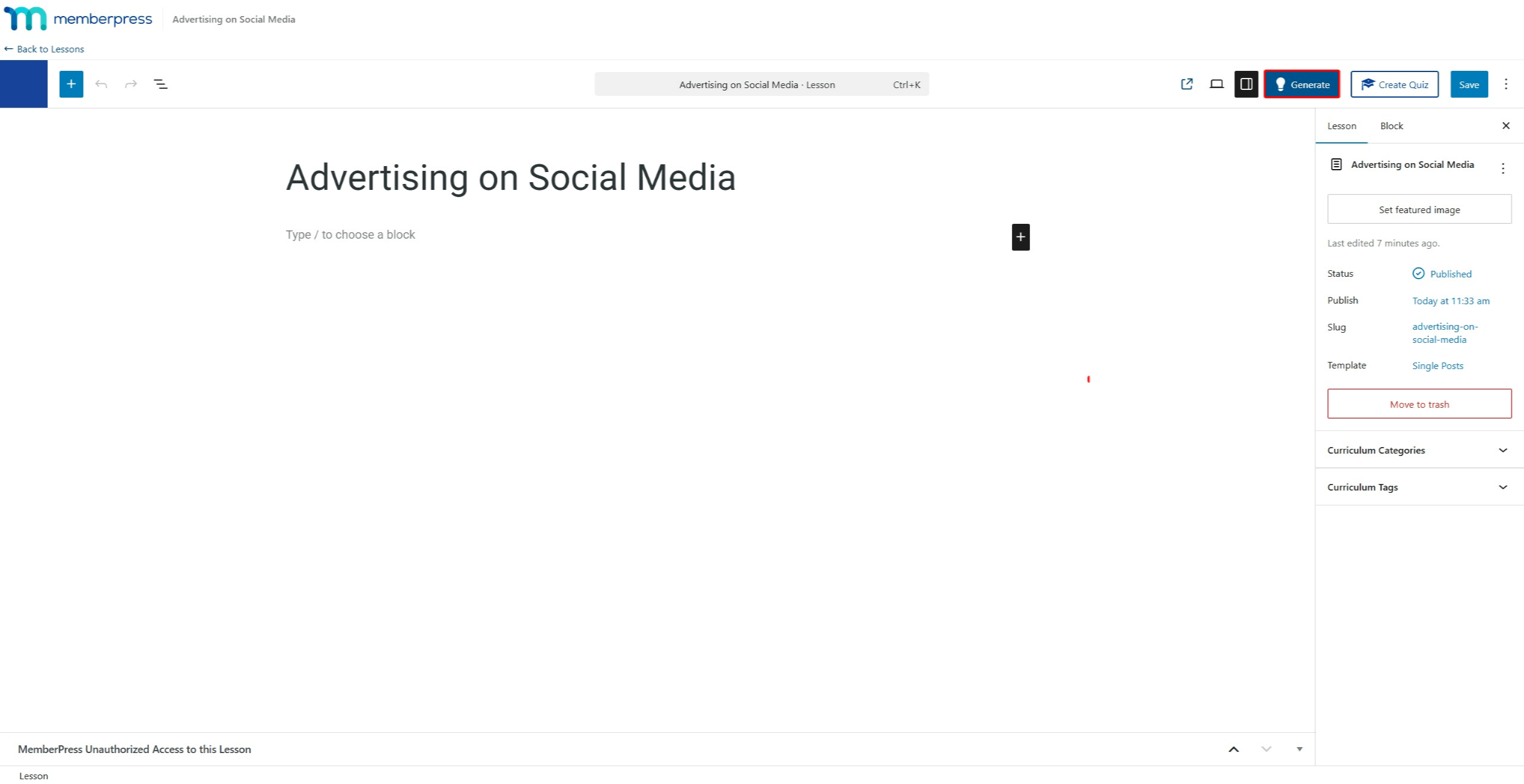
- Dans l'éditeur de leçons, cliquez sur le bouton Générer en haut à droite. Cela permet de lancer l'assistant de cours d'IA.
Générer le contenu de la leçon
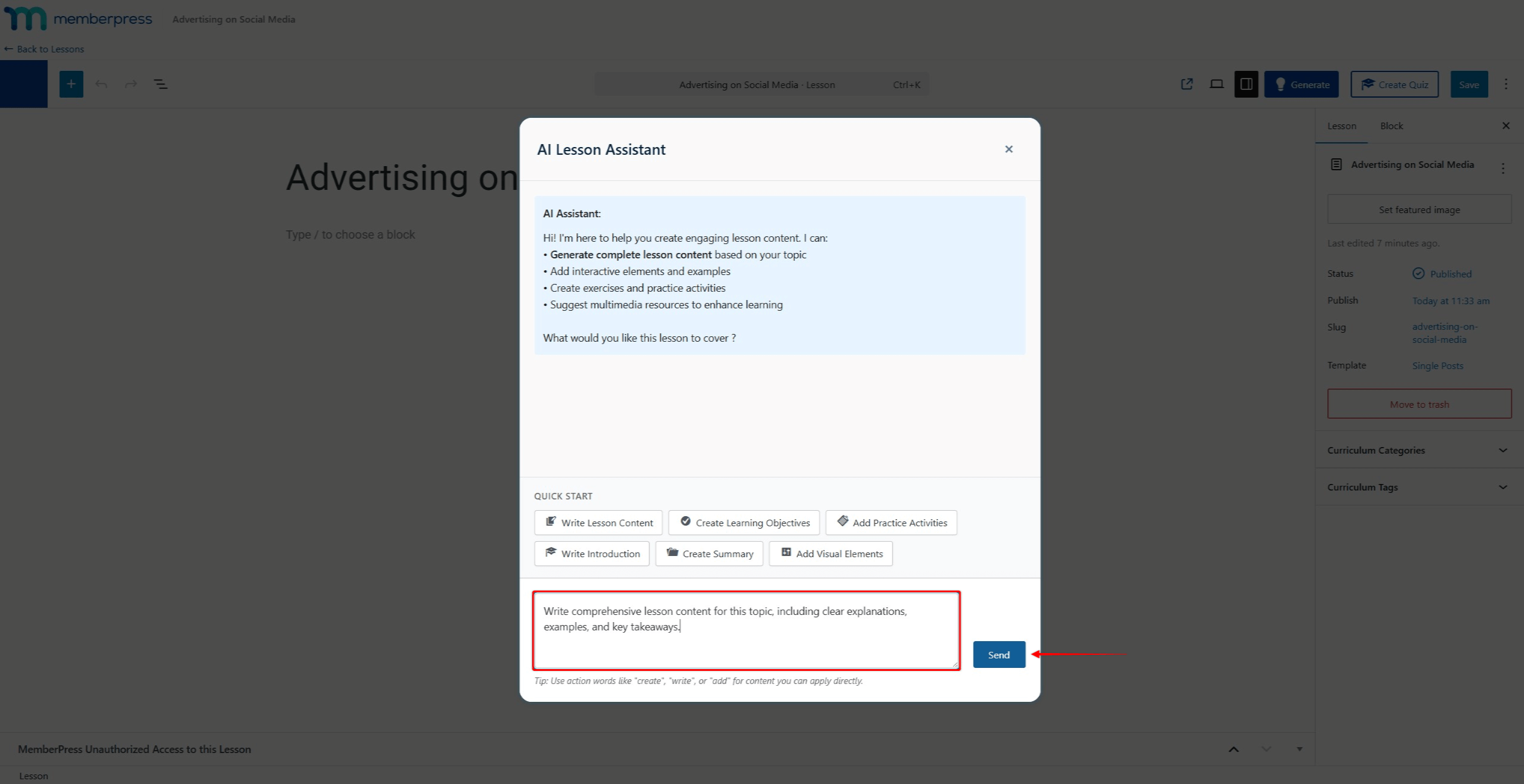
- Utilisez le champ de discussion pour rédiger l'invite du contenu de la leçon.
- Cliquez sur le bouton Envoyer pour soumettre l'invite.
- Examiner le contenu généré.
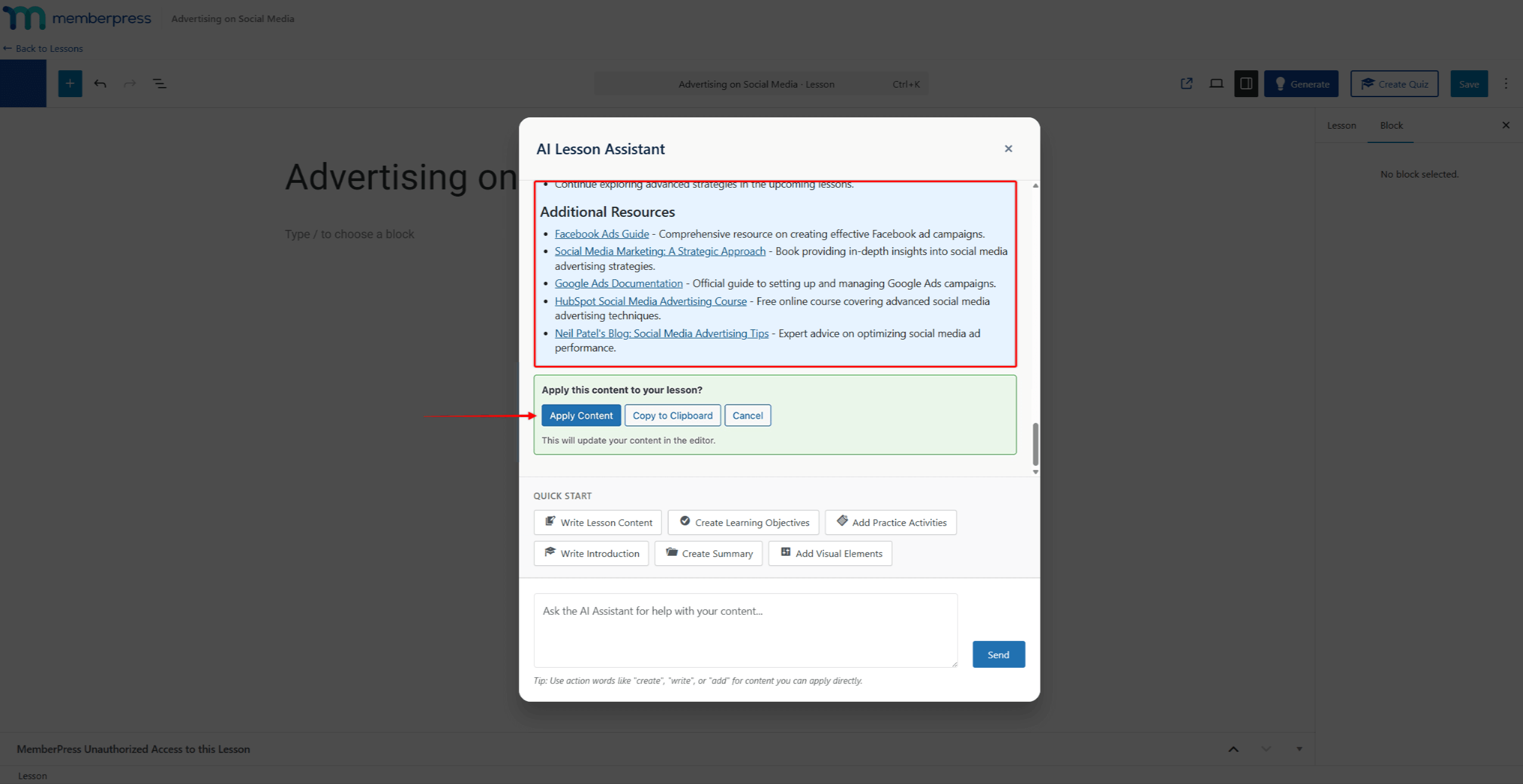
- Cliquez sur Appliquer le contenu pour ajouter le contenu à la leçon.
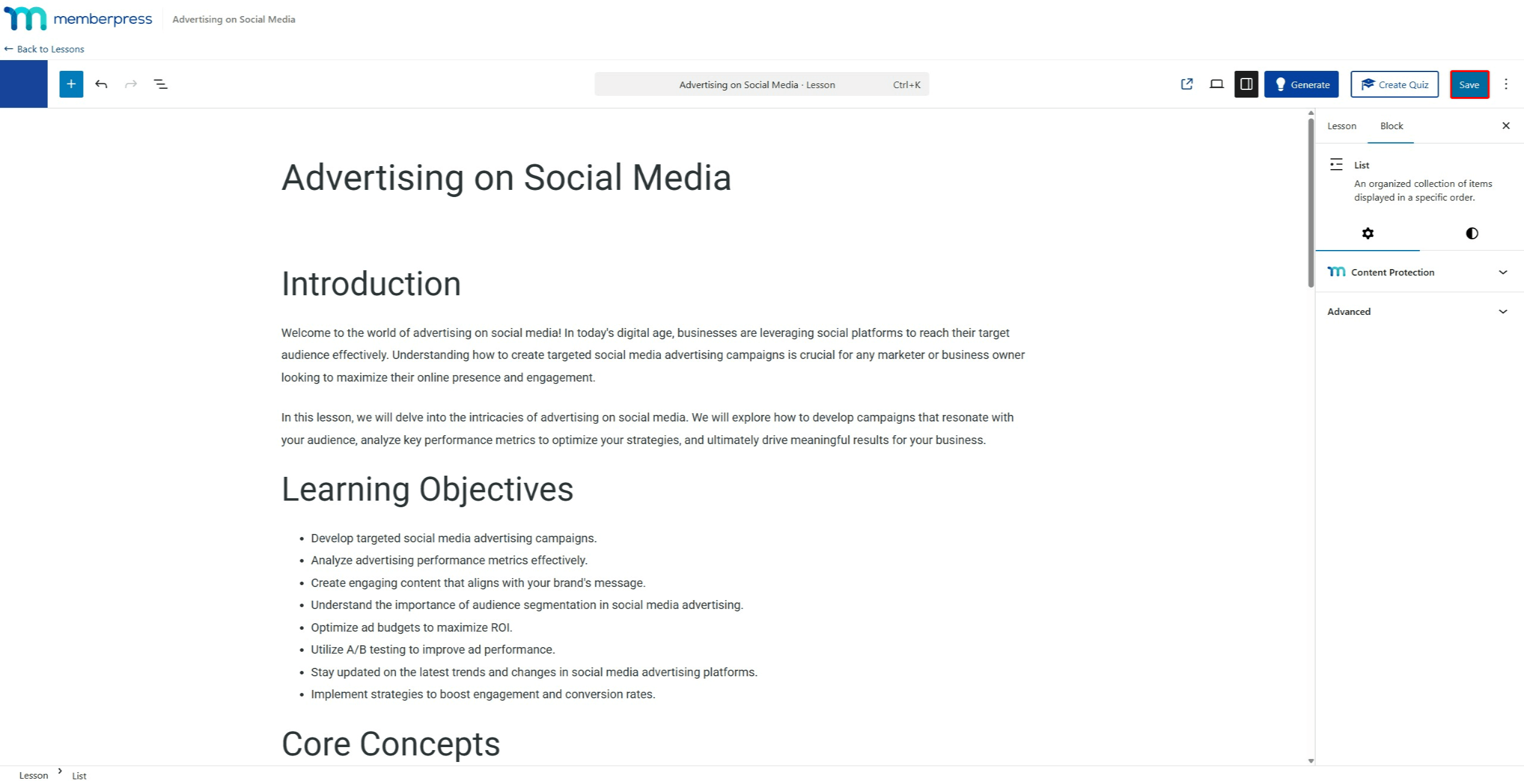
- Modifiez le contenu généré dans l'éditeur de leçons si nécessaire. Cliquez sur l'icône Économiser pour enregistrer les modifications.
L'IA peut également modifier le contenu généré avant de l'appliquer. Poursuivez la discussion avec l'assistant de cours IA pour affiner le contenu.
Conseils pour une meilleure génération du contenu des cours
La qualité du contenu des leçons générées par l'IA dépend de plusieurs facteurs :
- Titre de la leçon: L'IA utilise le titre de la leçon comme contexte. Les titres descriptifs produisent un contenu plus pertinent ;
- Contexte du cours pour parents: L'IA tient compte de la structure générale du cours et du sujet lorsqu'elle génère du contenu ;
- Qualité rapide: Les messages-guides détaillés donnent de meilleurs résultats. Incluez des sujets spécifiques, le public cible, les objectifs d'apprentissage et la structure de contenu préférée ;
- Expertise des utilisateurs: Les utilisateurs ayant une expertise en la matière peuvent fournir des instructions plus spécifiques. Cela permet d'obtenir un contenu plus précis et mieux adapté.
Pour obtenir les meilleurs résultats, fournissez des instructions claires et détaillées. Précisez la profondeur de la couverture, les exemples à inclure et toute approche pédagogique particulière à suivre.
Résumé
L'assistant de cours AI rationalise la création du contenu des cours. Il génère du contenu en fonction du contexte de la leçon et des invites de l'utilisateur.
L'assistant de cours d'IA fait partie de l'équipe Générateur de cours d'IA et travaille en collaboration avec la AI Quiz Builder. Toutes les fonctionnalités sont basées sur Cours sur MemberPress.










 FR
FR  EN
EN  ES
ES  DE
DE  PT
PT 