

O PayPal está encerrando gradualmente as integrações legadas nas quais muitos sites do MemberPress operam atualmente.
Se você estiver usando o PayPal para receber pagamentos de assinaturas, veja a seguir o que está acontecendo, o que isso significa para você e exatamente como se antecipar ao prazo final.
Se você já vem utilizando o PayPal como gateway de pagamento no seu site MemberPress há algum tempo, provavelmente já está acostumado a que ele simplesmente funcione. E ele ainda funciona… por enquanto.
No entanto, A PayPal anunciou o cronograma de fim de vida útil de seus sistemas API mais antigos, e o tempo está passando.
Janeiro de 2027 é o prazo limite. A partir de então, os sites que ainda utilizam integrações mais antigas do PayPal não poderão mais aceitar novos pagamentos por meio delas.
Isso não é um exercício de simulação, e não é algo para deixar para o quarto trimestre. Aqui está tudo o que você precisa saber.
O que o PayPal está mudando
A PayPal vem orientando os comerciantes a migrarem para sua nova infraestrutura de pagamentos já há algum tempo, e o cronograma já foi oficializado.
Seus sistemas de pagamento mais antigos estão sendo desativados, com o encerramento previsto para janeiro de 2027. A partir desse momento, qualquer site que ainda utilize a integração PayPal mais antiga deixará de poder processar novos pagamentos por meio dela.
O que isso significa para o seu site MemberPress
Se o seu site atualmente usa O gateway PayPal já existente da MemberPress: não se preocupe, seus assinantes atuais não vão a lugar nenhum.
As assinaturas ativas que foram configuradas por meio do gateway PayPal antigo continuarão a ser processadas corretamente.
Você não precisa migrar a assinatura de ninguém nem cancelar nada. O gateway antigo pode permanecer ativo em segundo plano; você só quer impedir que novos cadastros sejam processados por ele.
O que vontade Deixarão de funcionar, em algum momento após janeiro de 2027, os novos pagamentos realizados por meio do gateway antigo.
Portanto, se você deixar assim como está e um novo membro tentar se cadastrar usando PayPal, o pagamento não será processado.
A solução é simples: Adicione o novo gateway de pagamentos PayPal Complete Payments e oculte (NÃO exclua) o seu gateway PayPal antigo dos formulários de finalização de compra.
Dessa forma, os assinantes atuais continuam renovando normalmente, e os novos membros se cadastram por meio da integração atualizada.
Apresentamos o PayPal Complete Payments
Embora tudo isso pareça urgente e assustador, essa notícia merece ser comemorada. Isso porque a nova integração é realmente melhor.
PayPal Pagamentos completos é o novo gateway da MemberPress para a PayPal e já está disponível nos planos Growth, Scale e nos planos legados.
Google Pay, Pay Later, Venmo e muito mais!
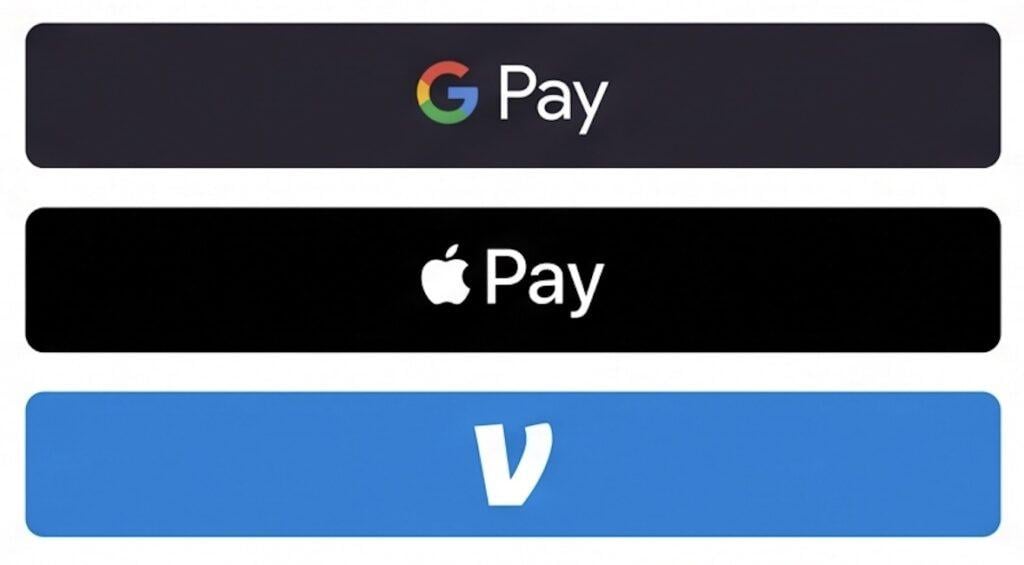
Assim que o serviço PayPal Complete Payments estiver em operação, os membros poderão finalizar a compra usando o PayPal, o Pay Later, o Venmo (para compradores dos EUA), o Apple Pay, o Google Pay e cartões de débito ou crédito comuns com 3D Secure.
Tudo isso aparece em uma janela pop-up organizada na sua página de cadastro, sem redirecionamento para fora do site.
A configuração é mais simples
Nas configurações mais antigas do PayPal, era preciso copiar e colar manualmente as URLs dos webhooks, vasculhar as configurações e torcer para que tudo desse certo. Agora, o PayPal Complete Payments se conecta com apenas alguns cliques. Basta clicar em “Conectar com o PayPal”, fazer login, conceder permissões e pronto.
As assinaturas são gerenciadas pela MemberPress
No seu painel do PayPal, as renovações aparecem como cobranças individuais, e não como uma assinatura recorrente.
O MemberPress gerencia o cronograma de faturamento por conta própria, de modo que tudo aparece e funciona exatamente como você esperaria dentro do MemberPress.
Os reembolsos são sincronizados automaticamente
Os reembolsos processados no MemberPress são transferidos automaticamente para o PayPal, e os reembolsos efetuados diretamente no PayPal são sincronizados de volta para o MemberPress.
Os reembolsos parciais exigem uma pequena etapa manual (processar no PayPal e, em seguida, atualizar o status da transação no MemberPress), mas a sincronização funciona nos dois sentidos.
A única coisa que não se deve fazer
Não exclua o gateway PayPal já existente. Repito:
NÃO EXCLUA SEU GATEWAY DO PAYPAL ATUAL!
Se você excluí-lo, o MemberPress perderá o registro necessário para processar as renovações dos assinantes existentes que se inscreveram por meio desse gateway. Essas assinaturas serão canceladas.
Em vez disso, depois de adicionar o PayPal Complete Payments e confirmar que está funcionando, acesse suas configurações de pagamento e oculte o gateway antigo dos seus formulários de finalização de compra.
Os novos membros não perceberão isso, mas as renovações dos membros atuais continuarão sendo processadas nos bastidores sem nenhum problema.
O que fazer agora mesmo
Aqui está a lista de verificação prática:
1. Verifique seu plano. O recurso “PayPal Complete Payments” está disponível nos planos “MemberPress Growth” e “Scale”. Se você estiver no plano “Launch”, precisará primeiro fazer o upgrade. Você pode fazer isso na página da conta do MemberPress, usando o link “Alterar plano”.
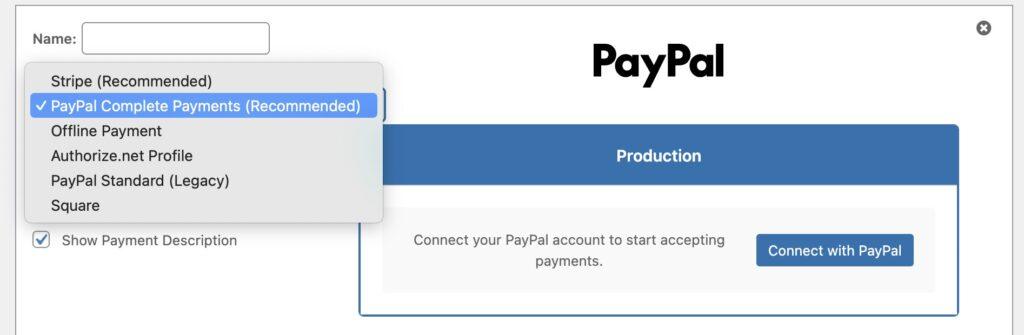
2. Adicione o novo gateway. Ir para Painel de controle > MemberPress > Configurações > Pagamentos, clique em + Adicionar método de pagamentoe selecione PayPal Pagamentos completos no menu suspenso. Siga as etapas para conectar sua conta PayPal Business.
3. Teste. Se você quiser fazer um teste antes de colocar o sistema em produção, pode se conectar primeiro ao ambiente Sandbox do PayPal. Essa etapa é opcional, mas vai lhe dar mais tranquilidade antes de colocar o sistema em produção.
4. Esconda o gateway antigo. Assim que o novo gateway estiver em funcionamento e for confirmado que está funcionando corretamente, oculte o gateway PayPal existente dos seus formulários de finalização de compra. Não o exclua, apenas o remova da exibição.
5. Pronto. Os assinantes atuais continuam como de costume. Os novos membros se cadastram por meio da integração atualizada. Chega janeiro de 2027 e você não tem nada com que se preocupar.
A documentação completa sobre a configuração está disponível aqui: Conectar o PayPal (Pagamentos Concluídos) ao MemberPress
Uma observação sobre o momento certo
Janeiro de 2027 pode parecer distante, mas, na verdade, não está tão longe assim. Já estamos no terceiro trimestre de 2026 (por incrível que pareça)
Se você administra um site de assinaturas, a última coisa que você quer é descobrir que seu gateway de pagamento está com problemas numa segunda-feira de manhã, quando um novo assinante não consegue se cadastrar.
Adicionando o novo gateway leva menos de 30 minutos e não há nenhum transtorno para os assinantes atuais. É uma daquelas coisas que é muito mais fácil fazer agora do que mais tarde.
Se você encontrar algum problema durante a configuração, o Equipe de suporte da MemberPress está aqui para ajudar.
Não tem tempo para fazer isso agora mesmo? Adicione ao seu Google Agenda usando este link e agende para alguma data antes de janeiro.
Quanto mais cedo você fizer isso, melhor. Será uma coisa a menos na sua lista de tarefas, e você poderá começar a aceitar mais formas de pagamento.
Menos atrito para seus associados = mais dinheiro para você.
Perguntas frequentes
Depois de adicionar o PayPal Complete Payments, basta ocultar o gateway antigo dos seus formulários de finalização de compra. Os novos membros usarão o novo gateway; as assinaturas existentes continuarão sendo processadas pelo antigo.
No entanto, a partir de janeiro de 2027, os novos membros não poderão se cadastrar usando a antiga integração PayPal.
Para evitar qualquer interrupção e garantir que seu site esteja preparado para o futuro, recomendamos enfaticamente que você adote o PayPal Complete Payments o mais rápido possível.











 PT
PT  EN
EN  ES
ES  FR
FR  DE
DE 
Tenho o plano Memberpress Plus (antigo) – terei que fazer o upgrade?
Oi, Jennifer, boas notícias! O novo gateway PayPal Complete Payments já está incluído em todos os planos antigos, então você já tem acesso a ele. Não é necessário fazer nenhum upgrade para configurá-lo e se antecipar à mudança prevista para janeiro de 2027. Se, no futuro, você decidir que gostaria de ter os recursos extras que vêm com nossos planos mais recentes, você sempre poderá fazer o upgrade, e este guia explica o processo passo a passo: https://memberpress.com/docs/how-to-upgrade-or-downgrade-your-memberpress-edition/. Se precisarem de mais alguma ajuda, é só nos avisar!