

A menudo, es posible que quieras cambiar el texto predeterminado que aparece en el botón de registro situado en la parte inferior del formulario de inscripción.
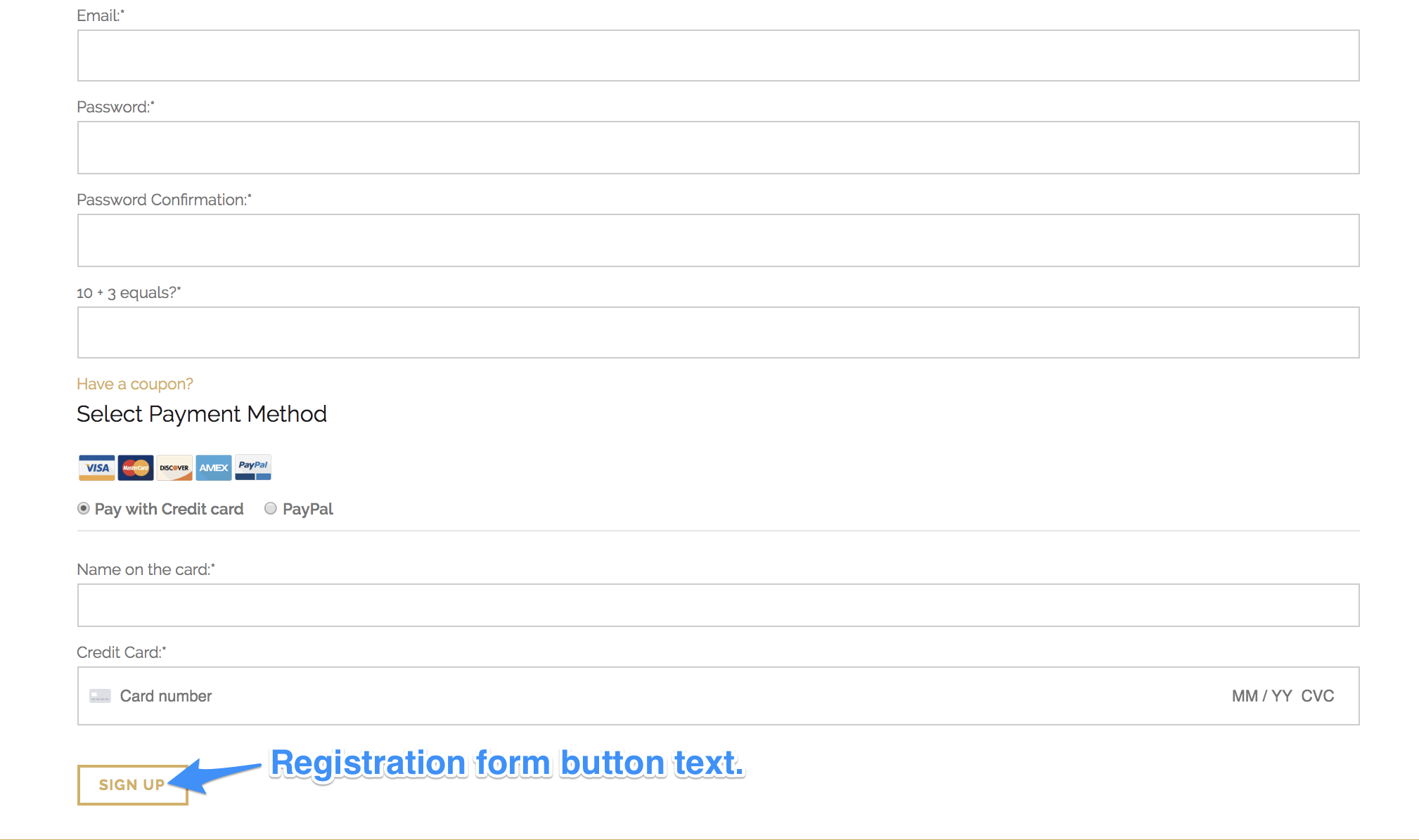
Con MemberPress, cambiar el texto de los botones del formulario de registro es muy sencillo. Para ello, estos son algunos de los pasos que debes seguir:
1. En la parte izquierda del panel de control, haga clic en Productos desde las opciones del menú MemberPress.
2. Haz clic en la suscripción cuyo texto del botón quieras editar.
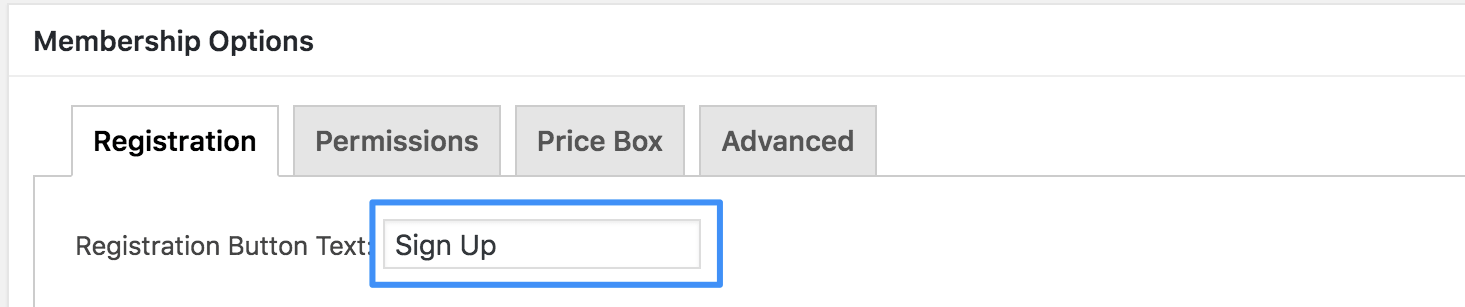
3. Desplázate hacia abajo hasta la pestaña «Opciones del producto» > «Registro».
4. Localice el Texto del botón de registro: como se ve a continuación, y cambie el texto del botón del formulario de registro desde allí.
5. Haz clic en ‘Actualizar’ para guardar los cambios.
Nota: Si tienes más de una suscripción y quieres que aparezca el mismo texto en los botones de cada uno de los formularios de registro de suscripción, tendrás que realizar los cambios para cada suscripción en las «Opciones del producto».










 ES
ES  EN
EN  FR
FR  DE
DE  PT
PT 