

BuddyBoss war ursprünglich ein WordPress-Theme, das entwickelt wurde, um eine übersichtliche und gut strukturierte Social-Media-Seite zu erstellen. Das ’Boss“-Theme wurde geschrieben, um das Frontend des BuddyPress-Plugins optisch ansprechender zu gestalten. Schließlich wuchs das Theme über die Grenzen von BuddyPress hinaus, sodass ein eigenes Plugin namens „BuddyBoss Platform“ entwickelt wurde. Die BuddyBoss-Plattform ähnelt BuddyPress, verfügt jedoch über eine Reihe zusätzlicher Funktionen, mit denen Sie Ihre Foren und Profilbilder anpassen, Ihre Profilinformationen erweitern, soziale Gruppen erstellen, Medien hochladen und vieles mehr können!
Sie können BuddyPress oder das BuddyBoss Platform Plugin mit dem Boss Theme verwenden.
In diesem Artikel gehen wir auf folgende Punkte ein wie man nur die Teile der Plattform einrichtet und nutzt, die in MemberPress integriert sind. Wir behandeln auch häufige Probleme und Verwirrungen bei der Verwendung von BuddyPress/BuddyBoss mit MemberPress. Wir behandeln weder die BuddyBoss-Plattform noch das Boss-Theme in ihrer Gesamtheit. Wenn Sie also mit einem der beiden noch nicht vertraut sind, empfehlen wir Ihnen, die Dokumentation auf den jeweiligen Websites zu lesen.
Einrichtung
Boss Theme und die BuddyBoss Platform funktionieren am besten zusammen. Sie können Kaufen Sie das Boss-Theme hier. Die BuddyBoss Plattform ist eine kostenloser Download, den Sie hier abrufen können.
Sobald Sie diese zur Hand haben, können Sie unsere MemberPress + BuddyPress-Integration über die Seite „MemberPress > Add-Ons“ installieren. (Hinweis: MemberPress Growth oder Scale ist erforderlich).
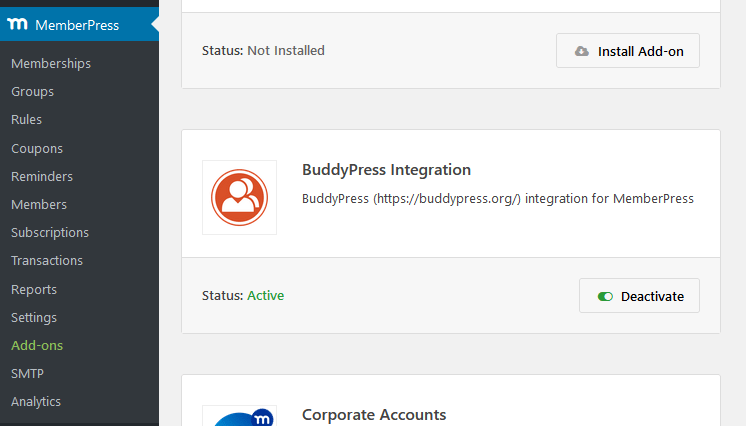
(Hinweis: Falls Sie bereits BuddyPress und/oder bbPress installiert haben, müssen Sie diese deaktivieren. Die BuddyBoss-Plattform ersetzt sie.)
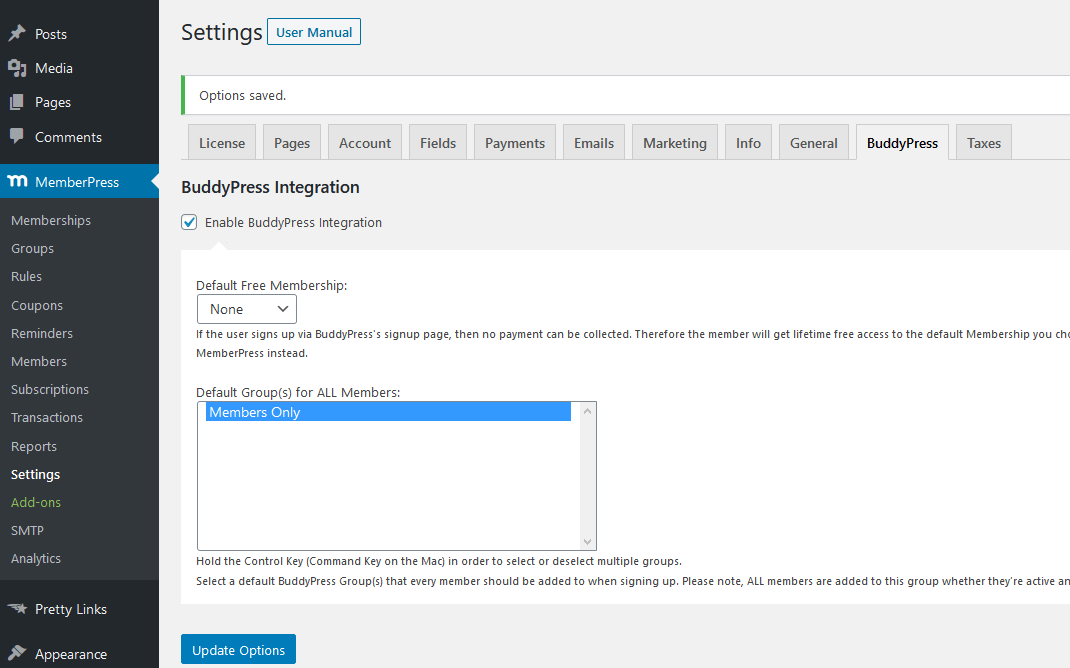
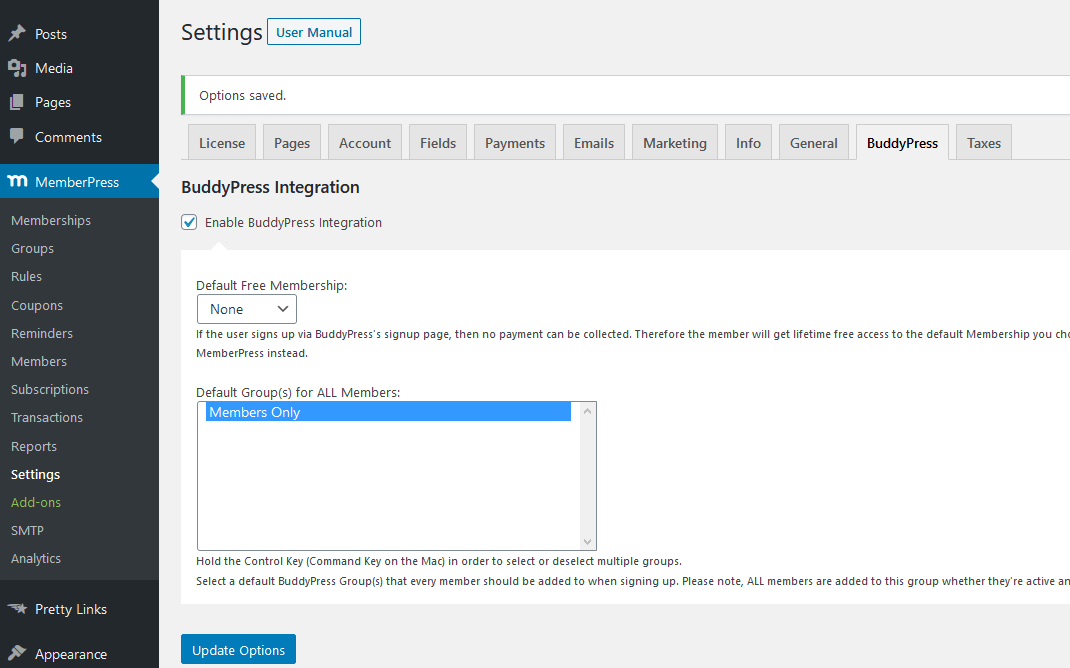
Navigieren Sie schließlich zu MemberPress > Einstellungen > Registerkarte BuddyBoss und aktivieren Sie das Kästchen "BuddyPress-Integration aktivieren".
Außerdem sollten Sie die “Standard-Kostenlosmitgliedschaft” auf „Keine“ setzen – andernfalls erhält jeder, der sich über die BuddyBoss-Registrierungsseite anmeldet, lebenslangen kostenlosen Zugang zu der Mitgliedschaft, die im Dropdown-Menü ausgewählt ist.
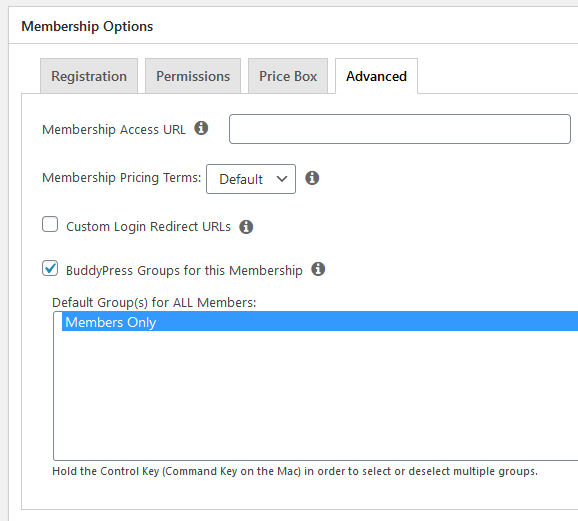
(Hinweis: Auf Gruppen wird später in diesem Artikel eingegangen).
Konfiguration
Komponenten
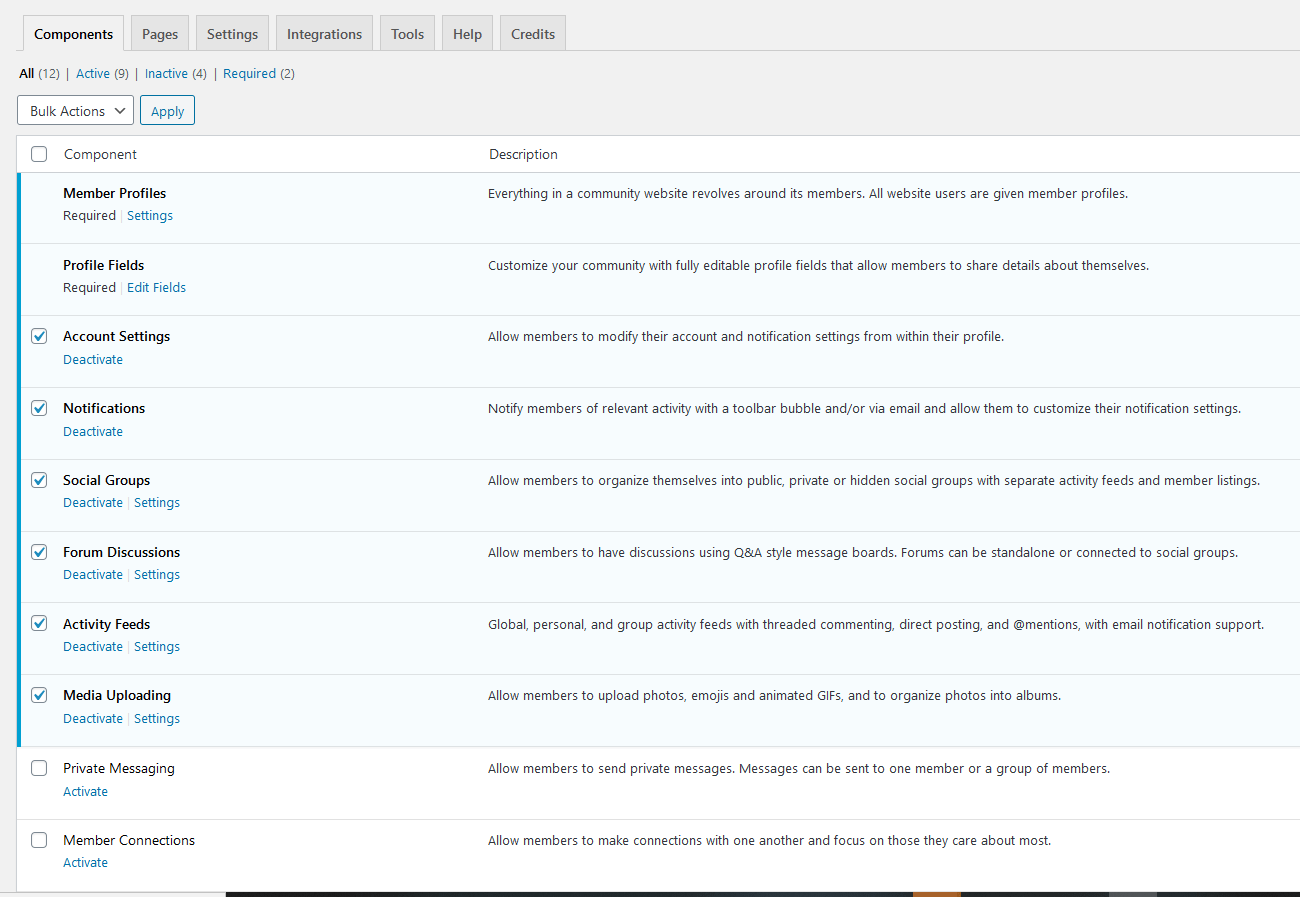
Mit den Komponenten können Sie Ihrer Website zusätzliche Funktionen hinzufügen (Benachrichtigungen, Foren, Hochladen von Medien, soziale Gruppen usw.). Diese werden auf der BuddyBoss-Website im Detail erklärt.
Es gibt jedoch zwei Pflichtfelder: “Mitgliederprofile” und “Profilfelder”. Diese beiden Elemente werden der Kontoseite eines Mitglieds hinzugefügt, wie sie bei MemberPress bekannt ist. Sie “übernehmen” die Kontoseite und sehen in etwa so aus:
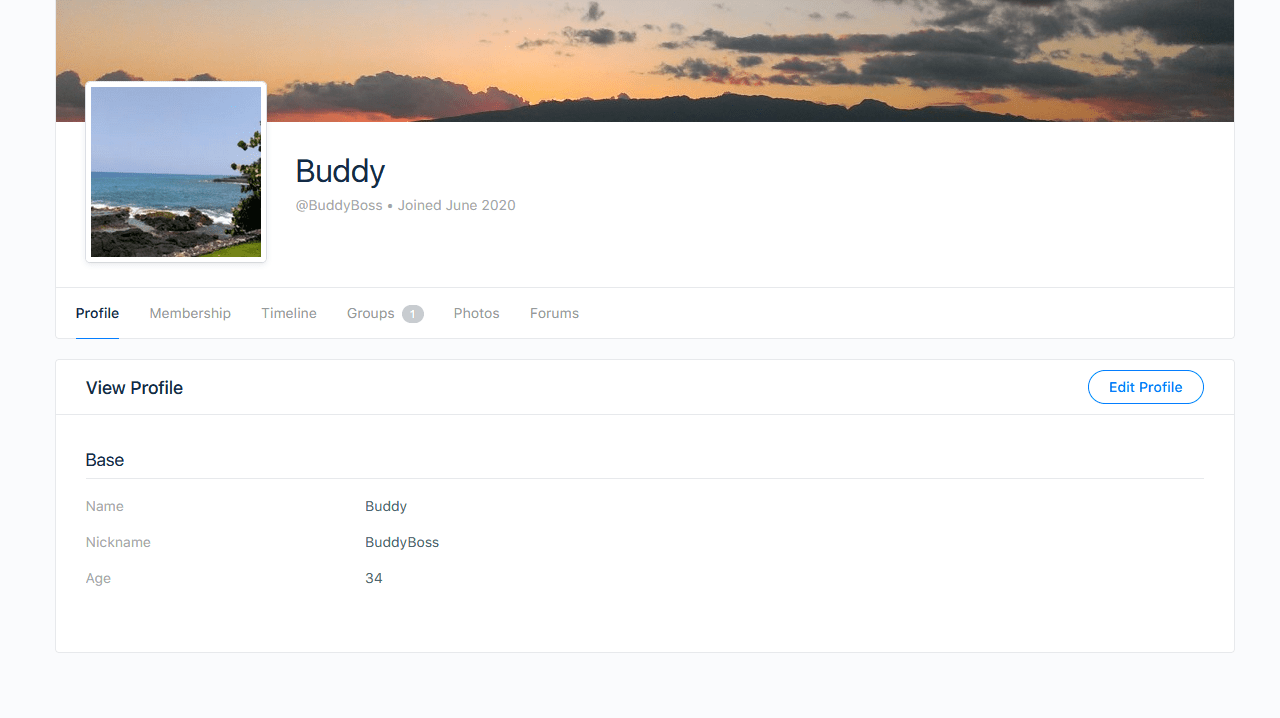
Auf der Kontoseite werden je nach den von Ihnen hinzugefügten Komponenten neue Registerkarten angezeigt (z. B. „Zeitleiste“, „Gruppen“, „Fotos“ und „Foren“). Die einzige erforderliche Komponente ist jedoch „Profil“. Die Registerkarte „Mitgliedschaft“ wird durch das MemberPress-Integrations-Add-on hinzugefügt. Dort werden die MemberPress-Kontoinformationen angezeigt und von Ihren Mitgliedern verwaltet. Alle bei der Mitgliedschaftsregistrierung erfassten Informationen werden nun auf dieser Seite angezeigt (z. B. Abonnements und Transaktionsdaten).
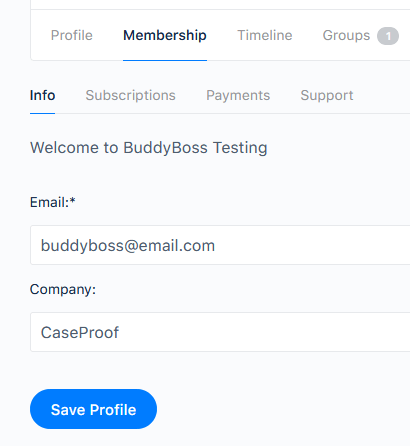
Bitte beachten Sie, dass unter ’Mitgliedschaft > Info“ die Informationen angezeigt werden, die auf der Registrierungsseite für die Mitgliedschaft erfasst wurden und sich auf MemberPress beziehen. Alle benutzerdefinierten oder Pflichtfelder, die ein Benutzer bei der Anmeldung ausfüllen muss, werden hier gespeichert. BuddyBoss verfügt ebenfalls über eine eigene Profilseite und eigene Felder, diese werden jedoch nicht mit den Feldern von MemberPress synchronisiert.
Als Administrator können Sie beide Felder auf der WordPress-Seite “Benutzer” anzeigen und bearbeiten. Sobald BuddyBoss installiert ist, wird ein neuer Reiter „Erweitertes Profil“ angezeigt, über den Sie auf alle BuddyBoss-bezogenen Profilinformationen zugreifen können.
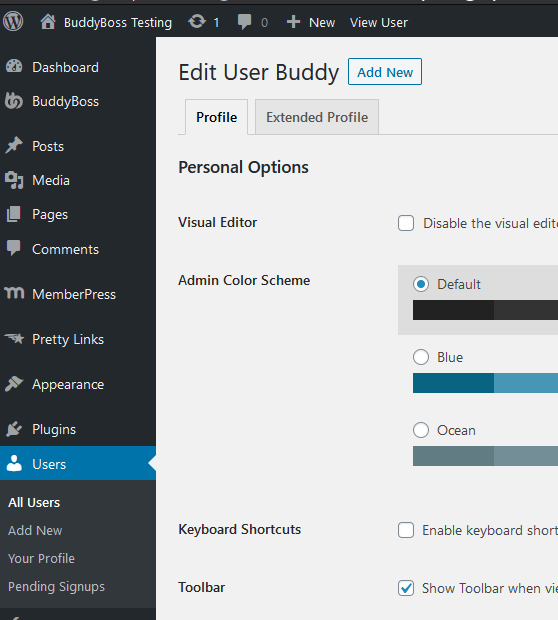
Damit MemberPress optimal funktioniert, müssen Sie einige Importeinstellungen anpassen.
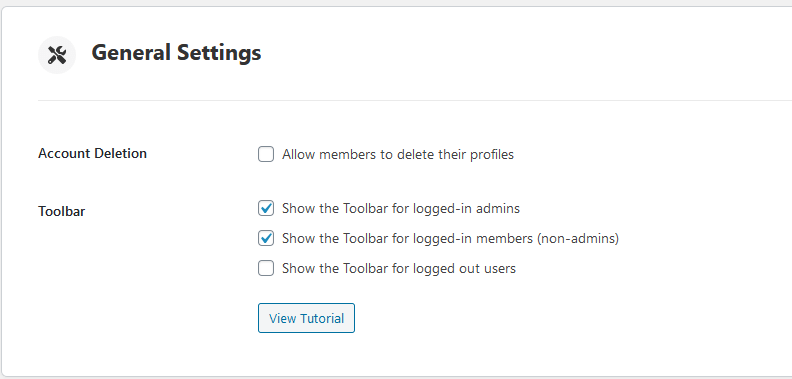
In den allgemeinen Einstellungen finden Sie eine Option namens Konto-Löschungdie es Mitgliedern ermöglicht, ihre eigenen Profile zu löschen. Diese Einstellung ist auch an die MemberPress-Benutzer gebunden, also stellen Sie sicher, dass UNCHECK die Option. Andernfalls könnten Ihre Mitglieder ohne Vorwarnung verschwinden, wenn sie ihre eigenen Konten löschen.
Die andere Einstellung, die Sie ändern müssen, finden Sie im Abschnitt „Registrierung“ auf derselben Seite.
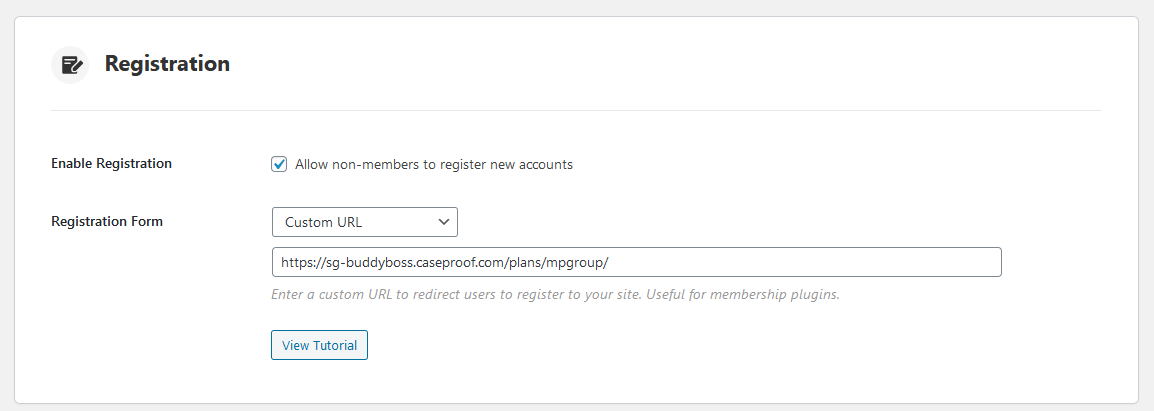
Das Anmeldeformular hat für einige Verwirrung gesorgt. Das liegt daran, dass Sie Nutzern die Möglichkeit geben können, sich nur bei BuddyBoss und nicht bei MemberPress anzumelden, wenn Sie dies wünschen. Die Standard-URL ist jedoch für MemberPress und BuddyBoss gleichermaßen der Slug „/register“. Es gibt zwei Lösungen für dieses Problem:
- Ändern Sie den MemberPress-Slug in Ihrem MemberPress > Einstellungen > Registerkarte "Seiten" und ändern Sie den "Slug für Mitgliederseiten" auf etwas anderes als "registrieren", ODER
- Fügen Sie die "Benutzerdefinierte URL" hinzu, wie in der obigen Abbildung gezeigt (viele Benutzer bevorzugen diese Option, da sie die Anmeldung von Nicht-Mitgliedern verhindert)
Wenn Sie die benutzerdefinierte URL des Anmeldeformulars auf die URL Ihrer Mitgliederanmeldung oder die URL Ihrer Gruppenseite einstellen, wird nun in Ihrem Menü die Schaltfläche “Anmelden” angezeigt.
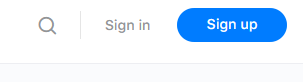
Sie können auch das Kontrollkästchen "Nicht-Mitgliedern die Registrierung neuer Konten erlauben" deaktivieren. Dadurch wird die Schaltfläche "Anmelden" und alle BuddyBoss-Registrierungsformulare entfernt, aber MemberPress funktioniert weiterhin wie vorgesehen.
Datenschutz
Lassen Sie das Kontrollkästchen “Zugriff auf die Website nur für angemeldete Mitglieder beschränken” deaktiviert, da sich neue Benutzer sonst nicht registrieren können (die Einschränkungen sollten Sie in Ihren MemberPress-Regeln festlegen).
Gruppen
- A Die MemberPress-Gruppe ist eine Sammlung von Mitgliedschaften. Auf der Preisseite werden beispielsweise mehrere Mitgliedschaften zusammengefasst und angezeigt, und der Nutzer kann diejenige auswählen, die er erwerben möchte.
- A BuddyBoss Gruppe ist eine Sammlung von Benutzern für Dinge wie Foren, Diskussionen und soziale Gruppen (ähnlich einer Facebook-Gruppe).










 DE
DE  EN
EN  ES
ES  FR
FR  PT
PT 