


Il ne fait aucun doute que l'optimisation de votre site web pour les moteurs de recherche est essentielle si vous souhaitez générer du trafic. Cependant, même si le référencement naturel (SEO) de votre site était irréprochable lors de son lancement, il peut se dégrader avec le temps.
C'est pourquoi il est essentiel de réaliser régulièrement des audits SEO. En surveillant le classement de votre site et en identifiant les points à améliorer, vous pouvez accroître la visibilité de votre site dans les pages de résultats des moteurs de recherche (SERP).
Dans cet article, nous allons vous présenter l'audit SEO et vous expliquer en quoi il est essentiel pour votre site WordPress. Nous vous guiderons ensuite pas à pas pour réaliser votre premier audit. C'est parti !
Introduction à l'audit SEO pour WordPress
‘L’« audit » consiste à examiner systématiquement un élément afin d’en déterminer la validité. En ce qui concerne votre site WordPress, vous pouvez réaliser différents types d’audits, notamment des audits de contenu, de sécurité, d’expérience utilisateur (UX), de performances et de référencement naturel (SEO).
Compte tenu de la rapidité avec laquelle le paysage du web évolue, il est important de veiller à ce que votre site soit à jour à tous les égards. Les audits constituent une bonne pratique pour évaluer l'état de votre site, ce qui vous permet d'identifier les points à améliorer.
Un audit de référencement peut consister à vérifier plusieurs aspects clés de votre site qui influencent sa position dans les moteurs de recherche, tels que
- Mots-clés : Termes liés à votre site et à son contenu que les utilisateurs sont susceptibles de rechercher.
- Liens retour : Liens vers votre site, internes ou externes.
- Performance : La vitesse de chargement de votre site pour les visiteurs.
- Réactivité : L'optimisation de votre site pour l'utilisation mobile.
Bien que ces éléments soient essentiels à la façon dont les robots des moteurs de recherche et les utilisateurs perçoivent votre site, vous ne remarquerez peut-être pas qu'ils présentent des problèmes lors de vos interactions quotidiennes avec le tableau de bord. Un audit complet permettra de les mettre en évidence.
Comment mener un audit SEO sur votre site WordPress (en 5 étapes)
Les audits SEO peuvent s'avérer assez chronophages, en raison de la minutie qu'ils exigent. Nous avons répertorié ci-dessous cinq étapes essentielles à ce processus, accompagnées de suggestions pour les optimiser dans la mesure du possible.
1. Effectuez une recherche par mots-clés et analysez votre contenu
L'optimisation pour les mots-clés est un élément essentiel d'un référencement naturel (SEO) de qualité. En analysant de plus près vos performances dans ce domaine, vous pourrez affiner votre stratégie de contenu à l'avenir et, éventuellement, améliorer votre classement dans les résultats de recherche.
Pour commencer, déterminez les termes pour lesquels votre site est classé. Des outils tels que SEMrush peut vous aider à cet égard :
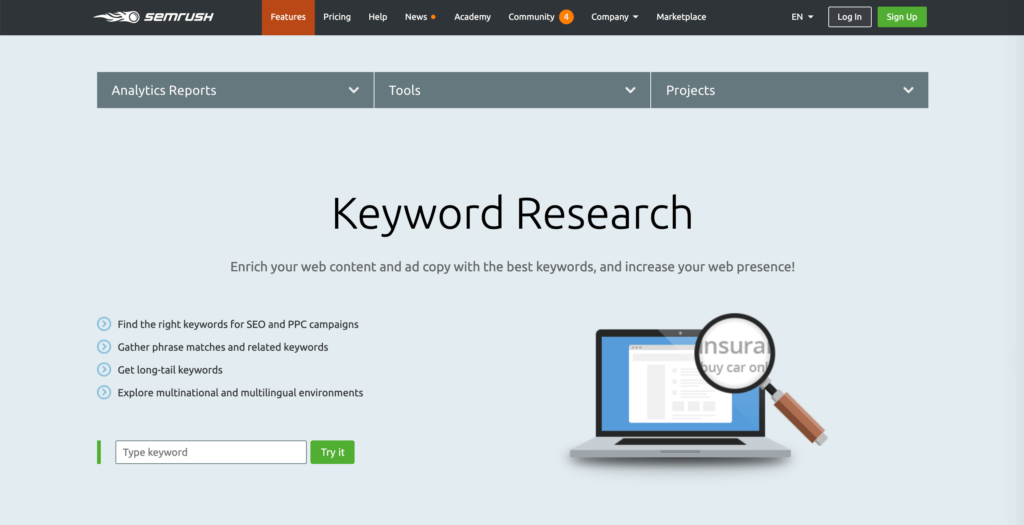
Demandez-vous si les mots-clés les plus étroitement associés à votre site sont bien ceux pour lesquels vous souhaitez être bien classé. Si ce n'est pas le cas, vous saurez qu'il vous faudra ajuster votre stratégie de contenu à l'avenir, afin de mieux l'aligner sur vos objectifs.
Pendant que vous y êtes, vous pourriez jeter un œil à certains de vos contenus les plus performants. Vérifiez que vos articles les plus populaires sont parfaitement optimisés pour leurs mots-clés cibles, ainsi que pour d’autres facteurs de référencement sur la page. Un plugin tel que Yoast SEO peut aider :

Ses listes de contrôle mettent en évidence les domaines susceptibles d'être améliorés, de sorte que vos articles les plus utiles continuent à attirer du trafic vers votre site.
2. Déterminer la qualité de vos backlinks actuels
Backlinks jouent un rôle important pour mettre en avant la crédibilité, l’autorité et la pertinence de votre site auprès des robots d’indexation des moteurs de recherche. Toutefois, en ce qui concerne cette partie de votre site, la qualité prime sur la quantité.
À l'aide de SEMrush Outil d'audit des liens retourVous pouvez ainsi passer au crible tous les liens pointant vers votre site afin de repérer ceux qui pourraient être considérés comme des spams ou comme étant de mauvaise qualité :
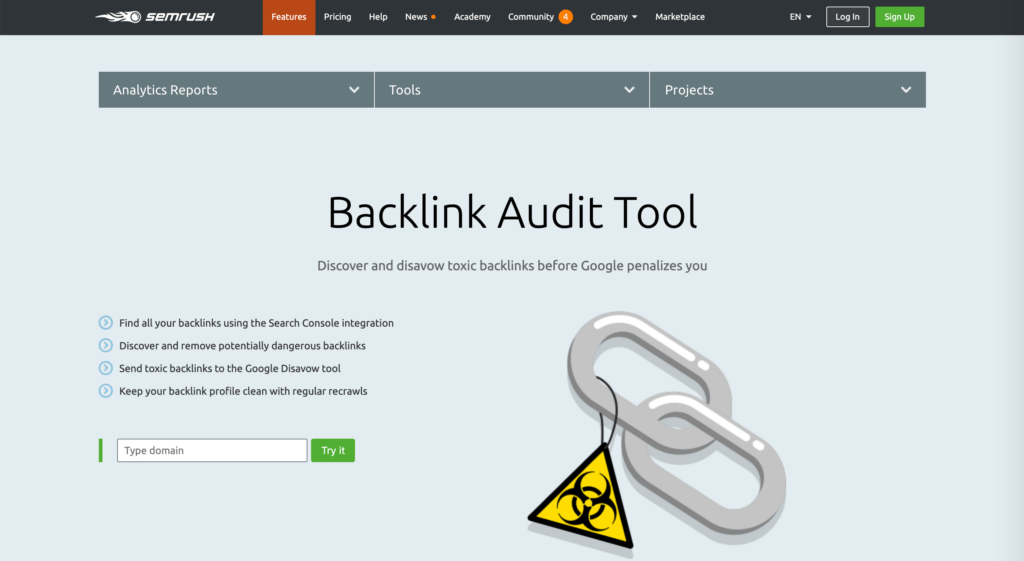
Une fois que vous avez identifié ces liens problématiques, deux possibilités s'offrent à vous. La meilleure solution consiste à contacter le propriétaire du site qui renvoie vers le vôtre pour lui demander de supprimer ce lien indésirable.
Si cela ne fonctionne pas, vous pouvez ‘ désavouer ’ les liens de mauvaise qualité afin que les robots des moteurs de recherche les ignorent lors de l'indexation de votre site. Vous pouvez le faire dans Google Search Console:
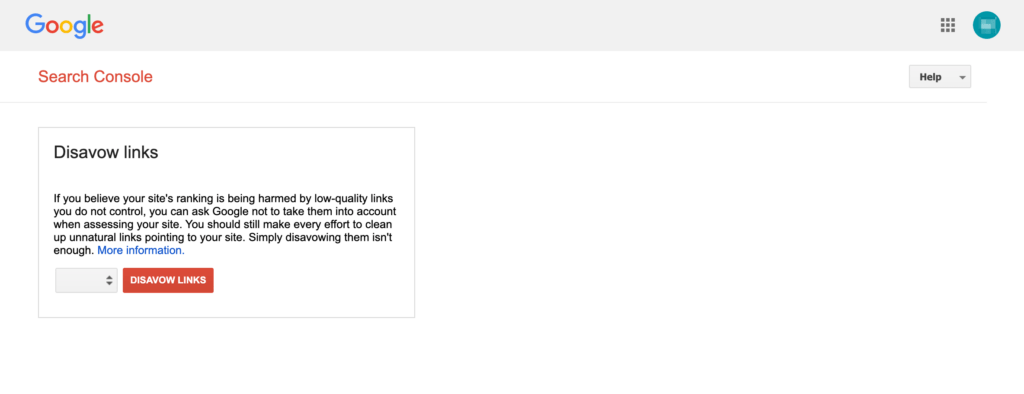
Dans l'outil de désaveu des liens, il suffit de sélectionner votre site dans le menu déroulant et de cliquer sur le bouton Désavouer les liens . Téléchargez ensuite un fichier texte contenant la liste des liens que vous souhaitez que Google ignore.
3. Exécuter des tests de performance et mettre en œuvre l'optimisation de la vitesse
Même si cela peut paraître anodin, les performances constituent un facteur clé pour le référencement naturel (SEO) de votre site. Google privilégie les sites à chargement rapide par rapport aux sites lents, il est donc important de veiller à rouler à pleine vitesse.
Il y a de nombreux outils de test de vitesse que vous pourriez envisager pour tester les performances de votre site. L’un d’entre eux est Pingdom:

L'avantage de cette plateforme par rapport à d'autres solutions est qu'elle vous permet d'effectuer des tests depuis différents endroits, ce qui permet de mettre en évidence les problèmes rencontrés par les utilisateurs du monde entier, et non pas uniquement par ceux d'une seule région. Une fois le test terminé, Pingdom vous proposera des suggestions pour améliorer la vitesse de votre site :
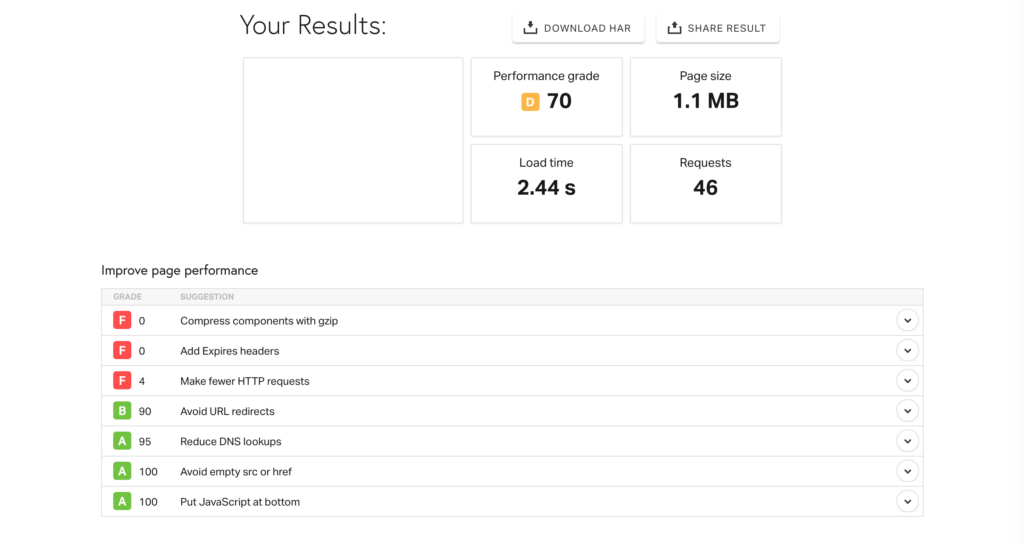
Suivez ces lignes directrices au mieux de vos possibilités pour accélérer le chargement de votre site.
4. Évaluez la réactivité de votre site et apportez les modifications nécessaires
Même si de nombreux sites – notamment ceux créés avec WordPress – s’adaptent désormais à différentes tailles d’écran, il en reste encore beaucoup qui ne le font pas. Si votre site web n'est pas adaptatif, vous risquez davantage de perdre des utilisateurs mobiles qui se découragent en essayant de l'utiliser.
De plus, Google a pris l'habitude de favoriser les sites réactifs par rapport à ceux qui n'offrent pas une expérience mobile agréable. Ne pas s'adapter pourrait nuire à votre référencement.
Si vous ne l’avez pas fait depuis un certain temps, consultez votre site sur un smartphone et vérifiez s’il s’affiche correctement sur un écran plus petit ou si vous devez zoomer et faire défiler la page pour pouvoir le lire. Si c’est le cas, vous devrez apporter quelques modifications à la conception de votre site web.
La manière la plus simple de rendre un site WordPress réactif est probablement de choisir un thème adapté aux mobiles :
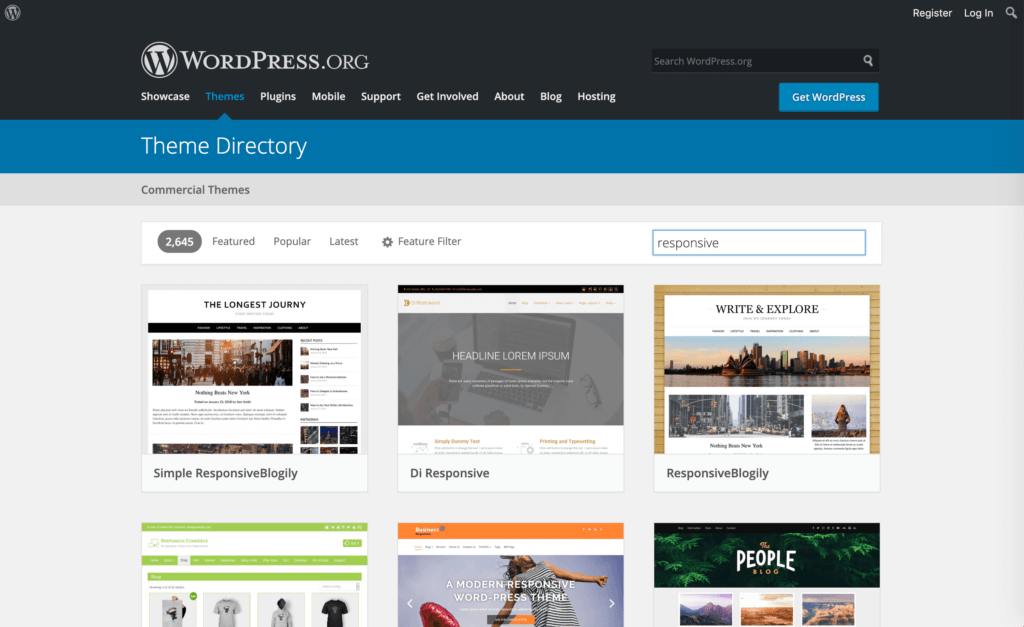
Cependant, si votre site et votre image de marque sont déjà bien établis, cela peut s'avérer plus facile à dire qu'à faire. Vous pouvez alors envisager d'utiliser Jetpack :

Ce plugin tout-en-un comprend un Thème mobile qui peut transformer votre site non adapté aux mobiles en un site compatible avec les smartphones, sans que vous ayez à changer de thème. C'est bien plus simple et rapide qu'une refonte complète du site, tout en vous apportant le coup de pouce nécessaire en matière de référencement.
5. Établir un calendrier pour les audits à venir
Une fois votre premier audit SEO terminé, il est judicieux de programmer le prochain. Cette pratique s'avère particulièrement utile si elle s'inscrit dans le cadre de votre routine de maintenance régulière ; pensez donc à établir un calendrier d'audits officiel.
La fréquence à laquelle vous devez effectuer ces audits dépend de votre site. Pour les petits sites web statiques qui ne changent pas très souvent, un audit par an devrait suffire. Plus votre contenu est dynamique, plus vous devrez effectuer des audits fréquents de votre site.
Les petits blogs et les sites de commerce électronique seront probablement mieux lotis avec deux audits par an, par exemple, tandis que les sites de taille moyenne et de grande taille auront peut-être besoin d'un contrôle trimestriel. Si votre site web est très important et qu'il publie de nouveaux contenus plusieurs fois par jour, vous pouvez même investir dans des audits mensuels.
Conclusion
Un audit SEO approfondi peut révéler des problèmes cachés sur votre site qui pourraient avoir un impact sur sa visibilité. En les résolvant, vous pourrez reprendre la gestion de votre site et observer l'afflux de trafic.
Cet article présente les cinq étapes clés à suivre pour réaliser votre premier audit SEO :
- Effectuez une recherche de mots-clés et analysez votre contenu.
- Déterminez la qualité de vos backlinks actuels.
- Effectuer des tests de performance et mettre en œuvre l'optimisation de la vitesse.
- Évaluez la réactivité de votre site et apportez les modifications nécessaires.
- Établir un calendrier pour les futurs audits.
Avez-vous des questions sur les audits SEO ? Posez-les dans les commentaires ci-dessous !











 FR
FR  EN
EN  ES
ES  DE
DE  PT
PT 
Merci pour ce guide d'audit SEO pour WordPress