

Get foodies to unite on your site! Here’s the lowdown on how to build a community on your food and recipe site.
Here’s something I think food creators undervalue: the community aspect of cooking.
Cooking can feel isolating. You’re in your kitchen, trying something new, and when it works (or doesn’t), there’s no one to share that moment with who really gets it.
Your family eats the food, but they don’t understand the triumph of finally nailing sourdough or the frustration of a fallen soufflé.
A community around your food niche gives people that connection. And it makes your membership significantly stickier.
? This article is part of our step-by-step series on building a successful food and recipe website. For the complete roadmap, including every guide in the series, start here ? How to Create a Food and Recipe Website
Why Community Matters for Food Sites
It creates belonging. People who identify as “sourdough bakers” or “budget meal preppers” want to find their tribe.
It increases engagement. Members who participate in community features log in more often, stay subscribed longer, and become advocates for your site.
It generates content. Member discussions, recipe modifications, and success stories become valuable content you didn’t have to create.
It provides feedback. Want to know what recipes to develop next? What problems your audience faces? Community discussions tell you directly.
It differentiates you. Any site can have recipes. A buzzing community of passionate cooks is much harder to replicate.
Community Formats That Work for Food Sites
Discussion Forums
The classic community format: organized discussion spaces where members can start and respond to threads.
What works in food forums:
- Recipe discussion boards (questions, modifications, reviews)
- Technique help threads
- “What’s for dinner?” daily discussions
- Cooking challenges and themes
- Equipment recommendations
- Ingredient sourcing tips
Photo Sharing
Food is visual. Members want to show off what they’ve made.
What works:
- “Show us your plating” galleries
- Before/after cooking transformations
- Meal prep spreads
- Kitchen setups
- Cooking fails (these are often the most engaging!)
Live Sessions
Real-time connection creates stronger bonds than asynchronous discussion.
What works:
- Live cooking demonstrations
- Q&A sessions
- “Cook-alongs” where everyone makes the same recipe together
- Kitchen tours
- Ingredient tastings
Challenges and Events
Time-limited activities create urgency and engagement spikes.
What works:
- Weekly recipe challenges (everyone makes the same dish, shares results)
- Month-long cooking themes
- Seasonal cooking events
- Technique practice weeks
- Pantry challenge (cook with what you have)
Setting Up Community with ClubSuite™
MemberPress is packed with features that enable you to monetize your food site, and create a highly engaging experience for members and non-members alike.
MemberPress ClubSuite™™ includes two add-ons that work together to create community features on your WordPress site.
ClubCircles™: Discussion Spaces
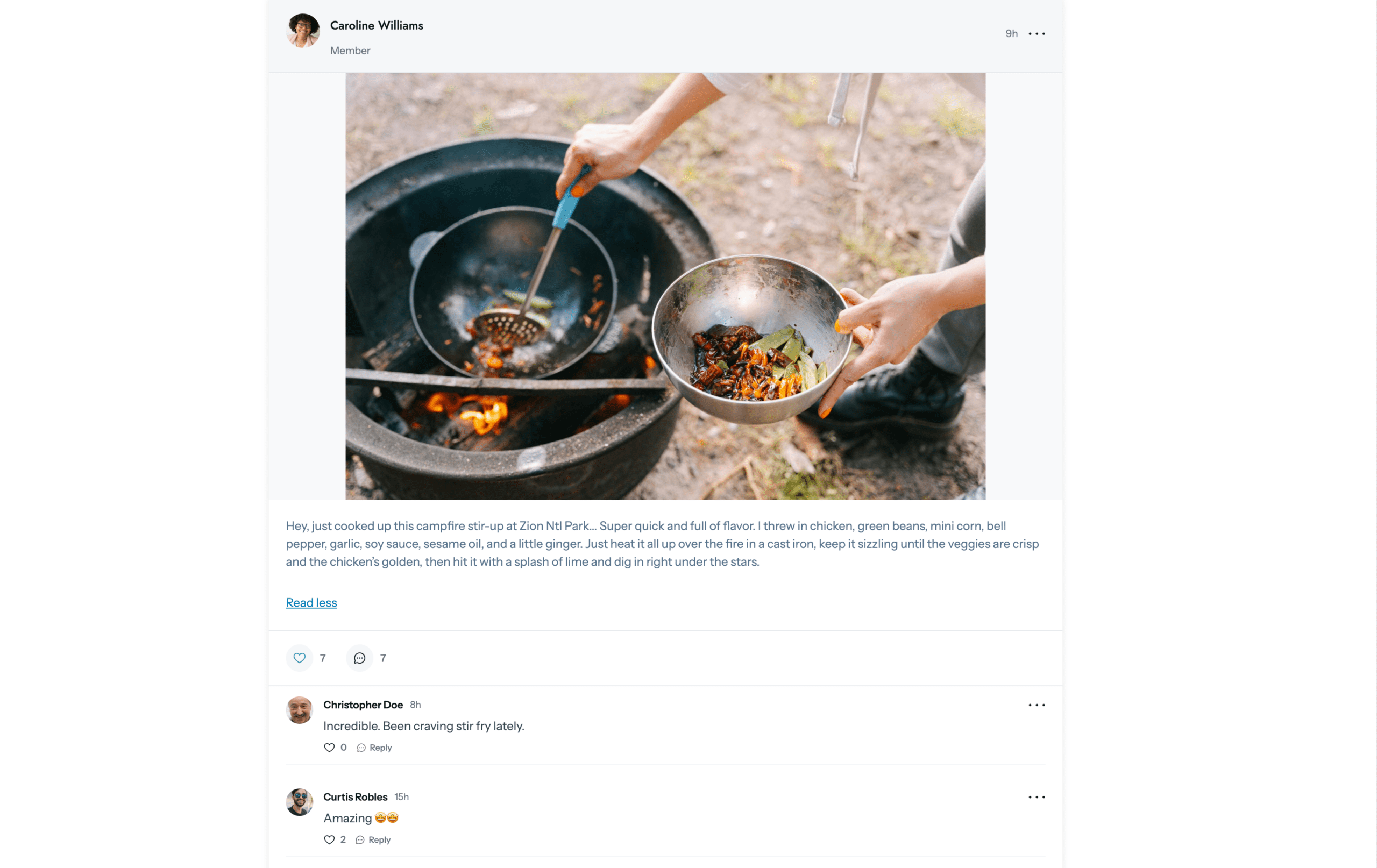
ClubCircles™ creates forum-style discussion boards where your community can interact.
Setting up your first Circle:
- Install and activate ClubCircles™ from MemberPress > Add-ons
- Go to MemberPress > ClubSuite > Circles
- Click Add New
- Name your Circle (e.g., “Recipe Discussion” or “Weekly Cooking Chat”)
- Set access rules (which membership levels can participate)
- Configure moderation settings
- Publish
Suggested Circle structure for food sites:
General Discussion Circle (all members)
- Open chat about cooking, food, and life
- New member introductions
- Off-topic friendly conversations
Recipe Help Circle (all members)
- Questions about specific recipes
- Modification requests
- Troubleshooting cooking problems
- Substitution suggestions
Share Your Cooking Circle (all members)
- Photo shares of completed recipes
- Meal prep showcases
- Kitchen victories
- Cooking fails (embrace them!)
Premium/VIP Circle (higher tiers only)
- Direct access to you
- First look at new recipes
- Input on content development
- Exclusive discussions
ClubDirectory™: Member Profiles
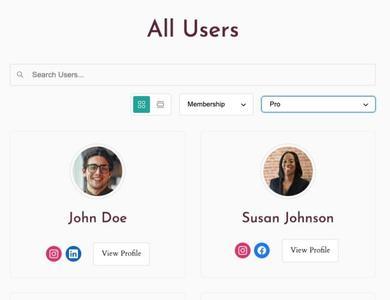
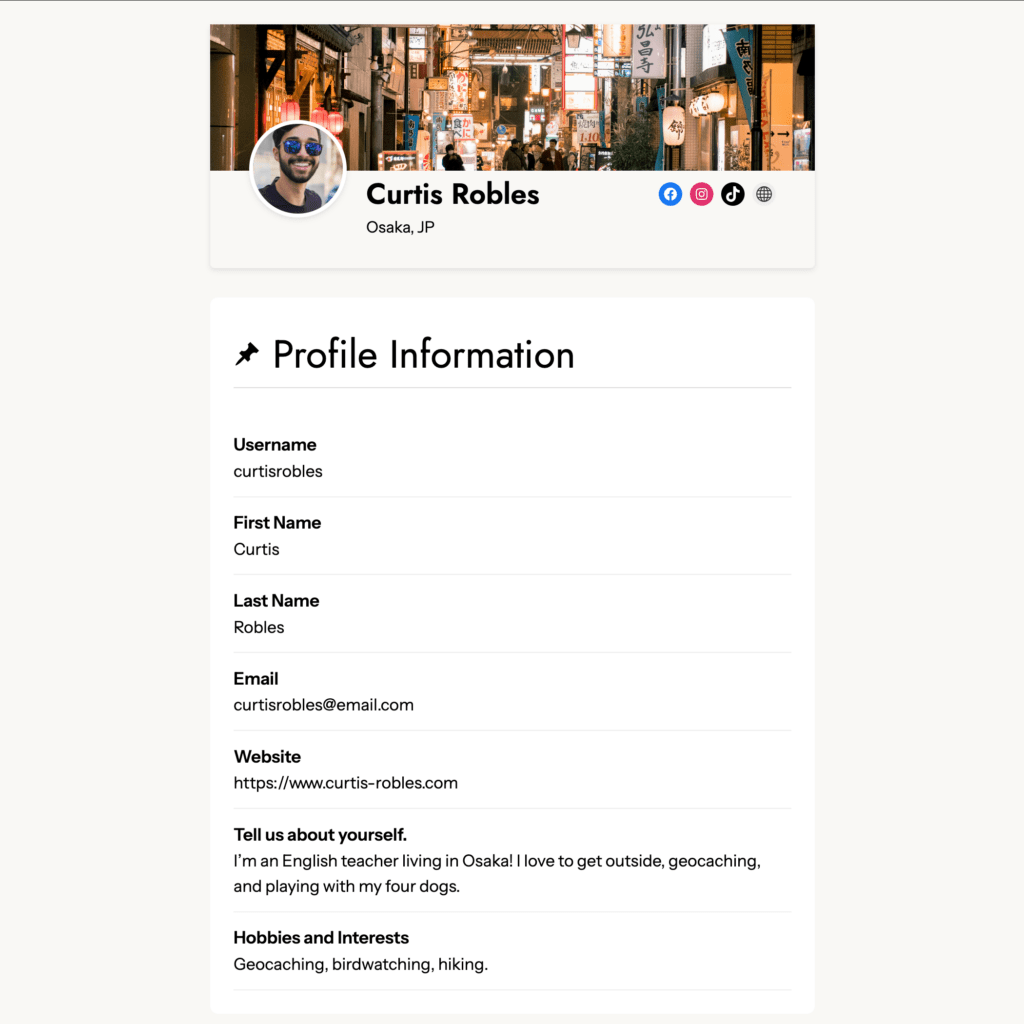
ClubDirectory™ lets members create profiles and find each other.
Why this matters for food sites:
- Members can indicate dietary preferences, skill level, location
- Local members might connect for in-person cooking sessions
- Creates sense of real community (not just anonymous usernames)
- Members can showcase their cooking journey
Setting up profiles:
- Install and activate ClubDirectory™
- Configure profile fields (what information members can add)
- Set privacy options (what’s visible to whom)
- Create a directory page showing all members
Suggested profile fields for food sites:
- Profile photo
- Location (city/region)
- Cooking style/interests
- Dietary approach
- Favorite cuisine
- Skill level
- Kitchen setup (home cook, professional, etc.)
Managing Your Community
Community doesn’t manage itself. Plan for ongoing involvement.
Moderation
Set clear guidelines:
- What’s allowed and not allowed
- How to handle disagreements
- Spam and self-promotion policies
- Photo sharing rules
Monitor actively:
- Check discussions daily (or designate moderators)
- Address problems quickly before they escalate
- Recognize and encourage positive contributors
Seeding Engagement
New communities feel empty. You need to prime the pump.
In the early days:
- Post discussion starters daily
- Share your own cooking photos and stories
- Ask questions that prompt responses
- Personally welcome new members
- Respond to every post until organic engagement takes over
Ongoing:
- Weekly prompts or themes
- Challenges that encourage participation
- Highlighting member contributions
- Live sessions that bring people together
Dealing with Quiet Periods
Every community has slow times. Don’t panic.
- Maintain consistent posting even when engagement dips
- Seasonal content themes can reignite interest
- Reach out personally to previously active members
- Evaluate whether your community structure needs adjustment
Integrating Community with Other Offerings
Community shouldn’t be isolated. Connect it to the rest of your membership.
Recipe Integration
- Discussion thread for each new recipe
- Members share their results and modifications
- You incorporate feedback into recipe updates
Course Integration
- Discussion space for course students
- Share progress and ask questions
- Peer support for challenging techniques
Live Events
- Announce and discuss in community first
- Post-event discussion threads
- Member-requested session topics
Community as a Retention Tool
Community makes cancellation harder.
Leaving a recipe subscription is easy. You just stop paying.
Leaving a community where you’ve made connections, built reputation, and become known as “the person who always nails the bread recipes” is much harder.
Community creates switching costs that pure content can’t match.
Track community engagement alongside retention:
- Do members who participate in community stay longer?
- What engagement level correlates with lowest churn?
- Can you encourage low-engagement members to participate more?
What’s Next?
Community adds ongoing value, but some members want products they can own outright. Digital downloads and cookbooks serve that audience while generating additional revenue.

Get MemberPress Today!
Start getting paid for the content you create.

What would you most want from a cooking community? Discussion, photo sharing, live sessions, challenges? Share in the comments!
If you found this article helpful, follow us on Facebook, X, Instagram, and LinkedIn!












Add a Comment