

Don’t let website platforms limit you. WordPress is the best option for building a consulting site that grows with your business. And with the right plugins, it can handle client management too. Here’s everything you need to know.
By the end of this post, you’ll have all the information you need to build an impressive site that attracts new clients, handles payments, manages your resources, and opens up new income streams as your business grows.
The Secret Website Builders Keep from You
If you’ve been researching options for your consulting site, you’ve probably looked at a bunch of drag-and-drop builders that bundle hosting too.
They’re an attractive option, but they come with some significant tradeoffs that aren’t obvious until you’re already committed.
You’ll Outgrow Them Faster Than You Think
If all you want is a digital business card, a simple website builder might do the trick.
But if you want to build a professional site that includes a client portal, protected resources, or maybe an online course somewhere down the line, you’ll quickly find you’ve outgrown your solution.
WordPress has a vast plugin ecosystem that can add almost any functionality you need:
As we’ll get into below, a few well-chosen plugins can add serious earning potential to your site and streamline workflows that eat up your time as your client base grows.
Platform Lock-In Is a Real Problem
When you’ve outgrown your website builder, moving away from it is particularly painful:
- Some content can be exported, but not all of it
- Design layouts generally cannot be exported
- Certain content types don’t transfer cleanly
With WordPress, you own the platform. Switch hosting providers and your site comes with you. There’ll be no rebuilding from scratch.
You’re at the Mercy of Their Pricing
There’s another consequence of your content not being transferable: you can’t leave when prices go up. And they do go up.
With WordPress, you own everything: your content, your design, your data. No platform decides to change its pricing model and leave you scrambling.
The Truth About Plugins
A widely circulated criticism of WordPress is that you need a ton of plugins, they all need updating, and they’re often bloated with features you don’t need.
There’s some truth to this, which is why choosing your tech stack wisely matters. Keep reading to see my full recommendations for a consulting site.
The short version is: one plugin that does most of the heavy lifting, rather than five that each do a piece of it.
Setting Up Your WordPress Consulting Site
Here’s what you need to get started.
1. Get Your Domain and Hosting
Your domain name is your address on the internet. Ideally, your name or your business name, kept simple. For hosting, SiteGround or WP Engine all work well for consultants starting out, and most offer one-click WordPress installation.
2. Choose a Minimal Block Theme
Beware of outdated posts recommending design-heavy WordPress themes. Even AI tools are still churning out this advice, so tread carefully; it hasn’t caught up with how much WordPress has changed.
WordPress has made significant improvements to its Gutenberg block editor in recent years, making it much easier to build a professional-looking site without a heavy theme. Many WordPress pros now use:
Then they build everything else with Gutenberg. The result loads faster, has fewer compatibility issues, and handles future WordPress updates more smoothly.
3. Build Your Core Pages
At minimum:
- Homepage – value proposition, social proof, primary CTA
- About page – your story, credentials, and why clients trust you
- Services page – what you offer, who it’s for, what to do next
- Contact page – a simple enquiry form
4. Install Your Plugins
Remember how I said you don’t need many plugins? Here’s my full list for a consulting site:
- Acuity or Simply Schedule for booking 1:1 appointments
- FreshBooks or Bonsai for project-based or hourly billing
- MemberPress for everything else (more on this below)
That’s it.
MemberPress: The All-In-One Solution for Consulting Sites
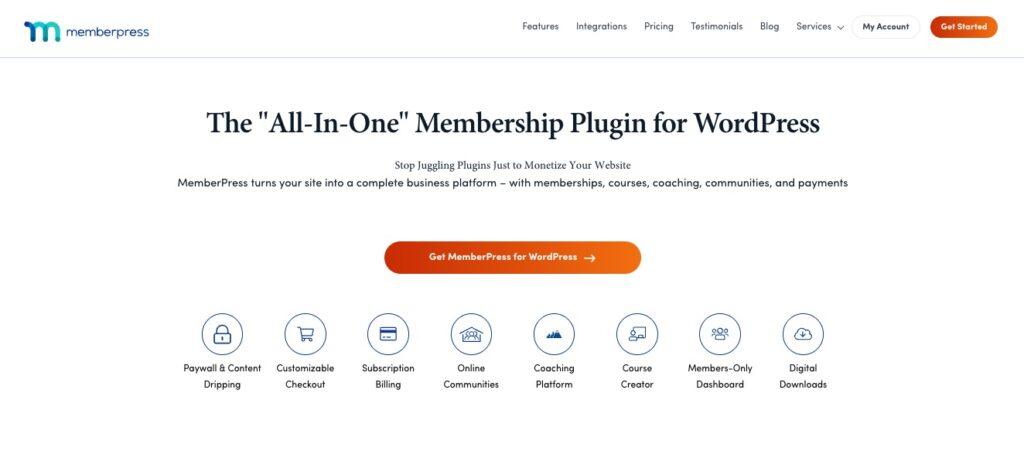
Most consulting websites are set up to attract clients, but not to manage them. That gap costs you time, creates friction for your clients, and puts a ceiling on what you can earn.
MemberPress closes that gap. It’s a single plugin that handles the client management and monetization side of your business inside WordPress, without the need to bolt on separate tools for each job.
With MemberPress, you can:
- Register new clients through your site with a clean, professional signup flow
- Create a protected client portal where each client sees exactly what they need and nothing else
- Accept recurring payments for monthly retainers, automatically, without chasing invoices
- Protect downloadable resources so only paying clients can access them
- Build an onboarding hub that gives new clients everything they need from day one
And when you’re ready to grow beyond 1:1 work, MemberPress gives you the infrastructure to do it:
- online courses,
- group programs with check-ins and accountability tracking,
- paid communities,
- and resource libraries, all inside the site you’ve already built.
One more thing worth knowing: MemberPress works by offering its features as optional add-ons. You activate only what you need, which keeps your site lean.
Want courses but not quizzes? Leave the quizzes add-on off. It’s a smarter way to build.
And the pricing is designed to grow with your business. Start with the Basic plan for a straightforward client portal, then upgrade as you add courses, communities, and more advanced features. You’re not paying for things you don’t need yet.
your estimated annual profit
$34,270.50
x64.7 ROI- Online community forums, profiles & directories
- Unlimited course quizzes, assignments & certificates
- Content dripping
Building Your Client Portal with MemberPress
Most consultants manage client communication through a tangle of email threads, shared folders, and Slack workspaces that were never really designed for it.
Clients then can’t find the document you sent three weeks ago. Onboarding takes longer than it should. You’re answering the same questions on repeat.
A proper client portal fixes that. With MemberPress, you build one directly inside your WordPress site without any extra monthly tools to manage.
When a new client signs on, they register through your site and get access to a private, password-protected area.
Inside, you can organize everything:
- onboarding materials,
- deliverables,
- session recordings,
- resources,
- progress updates, etc
and control exactly what each client sees.
Working with multiple clients at different stages? Each one gets access to the right content and nothing else.
For consultants charging monthly retainers, the setup is particularly clean.
A client’s portal access is tied to their active subscription – when they’re paying, they’re in.
MemberPress handles the recurring billing automatically, so access updates when payments do, without you touching anything.
Recurring revenue changes how consulting feels. When you know what’s coming in each month, you can plan properly, invest in your business, and get off the feast-or-famine cycle that makes project-based work feel precarious.
A retainer model with MemberPress makes that predictability the default.
New to MemberPress? New customers get 50% off, and every plan comes with a 14-day money-back guarantee.
Going Beyond 1:1: Courses, Communities, and Paid Resources
Once your client delivery is running smoothly, the next question most consultants hit is: how do I grow without just working more hours?
The answer is usually some combination of online courses, group programs, paid communities, or resource libraries. It’s income that doesn’t depend on your direct time for every dollar it generates.
MemberPress gives you the infrastructure for all of it, inside the site you’ve already built.
Your consulting methodology becomes a course. Your best clients become a community. Your templates and frameworks become a paid resource library. And none of it requires moving to a new platform or stitching together separate tools.
It compounds quietly in the background while you focus on client work, and at some point, it starts to matter quite a lot.
Frequently Asked Questions
Ready to Build?
The order of operations is straightforward: domain and hosting first, then theme, then core pages, then get MemberPress set up before your first client signs on, not after. You’ll thank yourself later.
Already have a site? Adding the client portal and billing side is a weekend project with the right setup.
The 50% welcome offer makes it a genuinely low-risk place to start, and the 14-day money-back guarantee means if it’s not right for you, you’re not out of anything.
And if you’d rather outsource building your own WordPress website, leave it to our pros with the Done-For-You service.

Get MemberPress Today!
Start getting paid for the content you create.

Questions about setting up your consulting site? Drop them in the comments. I’d love to hear what you’re working on.
If you found this article helpful, follow us on Facebook, X, Instagram, and LinkedIn!












Add a Comment