

Restricted content requires clear communication explaining access limitations and next steps. The default restricted message displays when members encounter locked content within the app.
This document explains how to configure message content, customize call-to-action buttons, and enable content teasers for restricted pages.
Understanding Default Restricted Message
The default restricted message appears when users attempt to access content protected by Access Rules. This message communicates why access is denied and guides users toward actions that grant access. Individual Access Rules can override the default message with custom content, but the default provides consistent messaging across all restricted content without specific customization.
Accessing Default Message Settings
Default restricted message settings control global messaging for all protected content.
- Navigate to Dashboard > MP AppKit > Settings > Access Controls.
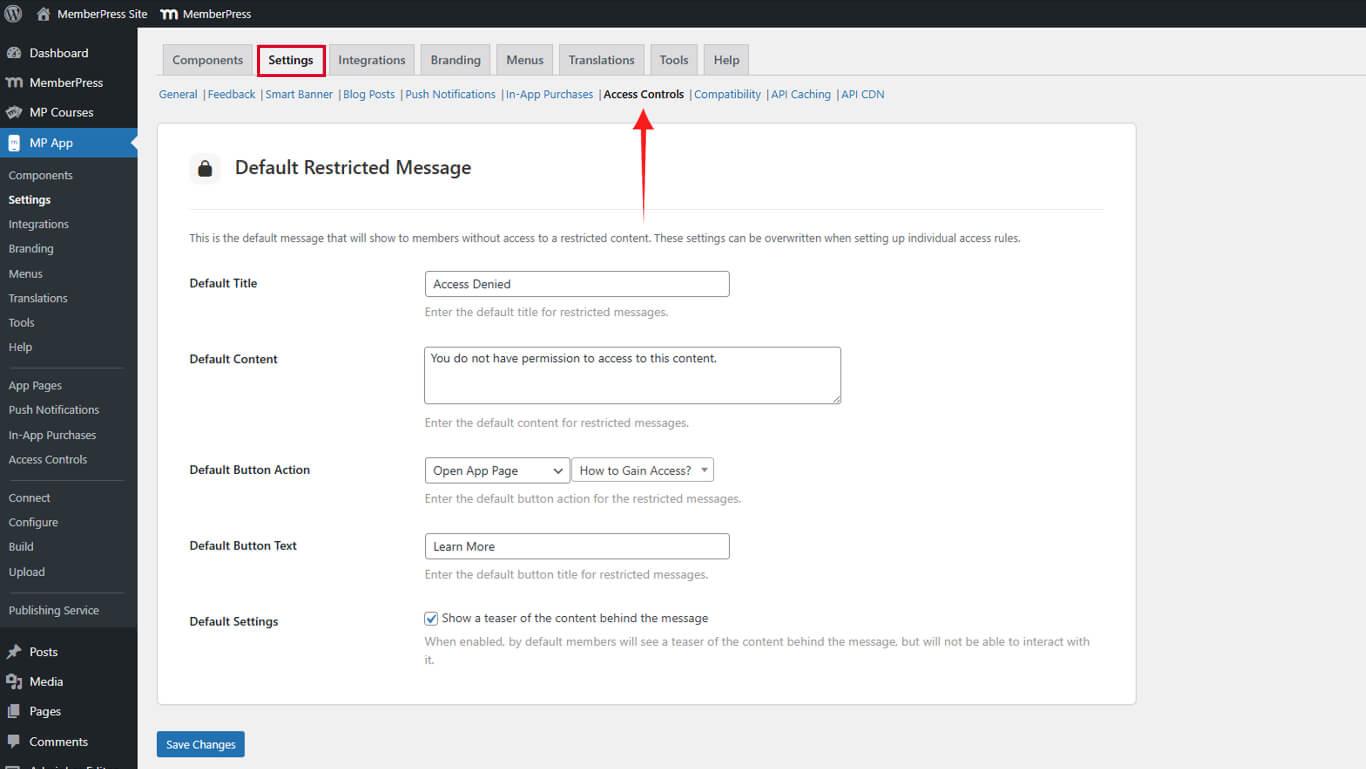
- Locate the Default Restricted Message section.
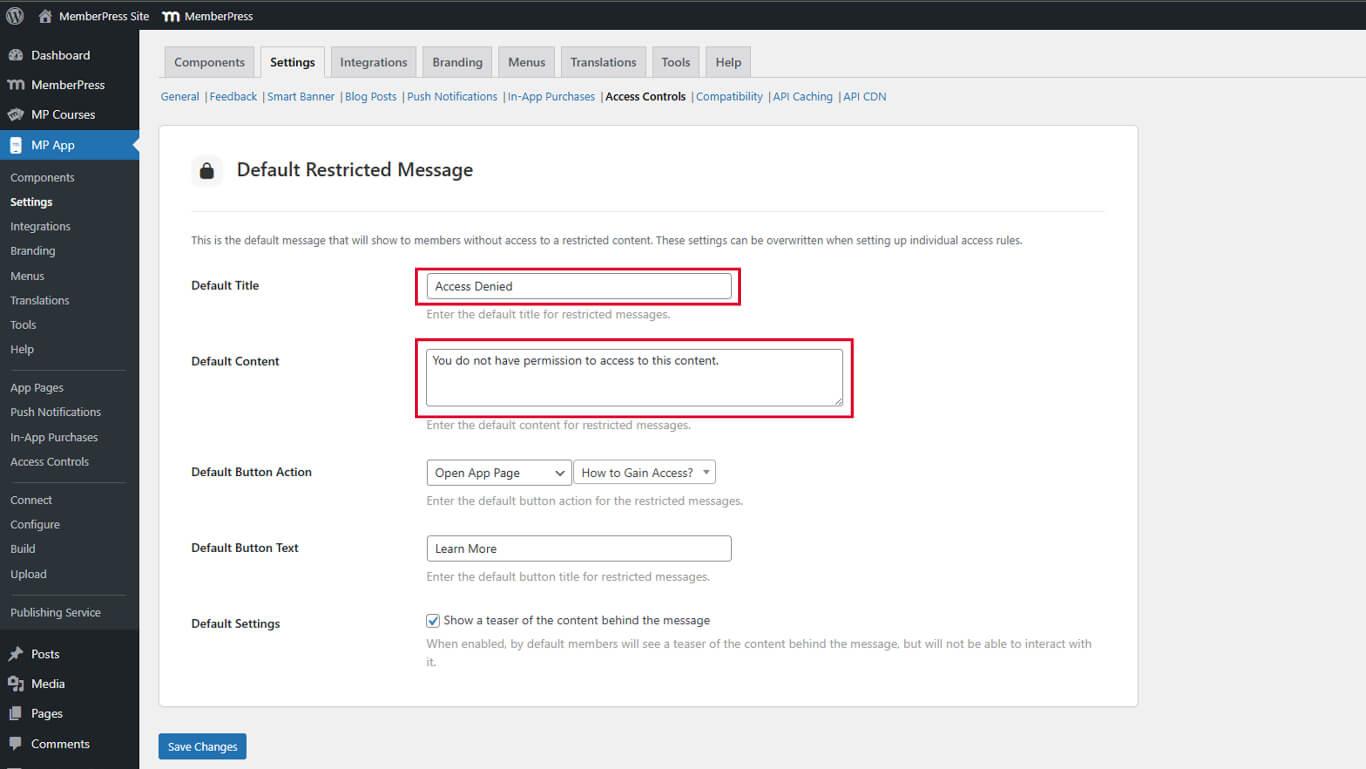
- In the Default Title field, enter a clear, concise title describing the access restriction.
- In the Default Content field, enter explanatory text detailing the access requirements.
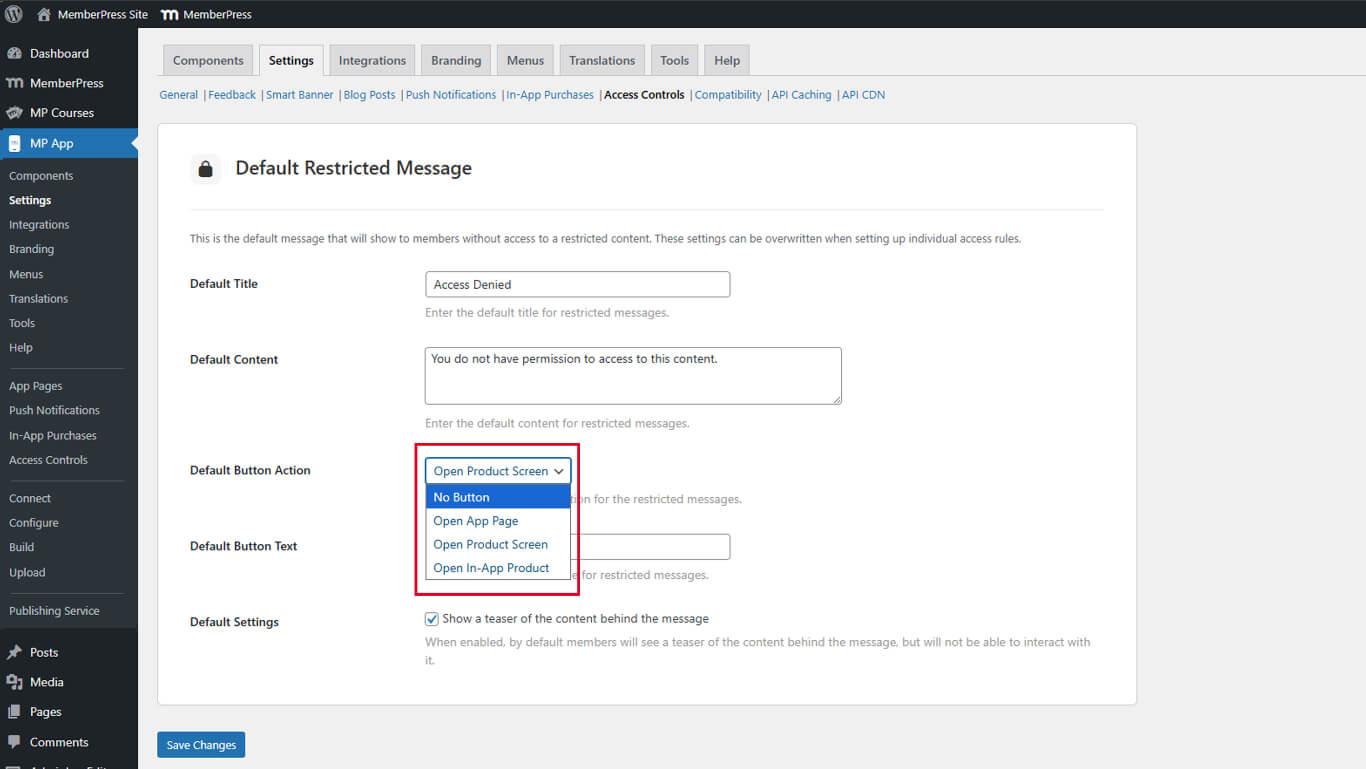
- Under Default Button Action, select the appropriate behavior from the dropdown:
- No Button: Displays no call-to-action.
- Open App Page: Directs users to a custom app page.
- Open Product Screen: Displays available membership options.
- Open In-App Product: Shows a specific membership offering.
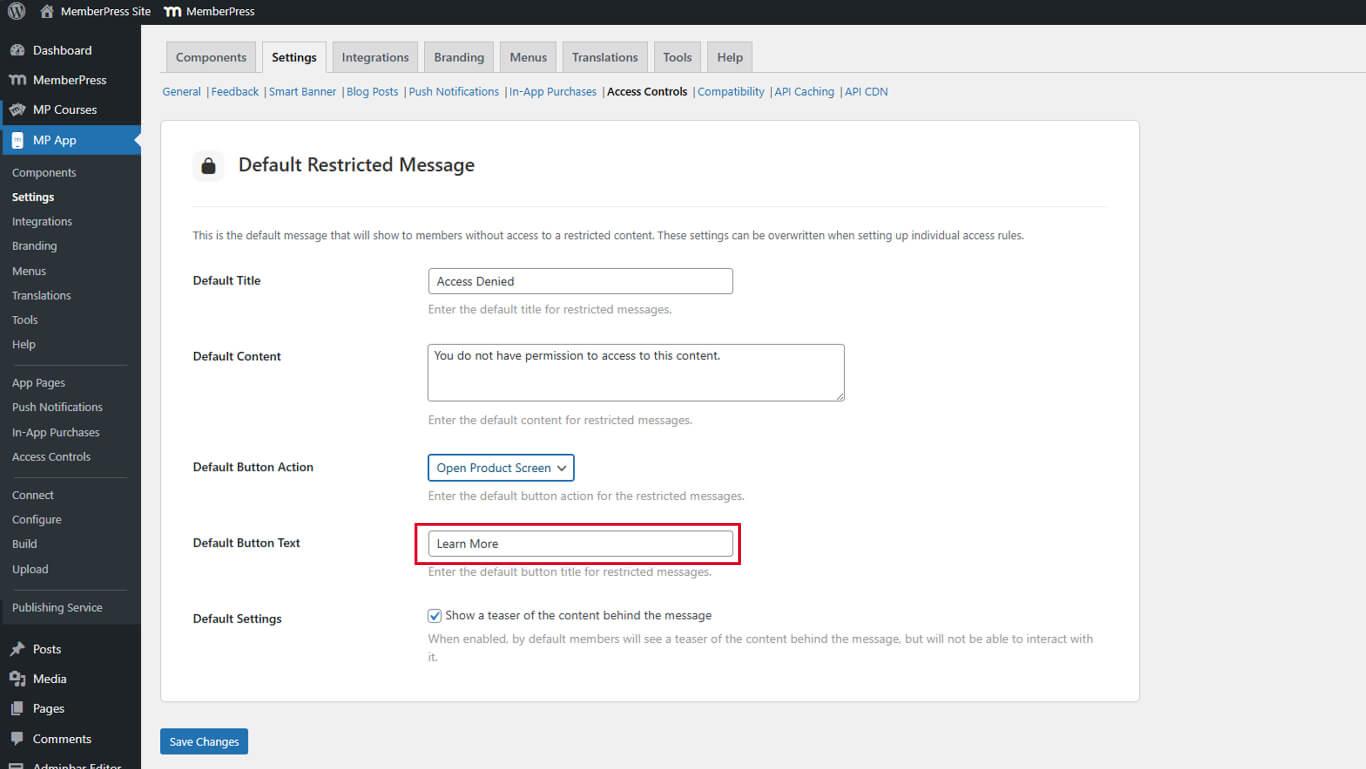
- In the Button Text field, enter the descriptive label for the call-to-action button.
- Locate the Show Teaser checkbox under Default Restricted Message.
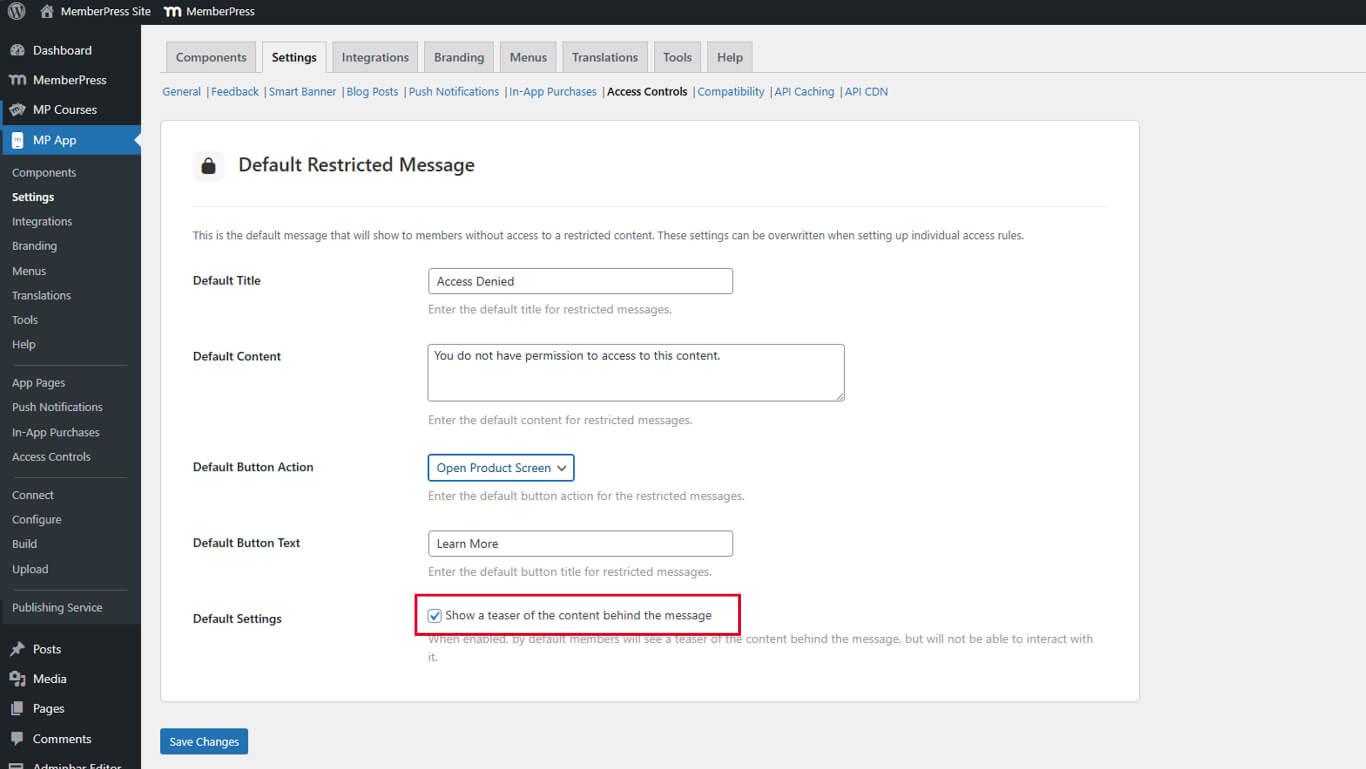
- Check the box to enable content preview functionality.
- Click Save Changes.










