

I used to think course content was the whole game. Pour everything into the curriculum, make it comprehensive, and students will finish it.
Then I looked at the numbers. Industry-wide, online course completion rates hover around 20-30%. All that work creating content, and most students never see the end.
Here’s what shifted my thinking: courses with active communities see 30-40% higher completion rates. Add coaching or group support, and completion can climb above 70%. Connection matters just as much as content.
If you’re running courses on MemberPress, you can build community right on your site with ClubSuite™.
Everything stays under your roof, you control the experience, and students don’t need to create yet another account somewhere else.
Sound good? Let’s get into it!
Why Courses Without Community Struggle
You’ve probably experienced this yourself: you sign up for something, get excited, complete a few lessons, and then life happens. There’s no one checking in on you, no peers to compare notes with, no real reason to come back beyond willpower.
That’s why most courses fail quietly. The content might be great; students just feel alone.
When students can interact with peers, ask questions, and share wins (and frustrations), the course becomes somewhere they actually want to check in. That ongoing pull is what keeps people coming back when motivation dips.
1. Give Students a Place to Show Up
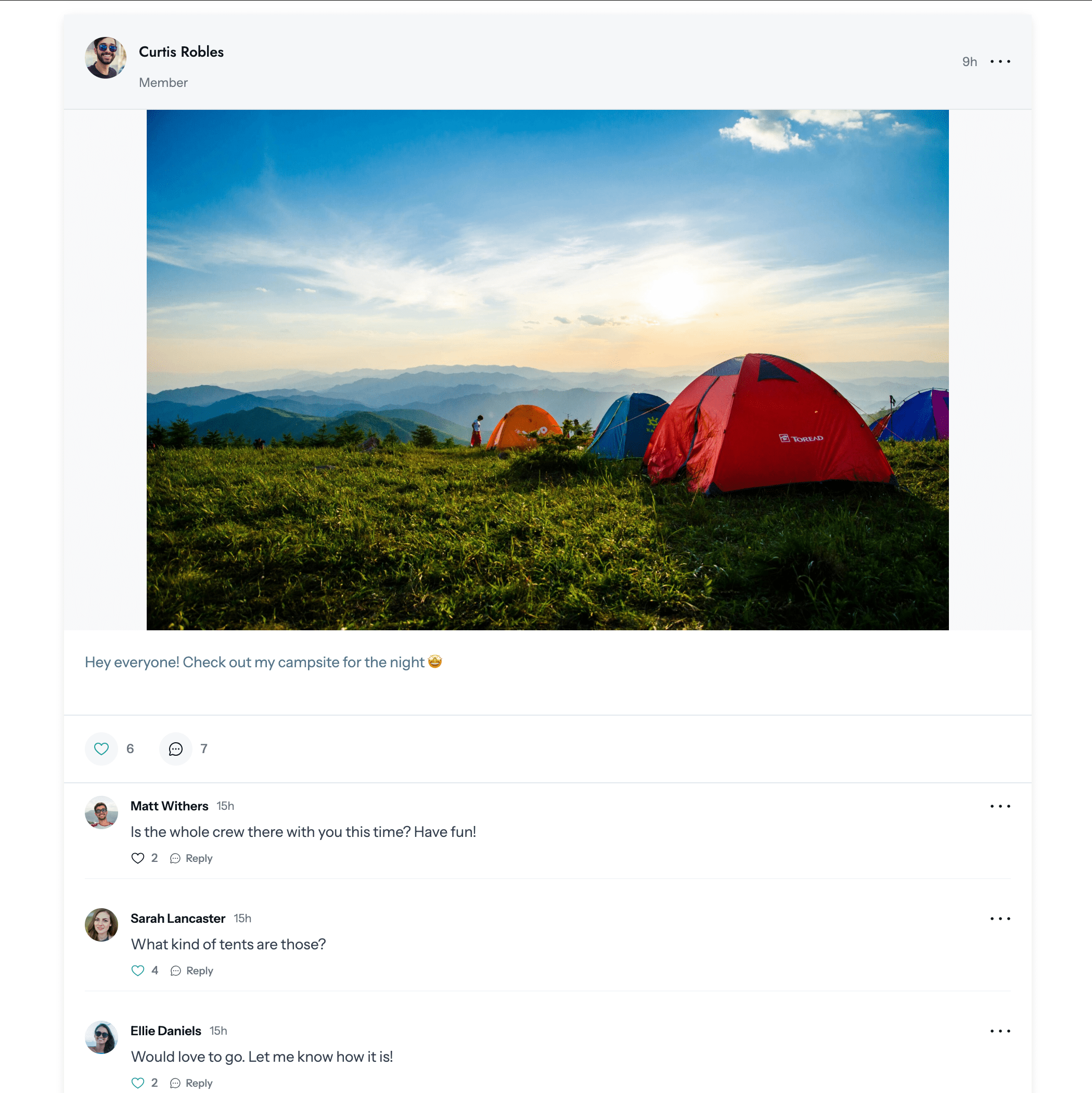
This is the foundation: a dedicated space where students can actually talk to each other.
A comments section under each lesson doesn’t cut it. Those conversations get fragmented across dozens of pages, and nobody’s going back to check them. You want a central hub where the conversation lives.
How I’d Set This Up: In ClubCircles™, create a Circle tied to the course. Students get a private, members-only discussion space where they can post updates, ask for help, and see what others are working on.
It works like the social platforms they already know (posts, comments, reactions, threads), but you control who has access and what the vibe is.
Start simple with one general discussion space. You can always add weekly check-in threads or topic-specific conversations later once you see how your students engage.
2. Help Students Find Each Other
Students connecting with each other is just as valuable as students connecting with you.
Maybe they’re in the same city, or they’re working toward the same certification. Maybe they just started the same week and want an accountability partner. If they can’t find each other, those connections never happen.
How I’d Set This Up: ClubDirectory™ is perfect for this. Set up a searchable student roster where members can browse by location, membership level, or any custom field that makes sense for the course: goals, experience level, timezone, whatever.
This is especially great for cohort-based programs. Students can find classmates in their cohort, spot people who are ahead of them (potential mentors!), and connect with alumni who’ve already finished.
Let Students Build Real Profiles
Anonymous usernames don’t build trust. “User47382” doesn’t feel like a peer you’d reach out to for advice.
When students can see who they’re learning alongside: real names, photos, backgrounds, maybe a short bio about why they’re taking the course, the community starts to feel real.
Profiles also give students a stake in the space. When they’ve invested time building out their presence, they’re more likely to stick around.
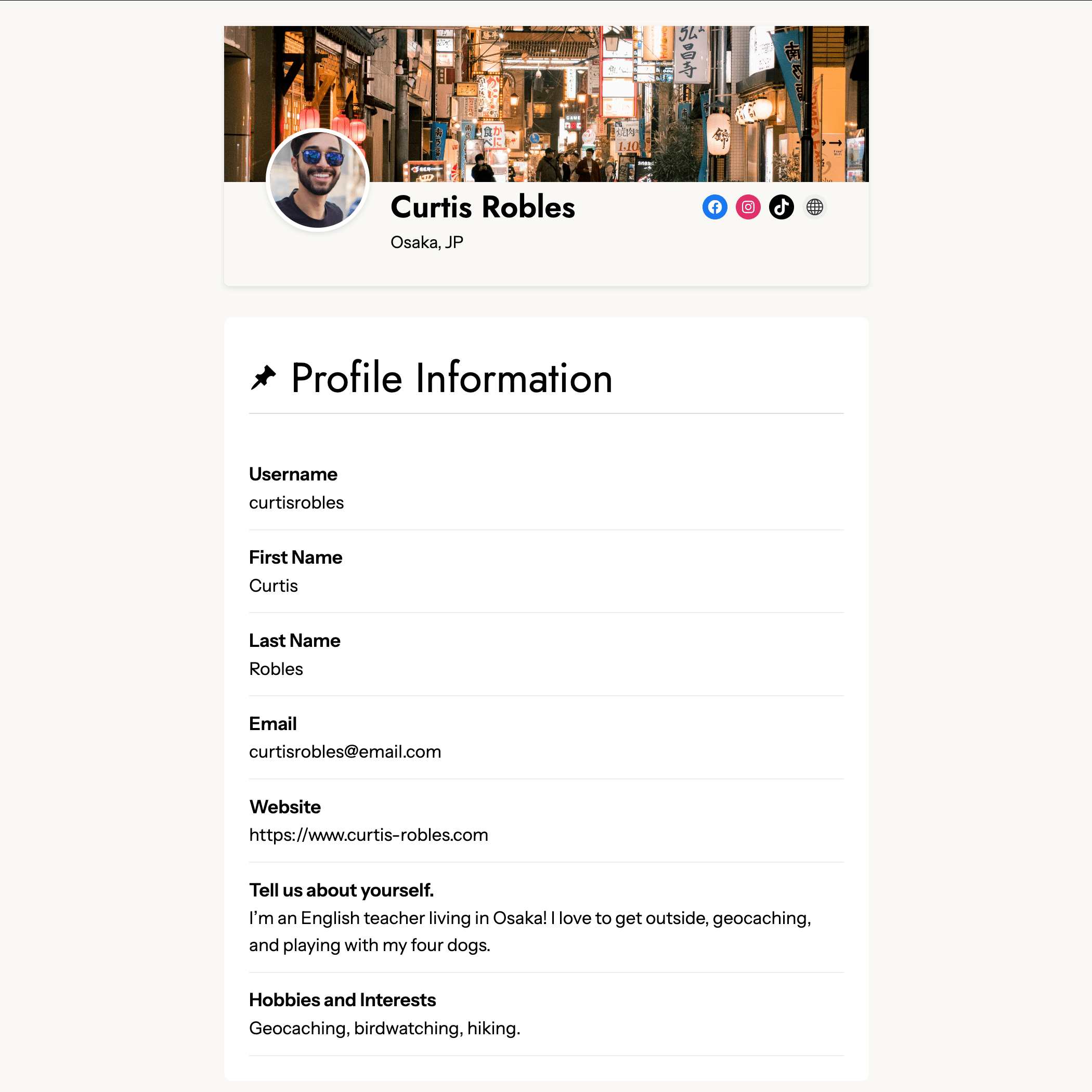
How I’d Set This Up: In ClubDirectory™, you decide which fields to include. Keep it lightweight with just a name and photo, or go deeper with custom fields for specialties, goals, or achievements.
One thing I really like: you can pull in data from MemberPress custom fields automatically.
If you’re already collecting relevant info at registration (experience level, goals, etc.), that flows straight into profiles without students filling out the same stuff twice. No extra admin work!
Create Separate Spaces for Different Groups
Not every conversation belongs in the same place.
Students just starting out have different questions than those about to graduate. Alumni want to network, not rehash beginner material. And if you offer coaching tiers or premium access, those members probably deserve their own space.
How I’d Set This Up: With ClubCircles™, you can create as many Circles as you need, each tied to specific membership levels or course milestones:
- Student Lounge: General conversation for all enrolled students
- Week 1 Cohort: A space specifically for people in their first week (huge for accountability)
- Certified Alumni: A networking Circle for graduates only
- VIP Mastermind: Premium discussion space for higher-paying tiers
This also opens up natural upsell opportunities. Access to the alumni network or a mastermind Circle can be a compelling reason to upgrade to a higher tier.
Get the Conversation Started (and Keep It Going)
Here’s the part nobody warns you about: you can build the perfect community space and still get crickets.
Students are hesitant to post first. They don’t want to look dumb, they’re not sure what’s “allowed,” so they lurk and wait for someone else to break the ice. If nobody does, the community stays dead.
This is your job, at least at the start. You have to seed the conversation.
Start with a welcome thread. Pin an introduction post where students share who they are and why they’re taking the course. Make it specific: “Drop your name, where you’re from, and one thing you’re hoping to get out of this course.” Vague prompts get vague responses (or none). Specific prompts give people something to grab onto.
Ask questions, don’t just open space. “Discussion area for Module 2” will sit empty. “What surprised you most about the pricing strategies in Module 2?” gives students something to react to. The more specific your prompt, the easier it is for someone to respond.
Post first, and often. In the early days, you’re modeling what good engagement looks like. Share a quick win. Ask a follow-up question. React to student posts with a comment or even just a heart reaction: it signals that someone’s paying attention. Once the community has momentum, you can step back. But you have to prime the pump first.
Celebrate when people share. When someone posts their first project or asks their first question, acknowledge it. A quick “Welcome! Great question” or “Love seeing this!” goes a long way. Other students see that participation gets noticed, which encourages more of it.
Use your course content as conversation fuel. End lessons with a prompt that points to the community: “Head to the Circle and share your answer to this question.” Build discussion into the curriculum so participation feels like part of the learning, not an extra thing to remember.
Once you have 5-10 students actively posting, the community starts to sustain itself. But early on, someone has to go first, and that someone is you.
Bring Students Back When They Drift Away
Even engaged students disappear sometimes. Life gets busy, they miss a few days, and before long they’ve forgotten the community exists.
You can’t rely on students remembering to check your site on their own. But they do check their inbox constantly, which gives you a way back in.
Activity notifications. Let students know when someone replies to their post or mentions them. This pulls them back into the conversation when it’s specifically relevant to them.
Weekly community digests. A simple roundup email with the highlights from the week: best discussions, student wins, upcoming content. Even if students don’t click through every time, it keeps your course in their peripheral vision.
MemberPress integrates with email platforms like ActiveCampaign, Kit, Drip, and Mailchimp, so you can trigger emails based on membership activity, course progress, or engagement milestones.
Combine that with ClubCircles™ notifications and you have a system that gently pulls students back without being obnoxious about it.

Keep It Safe
Community only works if people feel comfortable contributing. One toxic member or one uncomfortable exchange can make the whole space feel unwelcoming, and once that vibe sets in, people stop participating.
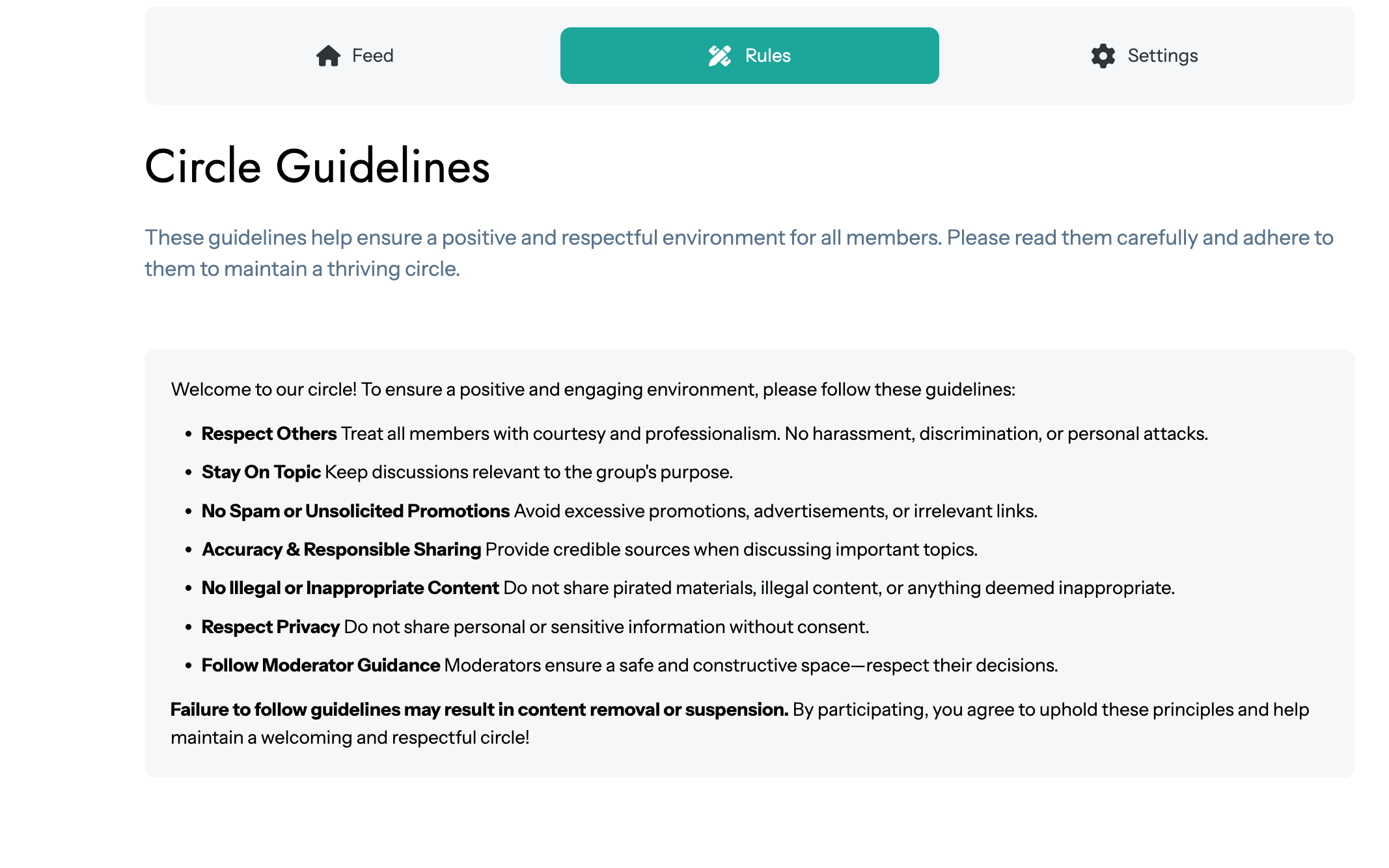
ClubCircles™ has built-in moderation tools for exactly this. Community rules are auto-generated (and easy to customize), members can flag posts that don’t belong, and admins get a dedicated queue to review reports and take action.
My recommendation: set clear expectations from day one. A quick “community guidelines” post pinned to the top of your main Circle goes a long way. Most people want to be helpful; they just need to know the norms.
Weave Community Into the Course Itself
This is where it all comes together. Community shouldn’t feel like a separate thing students have to remember to check. It should be part of the course.
Ideas that work:
- After key lessons, prompt students to share their takeaways or questions in the Circle
- Create weekly “show your work” threads where students post progress
- Celebrate completions publicly: “Congrats to everyone who finished Module 3 this week!”
- Invite advanced students or alumni to answer questions in specific threads
Because ClubSuite™ is built into MemberPress, students don’t need to context-switch between your course and some external platform. They’re already logged in, already on your site.
Final Thoughts
The courses with the best completion rates aren’t always the ones with the best content. They’re the ones where students feel like they’re part of something.
Community creates accountability, connection, and reasons to keep showing up when motivation dips. And with ClubSuite™, you can build that community right on your MemberPress site: profiles, directories, discussion spaces, all in one place.
Your students came for the curriculum. Give them a community, and they’ll stick around to see it through.
Ready to build a course community on your WordPress site?
MemberPress gives you everything you need: courses, memberships, and full community features with ClubSuite™.

Get MemberPress Today!
Start getting paid for the content you create.

If you liked this article, follow us on Twitter, Facebook, and LinkedIn. And don’t forget to subscribe to our newsletter!
Have you built community into your course? What’s worked (or not worked) for you? Let me know in the comments.












Good perspective. Success with AI depends far more on leadership vision and culture than on which tools get selected. Great read.
Thank you, Ian!