

The Delete Account settings allow you to specify where account deletion requests are sent and customize the subject line for these requests.
This guide walks you through setting the Delete Request Email and Email Subject fields.
Understanding the Delete Account Feature
Delete Account feature requirements define configurations for member-initiated account deletion request handling and administrator notification delivery.
Delete request email configuration: directs member deletion requests to the designated recipient for review and processing. Proper email setup ensures requests reach administrators responsible for account management.
Subject line customization: enables request email organization and filtering in the recipient's inbox. Custom subjects improve deletion request management and prioritization workflows.
Default email fallback: uses WordPress Administration Email when the delete request email field remains empty. Fallback ensures deletion requests always reach the administrator without requiring explicit configuration.
Member privacy compliance: enables self-service account deletion, supporting data protection regulations and privacy requirements. The deletion feature satisfies members' rights to data removal and account termination.
Request notification: system alerts administrators to member deletion intentions, enabling proper data handling. Notification ensures appropriate review and processing of deletion requests.
Delete Account Settings
The Delete Account section access enables configuration of deletion request email delivery and subject customization.
- Go to Dashboard > MP AppKit > Settings.
- Click the Feedback tab.
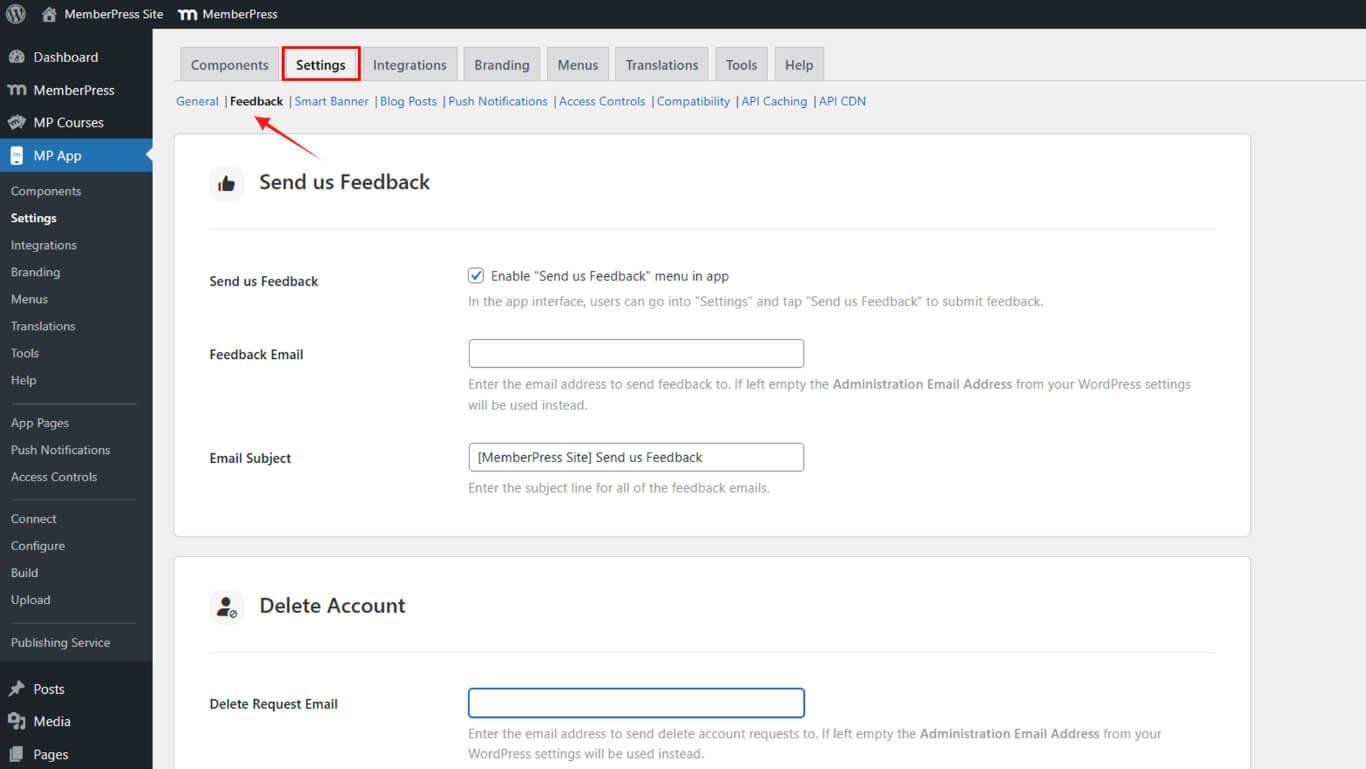
- Scroll down to the Delete Account section.
Setting Delete Request Email
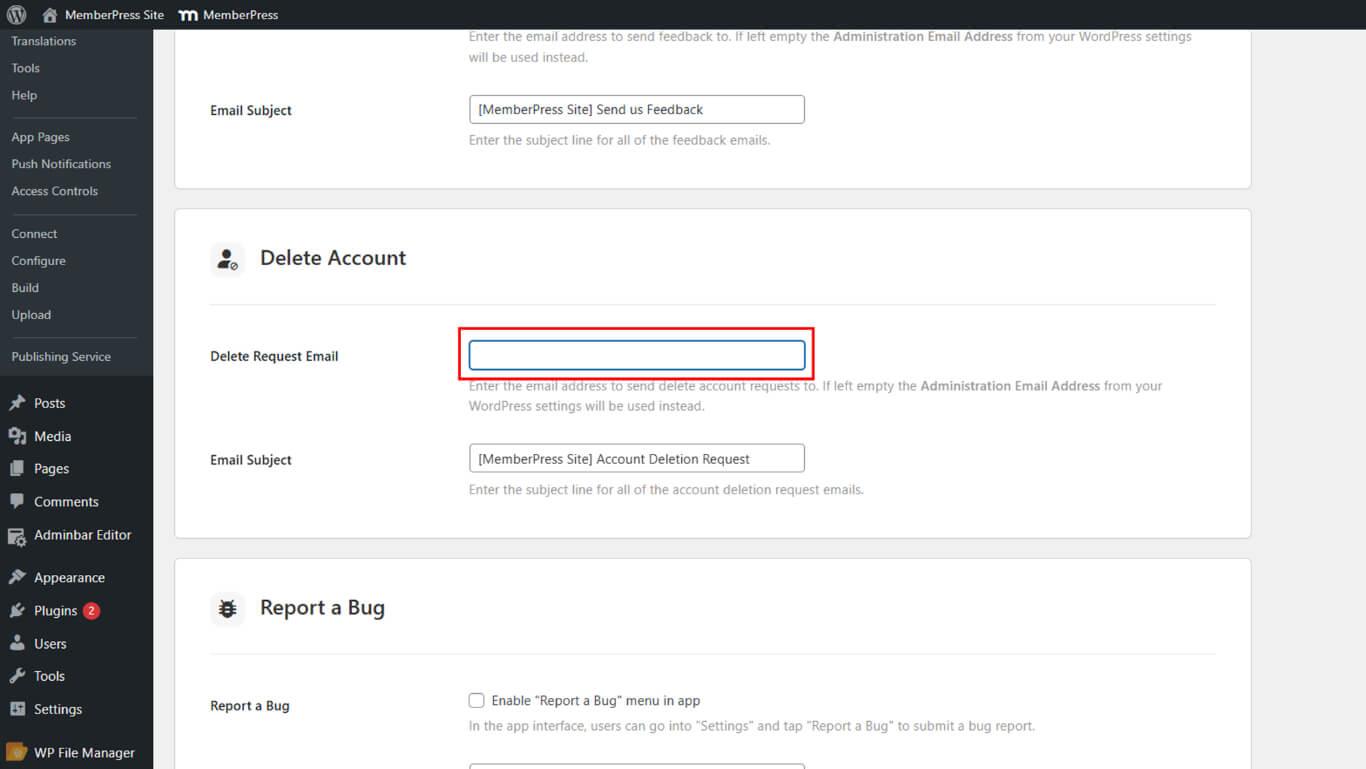
Delete request email configuration establishes the recipient address for member-initiated account deletion requests.
- In the Delete Request Email field, enter the email address where account deletion requests should be sent.
Setting Email Subject
Email subject configuration customizes the subject line for account deletion request notifications.
- In the Email Subject field, enter the subject line you want to appear for all account deletion request emails.
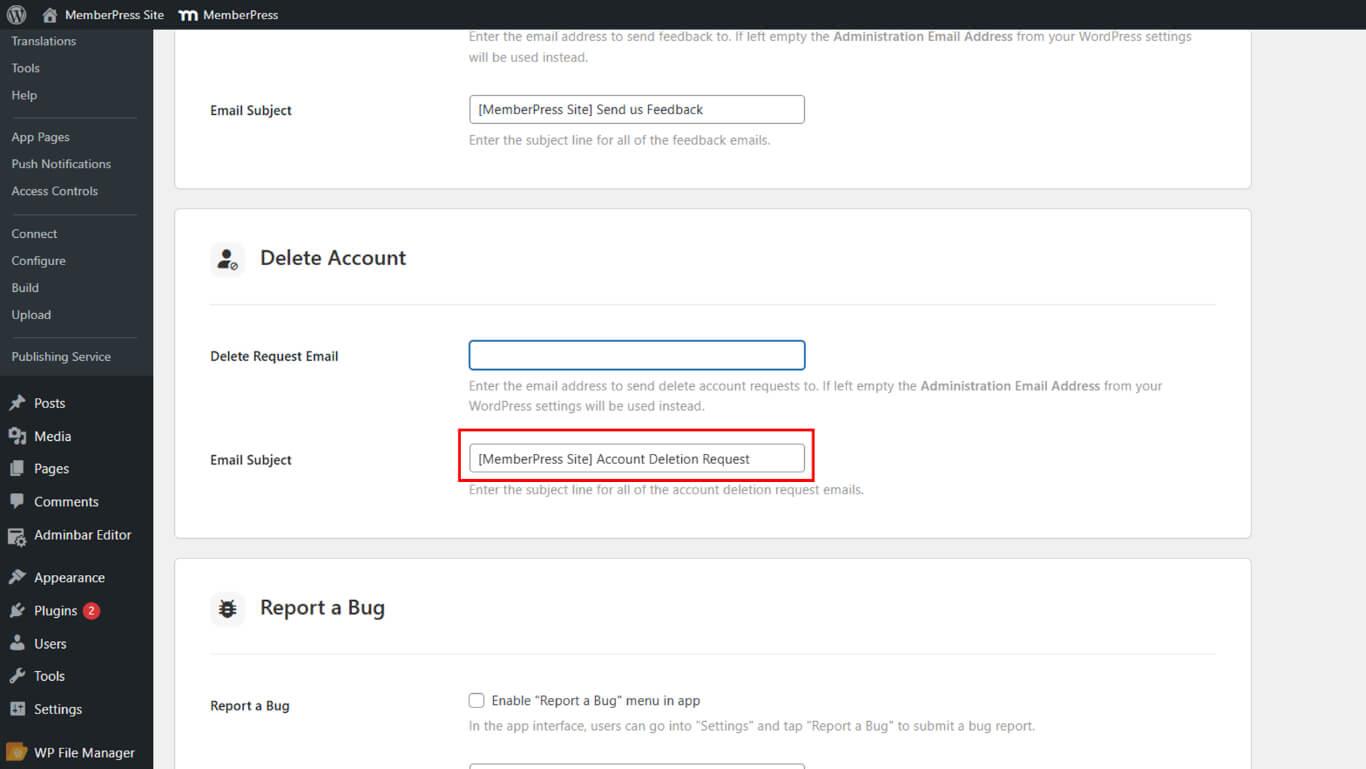
- Example: [MemberPress Site] Account Deletion Request.










