

The AI Quiz Builder generates quiz questions based on MemberPress Course lesson content. This feature creates questions that test student comprehension of course material. The AI Quiz Builder is part of the AI Course Generator which also allows generating courses and lesson content.
This document will show how to generate quizzes for MemberPress Courses using the AI Quiz Builder.
Prerequisites
The AI Quiz Builder requires the following:
- AI Course Generator add-on installed and activated;
- MemberPress Courses Quizzes add-on installed and activated;
- AI credits available on the account.
Quiz generation works best when lesson content exists for the AI to reference. The AI analyzes lesson material to create relevant questions. Without lesson content, the AI generates questions based only on the quiz title. This may produce less targeted results.
Available Question Types
The AI can generate several types of questions:
- Multiple Choice – single correct answer from several options;
- Multiple Select – one or more correct answers from several options;
- True/False – statement evaluation questions;
- Short Answer – questions that require students to answer with one or several sentences.
Accessing the AI Quiz Builder
The AI Quiz Builder can be accessed from the Quizzes list:
- Navigate to Dashboard > MP Courses > Quizzes.
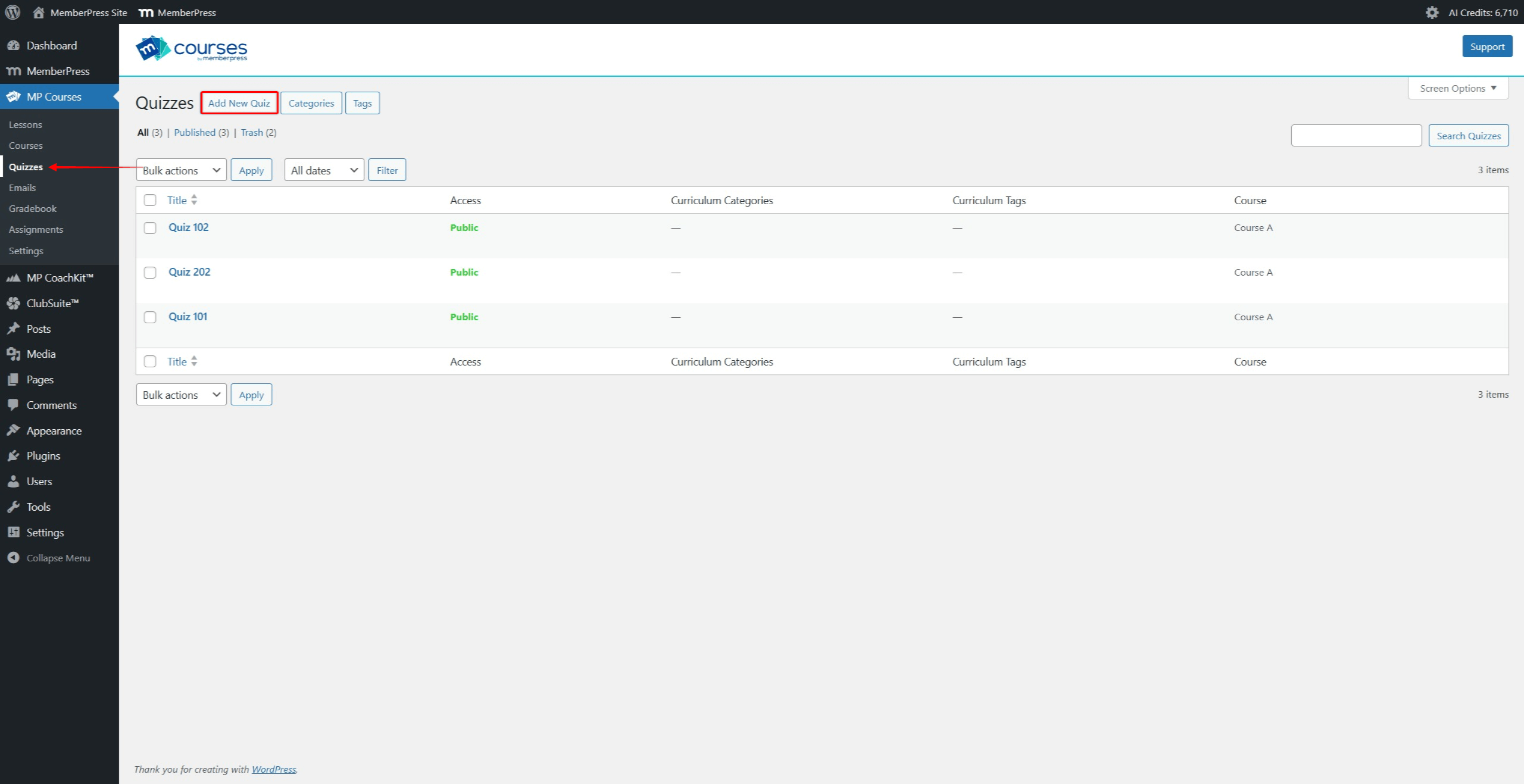
- Click Add New Quiz to create a new quiz. To edit an existing quiz, find it in the list. Hover over the quiz name to reveal additional options. Click the Edit link to open the Quiz Editor.
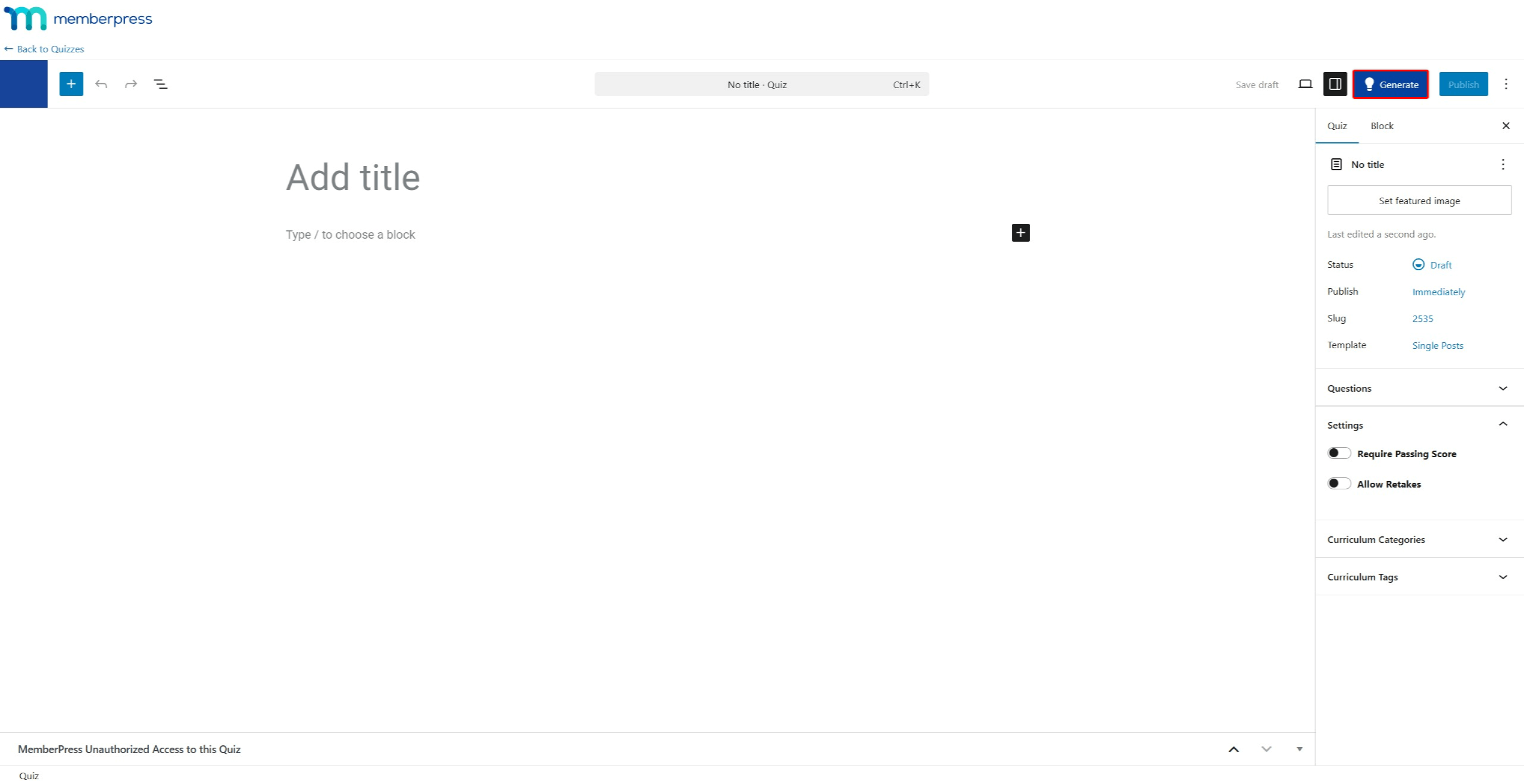
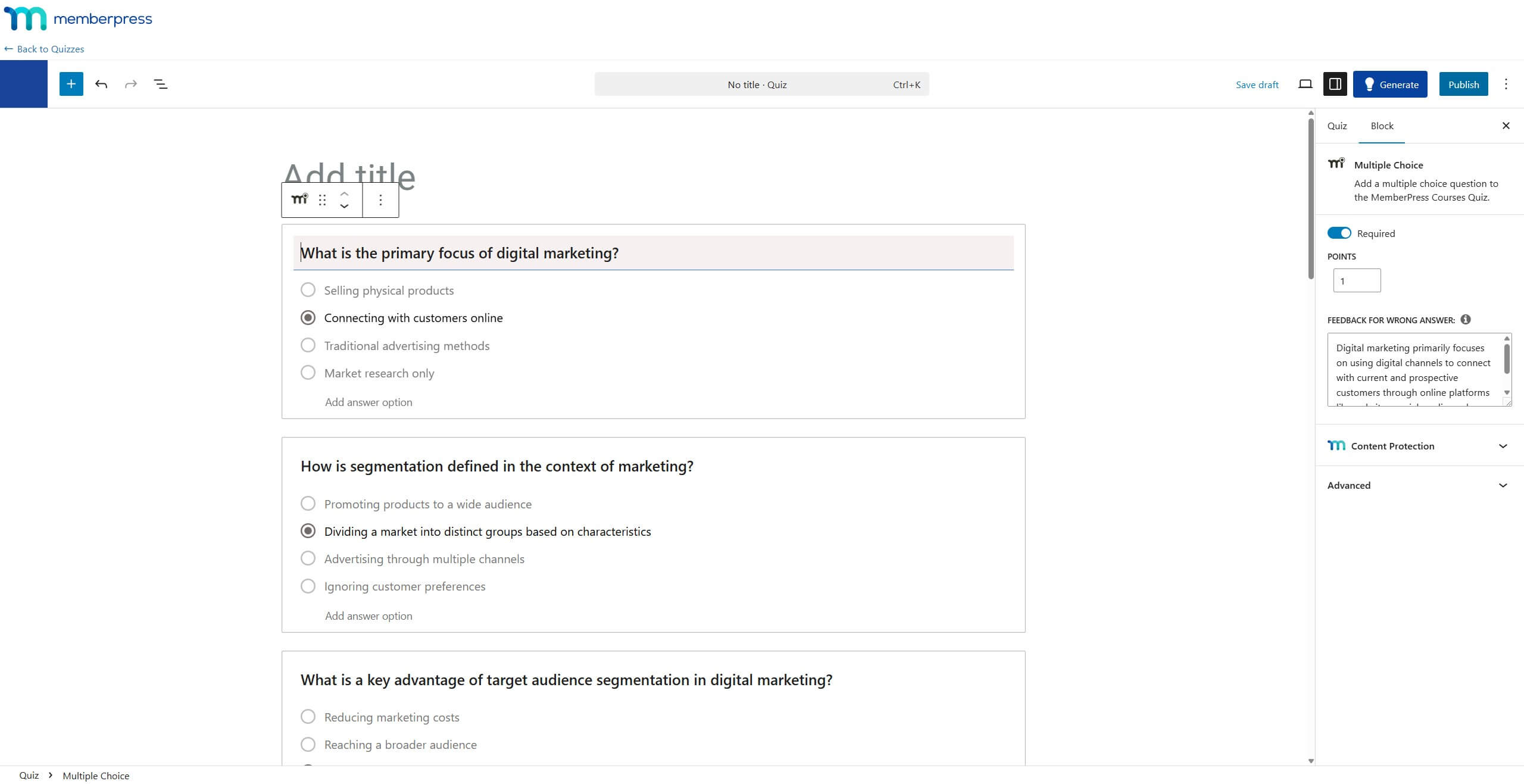
- Within the Quiz Editor, click the Generate button on the top-right side. This starts the AI Quiz Builder.
The AI Quiz Builder can also be accessed directly from the Lesson Editor.
Generating Quiz Questions
- Access the AI Quiz Builder.
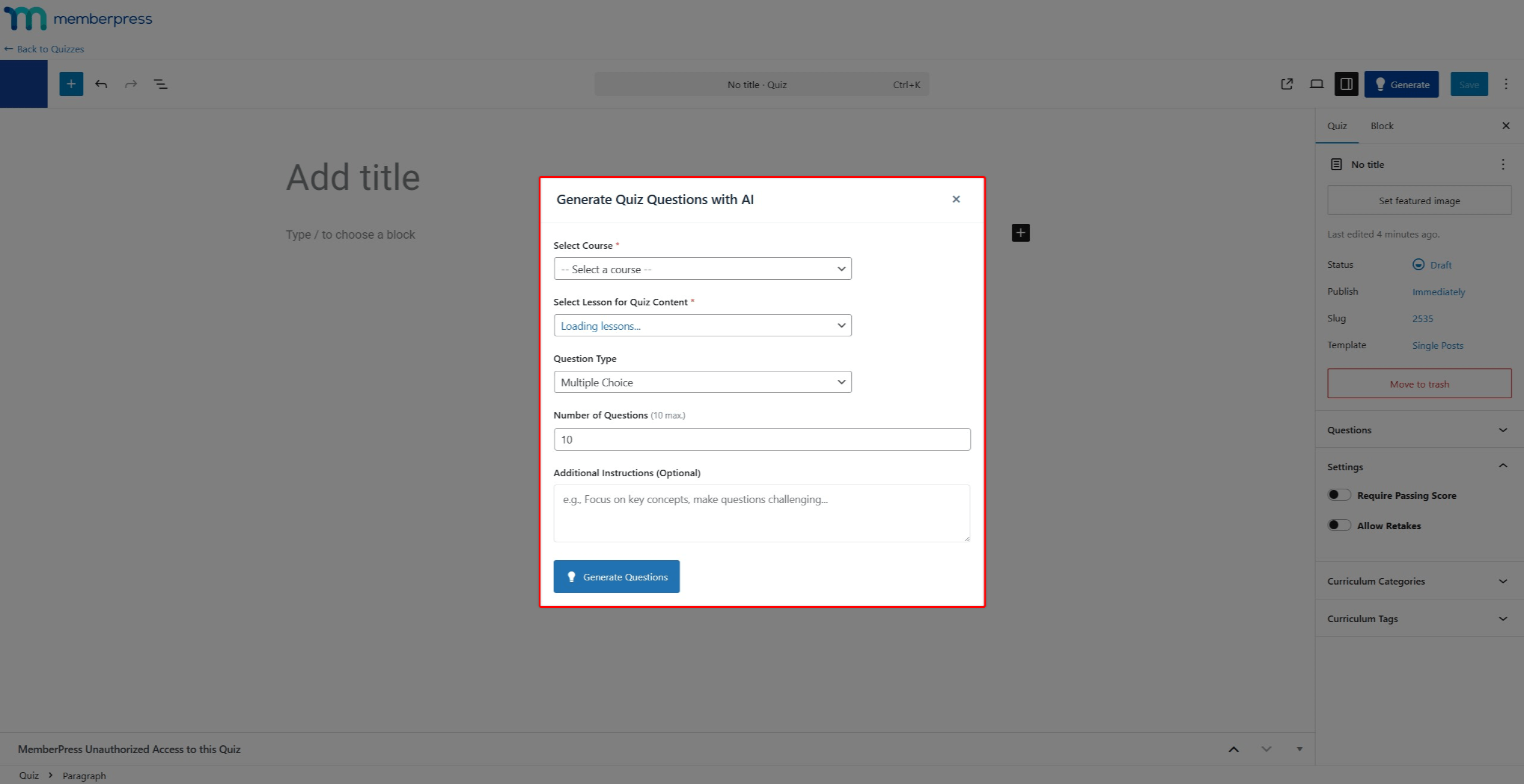
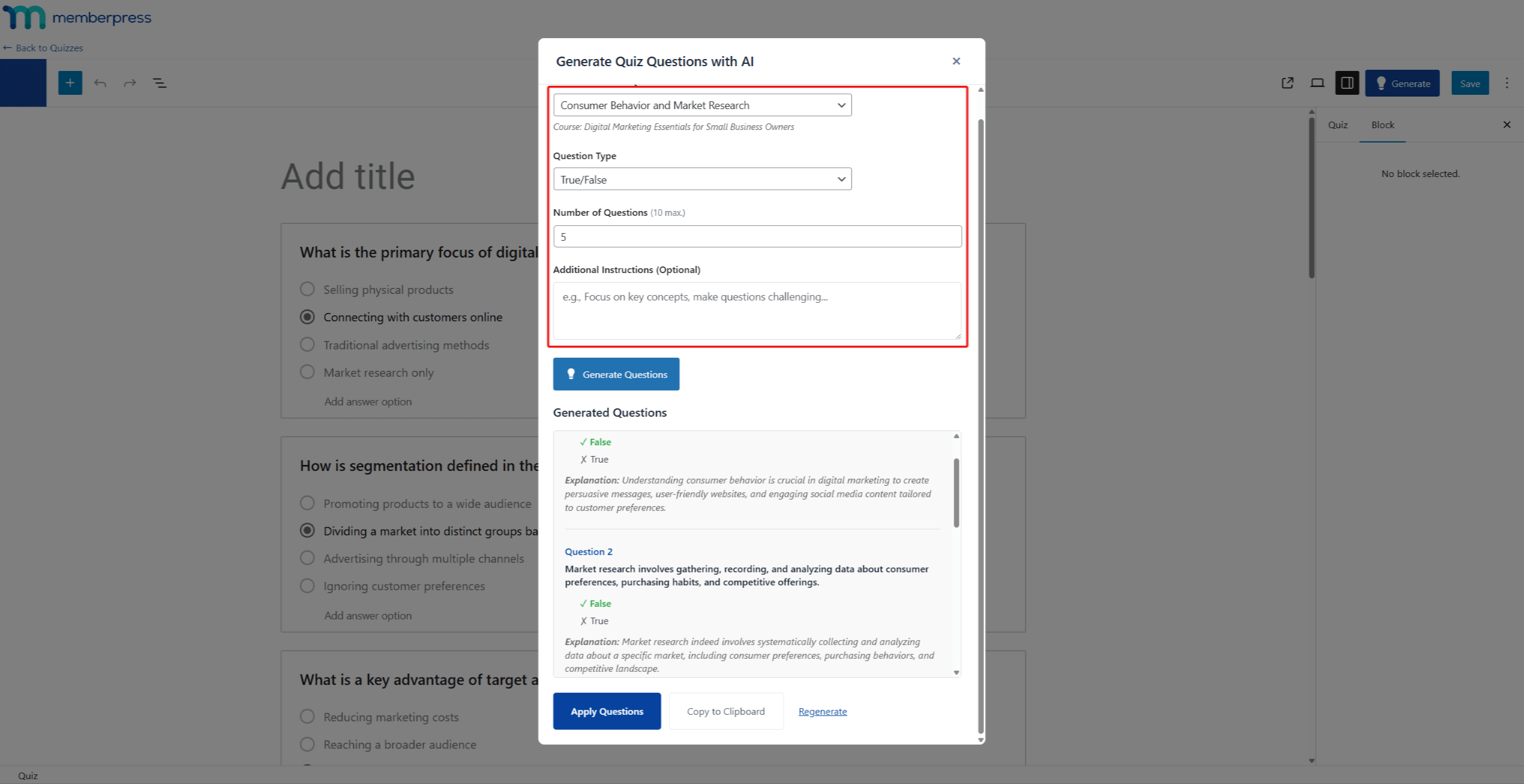
- Under the Select Course dropdown, choose a course.
- Under Select Lesson for Quiz Content, choose a lesson. This lesson content will be used to generate quiz questions.
- Under Question Type, select the desired question type.
- Set the Number of Questions to generate.
- Add Additional Instructions to refine quiz generation (optional).
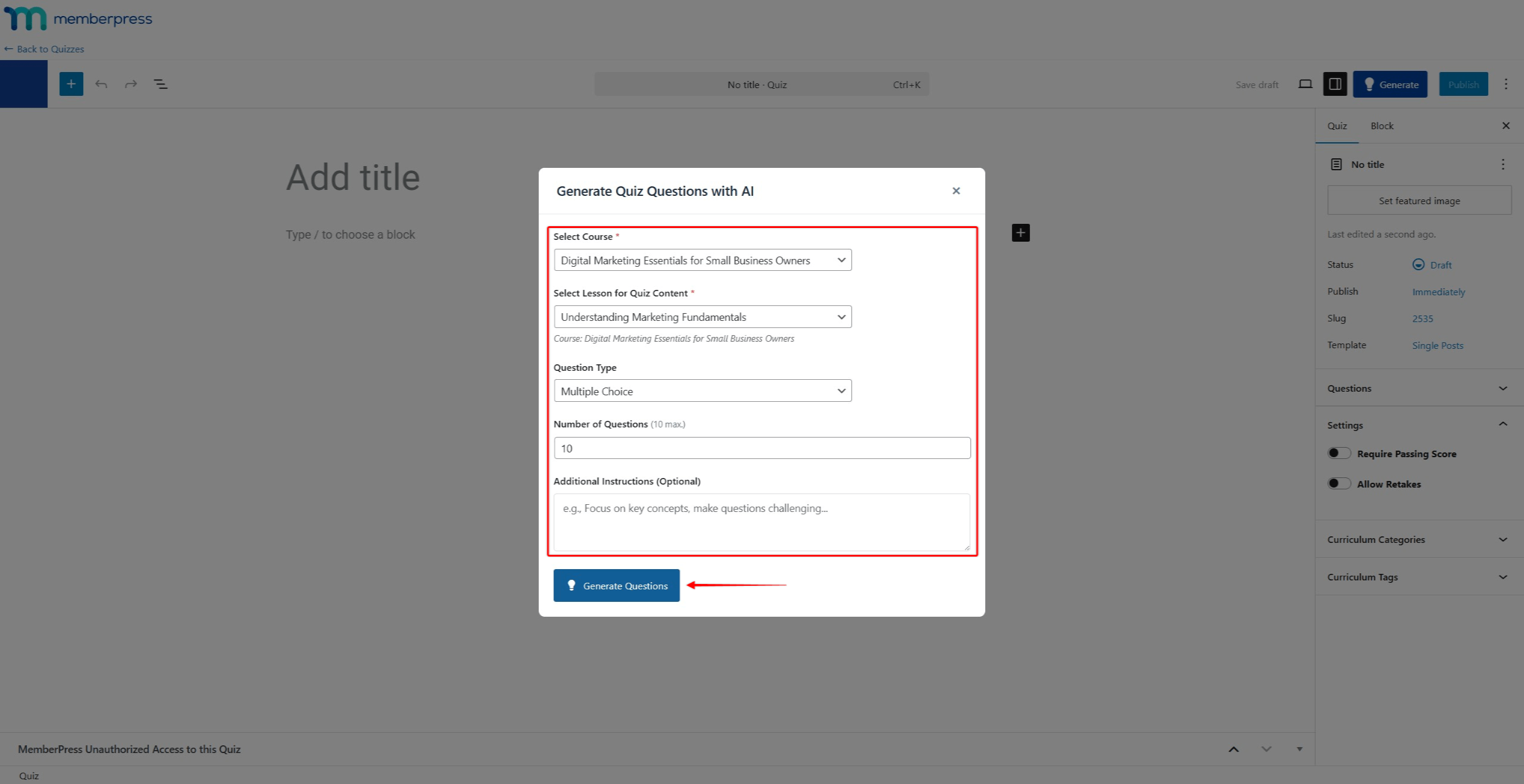
- Click the Generate Questions button.
- Review the generated questions. Click the Regenerate link to generate a new set of questions if needed.

- Click Apply Questions to add them to the quiz.
Building Comprehensive Quizzes With Multiple Rounds
The AI Quiz Builder allows generating questions in multiple rounds. This feature enables creating comprehensive quizzes that cover entire course sections or modules.
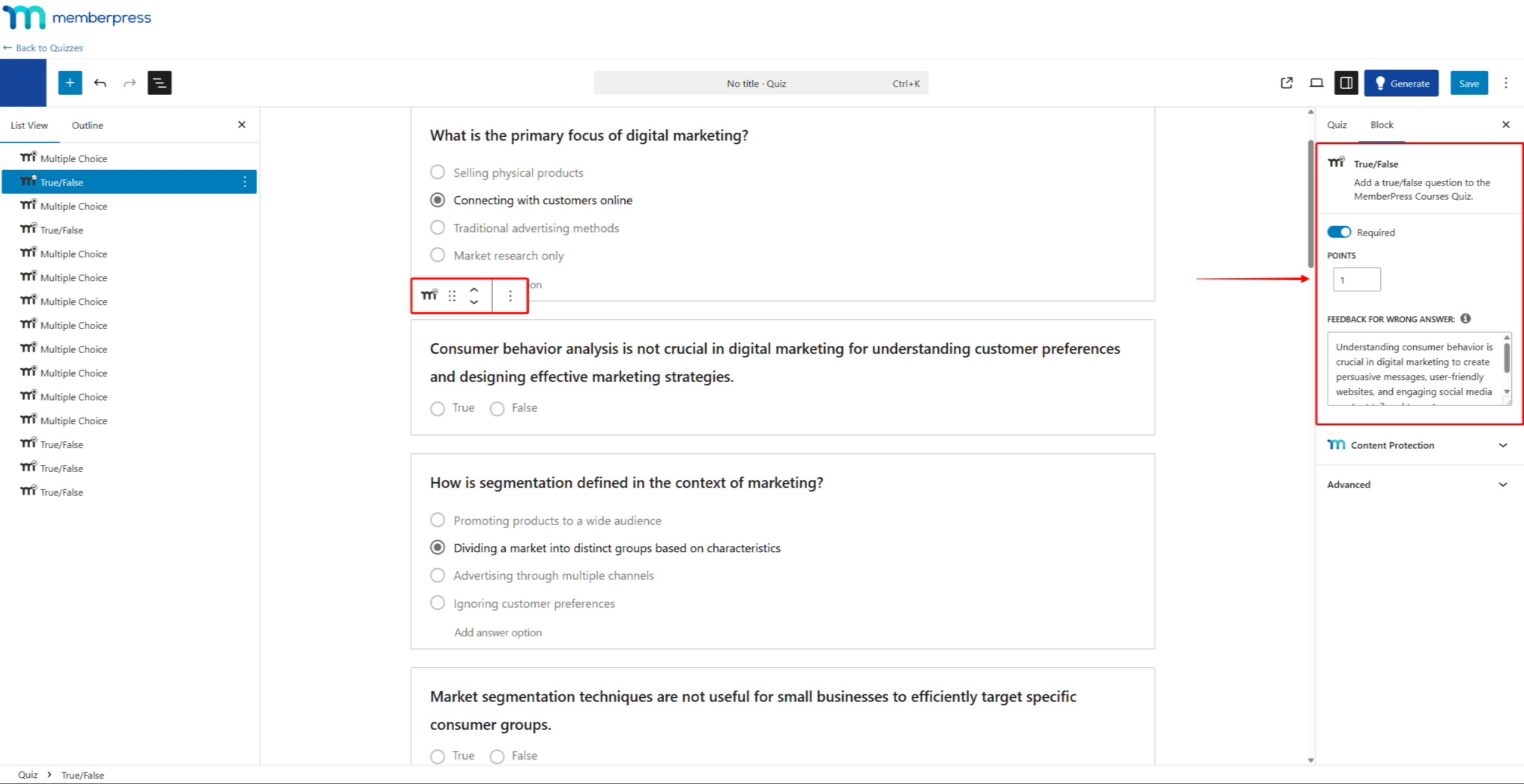
Each generation round can target a different lesson and question type. Generated questions are added to the existing quiz content. This approach allows building quizzes that test knowledge across multiple lessons.
Example: Creating a Module Quiz
Consider a course section with 5 lessons. A comprehensive quiz covering
this section could be built using the following approach:

1. True/False Questions Round
   - Run 5 generation rounds, one for each lesson in the section.
   - In each round, generate 2 True/False questions.
   - Result: 10 True/False questions covering all 5 lessons.

2. Multiple Choice Questions Round
   - Run 5 generation rounds, one for each lesson in the section.
   - In each round, generate 2 Multiple Choice questions.
   - Result: 10 Multiple Choice questions covering all 5 lessons.

3. Short Answer Questions Round
   - Run 5 generation rounds, one for each lesson in the section.
   - In each round, generate 1 Short Answer question.
   - Result: 5 Short Answer questions covering all 5 lessons.

Total: 25 questions covering the entire module with varied question types.
To add questions in rounds, repeat the steps in the Generating Quiz Questions section. Select a different lesson or question type for each round. The new questions are appended to the existing quiz content.
Editing Generated Questions
After generation, all questions appear in the quiz editor. Each question can be modified using the standard quiz editing interface:
- Edit question text and answers;
- Reorder questions;
- Delete questions.
Additional questions can be added manually alongside AI-generated questions.
Summary
The AI Quiz Builder streamlines quiz creation by generating questions from lesson content. It supports multiple question types and allows building comprehensive quizzes through multiple generation rounds.
The AI Quiz Builder is part of the AI Course Generator and works alongside the AI Lesson Assistant. All features are built on MemberPress Courses Quizzes.










