


Skip the shipping hassles and learn how to sell digital products on WordPress using MemberPress.
Selling physical products is a lot.
No matter how simple the idea or how brilliant the invention, the challenges don’t change. You’re dealing with manufacturing, upfront costs, shipping logistics, and the very real question of where all that inventory is going to live.
It’s overwhelming enough to stop many entrepreneurs before they ever begin.
Digital products are a different ball game.
No warehouse. No production delays. No boxes piling up in your spare room. Instead, you take the knowledge, skills, or systems you already have and turn them into something people can download or access instantly.
In this guide, I’ll show you why choosing digital products is one of the smartest business decisions you can make.
I’ll also share practical ideas you can start with and then walk you through exactly how to set up your digital product store on WordPress using MemberPress, step by step.
But first…
What are Digital Products?
Digital products are items you sell online that don’t exist in physical form. Instead of shipping a package, customers get instant access – usually through a download, login, or email.
In simple terms, they’re products people can use, watch, read, or listen to on a screen.
Here are common examples that most creators and business owners sell:
- Ebooks & guides – PDFs, workbooks, checklists
- Online courses – video lessons, written modules, or mixed formats
- Memberships – gated content, resources, communities, or ongoing training
- Templates & tools – planners, Notion templates, spreadsheets, swipe files
- Digital downloads – printables, trackers, prompts, or worksheets
- Audio products – podcasts, workshops, or recorded trainings
What makes digital products powerful is how they’re delivered. Once created, they can be sold repeatedly without worrying about manufacturing, storage, or shipping. A single product can reach one person – or ten thousand – without extra effort.
For creators, educators, and service providers, digital products are often the easiest way to turn knowledge and experience into income.
What are Some Digital Products to Sell
The “What do I sell?” question is the biggest hurdle I see most creators face. But most times, you likely already have the product. It’s just a matter of packaging the knowledge or files you already possess.
You also don’t need a dozen different tools to manage these different formats. MemberPress works as an all-in-one hub, giving you one place to protect and sell whatever you create.
Here are a few ways you can monetize what you already have:
1. Premium Content (The Paywall)
This is the classic move, and honestly, it’s usually the easiest place to start. Instead of building a completely new product from scratch, you simply take your highest-value work and reserve it for your paying subscribers.
When you use MemberPress, you can convert your ‘ordinary’ file to a paid access. Here is what creates real value behind a paywall:
- Exclusive Articles & Deep Dives: We all writefree blog posts for SEO, but your best work – the detailed, step-by-step guides that actually solve expensive problems – can be a premium perk.
- Paywalled News & Industry Data: If you are the person who constantly tracks trends (like crypto, real estate, or AI updates), you can sell that curation. People will happily pay you to save them the time of researching it themselves.
- Podcast Show Notes & Transcripts: Your audio might be free to attract listeners, but the “cheatsheets,” transcripts, and resource links are valuable add-ons for super-fans who want to take action on what they heard.
- Dripped Content: This is a strategy I love. Instead of giving access to a 10-part story or tutorial series all at once, you release it “chapter by chapter.” It builds anticipation and gives members a reason to stay subscribed.
You don’t need to hunt for extra add-ons to make this happen. This is the core of what MemberPress does. You simply use the Rules feature to decide who gets to see what. You can lock down specific pages, categories, or even single tags with a few clicks.
And for that “Dripped Content” I mentioned? It’s built right in. You can set a rule that says, “Give access to Chapter 2 exactly 7 days after signup.” It automates your engagement so you don’t have to manually email files every week.
2. Downloadables
Sometimes your audience wants something they can take with them, like a file they can save, print, or use offline. This is one of the most scalable business models because you build the asset once, and it sells indefinitely.
Here are the most popular formats:
- Ebooks: You don’t need a publisher. Package your expertise (or a collection of your best blog posts) into a polished PDF.
- Templates: People love shortcuts. If you have a killer Excel spreadsheet, a Notion dashboard, or a set of Canva designs, sell the file. You are selling them time saved.
- Printables: Think planners, checklists, or educational worksheets.
- Stock Media, Art & Audio: Whether it’s high-res photography, illustration packs, or music samples, creators are always looking for assets to use in their own work.
The MemberPress Downloads add-on is built for this.
A lot of people make the mistake of just putting a direct link to a PDF on a password-protected page. The problem? Anyone with that link can share it with the world.
MemberPress Downloads solves this by protecting the file itself. It generates a secure URL that checks if a user is actually logged in and has permission before the download starts. It also tracks exactly how many times your files are being downloaded, so you can see which products are performing best – all from your existing dashboard.
3. Online Learning Courses
If you have a skill to teach, a course is the most powerful way to do it. While an ebook gives information, a course provides a transformation. It takes your students from point A to point B in a structured way.
Here are the best ways to structure it:
- Video Lessons: Think of this as building your own “Netflix for Learning.” Whether you are teaching guitar, coding, or cooking, video is the most engaging way to demonstrate complex topics.
- Certifications: People love proof of their hard work. Offering a certificate upon completion adds legitimate value to your course and gives your students something to show off on LinkedIn or their resume.
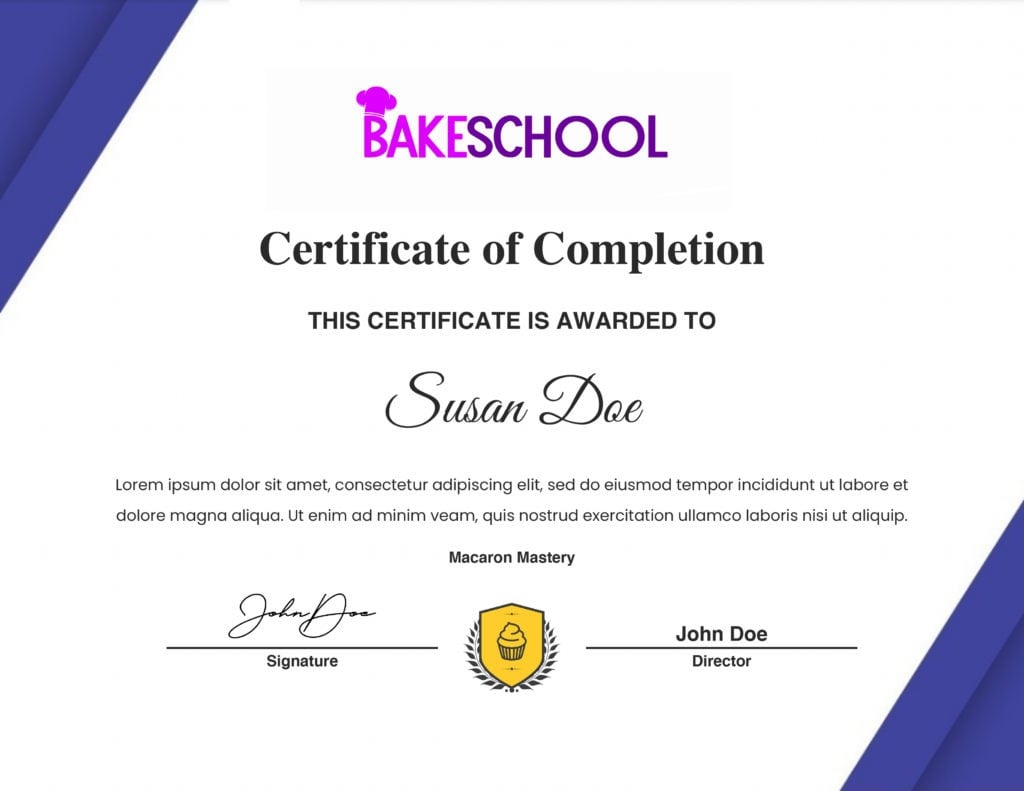
In the past, you had to buy a separate Learning Management System (LMS) and try to bridge it with your membership plugin. It was clunky and expensive.
MemberPress Courses add-on changes that by bringing the entire experience inside your existing dashboard. You get a visual, drag-and-drop builder to organize your lessons, and a “Classroom Mode” that automatically styles your content so it looks professional without any coding. Plus, Quizzes and Certificates are built right in, so you can test progress and reward your students automatically.
4. Coaching
This is another great way to monetize your expertise. While a course teaches a skill, coaching ensures results. It’s about selling “access to you” and actively guiding your clients to a specific goal.
Here is how you can start a coaching business digitally:
- Guided Programs: Instead of just dumping information on a client, sell a 12-week program where you actively track their habits to ensure they do the work.
- Milestone-Based Assets: Don’t overwhelm clients with files. Release specific PDFs or videos only when a client completes a specific goal.
- Private Client Portals: Give your one-on-one clients a dedicated “home base” where they can find their specific resources, notes, and homework.
- Accountability Services: Charge a subscription for discipline. You provide the habit-tracking routine, and they pay for the structure that keeps them consistent.
MemberPress CoachKit™ makes this easy.
For a long time, running a coaching program online meant juggling a mess of spreadsheets, email threads, and third-party apps.
CoachKit™ eliminates that chaos by building the coaching experience directly into your WordPress site.
You can create “cohorts” of students, assign them daily habits to track, and even message them directly.
It seamlessly connects your digital content (courses and downloads) with the personal guidance your clients are paying for – all in one place.
5. Community & Networking
Sometimes the product isn’t the content; it’s the people. People are often willing to pay a premium just to be in the room (or on Zoom) with the right crowd. Selling access to a community is one of the stickiest ways to build recurring revenue because members stay for each other.
Here are a few ways to monetize connection:
- Exclusive Communities: This is the “Inner Circle” model. You charge for access to a private space where members can ask questions, share wins, and get support away from the noise of social media.
- Expert Directories: This works like a premium “Yellow Pages” for a specific niche. You can sell listings to professionals who want to be found. For example, a “Find a Vetted Nutritionist” directory where practitioners pay you to be listed.
- Member-to-Member Networking: Create a digital hub for people in a specific industry to connect, collaborate, and find jobs or partners.
You can get this done seamlessly with MemberPress ClubSuite™ , specifically ClubDirectory™, ClubCircles™, and ClubConnect™.
Usually, adding a community means sending your paying customers off-site to Facebook Groups or Slack, where you lose control of the experience (and the data).
MemberPress ClubSuite™ keeps them on your site. ClubCircles™ lets you build your own social feed and private groups right inside your membership.
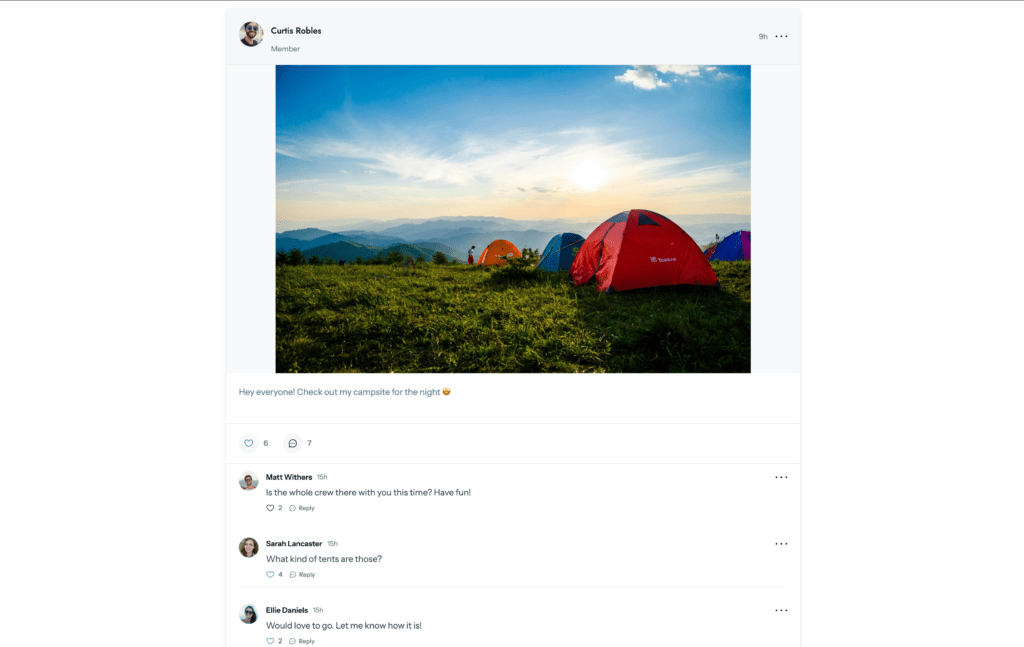
ClubDirectory™ turns your member list into a searchable public (or private) directory. This combination turns your website from a simple store into a bustling digital hub.
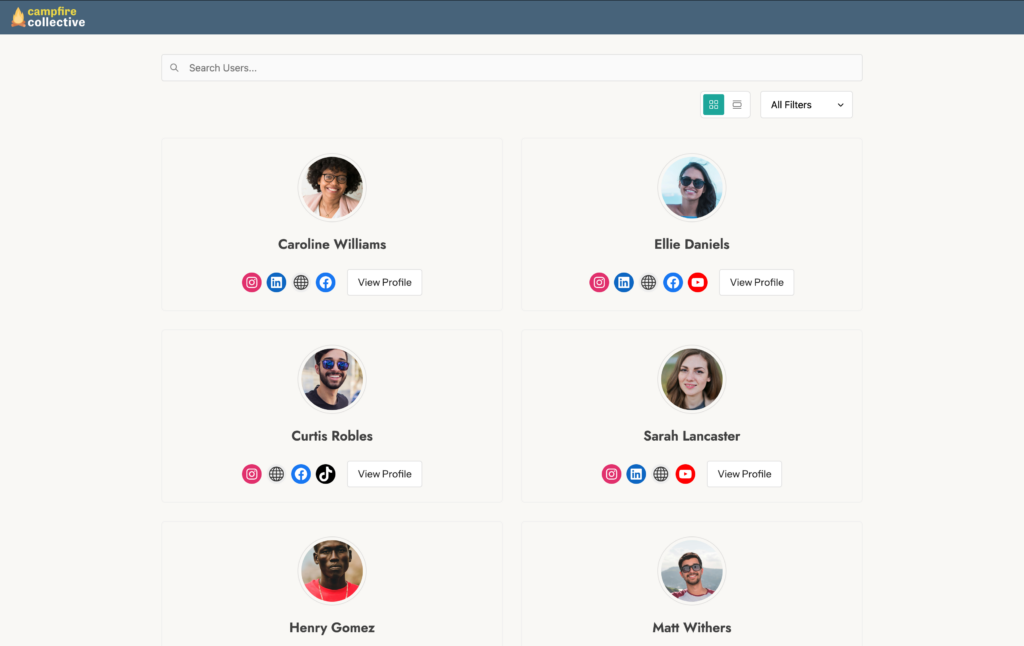
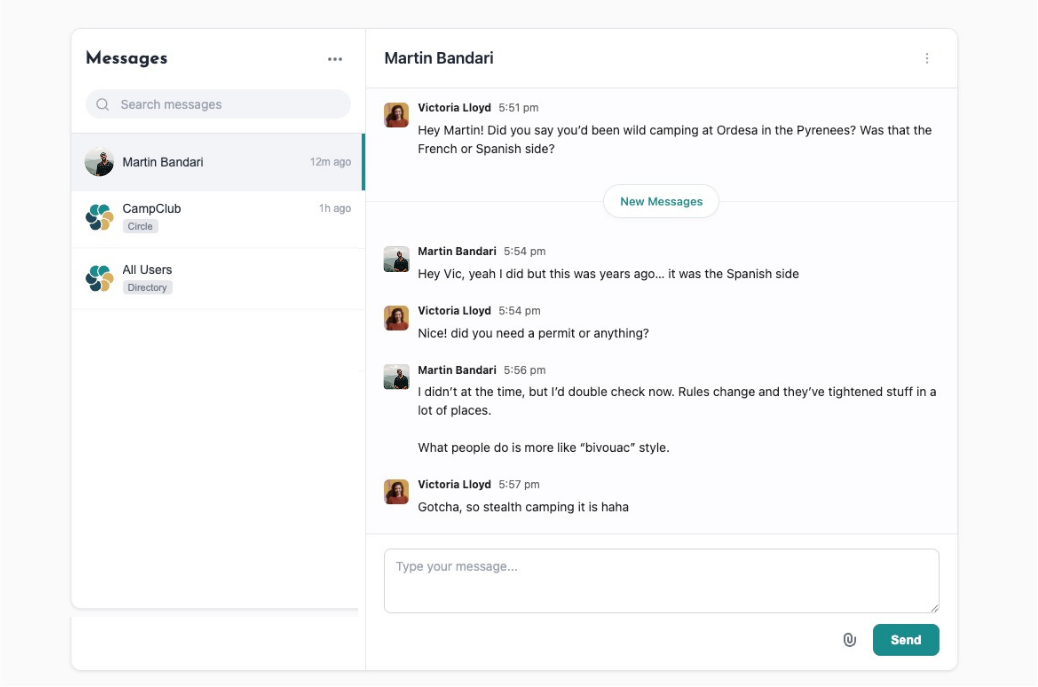
ClubConnect™ enables private messaging between individual members, groups of members, or even between members and admins.
6. Software, Apps, & Licenses
For the more tech-savvy creators, code is the ultimate digital product. Whether you are building a tool that solves a specific problem or creating assets for other developers, selling software is one of the most scalable ways to build recurring revenue.
Here are the main ways to package your code:
- WordPress Plugins & Themes: If you’ve built a custom solution for your own site, chances are other site owners need it too.
- Web & Mobile Apps (SaaS): You can sell access to a web-based tool. Think of calculators, generators, or project management dashboards.
- Game Assets: Indie game developers are always hunting for character models, texture packs, or code snippets to speed up their development.
- Software Licenses: Selling desktop software or scripts that require a valid key to operate.
Depending on what you are building, there are three ways to handle this with MemberPress:
- The “Core” Method (Subscribers Only): This is the simplest approach. You use MemberPress Rules to protect the specific page where your web app lives or where the download link sits. If a user’s credit card fails or they cancel their subscription, the Rule kicks in immediately, and they lose access to that page.
- The Licensing Method: If you are selling a WordPress plugin or desktop software, you usually need to verify that the user has an active subscription inside the software itself. You can integrate MemberPress with tools like the Software License Manager plugin. This allows you to automatically generate license keys when someone buys and validate them based on the member’s status.
- The B2B Play (Corporate Accounts): If you are selling your software to companies rather than individuals, use the Corporate Accounts add-on. This allows a manager to buy one bulk membership and then invite their employees to use the software. It’s a great way to land high-ticket sales without managing 50 separate billing accounts.
5 Benefits of Selling Digital Products
Now that we’ve covered what you can create, let’s look at why this business model is so effective.
Selling digital products isn’t just about avoiding shipping costs; it’s about leverage. You are building an asset once and selling it repeatedly, without the operational drag that often slows down traditional retail.
Here are the five biggest advantages of going digital:
1) Less hassle than physical goods
Even though it can be rewarding, making and selling physical products can be a pain in the neck.
You have to worry about manufacturing, inventory, shipping, and supply chains.
Let’s say you’re a candlemaker. But you live in a small apartment and don’t have the space to cook up candles right now.
No problem. Instead of turning your tiny kitchen into a scene out of Breaking Bad, turn your expertise into digital downloads.
- Film a video course on how to make candles.
- Write some guidebooks so others don’t spill wax on the dog like you did (lol)
- Create candle label templates that’ll be sure to stand out on Pinterest feeds everywhere
2) More cost-effective
Aside from the hassle, physical goods are expensive to make. This means less money in your pocket. You have to pay for materials, storage, and shipping before you even make a sale.
With digital goods, your overhead is incredibly low. You’re basically looking at:
- Your time (upfront)
- A domain name & hosting
- MemberPress
Since the cost of “duplicating” a file is zero, almost every dollar you make is pure profit.
3) Create passive income
By selling files, you can leverage the power of recurring revenue.
If you create a file once, it can be sold an infinite number of times, forever.
There’s no need to produce multiple copies to stock up on inventory. And, there isn’t a bunch of extra work involved like there is when selling a service (you should definitely update it from time to time).
Also, selling files through monthly or yearly membership packages can be a great way to generate predictable income.
4) Do it from anywhere
“Work from anywhere” can sound like a cliché, but with digital products, it’s a reality. You don’t need a warehouse, a brick-and-mortar lease, or a Point of Sale system.
All you really need is a laptop. Whether you are working from a coffee shop, a beach in Cabo, or just your living room, your store is always open and your “inventory” is always in stock.
5) Scalability
To grow a physical business, you may eventually have to scale. You need a bigger warehouse, more employees, and more capital to buy stock.
However, digital businesses scale without the growing pains. You don’t need to hire a logistics team to sell more ebooks. You can double your revenue without increasing your workload or your overhead.
Why Sell Digital Products with MemberPress vs Third-Party Marketplaces
When you are just starting out, it is tempting to upload your course to Udemy, your templates to Etsy, or start your community on Skool. It seems easier to go where the traffic already is.
But while these platforms are great for getting noticed, they come with a ceiling. In the long run, building your business on “rented land” limits your growth.
Here is why hosting your own store on WordPress with MemberPress is the smarter play:
- No Astronomical “Platform Tax”: Major marketplaces take a significant cut of every single sale you make, forever. And as you grow that figure compounds. We’re talking 1000s of dollars a month spent just on transaction fees.
MemberPress only takes a small cut on it’s “Launch” plan – when you’re starting out and that cost is low. Once you move up to Growth or Scale your only overhead is your MemberPress license – that’s it. - You Own the Customer: On third-party platforms, they aren’t your customers; they are Etsy’s or Skool’s customers. When you sell on your own site, you build your own email list, track your own analytics, and own the relationship directly.
- Total Brand Control: You aren’t competing for attention in a search bar next to 50 other creators selling the exact same thing. You control the journey, the branding, and the experience from start to finish.
- Immunity to “Algorithm Changes”: You are not at the mercy of a sudden policy update or algorithm shift that wipes out your traffic overnight. You own the platform.
How to Sell Digital Products on WordPress
Setting up your digital shop might feel like a big technical leap, but it’s actually quite streamlined. You don’t need to be a developer to pull this off; you just need the right foundation.
Here is the quick roadmap to getting your store online:
1. Build Your WordPress Site
First, you need a home base. If you haven’t already, you’ll need to secure a domain name, buy web hosting, and install WordPress. This is the foundation that ensures you own your platform and your data.
2. Get MemberPress
Once your site is live, it’s time to add the engine. Purchase and install the MemberPress plugin.
Note: Be sure to choose the plan that includes the specific tools you need. For example, if you want to sell Courses, CoachKit™, or Corporate Accounts, make sure you pick the plan that supports those add-ons. Scale is a recommended plan for all.
3. Activate Your Add-ons
MemberPress is built to be lightweight, so it doesn’t auto-activate every feature by default. You simply go to the dashboard and turn on exactly what you need.
- Selling files? Flip the switch for MemberPress Downloads.
- Selling a curriculum? Turn on MemberPress Courses.
- Starting a coaching program? Activate CoachKit™.
Need help connecting the dots?
We don’t expect you to guess your way through the settings. We have a massive library of Knowledge Base docs, complete with thorough, easy-to-follow video tutorials that show you exactly where to click.
And if you want to skip the setup entirely, check out our Done For You Services. Who better to build your site than the team that built the software? Let the MemberPress in-house experts handle the development for you so you can launch without the headache.
Finally…
With the technical side sorted, you are now free to focus on creating great and valuable content for your audience, which is what matters most.
You have the roadmap. You have the tools. Now, it’s time to turn that idea into income.
Got questions or additional tips on selling digital products? Let me know in the comments below!

Get MemberPress Today!
Start getting paid for the content you create.













Add a Comment