

I have a confession to make. When I wrote my member retention playbook a few months back, I made a huge mistake in overlooking directories as a massive value add.
It wasn't until we started creating ClubDirectory™ I realised what highly requested feature it was and why.
If you already have a membership site, adding a directory is such a simple and elegant way to add value to your existing memberships.
And with ClubDirectory™, it requires little to no setup – so it's just a fantastic, low-effort way to boost your existing offerings.
And if you don't have a membership site yet, this is your easy win for monetization.
If you specialize in a certain field, want to create a truly useful resource for a specific industry, or already have an engaged community, you can sell memberships that allow businesses or professionals to be featured on your site.
It's a straightforward way to monetize your WordPress site from scratch!
You can easily create premium tiers for inclusion or access, turning your expertise into a reliable revenue engine.
If you can't quite visualize how you can use business directories on your site, or how it might benefit you, don't worry!
By the end of this read, your neurons will be firing on all cylinders, and you'll have a clear blueprint on how to get it set up on your site.
What Is a Business Directory?
A business directory is an online, organized, and searchable list of member profiles.
It could be all of your members, a curated subset of your members, or members who are paying for the privelege of being featured.
Profiles in a business directory include key information including:
- Business Name
- Brand photo or logo
- Location
- Description of products or services offered
- Links to website and social media channels
Leveraging the Power of Business Directories
Here are a few ways adding a business directory to your site adds value to your membership
- Curated Options: By offering a handpicked selection of businesses, you can save people time and guard against information overload.
- Integrated Services: By centralizing diverse services on one platform, you're offering users a seamless experience. This can boost user retention and engagement rates on your platform.
- Safety and Trust: By vetting the businesses listed in your directory, you're showing your users that their security is important to you. This in turn builds user trust and loyalty.
- Increased Site Traffic: Business directories act as a powerful magnet, attracting more traffic to your site. The businesses listed enjoy increased visibility, and your site becomes more popular.
A business directory is a compelling reason for potential members to join your site and keep existing members coming back.
How Business Profiles Look in MemberPress
With the MemberPress ClubDirectory™ add-on, you can instantly turn your member list into a professional resource.
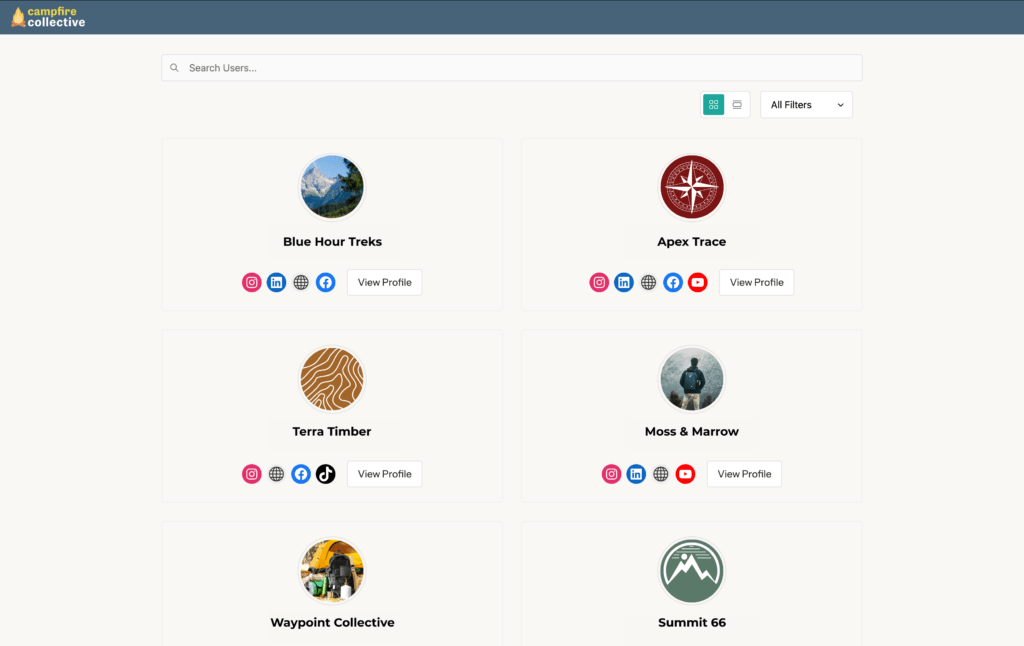
Create Rich Profiles
Members get their own space to showcase who they are, their expertise, achievements, and personality.
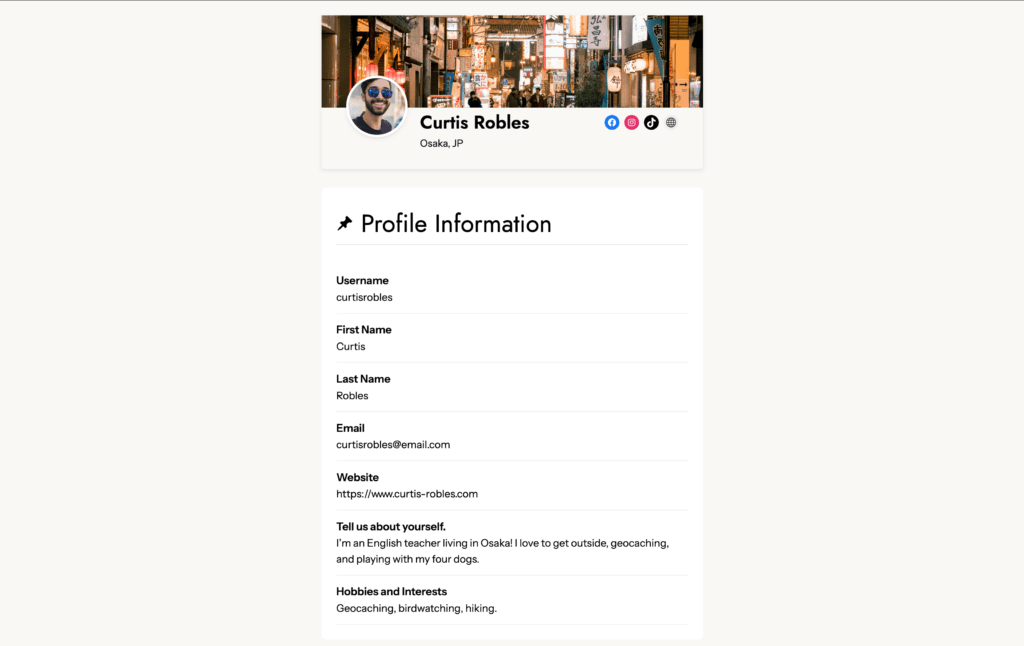
For brands, profiles are a way to showcase their brand identity and share key business information, website links, and social media channels.
Make Highly Relevant Connections
The directory is fully searchable and filterable, which means other members can easily find a service provider in their area, colleagues in the same field, or peers working toward the same goals.
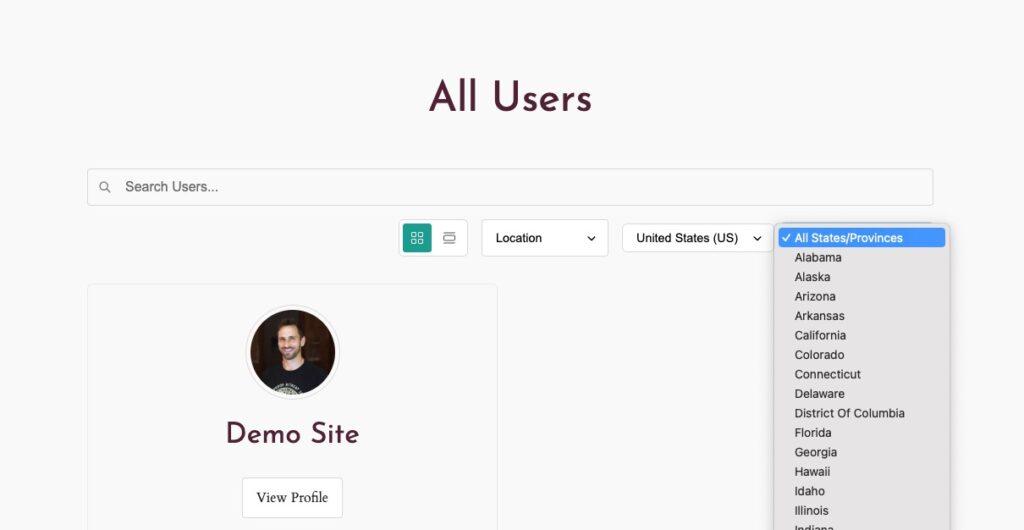
Filter by location and other desired parameters to help people find each other and make relevant connections.
Create Directories in an Instant!
If you already have a membership site built with MemberPress, ClubDirectory™ can automatically create profiles and directories based on existing information the information they provided at registration.
You can create separate directories based on traits such as membership level, user role and location.
ClubDirectory™ also automatically makes sure your directories stay up to date as members join or leave. No extra admin is always a win!
Connect with ClubCircles™
Invite members with profiles to engage on your site with the ClubCircles™ add-on.
Create forums right on your site where businesses can network, exchange experiences, and empower each other.
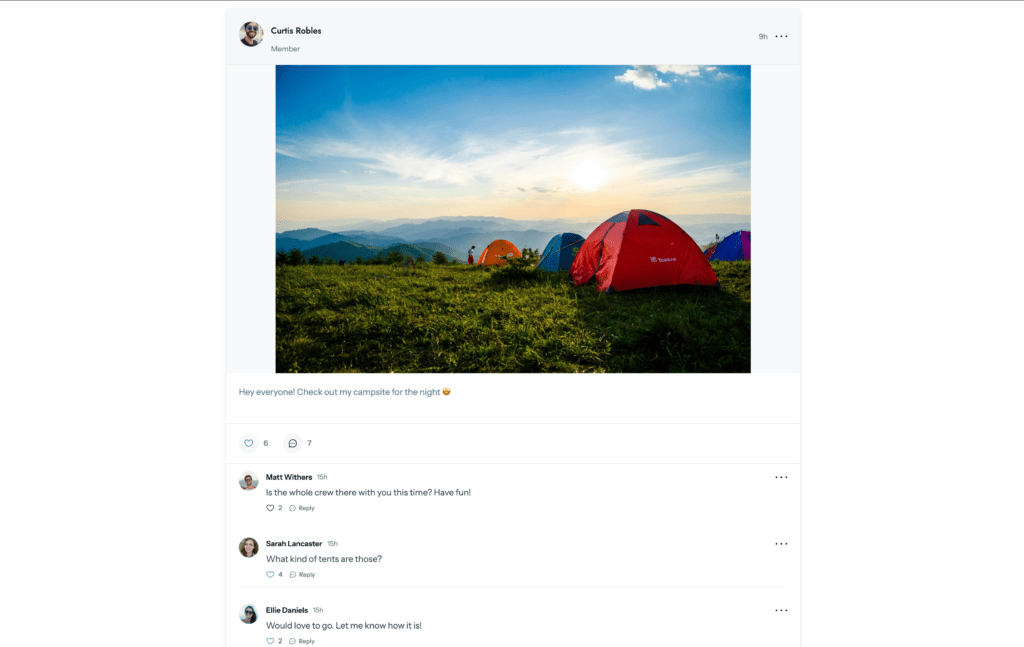
With these features, there are many different ways you can use directories to improve user experience on your site, boost engagement, or add an additional source of revenue.
Watch this video tutorial on ClubDirectory™ for a closer look at how you can use it create business directories on your WordPress site:
Now I've given you the low down, next I'll create some use cases below to get some inspiration on how to use this feature on your site!
Get Inspired! How YOU Can Use Business Directories
This feature has so much potential it's impossible for me to create an exhaustive list of ways to use it.
So I took inspiration from our list of 100+ existing MemberPress users to come up with just a few examples of businesses that can benefit from adding a business directory to their WordPress site:
1. Professional Associations & Industry Groups
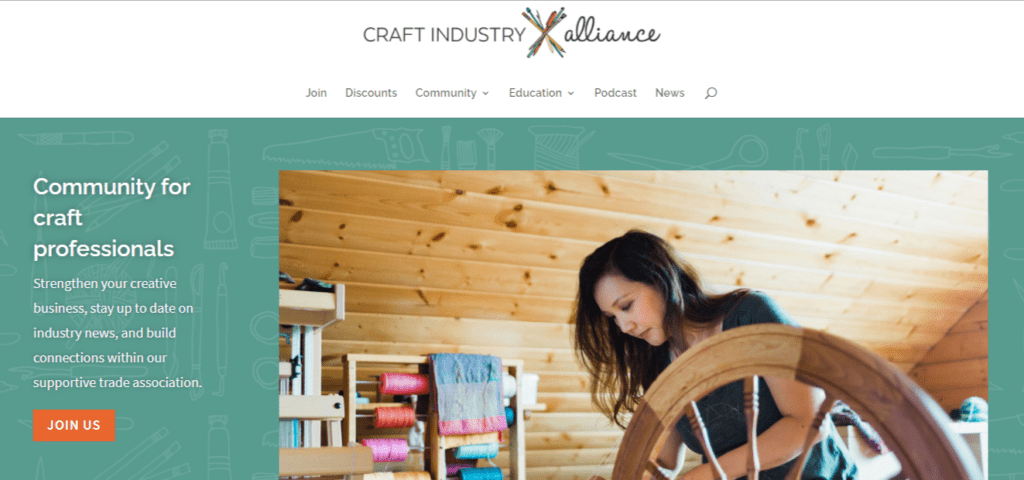
This is a no-brainer. Static membership lists are great for admin work, but members in professional associations and guilds are dying to network!
Your site can add a huge amount of value to them, enabling them to thrive professionally by making the connections that matter.
Many members in this niche would pay a premium to be featured in a networking hub where they can showcase their portfolios and get work, or make connections that can bring them closer to their business goals.
And with ClubDirectory™, you can create directories that are searchable by industry, specialization, or location to find the most relevant connections.
A clean, professional directory also signals that your association is organized, established, and invested in helping members succeed.
Examples of business directories for professional associations & industry groups
- The Freelancer Collective: A guild for graphic designers can host a public-facing “Hire a Pro” directory where members showcase their portfolios and link to their socials to land new clients.
- The “Find a Consultant” Hub: A marketing association can create a specialized directory for vetted consultants, charging a premium for a “VIP” or “Verified” listings.
- The Industry Exchange: A trade organization can help local contractors find subcontractors by providing a directory filterable by trade and certification level, turning the site into the go-to resource for project planning.
2. Local or Regional Membership Communitites
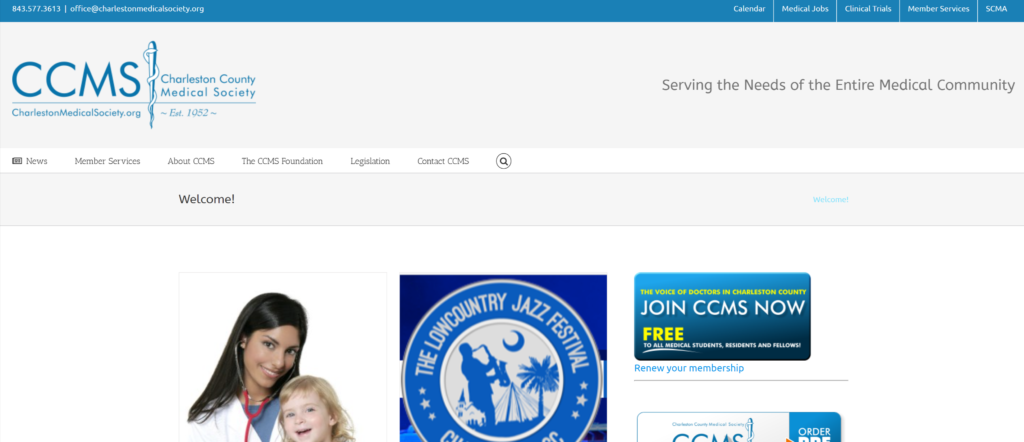
This is where the real-world impact of business directories really shines – making face-to-face connections happen, offline!
If you want to raise up your local community, bring people together, and empower the small businesses on Main Street, a business directory will do just that.
It turns your site into a practical, everyday resource that people actually return to, rather than just a login they forget about.
A directory becomes the heartbeat of local discovery and referrals. It gives your members a massive reason to promote your platform externally. After all, they want the world to see their professional profiles!
You’re providing ongoing, 24/7 value that makes your community a “must-have” resource for the entire region and keeps your recurring revenue engine healthy.
Examples of business directories for local or regional communities
- The “Support Local” Referral Engine: A local entrepreneur group can host a directory where members find and hire each other – like a bakery finding a local accountant – keeping business within the community.
- The Tourism & Experience Hub: A regional tourism site can sell listings to local tour guides, boutique hotels, and restaurants, making the site the “official” go-to resource for visitors.
- The Business “Digital Lobby”: A Chamber of Commerce can move their “who's who” online, allowing members to find colleagues, see credentials, and link to social media 24/7.
3. Coach and Consultant Memberships

My top tip for coaches is to put yourself in the shoes of your clients. They've signed up for your coaching program online, and they're dedicating hours of their week to following your advice, waiting for a payoff they can only hope will eventually come.
That blind dedication is tough when you don't have a support network or peer-to-peer connection. And yup, that’s the reason many clients don't see it through to the end of your program.
For mastermind groups and coaching communities, a directory is the tool that turns a group of strangers into a powerful, interconnected network.
With a searchable “who’s who” on your site, members can find the exact support they need to stay motivated.
Examples of business directories in coaching and consultant memberships
The Accountability Matchmaker: In a fitness or wellness program, members can use the directory to find “running buddies” or accountability partners in their own city to stay motivated and hit their milestones together.
The Peer Critique Network: On an art or creativity site, a directory allows students to browse each other’s portfolios and find peers specializing in the same medium—like watercolors or digital art—for specific feedback and support.
The Entrepreneurial “Board of Advisors”: In a high-level mentorship program, entrepreneurs can use the directory to find peers who have already scaled past a specific revenue milestone or navigated a similar industry hurdle. Instead of guessing, they can find a mentor or peer who has been exactly where they are.
4. Educational Memberships with a Professional Outcome
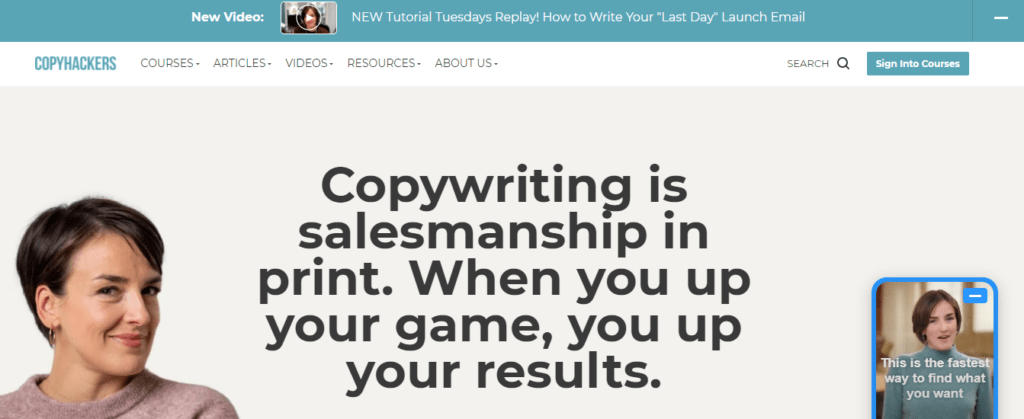
If you’re running a certification program, an alumni network, or professional course, your students are likely investing in their careers.
The biggest missed opportunity in online education is letting that momentum die the moment the course ends.
By adding a directory, you’re giving your graduates a permanent professional home.
It reinforces the credibility of your program by showing the world exactly who has completed your training.
It also encourages long-term retention; members won't want to cancel their subscription if it means losing their “Verified” status in your professional alumni network.
You’re turning a one-time educational purchase into a lifelong professional asset.
- The Alumni Job Board: Create an alumni-only directory that connects your top graduates with recruiters or companies specifically looking for the skills your course teaches.
- The “Find a Certified Pro” Hub: If you offer a certification, a public-facing directory allows potential clients to browse and verify your graduates, giving your students a massive head start in the professional art, coding, or marketing scene.
- The Cohort Connection: For intensive courses, use a directory to keep cohort members connected after graduation, allowing them to share progress, swap portfolios, and support each other as they move into their new careers.
How to Build a Business Directory on Your WordPress Site
1. Buy a MemberPress Growth or Scale plan license
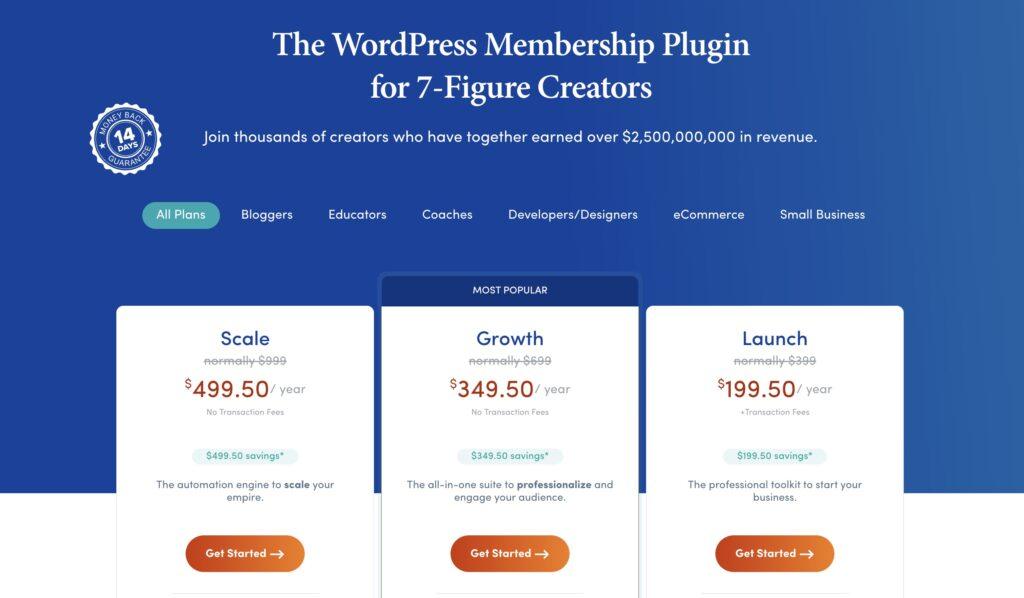
Not only do these plans include the crucial ClubDirectory™ add-on, but by purchasing MemberPress you get a whole host of necessary related features right out of the box:
- Powerful Access Rules: You're in total control of who sees what. You can use MemberPress Rules to protect your high-value directories so only current, paid-up members can access your network.
- ReadyLaunch™ Theme: No tech skills? No problem. MemberPress's very own ReadyLaunch™ theme gives you pre-designed, mobile-responsive templates for your directory and profile pages, so they look polished and professional out of the box.
- Custom Fields: Directories are only as good as the info they hold. Use MemberPress fields to collect specific data from your members, like their specialization, location, or social links, and display that info right on their profile cards.
- Automatic Enrollment: We’ve removed the manual hassle. ClubDirectory™ can automatically add or remove members from specific directories based on their active membership level or WordPress user role.
- Craft Your Monetization Strategy: Whether it's setting listing duration, scheduling renewals, or integrating secure multi-option payment modules,
MemberPress allows you to set up a directory capable of generating recurring revenue effortlessly.
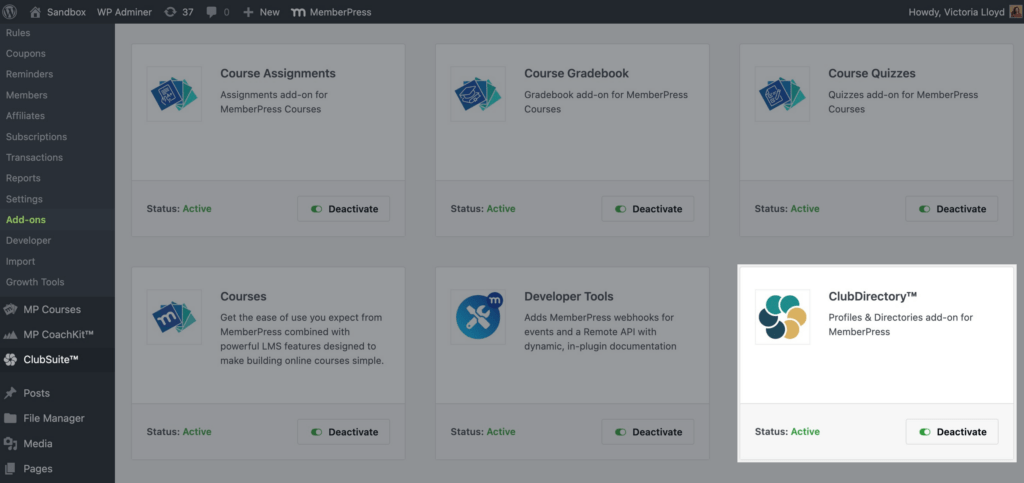
2. Activate the ClubDirectory™ add-on
Once you've activated your MemberPress license on your WordPress site, go to your WordPress dashboard > MemberPress > Add-ons. Find ClubDirectory™, and click on the Activate toggle.
Once it's activated you'll see a new ClubSuite™ menu item in your WordPress dashboard.
3. Style your profiles and directories pages with ReadyLaunch™
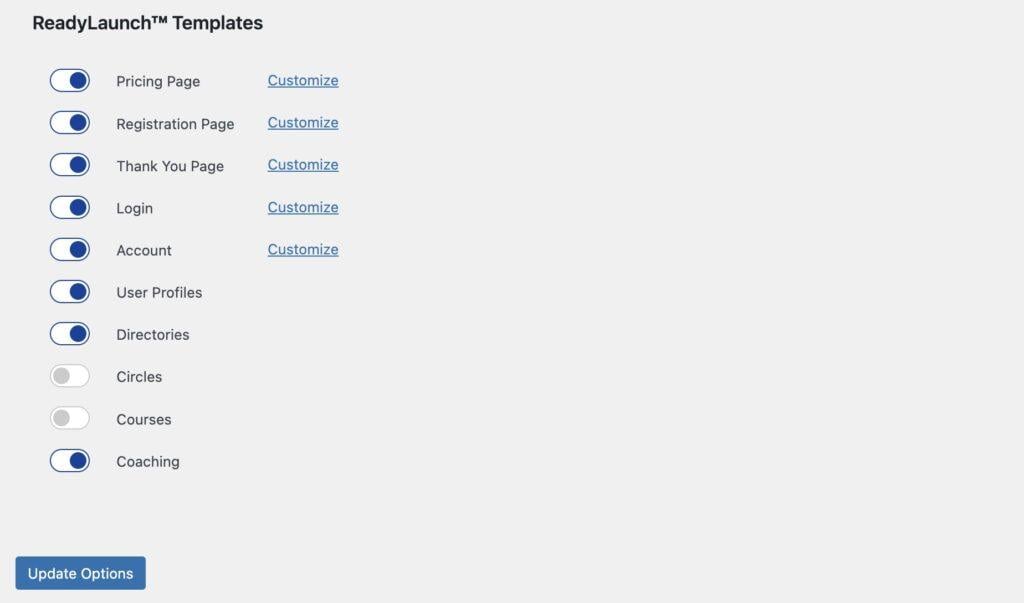
Go to your WordPress dashboard > MemberPress > Settings and select the ReadyLaunch™ tab on the right.
Toggle User Profiles and Directories on and and hit Update Options to activate ReadyLaunch's automatic page styler on these pages.
4. Configure ClubSuite™ settings
MemberPress gives you fine-grained control over exactly how your directory looks and functions. From your WordPress dashboard, navigate to MemberPress > ClubSuite™ to customize the experience for your community.
Here are a few ways you can dial in your settings:
- Manage Member Privacy: In ClubSuite™ > Settings You can decide whether to give users the power to hide their profiles entirely or simply keep specific fields private.
- Handle Media & Moderation: Also in ClubSuite™ > Settings you can take control of your site's resources and “vibe” by setting image file size limits and enabling profile approvals.
- Offer More Profile Fields to VIPs: In ClubSuite™ > Profiles create tiered “profile templates” to use your directory as an upsell opportunity. For example, you might allow VIP members an extra “Business Bio” field to explain why other members should contract their services.
- Create Multiple Directories: In ClubSuite™ > Directories, you aren't limited to just one “master list.” You can create unlimited, specialized directories for different sections of your community.
Think VIP-only tiers, local chapters, or even private listings for students currently enrolled in your MemberPress Courses.
This allows you to niche down and provide hyper-relevant networking spaces for every group in your tribe. - Customize Layouts for a Seamless Look: Within ClubSuite™, you can choose between List, Grid, or Card views for your directories to find the layout that best showcases your members.
Because these designs are fully compatible with ReadyLaunch™, they are polished and mobile-responsive right out of the box, no custom coding or CSS tweaks required to make them look great.
5. Create Custom Fields
Since MemberPress is an all-in-one membership and directory solution, your registration forms and your directory entries are essentially the same “brain”.
On other platforms, you might have to manually sync your membership list with a separate directory plugin. With MemberPress, that data flows automatically.
Here's why this is great news for your site:
- Automation from Day One: By stipulating that certain info must be provided at registration, ClubDirectory™ automatically generates a polished profile and entry into your directory based on those responses.
- Total Customization: Head to MemberPress > Settings > Fields to add any data point you can dream up. Whether it’s an open text field for a business mission statement or a dropdown for “Industry Niche,” you decide what information adds the most value to your community.
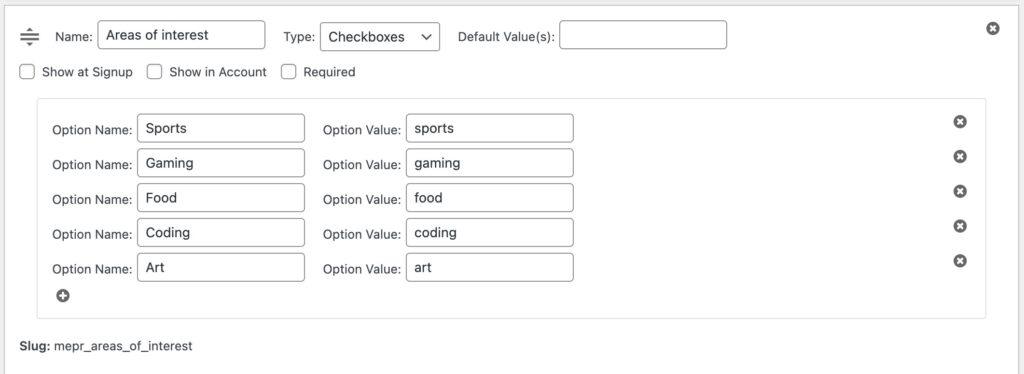
- Flexibility for Your Members: You have the power to make fields obligatory or optional. Plus, members don't have to email you for updates; they can simply hop into their Account area to refresh their bio, change their social links, or update their expertise as they grow.
- Segmented Directories: Because these fields are tied to the MemberPress core, you can use them to filter members into specialized spaces. For example, you could create a “Verified Professionals” list or a “Local Chapters” directory automatically based on the data they provided.
By collecting the right info right at the start, you turn a simple registration process into a powerful networking engine that grows itself!
6. Restrict Access to Your Business Directory
One of the best things about MemberPress is that it gives you total control over who sees your content. Depending on how you want to monetize your business directory, you can choose to keep it open to the world or lock it down as a premium perk.
Here are the three ways you can handle access:
- Option A: Public Directories (Monetize Inclusion): If your goal is to help your members get found by the general public, keep your directory open to everyone. In this model, you’re only monetizing the ability to create a profile, like a Yellow-Pages style directory or a professional guild.
- Option B: Private Directories (Monetize Access): In this model, the directory itself is the product. Only paying members can see the profiles inside, which is perfect for VIP networking hubs or internal job boards.
- Option C: The Hybrid Approach: Many successful sites use a “Freemium” model to maximize revenue. You might have a public directory for standard members, but a gated “VIP Directory” for higher-paying tiers to keep your elite connections behind a paywall.
With options B and C you'll need to restrict access. Luckily, MemberPress is the cream of the crop when it comes to creating access rules.
How to Set It Up
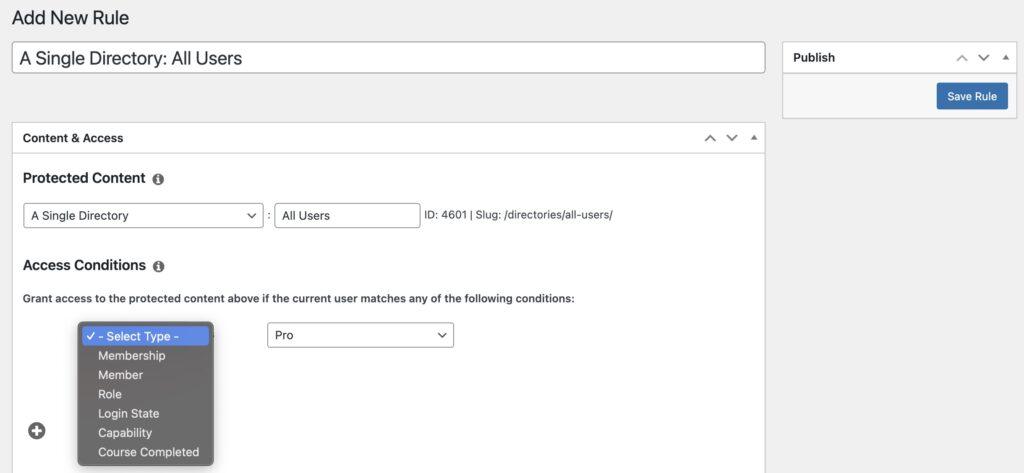
From your dashboard, go to MemberPress > Rules > Add New Rule.
You can choose to restrict access to specific profile templates or entire directories based on:
- Membership Level: Limit your high-value networks to your “Gold” or “Pro” tiers.
- User Role: Define visibility based on WordPress roles like “Team Member” or “Subscriber”.
- Course Progress: Trigger access based on whether a student has completed a specific program with MemberPress Courses.
Managing Participation and Privacy
Beyond these global rules, you have granular control over how each individual directory functions. When you are creating or editing a directory via MemberPress > ClubSuite™ > Directories, look for the Directory Settings in the sidebar. From there, you can:
- Control Directory Access: Set specific permissions for that individual directory to double-check that only the right people are getting in.
- Set Participation Preferences: Choose whether members are automatically added to the directory or if they must opt in to be visible to others.
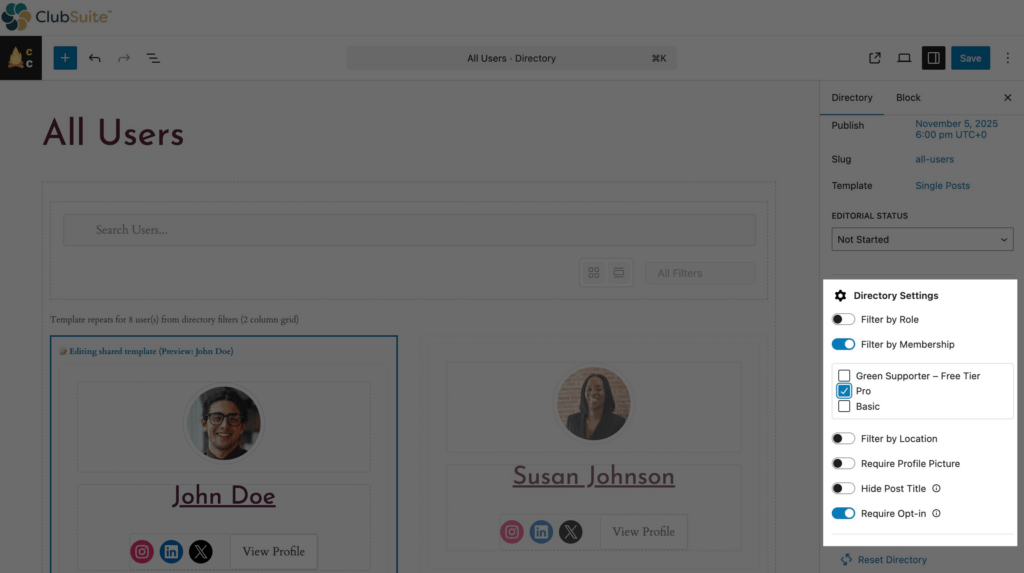
This ensures that while you're growing your revenue, you're also respecting your members' privacy and providing a safe, professional environment.
7. Display Your Directory on Your Site
Once you've configured your settings and fields, you need to give your directory a home on the front end so people can actually use it. MemberPress makes this easy by giving you a unique URL for every directory you create.
- Find Your Directory URL: Navigate to MemberPress > ClubSuite™ > Directories. Here you’ll see a list of every directory you’ve built along with its specific URL.
- Add it to Your Navigation: Copy that URL and head to Appearance > Menus in your WordPress dashboard. Add it as a Custom Link to your main navigation bar so members (or the public) can find it with one click.
- Use Shortcodes for Custom Pages: If you want to embed a directory inside a specific blog post or a custom landing page, MemberPress provides easy-to-use shortcodes. This allows you to place your networking hub exactly where it makes the most sense for your users.
Final Thoughts
Adding a business directory is a strategic move for any WordPress site owner looking to drive more value and engagement.
By now, you should have a clear idea of how searchable profiles can empower your local region, provide a professional home for your graduates, or turn your niche association into a must-have industry resource.
As promised, I gave you the blueprint; all that is left is to put it into action!
MemberPress provides the specialized tools you need, combining profiles, directories, community circles, and robust membership controls into one frictionless system.
It's allows you to's all you need to build a recurring revenue engine that functions exactly how you envision it.
Now, I want to hear from you. How will you use these tools to build a flourishing network? Join the conversation in the comments section below.
Ready to get started? Your first step is picking up a MemberPress plan to unlock the power of ClubSuite™.

Get MemberPress Today!
Start getting paid for the content you create.

If you liked this post, make sure you subscribe to the MemberPress blog!












So this is the beginning of a little BuddyBoss platform…
Hi Carlo, thanks for sharing your thoughts! ClubSuite can be an alternative to BuddyBoss for creators who want a simpler, more guided member experience inside MemberPress. BuddyBoss is still a much more robust community platform, and it integrates extremely well with MemberPress for sites that need advanced social features and deep customization.