

You’re building an online course (or you’ve already built one), and now you’re staring down two very different options. Teachable looks clean and simple.
MemberPress looks like a great deal. Here’s what you actually need to know before you decide.
The Short Answer: Teachable is a fully hosted platform starting at $39/month where you upload your content and go – no website needed. MemberPress is a WordPress plugin starting at $199.50/year that gives you complete ownership of your site, content, and student data. MemberPress wins on long-term cost, data ownership, and customer satisfaction (4.8 vs. 3.3 on Trustpilot). Teachable wins on initial simplicity if you’re starting from scratch and want zero technical setup.
At a Glance: MemberPress vs. Teachable
| MemberPress | Teachable | |
|---|---|---|
| Platform type | WordPress plugin (you own everything) | Hosted SaaS (platform owns infrastructure) |
| Starting price | $199.50/year (intro) | $39/month ($468/year) |
| Transaction fees | 4.9% on Launch; 0% on Growth + Scale | 7.5% on Starter; 0% on Builder + Growth |
| Trustpilot score | ⭐ 4.8/5 | ⭐ 3.3/5 |
| G2 score | 4.6/5 | 3.8/5 |
| LMS / courses | Yes – full course builder | Yes – core feature |
| Community features | ClubDirectory™ and ClubCircles™ on Growth+; ClubConnect™ on Scale | Limited – no dedicated community hub |
| Mobile app | AppKit add-on (Growth+) – white-labeled, native iOS + Android, requires separate purchase. | Non-branded app, no customization, no push notifications |
| Data ownership | Full – your WordPress database | Platform-dependent |
| Integrations | Extensive – WooCommerce, Easy Affiliate, PrettyLinks, 100+ more | Good – limited third-party depth vs. WordPress ecosystem |
| Best for | WordPress users, course + membership combos, long-term builders | Beginners with no website, pure course creators wanting simplicity |
What Is Teachable?
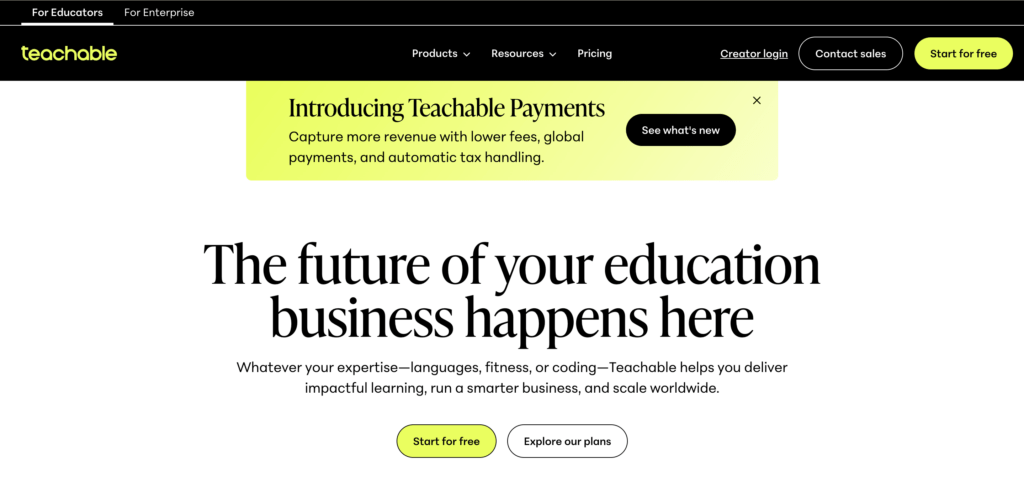
Teachable is a hosted course creation platform designed for independent educators and content creators who want to sell courses online without building a website from scratch.
You sign up, upload your videos, write your lessons, set a price, and you’re live. The whole point is that Teachable handles the infrastructure (hosting, checkout, payments, tax compliance) so you don’t have to.
It’s genuinely well-designed for what it is. The course builder is intuitive, the checkout experience is clean.
If you’re a solo creator who just wants to sell a course without getting into the weeds of domain names and hosting plans, Teachable can get you there quickly.
The trade-off is that your business lives on someone else’s platform. Your content, your student list, and your course structure are all inside Teachable’s system. If they raise prices (and they have), change features, or you decide to move, extraction is a project.
What Is MemberPress?
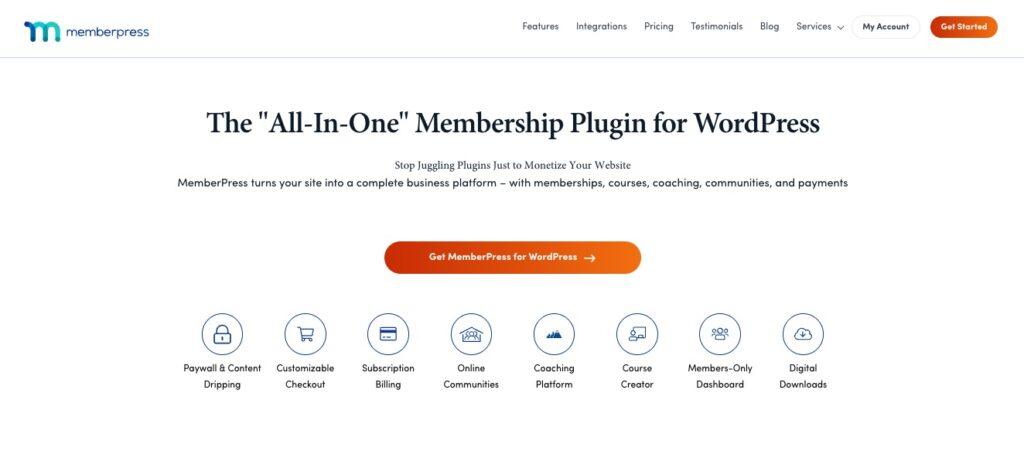
MemberPress is a WordPress plugin that turns any WordPress site into a fully functional membership site, online course platform, or digital product business.
It’s been around since 2012, powers over 40,000 sites, and has earned a reputation as one of the most reliable membership plugins on WordPress.org.
The big picture difference from Teachable: everything runs on your own WordPress site. MemberPress is software you install, not a platform you rent. That distinction matters more as your business grows.
It also does considerably more than courses. MemberPress handles tiered memberships, access rules, drip content, community features (via ClubSuite™), coaching programs (via CoachKit™), and native mobile apps (via AppKit). For a lot of creators, that breadth is the reason they choose it.
MemberPress vs. Teachable: Pricing
MemberPress and Teachable charge yearly and monthly, respectively. They both also charge transaction fees on their lowest plans. So in order to make a direct comparison, you need to do some math
Teachable’s plans (billed monthly, or lower annually):
- Starter: $39/month – 7.5% transaction fee
- Builder: $89/month – 0% transaction fee
- Growth: $189/month – 0% transaction fee
On the Starter plan, Teachable takes 7.5% of every sale on top of normal payment processing fees.
That adds up fast. Sell $1,000/month, and you’re handing over $75 to Teachable, every single month, on top of your $39 subscription.
You’d break even switching to the Builder plan at around $533/month in revenue, and above that, Starter actually costs more than Builder.
MemberPress plans (annual billing):
- Launch: $199.50/year intro, renews at $399/year – 4.9% transaction fee
- Growth: $349.50/year intro, renews at $699/year – 0% transaction fee
- Scale: $499.50/year intro, renews at $999/year – 0% transaction fee
The Launch plan’s 4.9% fee is lower than Teachable’s 7.5%, though the same principle applies: as revenue grows, stepping up to Growth (0% fees) pays for itself.
your estimated annual profit
$34,270.50
x64.7 ROI- Online community forums, profiles & directories
- Unlimited course quizzes, assignments & certificates
- Content dripping
The cheapest Teachable plan costs $468/year. MemberPress Launch costs $199.50 in year one.
Even when you factor in WordPress hosting (typically $5-15/month), MemberPress comes out cheaper for most creators, and gets more affordable relative to Teachable the more revenue you generate.
Bottom line: MemberPress is cheaper to start and significantly cheaper at scale. Teachable’s Starter plan transaction fee will quietly eat into your revenue unless you upgrade.
MemberPress vs. Teachable: Course and LMS Features
Both platforms let you build structured online courses with video, text, and progress tracking.
It’s worth knowing that MemberPress’s Launch plan is more limited on LMS features. Quizzes, assignments, certificates, and drip scheduling all require Growth or above.
If you’re planning to build a serious course, Growth is really the relevant entry point.
Where they diverge is that MemberPress gives you more control over the access layer.
You can
- combine courses with memberships,
- gate individual lessons by plan tier,
- offer a free preview and then lock the rest,
- or bundle multiple courses under one subscription.
That kind of flexibility is what people mean when they say MemberPress is “more powerful”. You can structure things more specifically to what you’re actually building.
Teachable’s course builder is arguably cleaner and easier to navigate, especially if you’ve never used a course platform before. The drag-and-drop interface is straightforward, and you can have a course live in a few hours without any configuration beyond the basics.
Bottom line: Teachable has a gentler learning curve for pure course creation. MemberPress gives you more control, especially if you’re mixing courses with memberships, subscriptions, or other access tiers.
MemberPress vs. Teachable: Membership and Access Control
Here, MemberPress is genuinely in a different league.
Access control is what it was built for, long before courses were added to the platform.
You can restrict any piece of WordPress content by membership level. That’s
- pages,
- posts,
- categories,
- custom post types,
You can also redirect non-members to custom pages, and set up trials, free tiers, and upgrade flows with granular precision.
Teachable has a simpler model. You sell access to a course, and students either have it or they don’t. You can bundle courses together and offer subscription pricing, but the access logic is significantly less flexible than what MemberPress offers.
If your business model is a course you sell once, Teachable’s model works fine. If you’re building a subscription that includes multiple courses, a community, and tiered access depending on what someone pays, MemberPress is the better fit.
Bottom line: For pure course sales, both platforms handle it. For anything involving multiple membership levels, tiered access, or ongoing subscriptions, MemberPress is built for it.
MemberPress vs. Teachable: Community Features
Teachable has recently shelved their community feature, and they strongly recommend against creating new communities on their platform.
MemberPress’s ClubSuite™ set of add-ons builds community directly into the same platform as your courses and membership.
ClubDirectory™ member profiles and directories and
ClubCircles™ community forums are available on the Growth plan.
ClubConnect™ direct messaging is added on the Scale plan.
It’s a layered rollout: you get meaningful community features at Growth, and the full real-time experience at Scale.
If community is part of your model (and for a lot of course creators, it increasingly is), MemberPress has a real answer for it now. Teachable doesn’t.
Bottom line: MemberPress wins clearly here. Teachable’s community features are on hold; MemberPress has a built-in community layer starting at Growth, with full circle and messaging features on Scale.
MemberPress vs. Teachable: Customer Satisfaction
The review scores are worth dwelling on, because the gap is significant.
MemberPress: 4.8/5 on Trustpilot (from 540 reviews, as of 2026 – with 3% one-star ratings)
Teachable: 3.3/5 on Trustpilot (from 1,046 reviews, as of 2026 – with 41% one-star ratings)
Teachable’s Trustpilot score tells a familiar story for hosted platforms: when things go wrong – a course gets flagged, billing issues arise, support is slow – creators have nowhere to go.
They don’t own the infrastructure. A 3.3 on Trustpilot with 41% one-star reviews is a meaningful signal that a lot of users feel burnt at some point.
MemberPress’s 4.8 reflects the opposite: a platform where the user controls their own environment, and support is rated highly for actually resolving things.
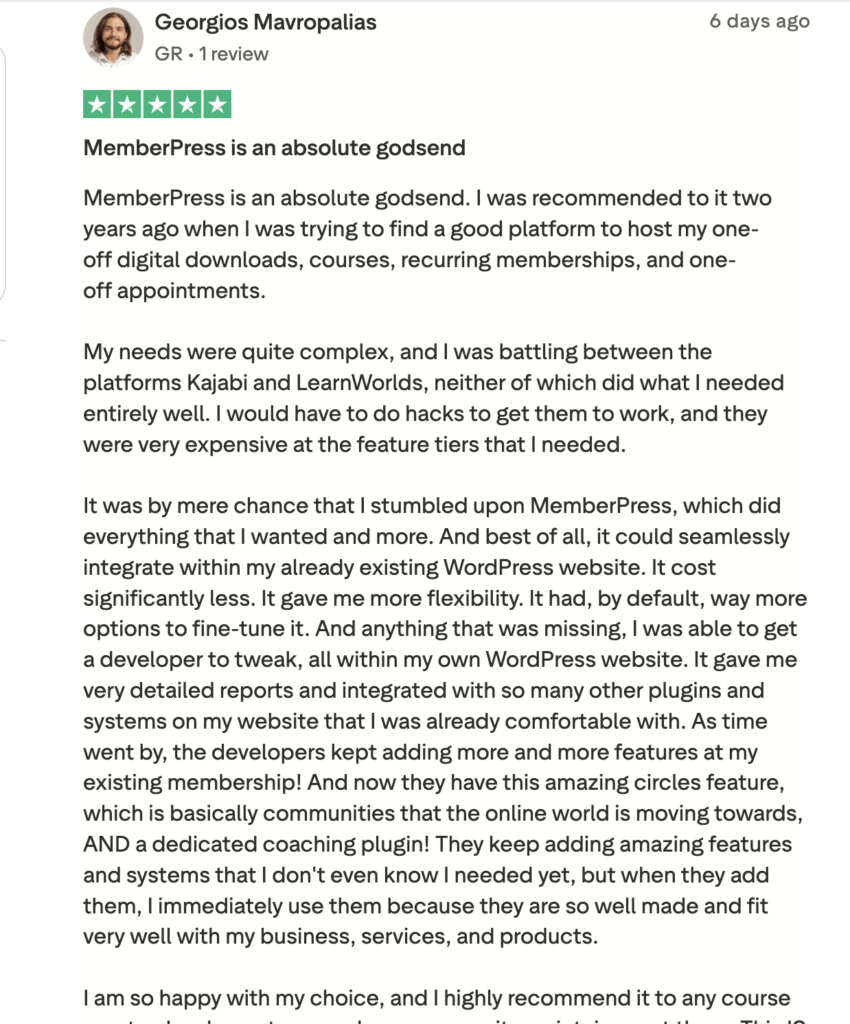
Bottom line: This is one of the starkest differences in the comparison. MemberPress scores 4.8 on Trustpilot. Teachable scores 3.3. That’s not a small gap.
MemberPress vs. Teachable: Mobile App
Teachable has a non-branded mobile app that students can use, but you can’t customize it. Your branding isn’t on it, you can’t push notifications through it, and it doesn’t feel like yours.
MemberPress offers AppKit as an add-on ($1,199/year, requires Growth or Scale) – a fully white-labeled native iOS and Android app, with push notifications, in-app payments, and managed App Store publishing.
It’s your brand, your app, in the App Store.
AppKit is an extra cost, so it’s worth being clear: if mobile isn’t a priority, you don’t need it. But if you want a branded app experience for your students, Teachable can’t deliver that. MemberPress can.
Bottom line: If a branded mobile app matters to you, MemberPress has one via AppKit. Teachable’s mobile offering is unbranded and limited.
MemberPress vs. Teachable: AI Features
Both platforms use AI to help you build courses faster. Where they differ is what AI can do for you after the course is built.
Teachable’s AI tools live inside its course builder:
- AI Curriculum Generator drafts a course outline from a short description.
- AI Quiz Generator turns your text lessons into quiz questions.
- AI Summary Generator writes lesson and section summaries for students.
- AI Subtitles & Translations captions your videos and translates them into 72 languages.
They’re handy for getting a first draft down, but they stop at course creation.
MemberPress covers course creation too. The AI Course Generator works inside MemberPress Courses. You describe the course you want in a chat, and it builds the title, sections, lessons, and draft content while you watch. It can also write quiz questions for each lesson. It runs on AI Credits.
Then there’s the MemberPress MCP server.
MCP (Model Context Protocol) is the standard that lets AI assistants like Claude connect to other software and work with it directly. Every MemberPress plan includes AI Foundation, which comes with an MCP server, so you can connect your site to Claude, Cursor, or VS Code and manage it by asking questions in plain English, like:
- “How many new members joined this month?”
- “Which subscriptions failed to renew last week?”
- “Which membership brings in the most revenue?”
It’s built with sensible guardrails:
- Connections are read-only by default.
- Changes show a preview before anything happens.
- Anything destructive, like a refund, needs an extra confirmation.
- A kill switch pauses all changes instantly.
Asking questions through MCP doesn’t use any AI Credits.
Teachable doesn’t offer an MCP server, so there’s no way to connect your AI assistant to your school.
Bottom line: Both platforms can help you draft a course with AI. Only MemberPress lets you plug your AI assistant straight into your site and get answers about your members, subscriptions, and revenue just by asking.
MemberPress vs. Teachable: Integrations
MemberPress lives inside the WordPress ecosystem, which means it integrates with essentially everything WordPress integrates with
- Zapier,
- WooCommerce,
- major email platforms (Mailchimp, Kit, ActiveCampaign, Drip),
- Easy Affiliate for building your own affiliate program,
- PrettyLinks for link management,
- form builders
- OpenAI
- and hundreds of plugins via standard WordPress hooks
- payment processors like Stripe, PayPal
- scheduling plugins like Calendly
Teachable integrates with a reasonable number of tools – Zapier, Kit, Mailchimp – but the depth is narrower. You’re working within the platform’s own API rather than the open WordPress ecosystem.
Bottom line: MemberPress has a significant integration advantage by virtue of running on WordPress.
MemberPress vs. Teachable: Ease of Use
Teachable is easier to get started with. If you’ve never set up a WordPress site, don’t want to deal with hosting, and just want to put a course live as quickly as possible, Teachable removes a lot of friction at the beginning.
MemberPress requires WordPress, which means a domain, hosting, and at least a basic comfort with the WordPress dashboard.
It’s not that complicated, and doesn’t require a developer, but it is more setup than a hosted platform.
The good news: ReadyLaunch™ (available on all plans) gets a new MemberPress site configured quickly, and once you’re set up, managing the platform is straightforward.
The tradeoff is that Teachable’s simplicity comes with the constraints of a walled garden. You can customize what Teachable lets you customize, and no more.
Bottom line: Teachable wins on initial setup speed. MemberPress has a steeper onboarding, but more flexibility once you’re inside.
Who MemberPress Is Best For
- WordPress users who already have a site – adding courses and membership to an existing WordPress installation is the clearest win.
- Creators who want to combine courses with memberships – tiered access, subscription pricing, and course bundles all make sense in MemberPress.
- Course creators who expect to grow at scale: MemberPress’s 0% transaction fees (Growth/Scale) and annual pricing model make it significantly cheaper.
- Coaches running accountability programs – CoachKit™ (available from the Growth plan) is purpose-built for this, with coaching programs, milestone tracking, habit tracking, and dedicated coach and client dashboards.
- Anyone who wants to own their platform – if the idea of rebuilding everything from scratch because your hosting platform changed its terms gives you pause, MemberPress removes that risk entirely.
Who Teachable Is Best For
- Complete beginners with no existing website who want the fastest possible path to a live course.
- Solo course creators with a single product who don’t need tiered memberships, community features, or deep integrations.
- Creators who want to avoid WordPress entirely – and are willing to pay the hosting premium for that simplicity.
- Short-term projects – a single course launch or a time-limited cohort where the overhead of a full WordPress setup isn’t worth it.
How to Switch from Teachable to MemberPress
Switching is mostly moving files and re-entering your course, and you can do it at your own pace.
Your Teachable school keeps running until you’re ready to close it, so you’re never stuck halfway.
1. Gather your content
Pull everything out of Teachable:
- Videos, PDFs, and audio: download them from the curriculum editor. If your videos are on Vimeo or YouTube, or you still have the originals, use those and skip the downloads.
- Lesson text and quiz questions: copy them into a document.
- Student list: export it as a CSV.
2. Set up your MemberPress site
Install MemberPress on your WordPress site and connect Stripe or PayPal.
ReadyLaunch™ styles your login, account, and checkout pages in a few clicks, so your site looks finished before you’ve touched a design setting.
3. Rebuild your courses (and improve them while you’re at it)
Add your sections and lessons in the MemberPress Courses drag-and-drop builder, then upload your files.
You’ve already written everything, so this goes faster than you’d expect. It’s also a good moment to fix that lesson you’ve been meaning to re-record for the past year.
Next, set up your memberships:
- Create one for each course or bundle you sold on Teachable.
- Add what Teachable couldn’t do, like tiered pricing or a free preview level.
- Unlock quizzes, certificates, and drip content on the Growth plan and above.
4. Bring your students over
The MemberPress Importer add-on is included on every plan. It brings your whole student list across from the CSV, paying subscribers included, and adds each student to the memberships you set up in step 3.
- Students get the right access from day one. As far as they’re concerned, nothing has changed.
- Students just set a new password the first time they log in.
- Send a quick heads-up email with the new login link so they know where to find you.
5. Point everything to your new home
- Update your links in emails, social bios, and anywhere else that points to Teachable.
- Point your custom domain at your new site.
- Cancel Teachable once everyone’s moved.
And then you never have to do this again.
Your courses, your students, and your payments all live on a site you own. There are no transaction fees on Growth and Scale, and no one else’s pricing changes to worry about.
A few focused sessions now buys you a platform that grows with you, rather than one you’ll eventually grow out of.
Final Verdict
If you’re starting from absolute zero with no website and you need a course live this week, Teachable removes a lot of friction. That’s a real advantage, and it’s worth naming honestly.
For almost everyone else, MemberPress is the better choice.
- It’s cheaper over any meaningful time horizon,
- it gives you full ownership of your platform and data,
- it handles far more than courses,
- and the customer satisfaction gap (4.8 vs. 3.3 on Trustpilot) is hard to argue with.
Building your course business on a WordPress foundation that you control is a different kind of confidence than renting space on someone else’s platform.
The creators who regret MemberPress tend to be ones who underestimated how manageable WordPress actually is.
The creators who regret Teachable tend to be ones who didn’t realize the fees would compound, or who hit a wall when they wanted to build something the platform wasn’t designed for.

Get MemberPress Today!
Start getting paid for the content you create.

Frequently Asked Questions
If you found this article helpful, follow us on Facebook, X, Instagram, and LinkedIn!












Add a Comment