Stop Giving Your Best Content Away for Free
MemberPress turns your WordPress site into a subscription business. Paywall your best posts, sell single articles to casual readers, and keep your subscriber data on your own site.
14-day money-back guarantee
Recommended by top influencers and web hosts








The case for paywalling
Your income shouldn’t depend on someone else’s algorithm.
Ad revenue keeps shrinking per pageview, and referral traffic depends on algorithms you don’t control and can’t predict. Neither is a dependable way to build a business.
Readers already pay for writing they value, and with MemberPress, it’s simple to charge for your work and own your relationship with your readers, all without heavy platform fees.
Get paid for your best work, on your own site
Rules. Protect a single post, a whole category, or your entire archive, and decide exactly who gets in. Show a preview and cut it off where you choose, or lock the piece entirely.
Subscriptions and one-time purchases. Sell ongoing access to regular readers, or let someone buy a single locked article without subscribing to anything.
Trial periods. Let readers sample your paid content before committing to a subscription.
Paywall SEO settings. Protected content can still get indexed and found in search, so gating your best work doesn’t limit your visibility.
Content dripping. Release a multi-part series or your archive on a schedule instead of all at once, so subscribers have a reason to come back.
What setting up your paywall actually looks like
- Pick your MemberPress plan and install it.
- Create your subscription tier. Want readers to get a few free articles first? Turn on metering.
- Decide what’s free and what’s protected using Rules, whether that’s one post, a category, or the whole archive.
- Connect Stripe and set your price.
- Publish. Readers hit the paywall automatically the moment they try to open protected content.
“We used this to transition from a WooCommerce subscription setup for a newspaper website… smoother payment and subscriber management all with one software vs. multiple add-ons required with WooCommerce.”
David V.
Lead Developer, Marketing and Advertising (via Capterra)
Nothing between you and your readers
Hosted publishing platforms are fast to start on, but your subscribers are theirs to email, their algorithm decides who finds your work, and their terms can change without much notice. On your own site, it works the other way around.
Example dashboard. Figures are illustrative.
The list is yours.
Subscriber names and email addresses live in your own database and your own email tool. Export them any time. Nobody else can email your readers.
The brand is yours.
Readers subscribe, log in, and read on your domain. Your publication’s name is the one they remember.
The revenue is yours.
Subscription payments go from your readers to your payment processor to you. No platform sits in the middle of the transaction.
See what your membership could earn
your estimated annual profit
$34,270.50
MemberPress costs one flat annual fee, and Growth and Scale plans take no cut of your membership revenue, so every new member adds to your profit.
Get MemberPress for WordPressPublishers who own their audience
“It’s intuitive to set up, extremely flexible, and scales well whether you’re running a simple paywall or a full-featured membership site with courses and subscriptions. The integration options, access rules, and reliability make it a no-brainer for recurring revenue businesses.”
Tyler Sinden
via Trustpilot



MemberPress online publication examples

Indianapolis Recorder is the third-oldest surviving Black publication in the United States. The Recorder sells digital subscriptions through MemberPress, helping fund independent community journalism.
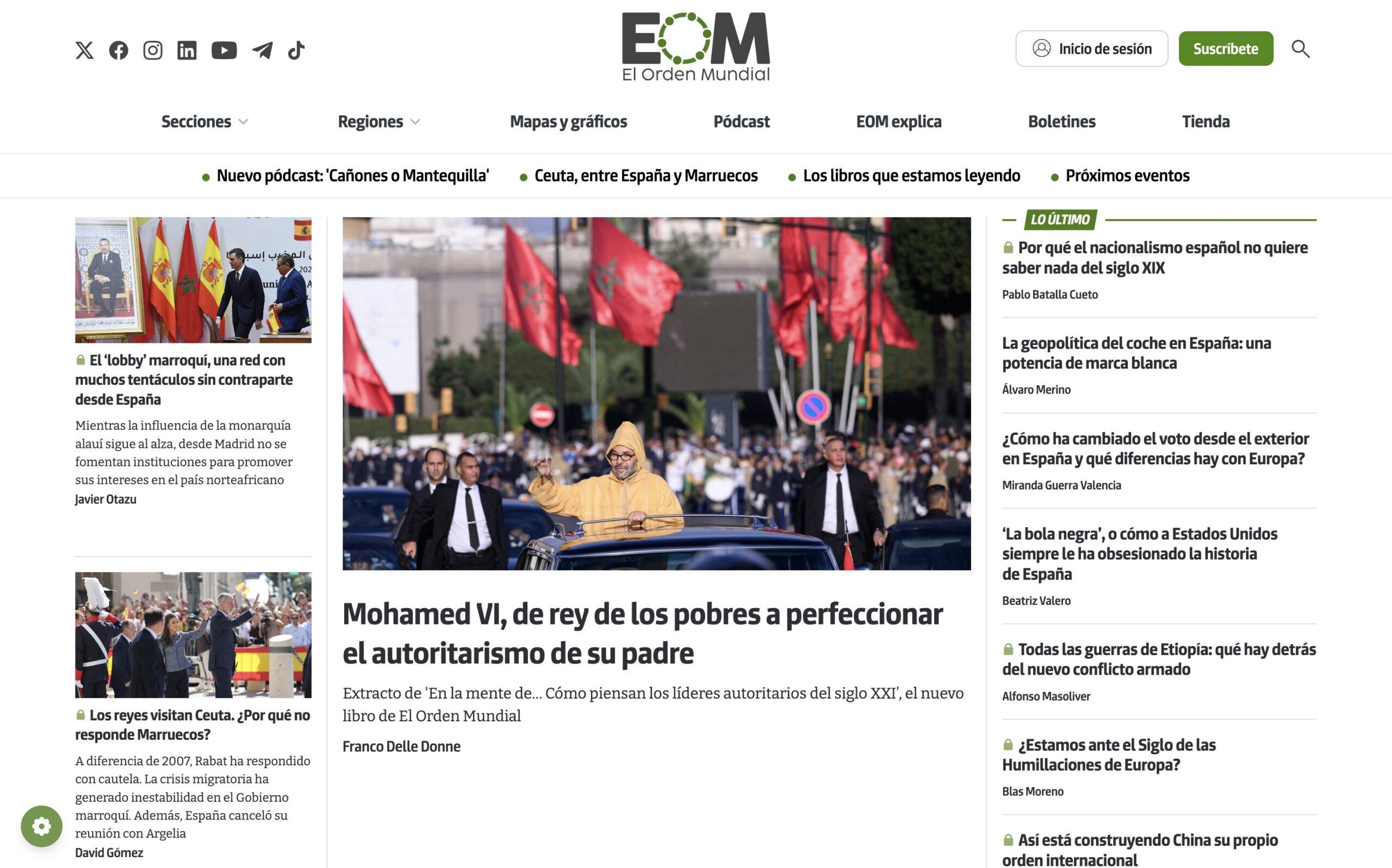
El Orden Mundial is an independent Spanish news website based in Madrid that covers international affairs. It uses MemberPress to manage its subscription plan, offering subscribers ad-free access and exclusive content.
Resources for Independent Publishers
Practical guides from the MemberPress blog for writers, podcasters, and publishers who want to own their audience.

Video
How to Make a Video Hub with Paid Content Behind a Paywall
Give your most loyal viewers something worth paying for, on your own site.

Newsletters
How to Start a Subscription Newsletter
Launch a paid newsletter where the list is yours from the first subscriber.

Publishing
How to Create a News Website with WordPress
Build a local or niche publication with a paywall built in from day one.
Frequently Asked Questions
Can I paywall just some posts and leave the rest free?
Yes. Rules apply to a single post, a category, or your whole site, so you decide exactly what's protected.
Can readers buy one article without subscribing?
Yes. One-time purchases work alongside recurring subscriptions.
I'm running WooCommerce Subscriptions for my publication right now. Can I move over?
Yes, and publishers have successfully switched before with our MemberPress Importer add-on. And if you need a hand, our 5-star customer support team will guide you every step of the way.
Can I bring my existing subscribers?
Yes. The MemberPress Importer add-on brings your existing subscriber list over from a CSV file, so your readers don't have to sign up all over again.
Will paywalled content still show up in Google?
Yes. MemberPress's paywall SEO settings let protected content stay indexed and discoverable even though it's gated.
Does it work with the email tool I already use?
MemberPress connects to the major email platforms and tags subscribers by tier automatically, so you keep sending from the tool you know.
Your readers are already willing to pay for good writing. Give them a way to.
14-day money-back guarantee. Full refund if it's not right for you.