

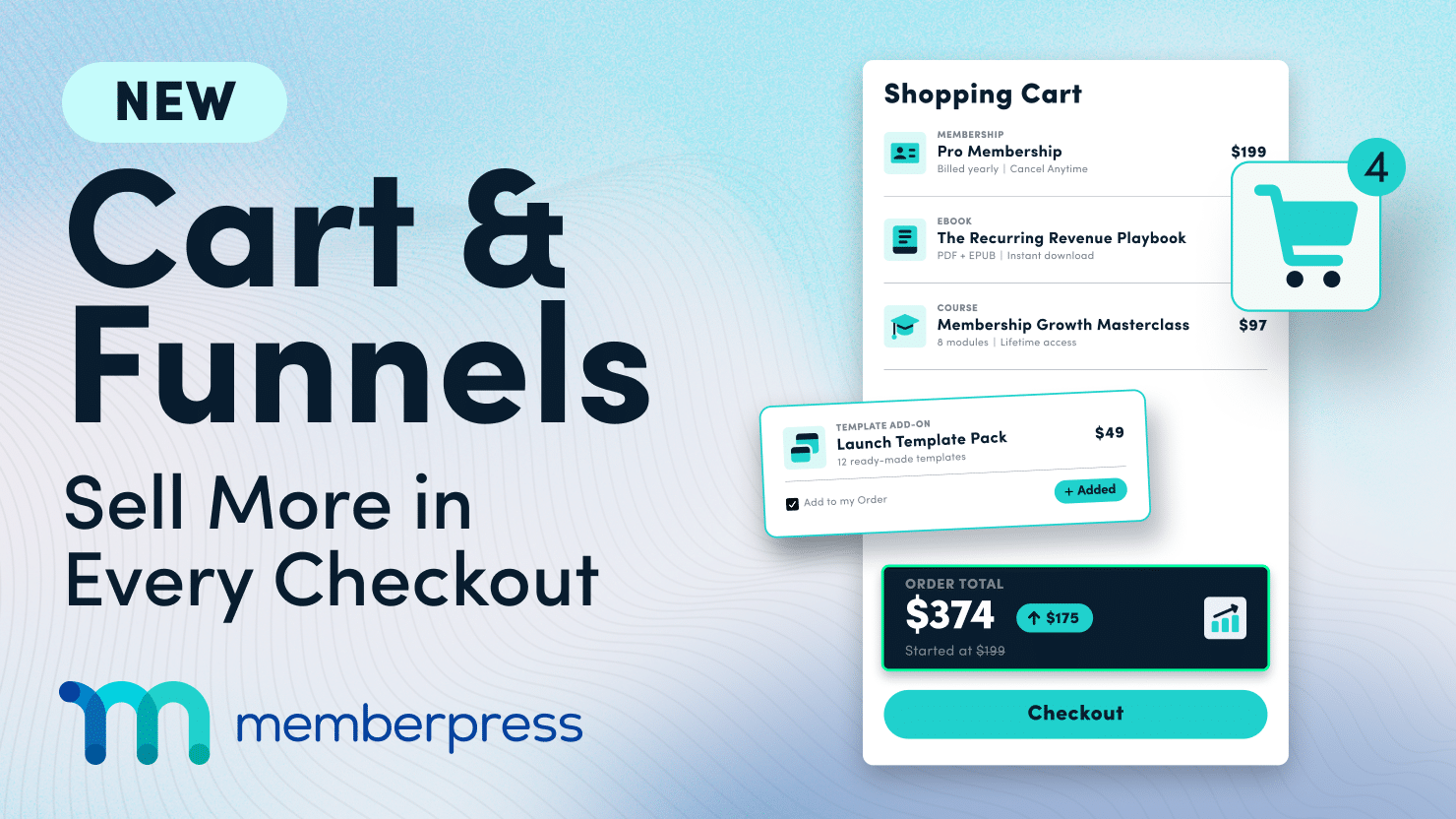
We’re launching TWO major updates at once!
The new MemberPress Cart lets your customers buy multiple memberships and digital products in a single checkout.
The new Funnels add-on lets you add order bumps, upsells, and downsells to that checkout.
Each one is a big deal on its own, and together they turn your membership site into a real store!
TL;DR
- MemberPress Cart: customers can browse a Shop page and buy memberships and digital products together in one checkout.
- MemberPress Funnels: add order bumps, upsells, and downsells to that checkout, so every sale has a chance to grow.
- Who gets it: the Cart is available on all MemberPress plans. Funnels is exclusive to the Scale plan.
- Get Funnels on the Scale Plan 👉
We’re so excited to bring you this major update!
Until now, MemberPress has been designed to sell one membership at a time, which meant every MemberPress product needed its own registration page.
That all changes TODAY! The new MemberPress Cart opens up huge possibilities for selling multiple products at once.
Say you want to sell a course, a workbook, and a coaching add-on. Now all three can go through a single transaction, just like any online store your customers already shop at.
And then there’s MemberPress Funnels, a new add-on for the Scale plan that makes the cart even more powerful!
Add upsells, order bumps, and extra offers to boost your average order value, all in one smooth checkout experience where your customers never have to re-enter their card details.
The two work independently, so you can use the cart on its own. But put them together, and every checkout becomes a chance to sell more.
A quick note on beta: both the cart and Funnels are currently in beta.
That means our team is still actively improving them based on your feedback, but they’re fully safe and operational, and ready for you to use on your site today.
In this walkthrough, we’ll show you what each update can do, how switching works if you already run a MemberPress site, and some real-world ways to put them to work.
Why Add a Cart to Your Membership Site?
1. Sell More Than One Thing at a Time
If you sell more than one product, a cart just makes sense.
Customers add several products and pay once, and every purchase becomes a single order with one receipt.
That’s a lot tidier for them, and a lot tidier for you when it’s time to look up a purchase or issue a refund.
2. Sell Digital Products Alongside Memberships
The cart introduces a brand-new Digital product type for access to one-time, non-recurring items. Think templates, ebooks, recordings, or printables.
You can sell them right next to your memberships, and even set a maximum quantity per cart.
3. Make More Dough From Every Checkout $$$
Here’s the thing: the easiest sale you’ll ever make is to someone who’s already buying from you.
With a shop page, customers can see everything you offer and add a little extra before they pay.
And with Funnels on the Scale plan, you can put the right offer in front of them at exactly the right moment (more on that below).
4. Reach Customers in Their Own Currency
The cart adds multi-currency support with a currency switcher, so international customers can shop in a currency they recognize. If you’ve got members around the world, this one’s for you.
Update #1:
MemberPress Cart Tour
First up, the MemberPress Cart. It’s available on all MemberPress plans, and it’s the foundation for everything else in this post.
1. Give Your Products a Proper Storefront
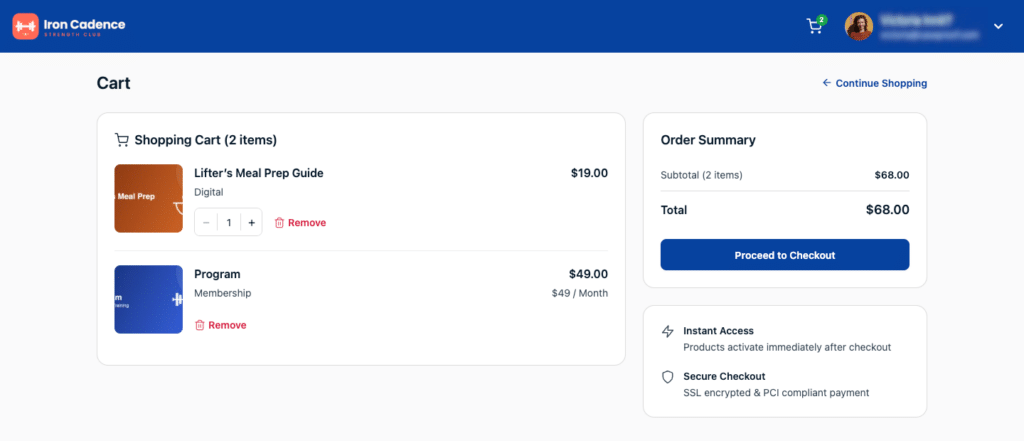
When you enable the cart, MemberPress automatically creates a Shop, Cart and Checkout page.
Customers browse your products on the shop page, add them to their cart, and head to checkout when they’re ready.
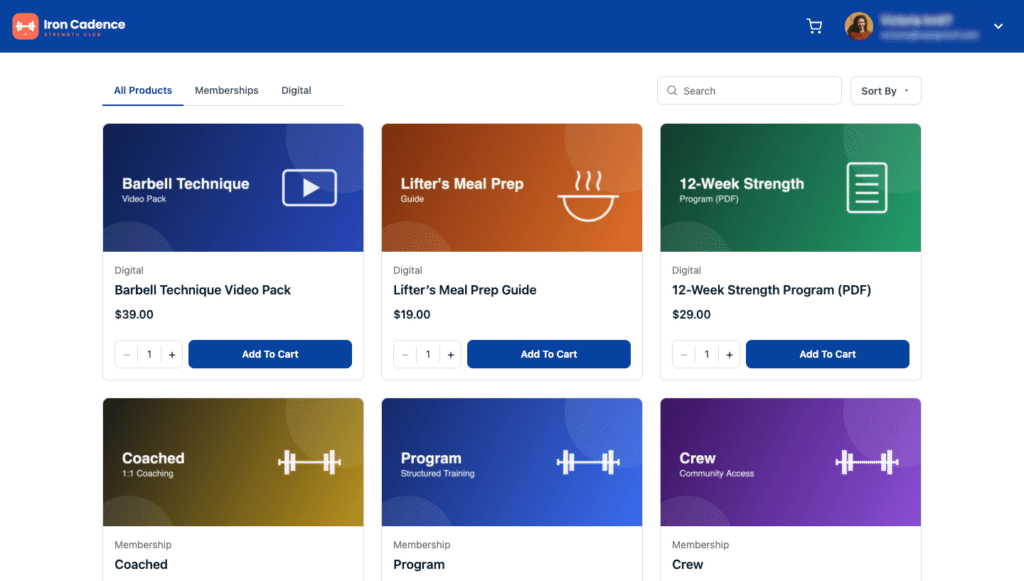
You also decide what shows up in your shop.
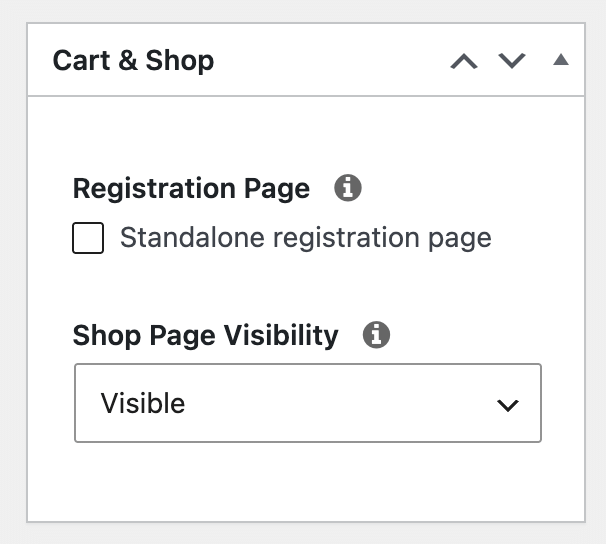
Every product has its own shop page visibility setting, so you can keep certain offers off the storefront (like a private VIP tier) while still selling them.
2. Build Your Store Pages Your Way
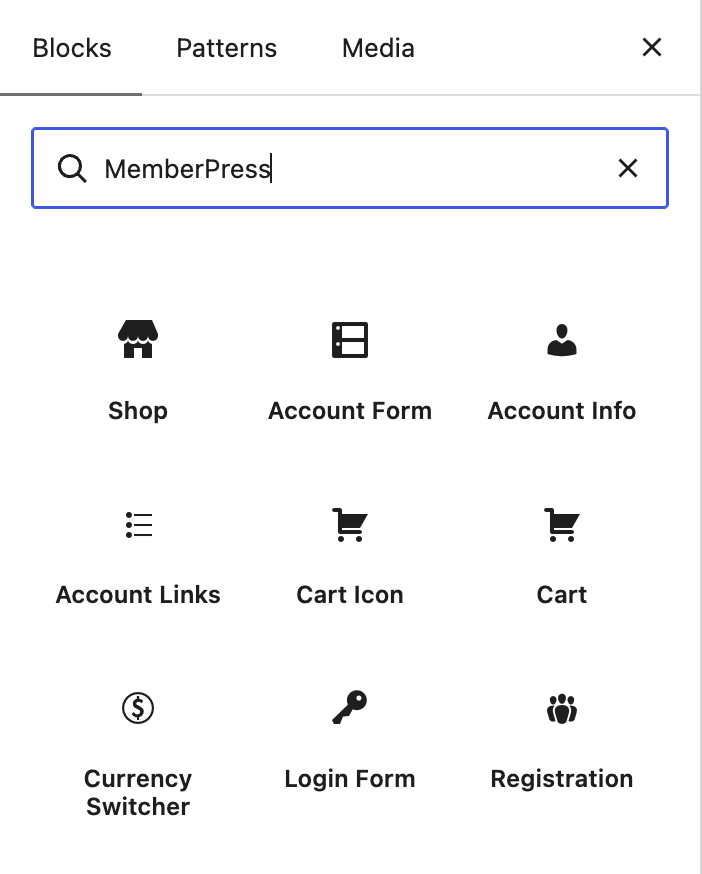
Want to design your own layout? The cart comes with four WordPress blocks you can drop onto any page:
- Cart block
- Shop block
- Cart Icon block (shows how many items are in the cart)
- Currency Switcher block
And if you use ReadyLaunch™, there are templates ready to go for the Shop, Cart, and Checkout pages, so they look polished from day one without touching a single line of code.
3. Choose a One-Page or Step-by-Step Checkout
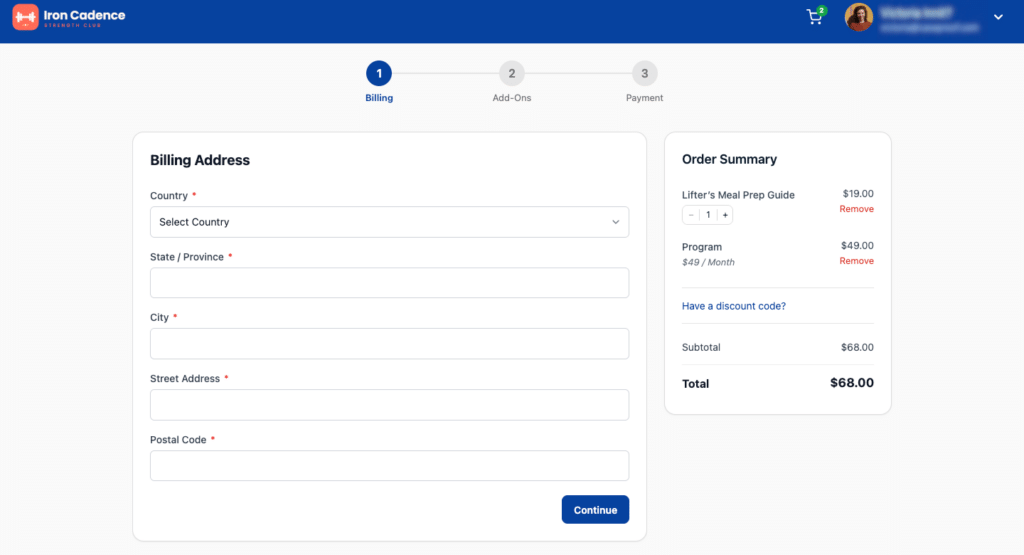
Checkout can be a single page or a multi-step wizard.
The wizard comes with three built-in steps (Details, Billing, and Payment) and you can add your own custom steps before payment.
It’s also smart about skipping what it doesn’t need. For example, a logged-in member won’t be asked to create an account all over again.
4. Keep Every Order Organized
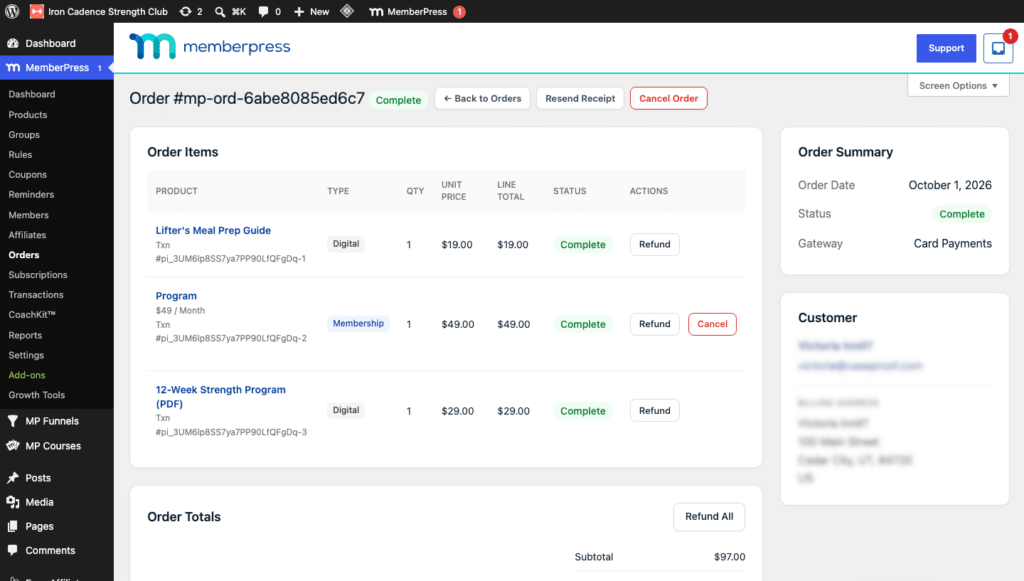
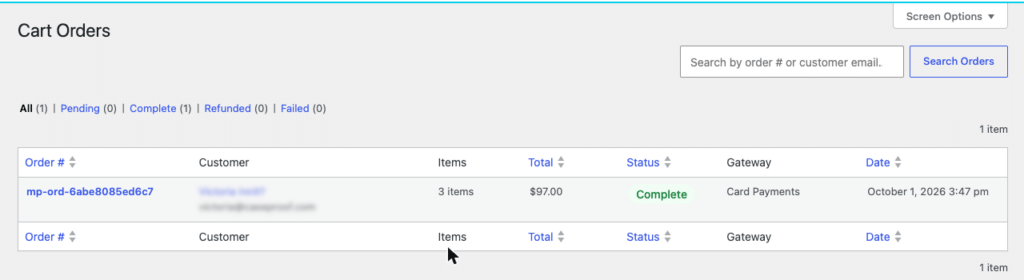
Every purchase creates an order you can manage from your dashboard.
You can review orders, add order notes, and issue refunds.
Your customers can also review their own orders from their account page, which saves you a few “can you resend my receipt?” emails.
MemberPress also sends automatic emails to both you and your customer for order receipts, refunds, and cancellations.
5. Keep Everything Else Exactly As It Is
The cart only changes how people buy. Your content protection, recurring billing, subscriptions, member accounts, groups, and coupons all work just like they do today.
And your standalone registration pages are still fully supported, so you can sell some products through the cart and keep others on their own registration pages.
Your store is one checkbox away
The MemberPress Cart is included on every plan. Turn it on, move your products over one at a time, and let your customers buy everything in one go.
Update #2:
MemberPress Funnels Tour
Our second big update is MemberPress Funnels, a new add-on for the Scale plan that turns your cart checkout into a sales funnel.
In other words, it’s a planned series of offers that guides a customer from their first purchase to a bigger one.
1. Add an Order Bump Before They Pay
An order bump is a simple checkbox offer that appears on the checkout’s Add-Ons step, just before payment.
It’s the easiest add-on sale you’ll make, because your customer is already reaching for their card.
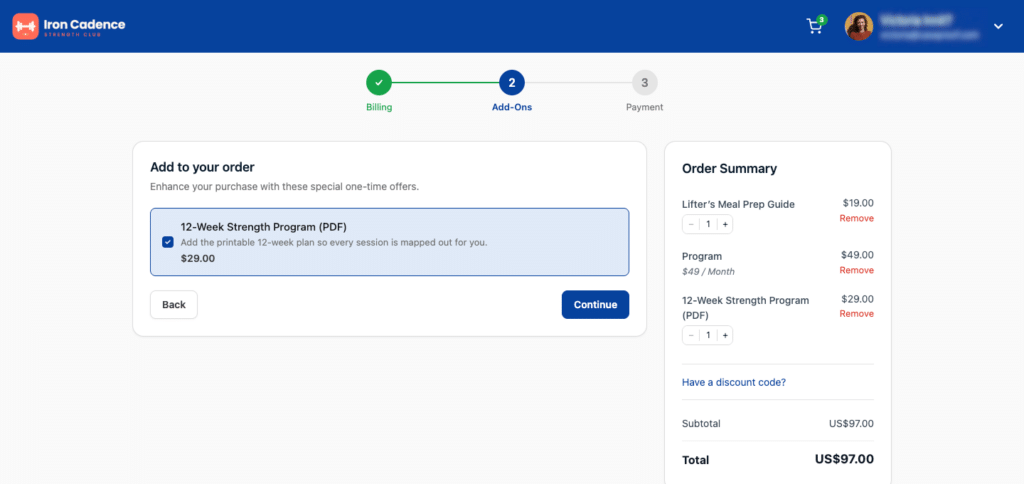
For example, someone buying your photography course could tick a box to add your Lightroom preset pack for $19.
2. Follow Up With Upsells and Downsells
After payment, Funnels can show upsell pages with a bigger or complementary offer.
When a customer accepts, it’s charged to the payment method they just used, so they don’t have to type their card details in again.
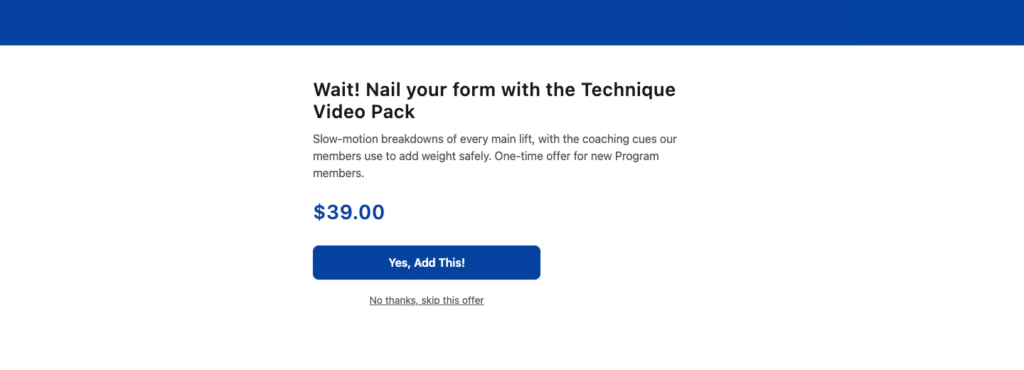
And if they say no? A downsell can step in with a smaller offer instead of letting them walk away with nothing. the title, image, and description for each offer, and attach a coupon to sweeten the price.
You can also add an optional countdown timer for a little visual urgency.
3. Branch Your Funnel Based on What Customers Do
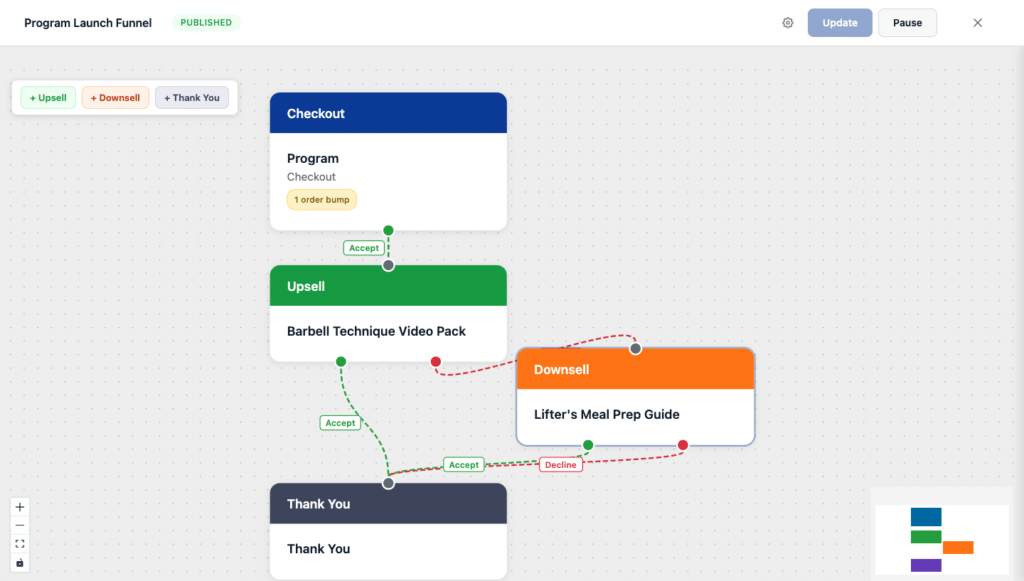
Every funnel can branch. If a customer accepts the upsell, they go one way. If they decline, they go another.
That means each customer sees the offer that makes the most sense for them.
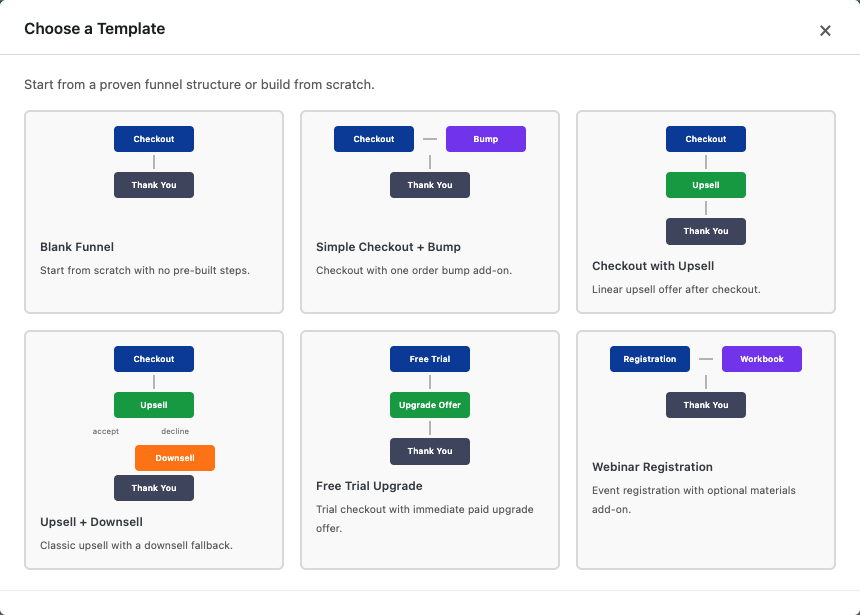
4. Map It All Out on a Drag-and-Drop Canvas
The funnel builder is a visual, drag-and-drop canvas. You map out your checkout, upsells, downsells, and thank-you page by connecting steps, not by writing PHP.
5. See Exactly What’s Working
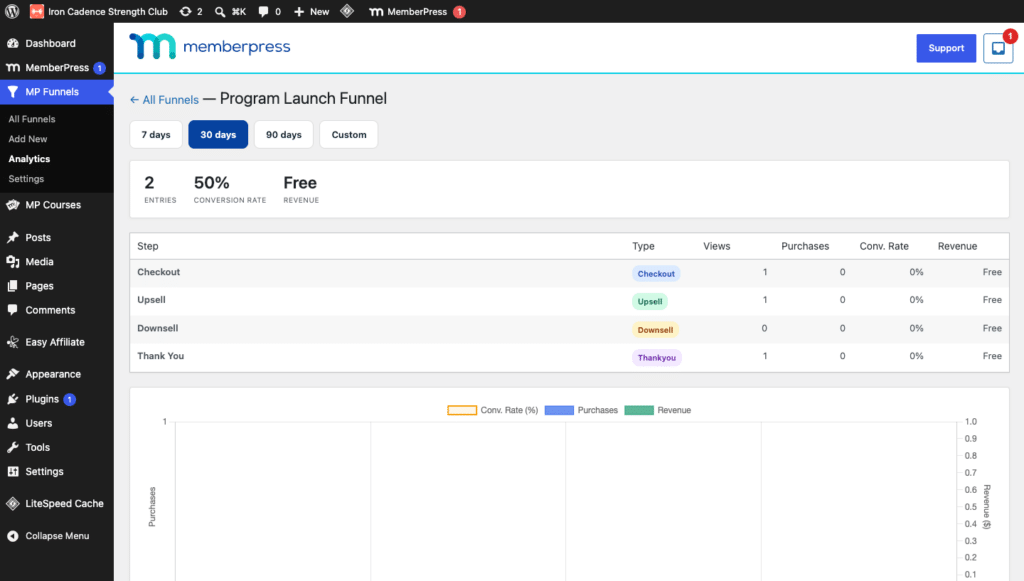
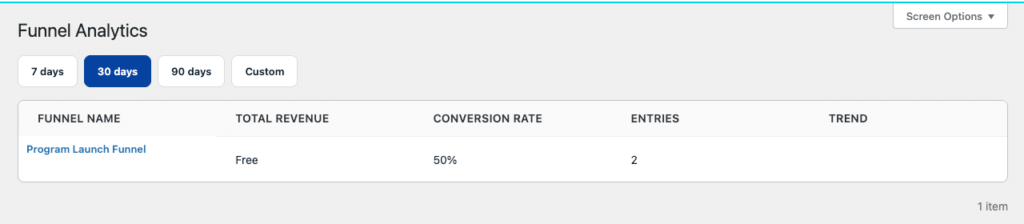
Funnel Analytics shows you how each funnel performs overall, the conversion rate of each step, and how much revenue each offer brings in.
You can look at the last 7, 30, or 90 days, or set a custom date range.
And because every product from a funnel session is combined into a single order, your records stay clean.
You can still refund individual items (in full or in part) and cancel future renewals on recurring products.
6. Give Declined Offers a Second Chance
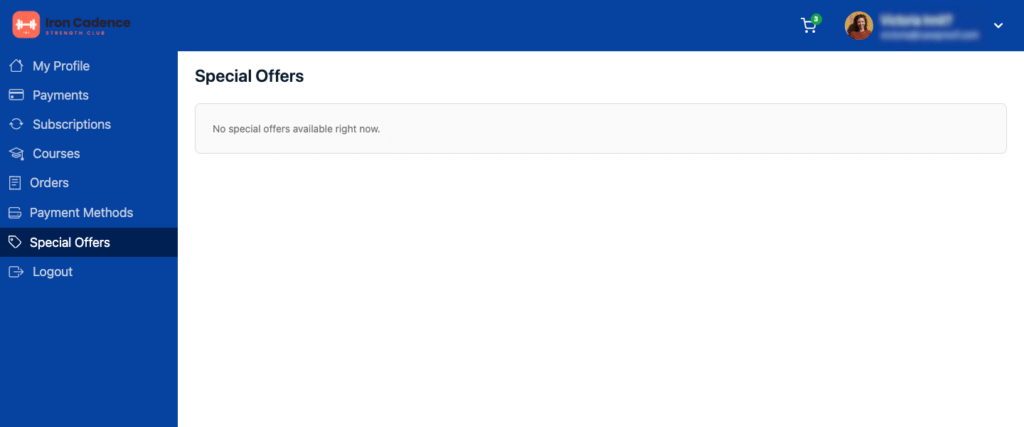
The Special Offers tab gives customers a dedicated section in their account where they can grab offers they passed on, at a special discount.
You can also pause a funnel anytime and republish it later without losing your work.
Already using the Order Bumps add-on? Your existing bumps are automatically converted into published funnels when you activate Funnels.
Turn one sale into three
Order bumps, upsells, and downsells, built right into your checkout and mapped out on a drag-and-drop canvas. Funnels is available on the Scale plan.
Better Together:
The Cart + Funnels
The cart and Funnels are two separate updates, and the cart works perfectly well on its own. But they were built to work together, and that’s where things get exciting.
The cart gets more products in front of your customers and into one checkout. Funnels then makes the most of that checkout, with an order bump before payment and a relevant upsell or downsell after it.
Every product from that session lands in a single order, and your customer only enters their card once.
For example, a customer adds your course and a workbook to their cart, ticks the box for a $19 replay bundle at checkout, and then accepts an upsell for a live group call. That’s four products, one checkout, and one order.
Already Using MemberPress? Here’s How Switching Works
The cart is optional. If you installed MemberPress before the cart was released, your site keeps working exactly as it does now after you update. Nothing changes until you choose to turn it on.
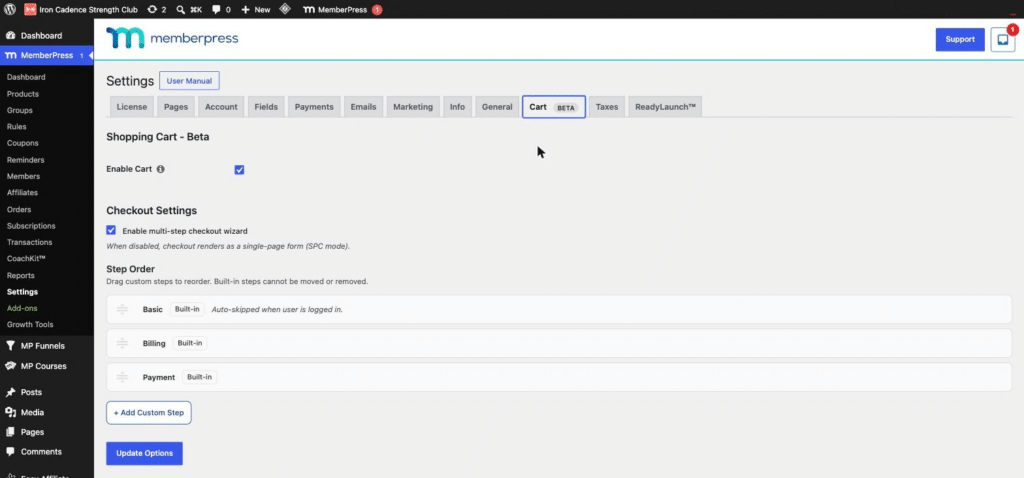
When you’re ready, go to Dashboard > MemberPress > Settings > Cart, check Enable Cart, and click Update Options.
Then you can move products into the cart one at a time by unchecking Standalone registration page on each product.
Existing products keep their current URLs, and your member links, subscriptions, and payments carry on as normal.
A few important things to know before you flip the switch:
- Test on a staging site first. Once your first customer completes a cart purchase, the cart can’t be disabled.
- The cart checkout supports Stripe and Offline Payment. If you use PayPal, Authorize.net, or Square, keep those products on their standalone registration pages, where those gateways still work.
- Funnels require the cart. Funnels deactivate if the cart is turned off.
Not sure whether the cart is right for you yet? Our guide on whether you should switch to the MemberPress Cart walks you through it.
🚨 IDEA ALERT! How YOU Can Use the Cart & Funnels
Online Educators and Course Creators
- Sell your course, workbook, and swipe file together in one checkout.
- Add an order bump for a recorded Q&A replay.
- Upsell a live cohort seat after someone buys the self-paced version.
Coaches and Consultants
- Offer a digital intake toolkit as an order bump on your coaching membership.
- Upsell a 1:1 strategy session right after purchase, with a downsell to a group call if they decline.
Fitness Communities
- Sell meal plans and workout guides as digital products in your shop.
- Offer a 12-week challenge as an upsell after someone joins your monthly membership.
Hobbyists and Crafters
- Turn your patterns, templates, and printables into a browsable shop.
- Add a bundle of bonus patterns as an order bump at checkout.
Professional Associations
- Let members add event recordings or certification study guides alongside their annual dues.
- Show international members prices in their own currency.
Photographers and Creative Pros
- Sell presets, LUTs, and tutorials next to your membership.
- Upsell a portfolio review after someone buys your course.
Your Store Is Open!
Two big updates, one goal: helping you sell more of what you create. Your members already trust you, and the cart makes it easy for them to buy several things in one go.
Add Funnels on top, and every checkout has a real chance to become your best sale of the day.
Both are in beta while we keep improving them with your feedback, and both are fully safe and ready to use on your site right now.
The MemberPress Cart is available now on all MemberPress plans, so you can start using it today.
MemberPress Funnels is available exclusively on the Scale plan while it’s in beta. Ready to get started?
Have questions about setting up your store? Let us know in the comments below!
If you found this article helpful, follow us on Facebook, X, Instagram, and LinkedIn!












You mention “ Once your first customer completes a cart purchase, the cart can’t be disabled.”
But can we turn it off if it is suitable?
Hi Andrew, great question! You can switch the cart off and back on as often as you like while you’re setting things up, and MemberPress saves your checkout settings each time. The cart becomes permanent once a customer clicks Pay Now in a cart checkout, even if that payment doesn’t go through, so it’s worth testing everything on a staging site first. Even after that point, you still have plenty of control over how you sell. Each membership product can keep selling through its own standalone registration page, and you can choose whether each product appears on your shop page, so your memberships can keep running the way they did before the cart. One thing to keep in mind is that digital products sell through the cart only. You can read more here: https://memberpress.com/docs/memberpress-cart-overview/