

If you’re considering starting an online weight-loss business, now’s a great time. The global virtual fitness market is booming. Valued at approximately $38.8 billion in 2026, it’s projected to expand rapidly to between $109 billion and $311 billion by the early 2030s.
If you’re a personal trainer, nutritionist or coach, a membership site lets you sell your weight loss program to clients anywhere, on a monthly subscription, without trading hours for every session.
MemberPress handles the paywall, billing and course delivery on your own WordPress site.
Below, you’ll see how trainers are structuring these programs and how to set one up with MemberPress in five steps.
Why a Membership Site Can Benefit Your Weight Loss Program
A monetized membership site requires subscribers to pay for access your content. Unlike a regular website, your fitness plans and advice will be behind a paywall, and not accessible to the general public.
That means members will subscribe and then use your advice to reach their fitness and health goals.
For example, the 28 by Sam Wood monthly subscription program provides users with workouts, meal plans, and motivation:

The global weight loss market is predicted to reach a value of approximately $213 billion by 2025. There’s an excellent opportunity to direct traffic to your site and make ongoing profits from your health and fitness programs. With an online program, you have access to a massive worldwide audience.
Once you start a MemberPress site, you can also begin generating passive income from your subscriptions. You’ll need to create and upload your content, but sign up fees or recurring payments will generate profits far into the future.
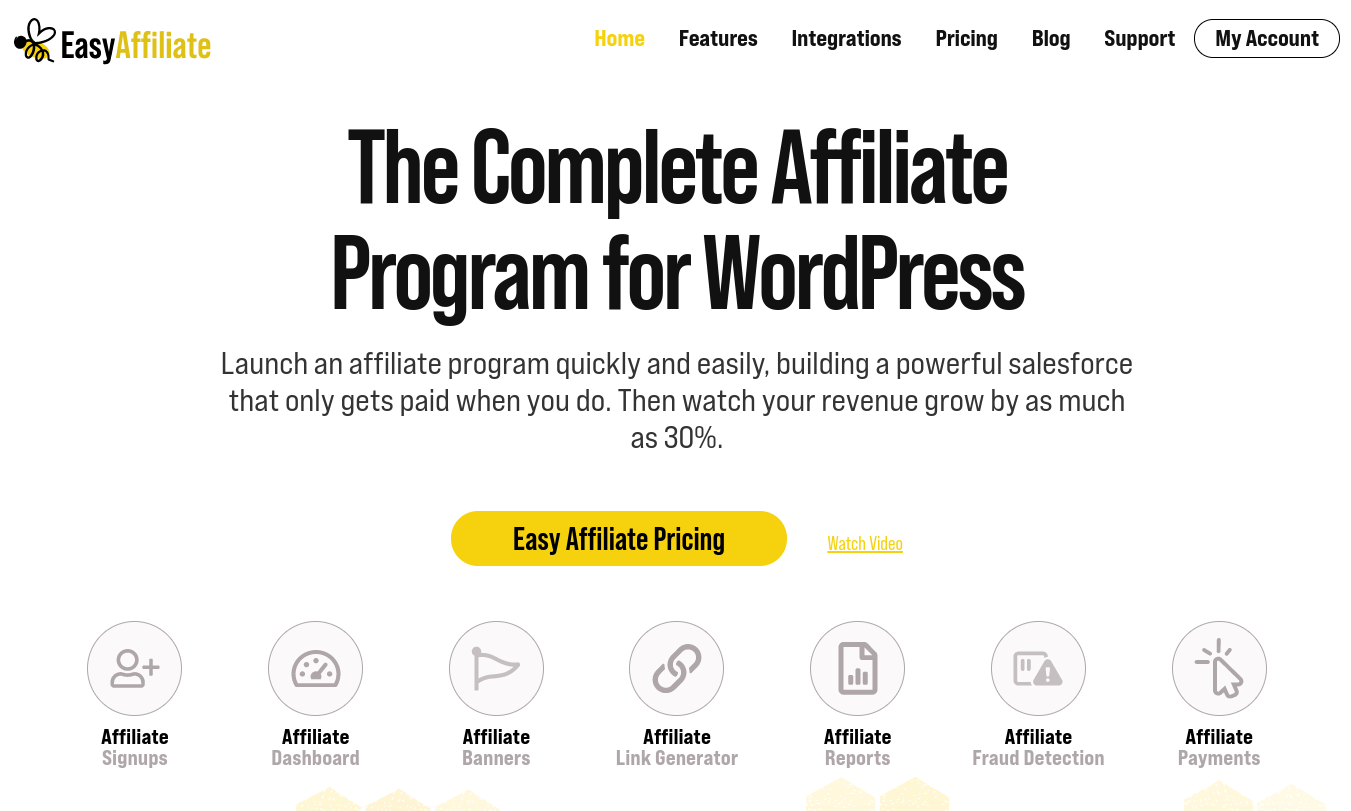
Additionally, you can use your members-only site to generate income through affiliate marketing.
With inbound affiliate marketing, you sign up as an affiliate for products you trust. Then you make a commission when your customers buy products through your links.
With outbound affiliate marketing, you run a self-hosted affiliate program where affiliates sign up to sell your products and services for you.
MemberPress Weight Loss Business Example – Gymtime PT
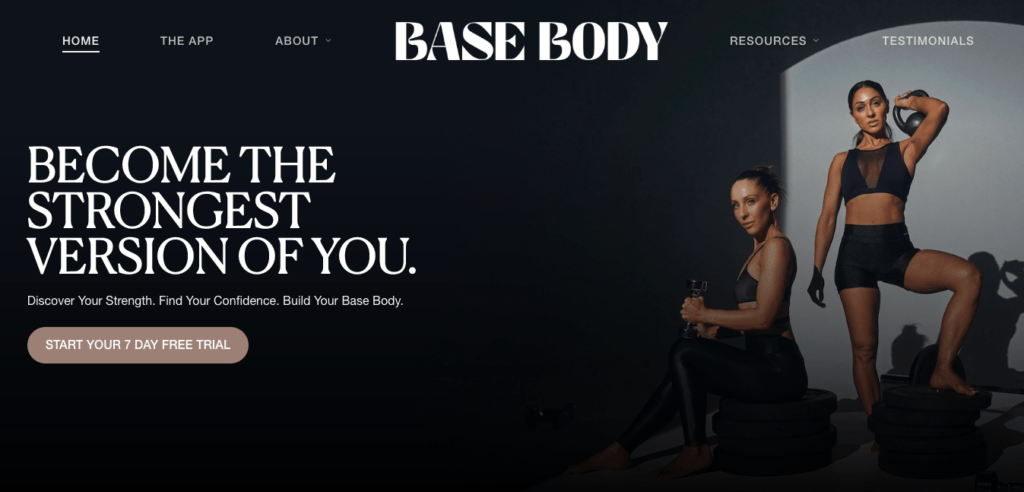
Check Out the Site: Base Body Babes
What They Do
Felicia Oreb and Diana Johnson are the Base Body Babes (BBB). They specialize in female strength training, offering sessions online and in their boutique, strength-training facility in Sydney, Australia.
Their virtual training platform includes home and gym weight training courses and tutorials, access to the BBB recipe library, and more.
How the Site Uses MemberPress
Base Body Babes manage their paywalled content and exclusive offerings on their website through MemberPress.
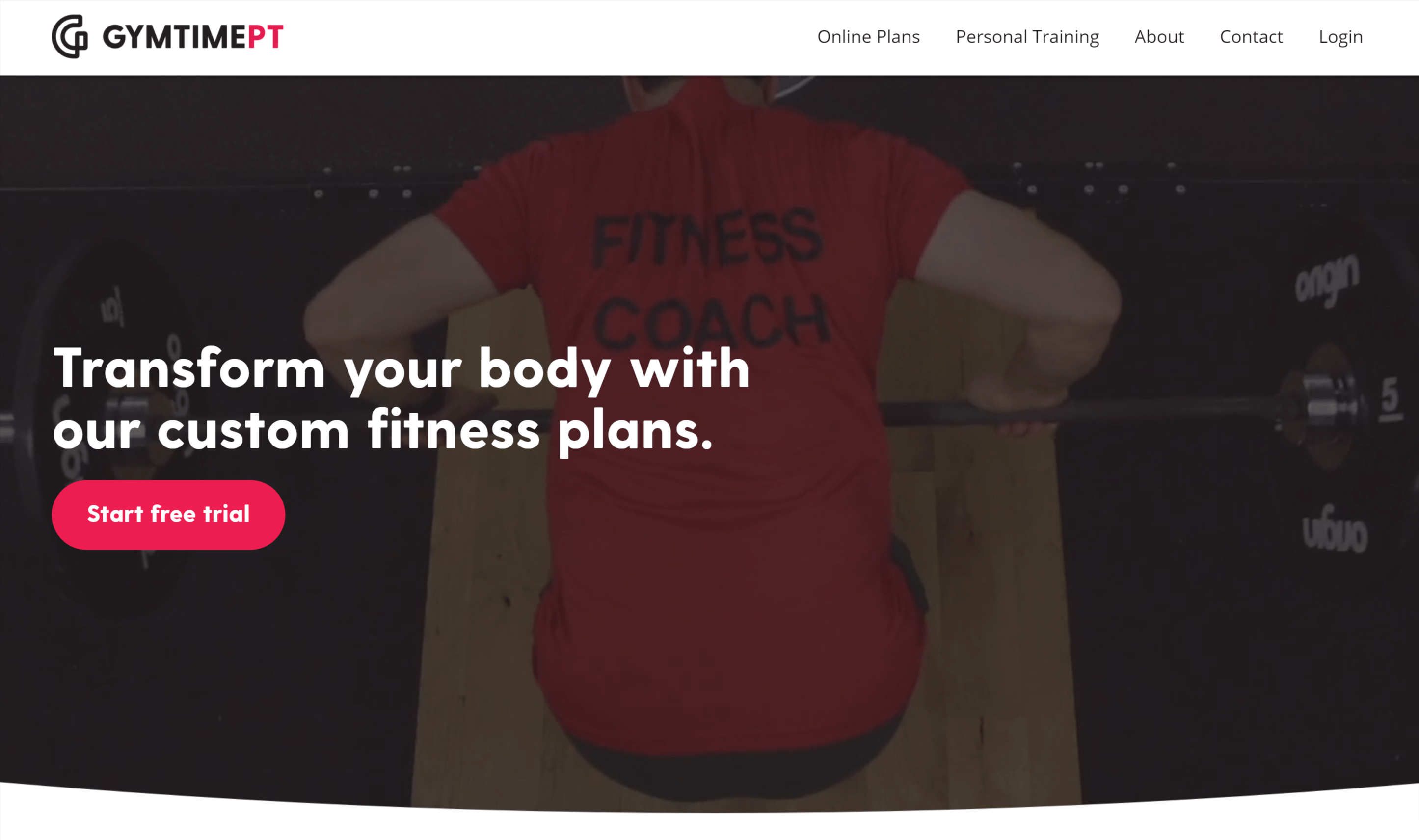
Check Out the Site: Gymtime PT
What They Do
Gymtime PT is an online fitness training program. Each of its plans include total customization tailored to customer needs as well as access to hundreds of videos and other resources.
Users choose from three base plans, answer a few questions, and then receive a custom workout program and nutrition plan.
How the Site Uses MemberPress
Gymtime PT manages access to its program with MemberPress. It offers the “Ultimate Weight Loss”, “Tone Up Extreme”, and “Clean Bulk” base plans.
How to Start an Online Weight Loss Business with MemberPress (In 5 Steps)
Before starting this tutorial, you’ll need a live WordPress site. If you don’t have one already, no worries. Setting up a WordPress site is easy. Check out this Getting Started resource to get rolling.
You’ll also want to choose a theme for your WordPress site. One of the great things about WordPress is that you can find a theme built specifically for just about any business model.
Check out this list of 12 themes designed especially for weight loss websites to get some ideas.
Once your site’s framework is in place, you can transform it into an online weight loss business by implementing the following steps.
Step 1: Design Your Weight Loss Program
Before starting your business, you’ll want to plan and create the weight loss content you’ll offer to your subscribers. Your customers will be paying for access to your programs, so it’s important that you consider how you can provide value to them.
PRO TIP: Keep in mind that you don’t have to create all your content before you launch your site. As your business grows, you can chip away at adding more resources. Just start with a plan outline, then create one or two elements (like a video and a downloadable meal plan) to kick things off.
Following are some great types of content to add to your plan outline (and MemberPress supports them all!)
Videos and downloadable files
As mentioned in our Pro Tip, you may decide to upload videos with different kinds of workouts. To accompany this visual content, you might also offer a downloadable file such as menu plans or weekly workout schedules.
Members-only forum
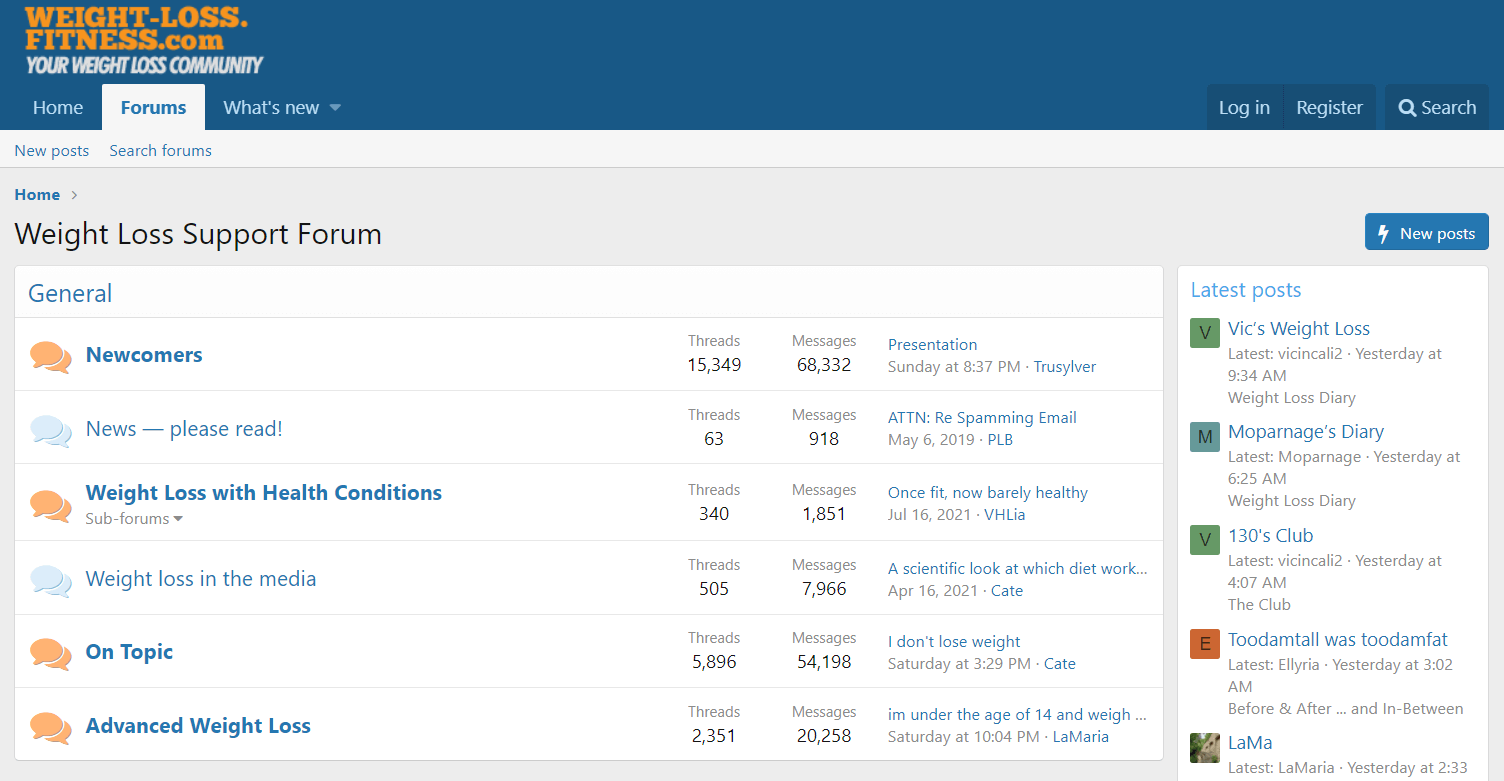
A members-only forum can enable subscribers to share their stories and find inspiration. For example, the Weight Loss Support Forum facilitates discussions between people who are trying to lose weight and live healthier lives.
Forums are proven to improve member retention, especially when it comes to goal-based memberships.
Ecommerce store
You might also sell products through an ecommerce store. For example, you could market vitamins, supplements, workout gear, and related items to your subscribing customers. This would be a great place to pull in affiliate marketing, as we mentioned above.
Online Courses
Finally, you should definitely consider offering online courses as part of the mix. Courses are a great way to package weight loss content, and they’re designed to maximize recurring revenue.
Plus the MemberPress Courses Add-on is included with MemberPress Launch, Growth, or Scale plans. It makes building and protecting courses super easy!
Coaching
Coaching helps you get more hands on in the process of guiding your clients to success.
With MemberPress CoachKit™, you can create programs, set milestones, habit tracking and set up 1:1 consultations or office hours with your clients, and offer your time at a premium.
Courses, Downloads, Forums and CoachKit™ are all built into MemberPress, so you don’t need to set up a complex tech stack.
Step 2: Install and Activate the MemberPress Plugin
First, choose your desired MemberPress plan and sign up for an account. The Growth plan is our most popular starting point for fitness and nutrition accounts and comes complete with CoachKit™.
Sign up to the Growth plan now and get 50% off your first year with a 100% money back guarantee within 14 days if your not completely satisfied.
Once you’ve made your purchase, you’ll be directed to your account dashboard:
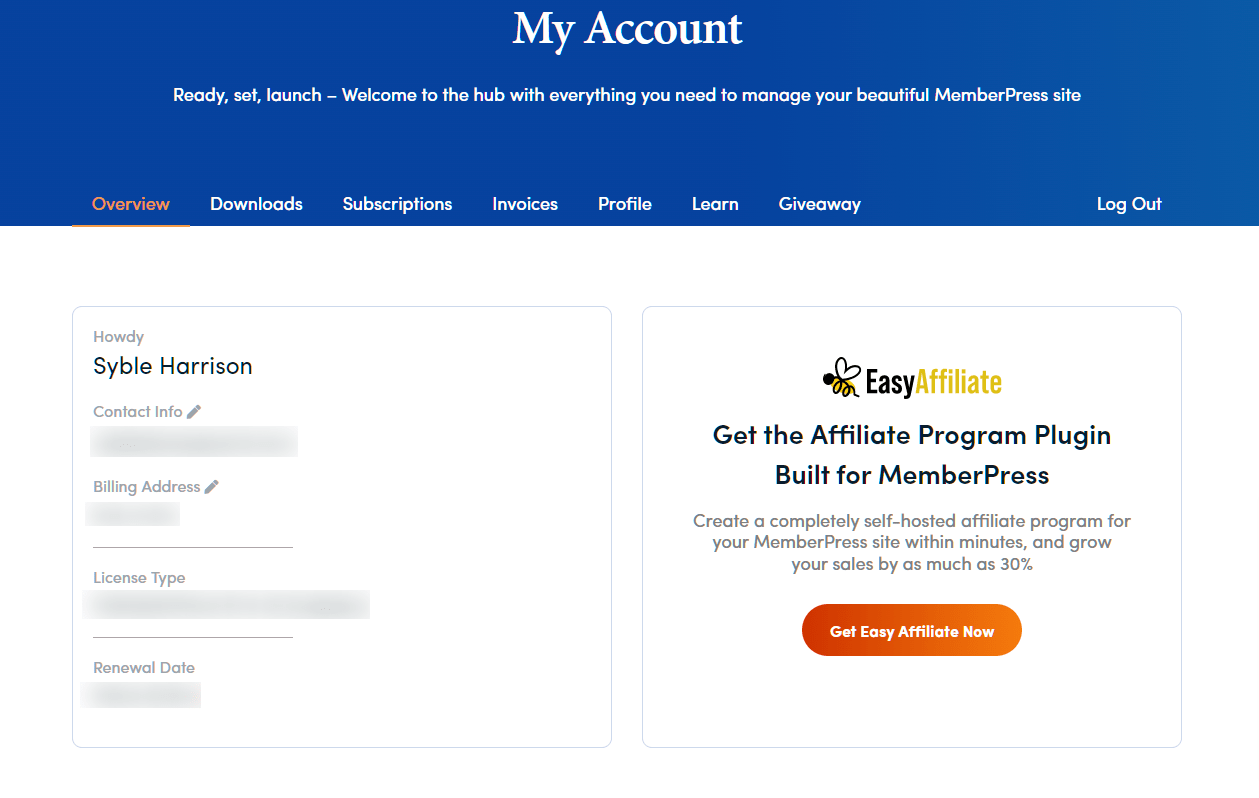
You can download the MemberPress files in a .zip format. You should also keep this dashboard open, because you’ll need your license key to complete the plugin registration.
Log in to your WordPress admin dashboard and navigate to Plugins > Add New > Upload Plugin > Choose File:
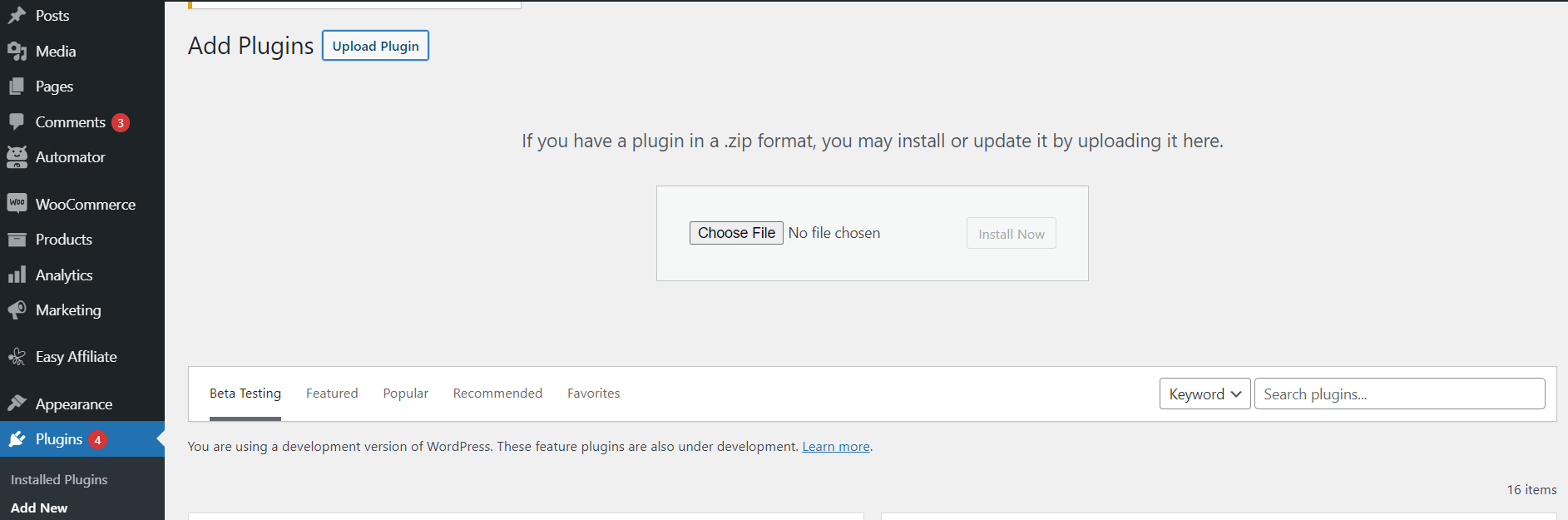
Select the .zip MemberPress file and upload it. Once it is installed, click on Activate. Then enter your license key to complete the registration and gain access to the plugin’s premium features.
You may also want to configure your general MemberPress settings and customize them to meet your needs.
Step 3: Set Up Your Weight Loss Membership Plans
Next, you can set up your membership plans. These will be the different subscriptions you offer to your customers.
For example, you may offer a cheaper plan that includes videos and meal plans, and a more expensive option with one-on-one coaching calls and personalized workouts.
In your WordPress dashboard, navigate to MemberPress > Memberships > Add New. You will then have the option to name your plan and enter its details:
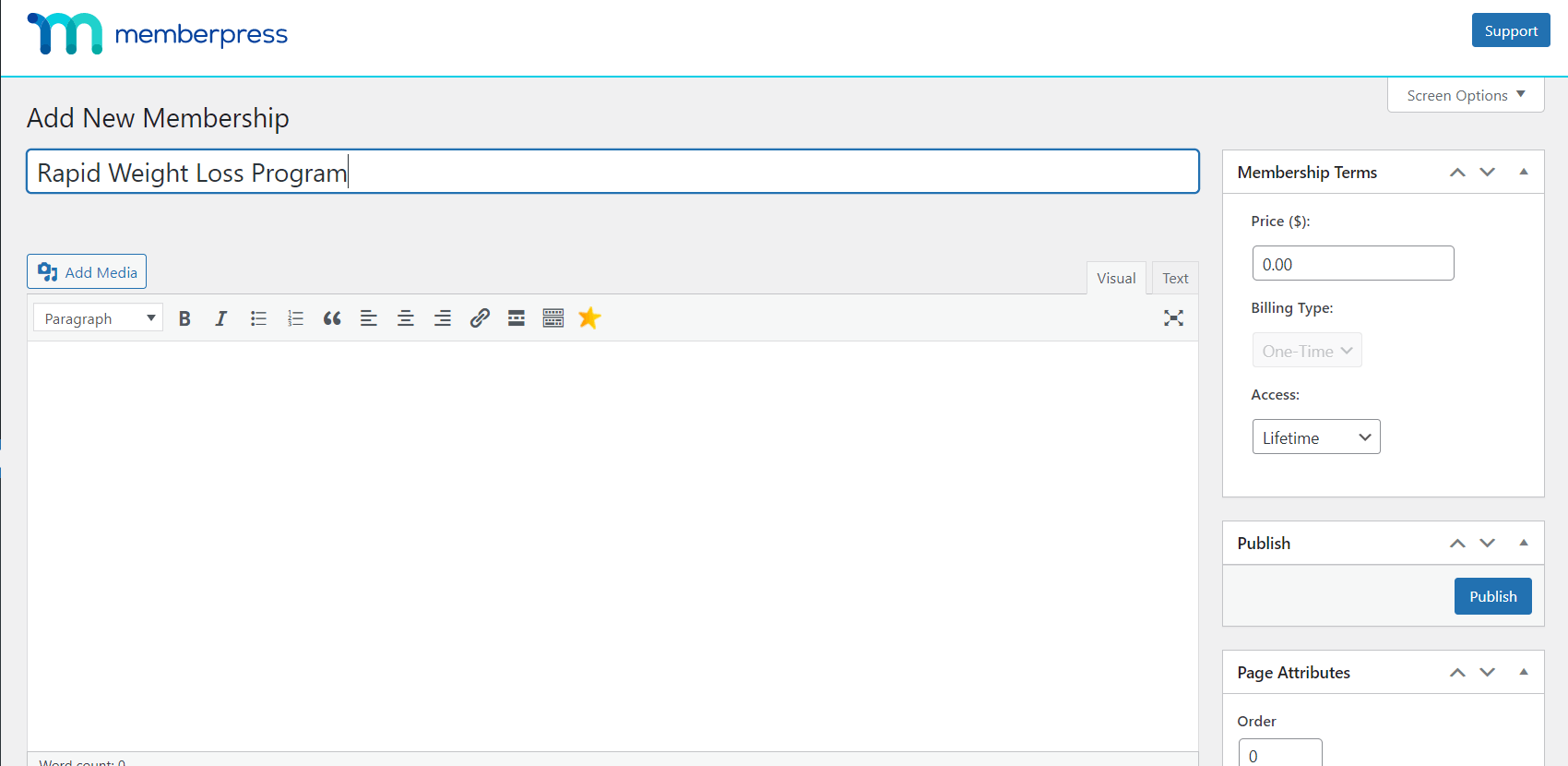
You can customize various settings, including your plan’s price, access duration, billing type, and (if relevant) trial period.
If you scroll down the page, you can also adjust more advanced membership options, such as the price box information and whether you will send an automated welcome email to new members.
Once you’re happy with your settings, click on Publish. You can also come back to this same location at any time to edit existing plans.
Step 4: Configure Your Weight Loss Membership Rules
Now you can adjust which pages and content are available to different membership plans. Head to MemberPress > Rules > Add New. Then scroll down to Protected Content:
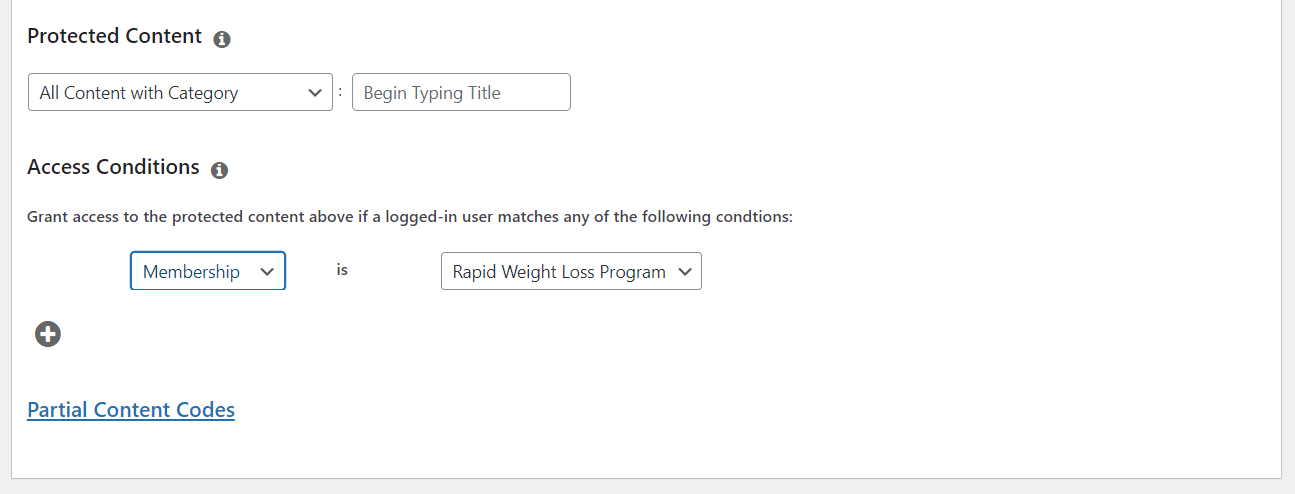
You can choose the restricted content according to its category, tag, page type, or post type. Then you can assign access according to membership level, member name, role, or capability.
For example, you might offer your beginners gym program to all members, but charge extra for access to your nutrition guide or special workouts that target specific areas.
Once you’ve set up your rules, click on Save Rule. You can come back here and change access conditions at any time if you update your strategy.
Step 5: Add Your Membership Site’s Registration Link and Login Page
Now, you’ll need to set up a menu that users can click on to register for your membership site.
Navigate to Appearance > Menus > Manage with Live Preview. In the editing window, click on Menus > All Pages > Add Items. Scroll down to Memberships and click on the plus (+) symbol next to your membership’s name:
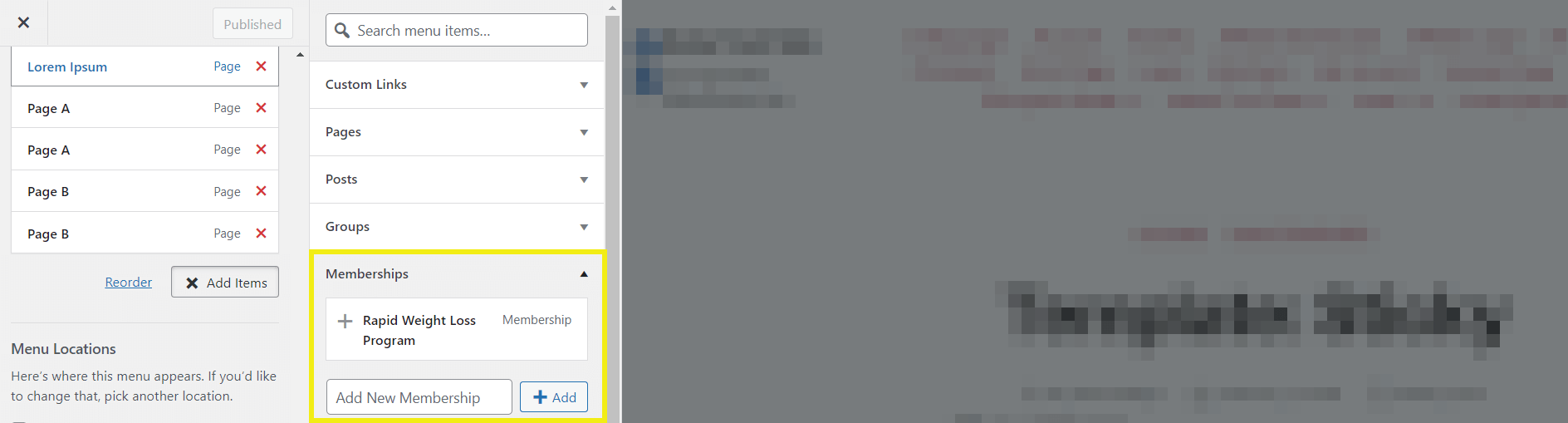
Then click on Publish to save the changes. When users navigate to this menu, they will find the sign-up information for your plans. There, they can register and pay to become members of your site.
The final step of the process is to add a login page for your existing members. Go back to your WordPress dashboard and navigate to MemberPress > Settings > Pages.
Click on the drop-down menu next to MemberPress Login Page, and select Auto Create New Page:
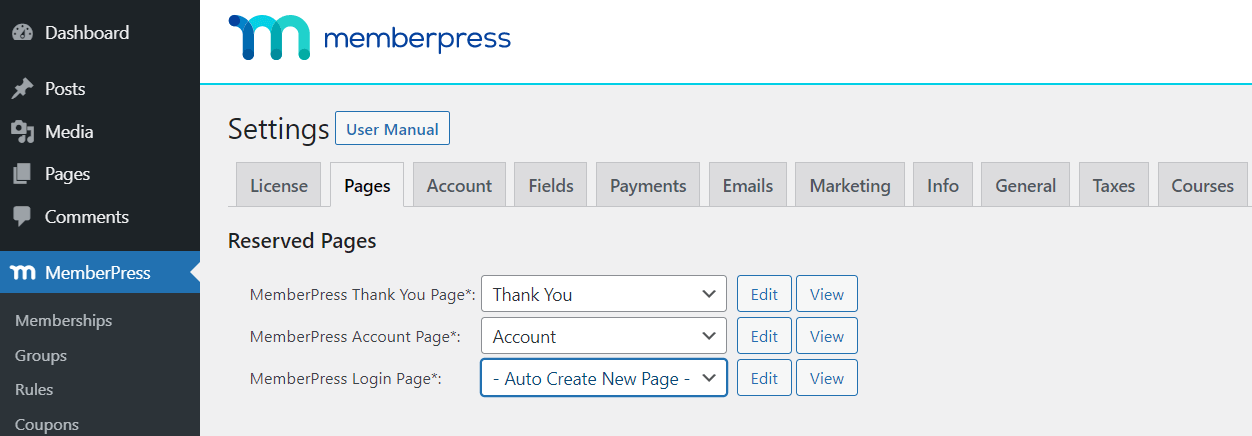
You can customize this page by clicking on the Edit button next to the menu and adjusting the settings. When you’re happy with it, click on Update Options to save your selection.
There you go! You just created the beginnings of a successful online weight loss business!
Frequently Asked Questions About Weight Loss Membership Sites
Do I need to be certified to sell a weight loss program online?
It depends on what you’re offering and where your clients live. General workout plans and motivation usually don’t need a license. Personalized nutrition advice or meal plans for medical conditions often do, and the rules vary by country and state. Check the requirements where you work and where your members live, and add a clear health disclaimer to your site either way.
Which MemberPress plan is best for a weight loss membership?
Growth is the best fit for most weight loss programs. It includes CoachKit™ for one-on-one coaching, plus course content dripping, quizzes and completion certificates. Launch covers courses and paywalled content, so it works if you’re only selling videos and meal plans to start. Every plan comes with a 14-day money-back guarantee.
How much should I charge for a weight loss membership?
Set your price by how much support members get, not by how much content they can access. A self-guided tier with workouts and meal plans sits at the lower end. Tiers with check-ins or one-on-one coaching can charge a lot more, because members are paying for your time and for someone keeping them accountable. Start with one or two tiers. You can add more once you know what members actually use.
Can I release my program week by week?
Yes. With content dripping, lessons unlock on a schedule, like one module per week of a 12-week program. That keeps new members from racing through everything in the first weekend and gives them a reason to stay subscribed. Course dripping is included on the Growth and Scale plans.
Do I need all my content ready before I launch?
No. Most trainers launch with a program outline, a couple of workout videos and a downloadable meal plan, and then add to it each month. Adding content regularly also gives members a reason to keep paying.
Can I offer a free trial?
Yes. You can add a trial period to any membership plan in MemberPress, either free or at a reduced price. That way people can try your program before they commit to a recurring payment.
Conclusion
The online fitness and weight loss industry is booming, with more and more people preferring to work out at home.
If you have the health qualifications and a little creativity, you can easily capitalize on this market with the help of a subscription-based membership site.
Here’s a recap of how you can start a membership site for weight loss programs in just 5 steps:
- Design your weight loss programs.
- Install and activate the MemberPress plugin.
- Set up your membership plans.
- Configure your membership rules.
- Add your registration link and login page.

Get MemberPress Today!

Do you have any questions about starting a members-only website for weight loss programs? Let us know in the comments below!
If you liked this article, be sure to subscribe to the MemberPress blog!












Great content.
Can the contents be in arabic?
I enjoyed reading your blog.