

MemberPress AI Foundation connects your membership site directly to the AI tools you already use, like Claude Desktop, Cursor, and VS Code, so you can ask about your members, subscriptions, and revenue in plain English and get a real answer back.
It’s a WordPress MCP integration built specifically for membership sites, so there’s no custom code or API keys to wrangle.
Want something changed, like a refund or a plan update? It can do that too, with your approval required before anything happens!
AI Foundation is live, and it’s the plugin behind every AI feature we build from here forward.
Install it once, and Claude Desktop, Cursor, VS Code, Windsurf, or Claude Code can all talk to your site directly: reading your data, answering your questions, and, when you say so, making changes.
In this walkthrough, we’ll cover why this matters, what you can actually do with it, and some real ways you can put it to work.
Why AI Foundation?
1. Stop clicking through wp-admin to find an answer
Right now, answering a simple question about your business means logging in, finding the right screen, and clicking through tabs. What a time suck.
With AI Foundation, you open Claude Desktop and just ask:
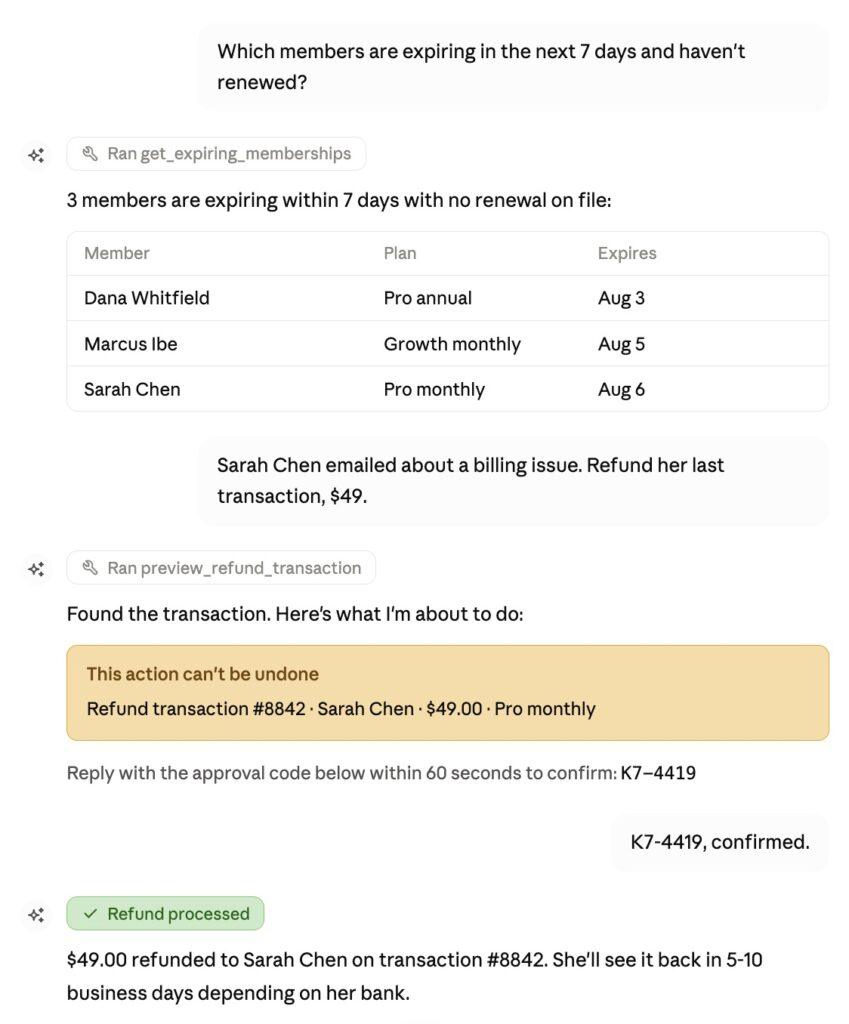
- “Which members are expiring in the next 7 days and haven’t renewed?”
- “Show me every failed payment this month and why it failed.”
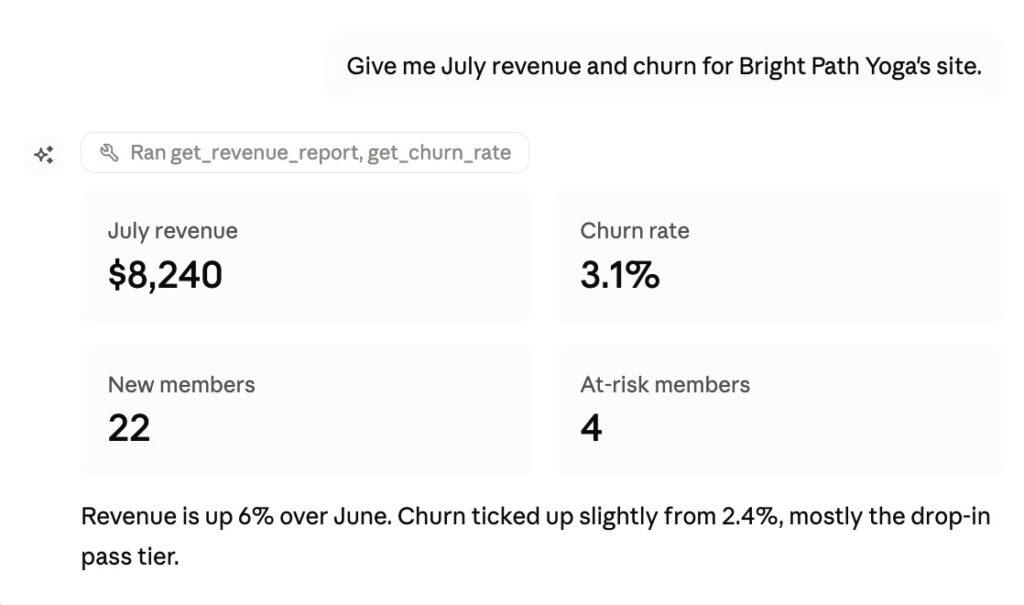
- “Which membership plan has the highest churn right now?”
You get an answer in seconds, pulled straight from your live MemberPress data.
2. Let AI take the action, not just report on it
Once you’ve connected an AI client with write access, you can ask it to do something, not just look something up: refund a transaction, cancel a subscription, extend a member’s access. The AI shows you exactly what it’s about to do first, and nothing happens until you approve it.
3. Monetize $$$: Catch revenue leaks before they cost you
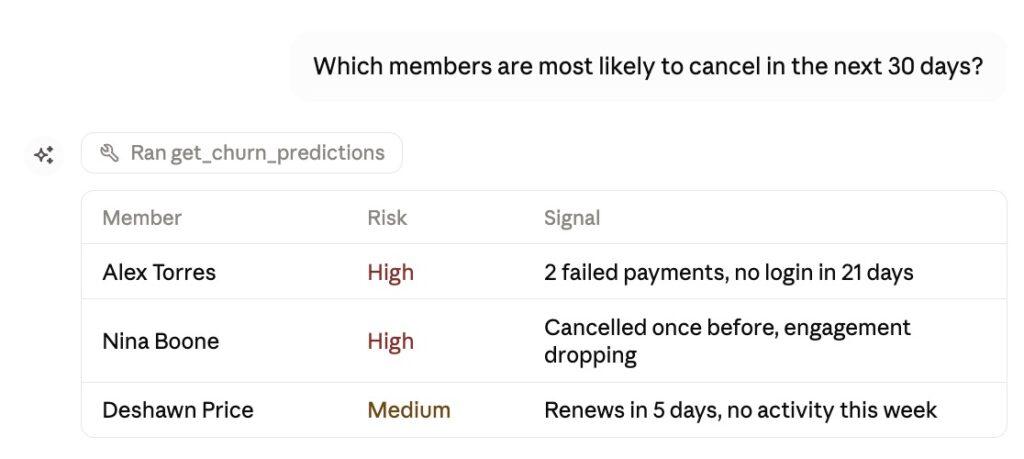
AI Foundation gives connected AI clients access to your revenue reports, churn predictions, renewal forecasts, and failed-payment analysis.
That means you (or your AI assistant) can spot a member at risk of canceling, a subscription about to lapse, or a payment method that’s about to fail, before it turns into lost revenue. Catching these earlier saves real money.
4. One foundation, every future MemberPress AI feature
AI Course Generator already runs on AI Foundation, and every AI feature we build after this will run on it too. Connect your AI client once and buy credits once, and that same connection carries over to every AI feature we add from here.
The AI Foundation Tour
1. Ask your site anything, in your own words
At the center of AI Foundation is a WordPress MCP Server, which exposes your MemberPress data to connected AI clients through a set of tools: 41 on a standard install, plus more as you add Courses, Corporate Accounts, Downloads, or Gifting.
These tools cover members, memberships, subscriptions, transactions, coupons, access rules, and reporting: revenue, churn, cohort analysis, lifetime value, renewal forecasts, member engagement, and more.
Running Corporate Accounts? You can ask things like “how many of Acme Corp’s seats are actually in use?” and get an answer without opening a single report.
In practice, this means you can ask a genuinely wide range of questions and get a straight answer: enrollment numbers for a course, a member’s full subscription history, this month’s revenue broken down by product, which members are the most engaged.
You get the number, not a CSV you then have to go dig through.
2. Take action, with your approval built in
Anything that changes data on your site goes through a safety check first. Routine updates, like creating a member or adding a coupon, are previewed by default: the AI shows you what it would do and runs them live only when you tell it to.
Anything that can’t be undone, like deleting a member, refunding a transaction, or resetting a student’s course progress, requires a two-step confirmation: the AI shows you the exact preview and hands you a one-time approval code that expires after 60 seconds.
If you ever want to shut all of that down at once, there’s a single pause button on the Connected Clients page that instantly blocks refunds, cancellations, deletions, and bulk imports across every connected AI tool, while your read-only questions keep working.
3. One shared credit wallet, and MCP doesn’t touch it
AI Credits meter AI-generated content, like AI Course Generator building out a course, lesson, or quiz. It’s one balance, shared across every AI feature, visible right from your WordPress dashboard.
Asking questions and taking actions through connected AI clients doesn’t touch that balance at all.
Look up a member, pull a revenue report, refund a transaction: none of it costs a credit. Credits are only for AI-generated content, not for talking to your site.
4. Let prospective customers browse your plans before they even sign up
If you turn it on, AI Foundation can expose your published membership plans and courses (pricing, trial details, signup links) to AI tools with no login required.
No member data is ever included, and you choose exactly which plans and courses are visible.
That means a prospective customer can paste your site URL into Claude Desktop, ask “what does this membership include?”, and get a straight answer pulled from your actual site.
? IDEA ALERT! How YOU Can Use AI Foundation
Online Course Creators
- Reset a stuck student’s course progress by asking, instead of hunting through the LMS reports screen.
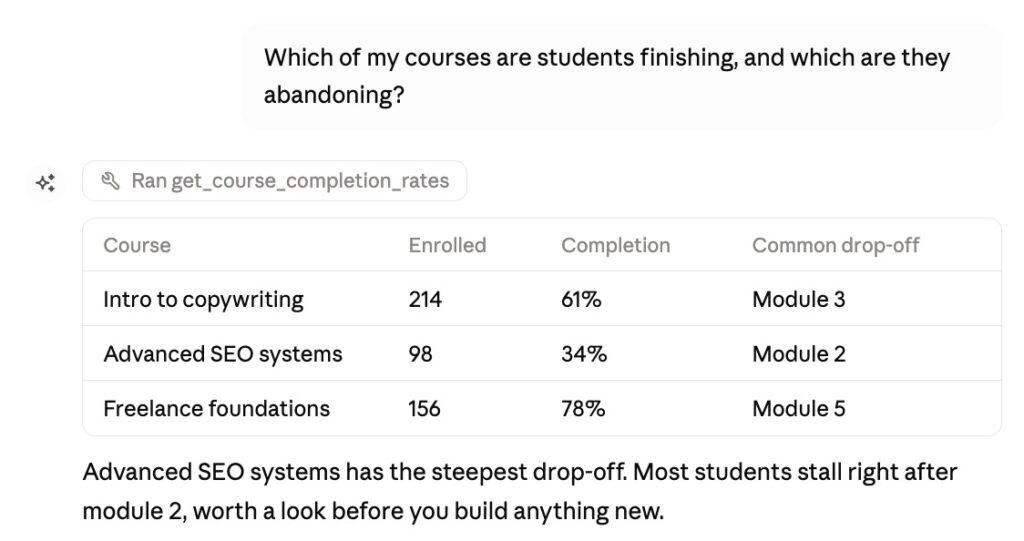
- Check who’s enrolled and who’s actually finishing a course in one question.
- Ask which of your courses students are finishing and which they’re abandoning, before you decide what to rebuild.
Coaches and Consultants
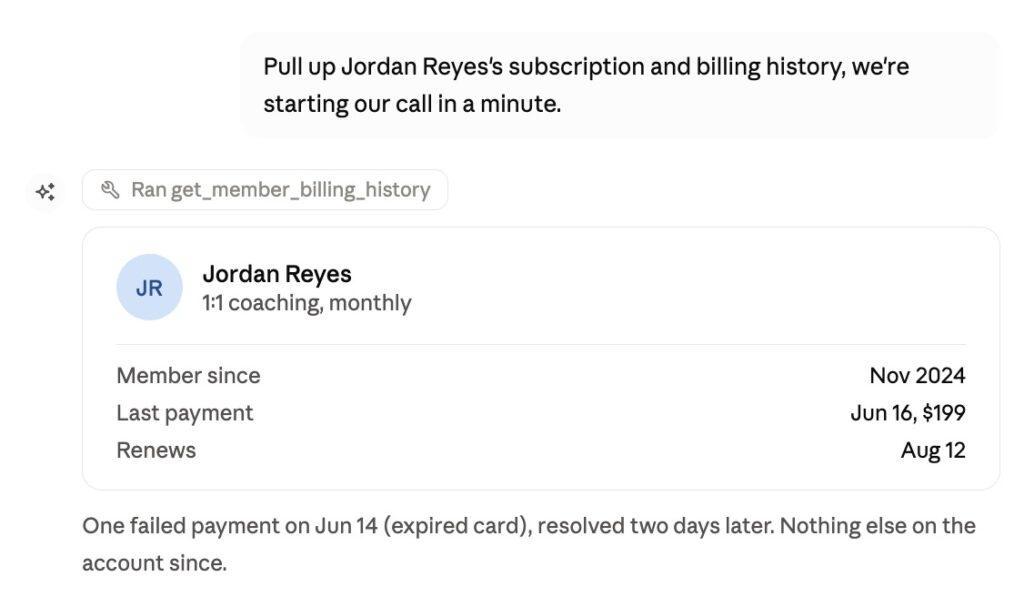
- Pull up a client’s subscription and billing history the moment a call starts, right inside the chat window you’re already using.
- Issue a goodwill refund or extend access on the spot, with the confirmation step keeping it safe.
- Ask which clients are approaching renewal so you can reach out first.
Agencies Managing Multiple Client Sites
- Connect once per client site, then run the same monthly revenue and churn check across every account by asking, not pulling reports by hand.
- Hand clients real answers about their own membership performance without logging into their wp-admin.
Subscription Businesses Focused on Retention
- Run churn prediction and cohort analysis to see which members are trending toward cancellation before it happens.
- Use renewal forecasts to plan outreach around your largest expiration windows, rather than finding out after the fact.
Developers and Technical Teams
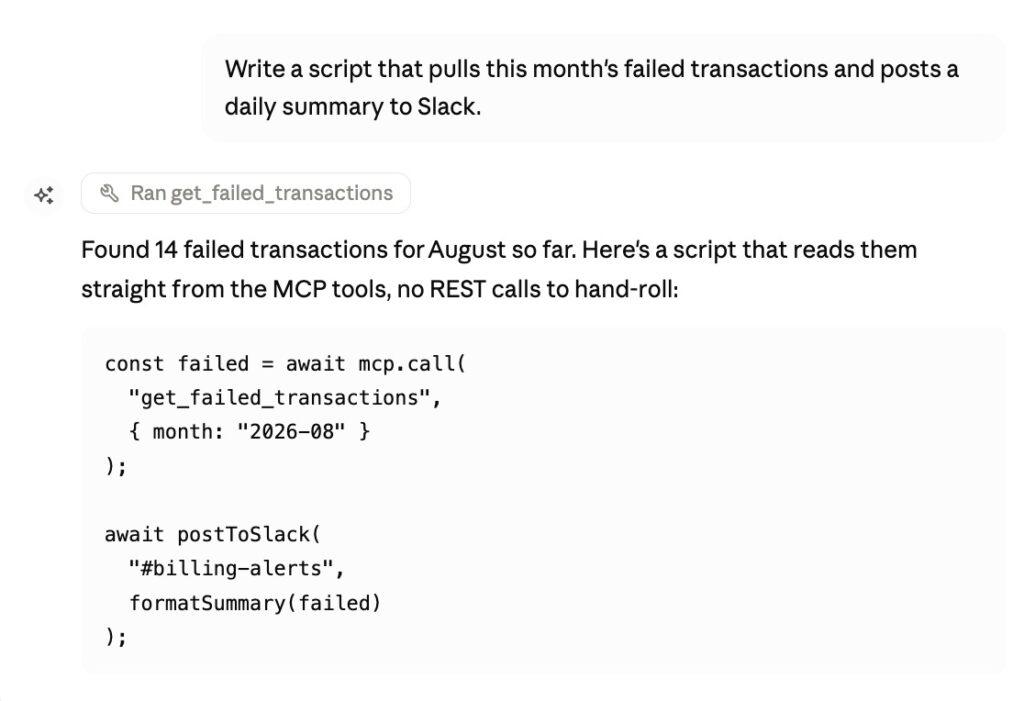
- Build automations in Cursor, VS Code, or Claude Code that read live MemberPress data directly, without hand-rolling REST API calls.
- Prototype a new workflow against real site data in minutes instead of writing custom integration code first.
Your site, now conversational
What you get out of AI Foundation is time back: fewer admin screens, fewer exports, fewer manual lookups standing between you and an answer.
AI Foundation is available on all three of our current plans: Launch, Growth, and Scale. Head to our pricing page to choose the plan that’s best for you.
Ready to connect your first AI client? Check out MemberPress AI Foundation Overview and Setup Guide for the full walkthrough, or head to MemberPress > Add-ons and install AI Foundations on your site to get started.

Get MemberPress Today!
Start getting paid for the content you create.

Got questions about MemberPress AI Foundation? Or just want to share how you’re planning on using it? Let us know in the comments section below!
If you found this article helpful, follow us on Facebook, X, Instagram, and LinkedIn!












Add a Comment