

Building a community around your coaching membership is one of the most powerful things you can do for long-term growth – and one of the hardest things for any competitor to replicate.
Content is easy to leave. A community isn’t.
A member who’s quietly working through your course library can cancel on a Tuesday afternoon without much friction. A member who’s in the middle of an accountability group with three other business owners, who just posted a question in your community that two people have already responded to, has real reasons to stay that have nothing to do with your content.
Community is the part of a coaching membership that’s genuinely hard to replicate. The specific people inside your community, the relationships they’ve built, the conversations they’re in the middle of is what makes your membership irreplaceable.
This guide covers the community formats that work specifically for business coaching, how to build them on your site instead of renting space on someone else’s platform, and how to keep engagement alive once the community is up and running.
? Building a business coaching website? This guide is part of a full series covering every step, from choosing your niche to setting up your membership. The best place to begin is here ? How to Create a Business Coaching Website
Why Community Is the Retention Tool Most Coaches Overlook
Here’s why community deserves to be central to how you design your membership:
- It creates a reason to show up that isn’t you: When members are connected to each other – not just to you and your content – the membership has value on days when you’re not posting, not running sessions, not adding anything new. The community generates its own reasons to log in.
- It builds accountability that content alone can’t: Business owners need people who will ask them how the thing they committed to last week actually went. Peer accountability is one of the most powerful outcomes a coaching membership can offer – and it only exists in a community.
- It surfaces what members actually need. The questions people ask in your community, the problems they post about, the conversations that get the most responses – that’s a direct feed into what your next course, workbook, or coaching session should cover. You don’t have to guess.
- It’s your strongest differentiator. Any coach can build a content library. A thriving community of business owners who are genuinely helping each other is hard to build and nearly impossible to replicate. Once it exists, it’s yours.
The Community Formats That Work for Business Coaching
Business coaching communities work best when they’re built around action and accountability – not just discussion. These formats below tend to create the most engagement and retention in this niche.
Peer Accountability Groups
Small groups – typically four to six members at similar business stages – who meet regularly to report on progress, share what they’re working on, and hold each other to commitments. The coach doesn’t need to be present in every accountability group. The value comes from the peers.
These work best when members are matched intentionally: similar revenue stage, similar business model, or similar challenges. A freelancer in their first year and an agency owner with ten employees are both “business owners,” but they won’t have much useful to say to each other about their specific challenges.
Hot Seat Sessions
One member brings a real challenge they’re working through – a pricing decision, a difficult client situation, a hiring dilemma – and the group works on it together. The coach facilitates. The peers contribute.
Hot seats are one of the most valuable things a business coaching community can offer because they’re real, specific, and immediately applicable. Members learn as much from watching someone else’s hot seat as from being in the seat themselves. When done well, they’re also the sessions members talk about most.
Async Q&A
A dedicated space where members can post questions at any time and get responses from the coach and from peers. Unlike live sessions, async Q&A works around everyone’s schedule – which matters for business owners who are managing teams, clients, and unpredictable days.
The key to making async Q&A work is response time. If questions sit unanswered for days, members stop posting. A committed turnaround from the coach – even a short one – keeps the format alive.
Member Networking and Directories
Business owners join coaching communities partly for the peer network. A member directory that lets them find and connect with other members by industry, business stage, or location turns a passive list into an active networking resource.
This is especially valuable for members who are in niches where their local network is thin – a freelance designer in a small city, a health practitioner building their first business, a consultant who works remotely. Your community might be the most relevant professional network they have access to.
Why Keeping Community On Your Site Matters
The default move for most coaches is a Facebook group. It’s fast to set up, members already have accounts, and it feels like the obvious choice.
The problem is you don’t own it. Facebook controls what members see, when they see it, and how the algorithm surfaces your content.
Your members are one notification from a friend, one sponsored post, one political argument in another group away from never coming back to yours.
Every time someone opens Facebook to visit your group, they’re visiting Facebook first.
Slack has the same problem. It’s built for work teams, not coaching communities. Members have to manage another app, another notification stream, another inbox.
And when they leave your membership, they just leave the Slack – no friction, no reminder of what they’re walking away from.
Keeping your community on your site keeps members in your world. Every time they log in to check a post, respond to a question, or look up another member’s profile, they’re on your site – where your content, your courses, your downloads, and your coaching programs are right there alongside the community.
How to Build Your Community with ClubSuite™
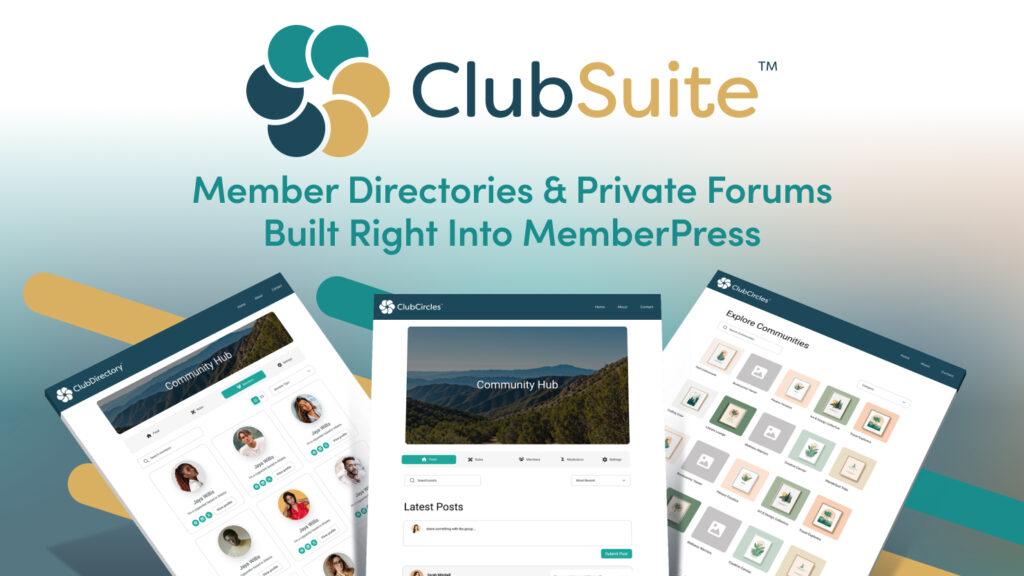
ClubSuite™ is MemberPress’s community and networking pack – three add-ons that work together to give you everything you need to build a fully functioning community directly on your WordPress site.
ClubDirectory™ – Member Profiles and Networking
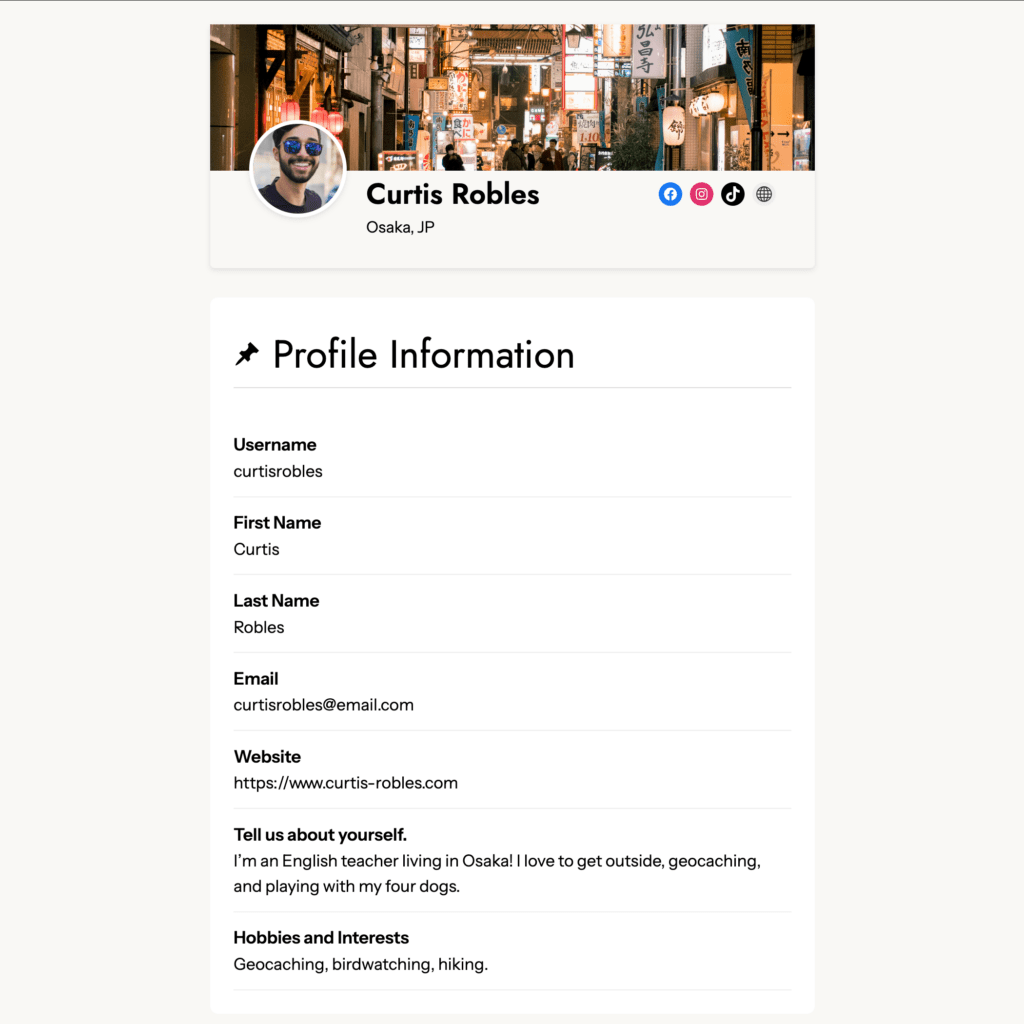
ClubDirectory™ gives every member a profile and makes those profiles searchable. Members can add their name, location, business details, social links, and areas of expertise. Directories can be filtered by membership tier, industry, location, or any custom field you set up.
For a business coaching community, this is powerful. A member looking for an accountability partner, a potential collaborator, or just someone else working through the same challenges they are can search your directory and find them. The community stops being a feed of posts and starts being a network of people.
You can also use directories to differentiate between tiers. Entry-level members get access to the general directory. Premium members get access to a more detailed VIP directory with enhanced profiles and additional filters. Available on MemberPress Growth and Scale plans.
To set up ClubDirectory™:
- Go to MemberPress → Add-ons and install ClubDirectory™
- Navigate to Dashboard → ClubSuite™ → Profiles → Add New to create your member profile type
- Assign the profile to the relevant memberships
- Go to Dashboard → ClubSuite™ → Directories → Add New to create your directory
- Set your display options, search filters, and access rules
ClubCircles™ – Private Discussion Boards
ClubCircles™ creates private discussion spaces – called Circles – where members can post updates, ask questions, share wins, and engage in ongoing conversations. Each Circle is a focused community around a specific topic, cohort, or group.
For business coaching, Circles are where the day-to-day community life happens. You might set up a Circle for each accountability group, a general business discussion Circle, an industry-specific Circle, and a wins and milestones Circle where members celebrate progress.
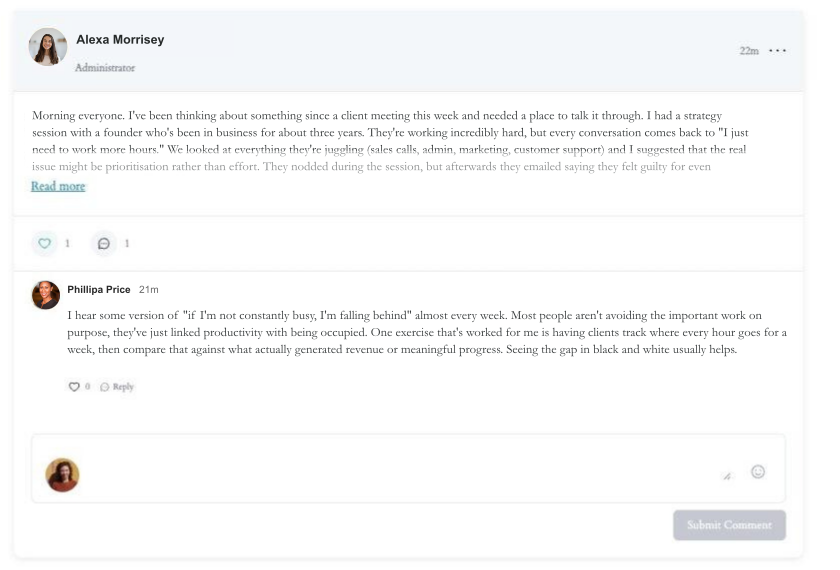
Members discover Circles through a searchable directory and join the ones relevant to them.
Circles integrate directly with your membership tiers – you control which members can access which Circles based on their membership level. Available on MemberPress Growth and Scale plans.
To set up ClubCircles™:
- Go to MemberPress → Add-ons and install ClubCircles™ (requires ClubDirectory™ to be installed first)
- Navigate to Dashboard → ClubSuite™ → Circles → Add New
- Add a title and set the visibility – public to all members, restricted to specific membership tiers, or private
- Configure auto-assignment if you want members to be added to Circles automatically when they join a specific membership
ClubConnect™ – Real-Time Chat and Private Messaging
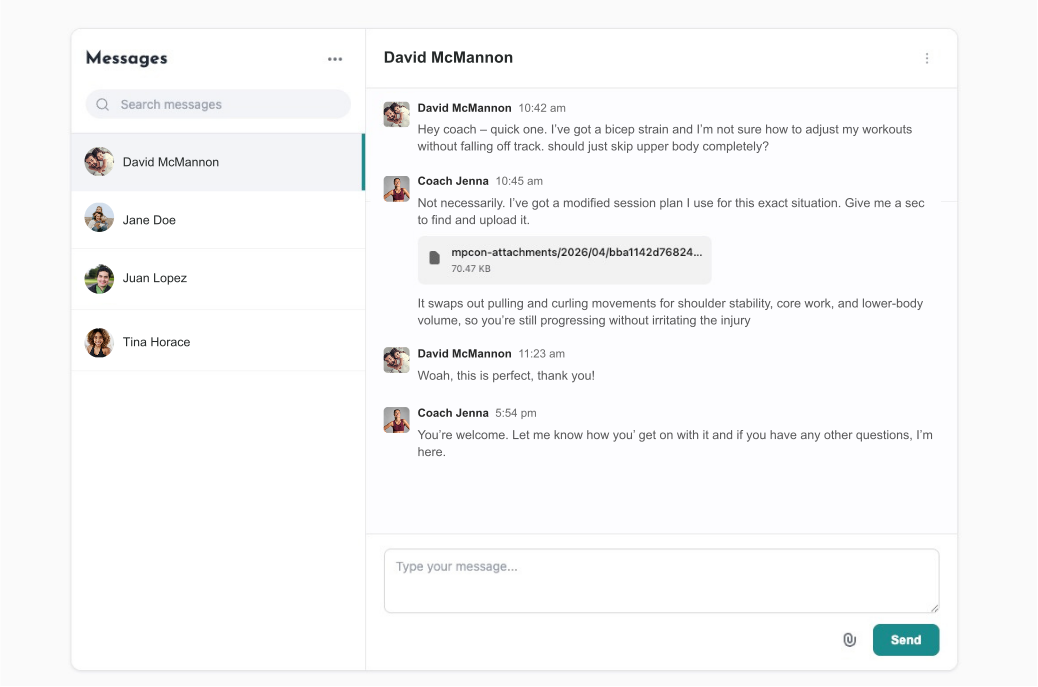
ClubConnect™ adds real-time group chat and private one-on-one messaging directly inside your membership site. No third-party apps, no Slack workarounds – the conversations happen on your site.
For business coaching, ClubConnect™ works in two modes:
Rooms are group chat spaces. When you have CoachKit™ active, each coaching cohort automatically gets its own chat room – so the group coaching program has a dedicated space for real-time conversation alongside the structured program. Circles and Directories can also have their own rooms.
Private messages let any two members start a direct conversation. A member who connects with someone through the directory can reach out privately without needing to take the conversation off-site.
ClubConnect™ also supports file sharing, @mentions to notify specific members, and emoji reactions – everything a professional community chat needs, built into your WordPress site. Available on MemberPress Scale plan only.
To set up ClubConnect™:
- Go to MemberPress → Add-ons and install ClubConnect™ (requires at least one of CoachKit™, ClubCircles™, or ClubDirectory™ to be active)
- Navigate to Dashboard → ClubSuite™ → Settings → Connect tab
- Under Connect Page, select Auto Create New Page – this creates a unified messaging hub at yoursite.com/connect/
- Enable auto-create rooms for Directories and Circles if you want those spaces to have chat rooms automatically
- Configure whether private messaging between members is enabled or disabled
How to Get Members Actually Using the Community
A community nobody posts in is worse than no community at all. It signals low engagement to every new member who joins and gives existing members nothing to come back for.
Build and sustain real engagement with these tips:
Start the Conversation Before Anyone Arrives
Before you invite members in, post five to ten conversations yourself. Questions, discussion prompts, a welcome post with instructions for introducing yourself. A new member who joins an active-looking community will participate. One who joins a ghost town won’t.
Give members a clear first action
The moment someone joins, tell them exactly what to do. “Introduce yourself in the Welcome Circle – share your name, what you do, and one thing you’re working on this month.” A specific prompt is much easier to respond to than a blank box with “start a discussion.”
Show up consistently, not constantly
You don’t need to respond to every post. But members need to know you’re present. A daily check-in, a weekly question you post yourself, a response to something that’s been sitting unanswered – that’s enough to signal that the community is alive and the coach is in it.
Use the community inside your sessions
Reference it during group calls. “Post your answer to this in the community before next week.” “Someone asked a great question in the Q&A Circle yesterday – let’s talk about it.” The more the community is woven into the coaching program, the more natural it feels for members to use it.
Celebrate what’s working
When a member shares a win, acknowledge it. When an accountability group has a breakthrough week, mention it. When someone asks a question that sparks a great discussion, highlight it. The members who feel seen in a community stay in it.
Give quiet periods structure
Every community has slower weeks. Instead of letting them stay quiet, build in recurring formats that create predictable activity: a Monday check-in thread, a Friday wins post, a monthly hot seat signup. Recurring structures keep the community moving even when organic activity is low.
Before You Go
Community is what turns a coaching membership from a content library into something members genuinely don’t want to leave. You now know which formats work for business coaching, why keeping it on your site matters, how to set it up with ClubSuite™, and how to keep members coming back to it consistently.
If you found this guide useful, there are six more in the series – covering everything from choosing your niche and setting up WordPress to selling subscriptions, building courses, and creating a resource library. You can find them all here:
? How to Create a Business Coaching Website
Ready to build your community? MemberPress gives you everything you need – ClubCircles™ for discussion spaces, ClubDirectory™ for member networking, and ClubConnect™ for real-time messaging, all on your own WordPress site.
Get MemberPress Today!
Start getting paid for the content you create.













Add a Comment